
At 2 a.m., the document is still blank. You've written three different openings, deleted two of them, and the deadline hasn't moved. You know the topic, you've recorded similar videos before, and yet the first sentence keeps turning into another unfocused introduction.
That problem isn't a lack of ideas. It's a missing production system. A useful YouTube script template gives you decisions to make before the prose starts: the hook angle, the viewer promise, the payoff location, the spacing between attention resets, and the action you want viewers to take.
Table of Contents
- Why a YouTube Script Template Beats Winging It
- The Five Beats Every Script Template Needs
- Customizing the Template for Long-Form Videos
- Adapting the Same Template for YouTube Shorts
- Paste-Ready Prompts for ClipNova's Script Generator
- Retention Engineering Inside the Template
- Troubleshooting and Your 60-Second Action Plan
<a id="why-a-youtube-script-template-beats-winging-it"></a>
Why a YouTube Script Template Beats Winging It
Improvisation looks efficient until recording exposes the gaps. A weak opening, repeated explanation, or missing transition then has to be repaired in the edit, often after the footage is already locked. A 2026 YouTube script-writing guide reports 40–60% average audience retention for scripted videos, compared with 25–35% for unscripted content (Coursera's YouTube planning and scripting guide).
Those figures do not guarantee that a scripted video will retain viewers, and improvisation can still produce a strong performance. The practical advantage of a template is control. It turns retention into a sequence of decisions: what the viewer sees first, when the next question appears, where proof arrives, and when the payoff earns the call to action.
Practical rule: Use a template to control the viewer's path, not to flatten your personality.
<a id="what-the-template-forces-you-to-decide"></a>
What the template forces you to decide
Complete these fields before writing dialogue:
- Hook angle: Will the opening use a question, surprising result, problem, or direct promise?
- Viewer payoff: What specific outcome must the video deliver?
- Beat spacing: At which timing marks will you introduce a new question, example, visual, or reveal?
- Proof moments: Which demonstration, comparison, screenshot, or explanation earns trust?
- CTA placement: What should viewers do after the payoff, and why does that action make sense then?
A home-studio organization tutorial shows the difference. An improvised version may begin with equipment history, drift into cable management, and delay the finished setup until the end. A templated version opens on the completed arrangement, states the problem it solves, and explains the decisions behind it. Humor and personal experience still fit, but each story has to support the viewer's progress.
The template also exposes production work before filming. A 2026 guide describes research, idea validation, outlining, drafting, voice editing, visual planning, and final polish as a repeatable workflow, with a manually produced 10-minute script often taking 2–4 hours. ClipNova's prompt-ready inputs let you carry those decisions from a blank document into a publish-ready draft without switching tools.
Format changes the shape of those decisions. Review guidance on the best YouTube video format for quality, then match the script to the format. A tutorial needs room for steps and proof, a review needs comparisons, a vlog needs purposeful scene turns, and a Short needs faster re-hook beats.
<a id="retention-comparison"></a>
Retention comparison
| Video Type | Templated Script Retention | Improvised Script Retention |
|---|---|---|
| Scripted or templated video | 40–60% | Not applicable |
| Unscripted content | Not applicable | 25–35% |
The reusable system is straightforward: define the beats, mark their timing, place re-hooks before attention fades, adapt the structure to the format, and feed the same decisions into ClipNova's script generator.
<a id="the-five-beats-every-script-template-needs"></a>
The Five Beats Every Script Template Needs
A viewer clicks for one promise, then starts judging the video within seconds. If the script keeps opening new promises, changing direction, or delaying the point, watch time suffers. A usable YouTube script template turns those risks into timing marks, re-hook beats, and clear visual instructions. A creator analysis cited in the brief found that 73% of top-performing videos in a UK creator analysis follow detectable script structures (Google's YouTube Analytics documentation). The figure does not guarantee performance, but it supports a practical rule: give the audience a shape they can follow.
<a id="the-five-beat-spine"></a>
The five-beat spine
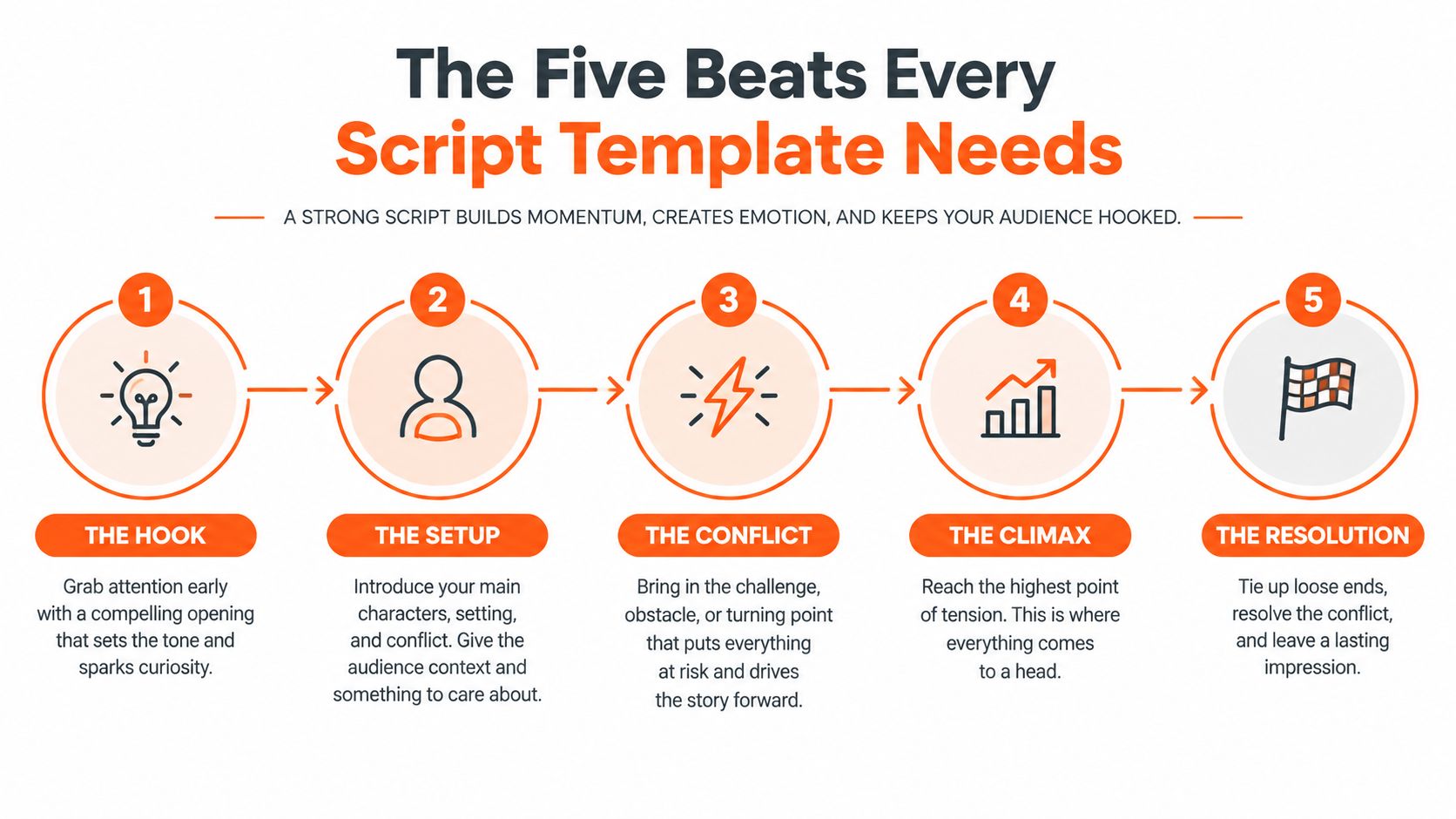
Hook, 0–5 seconds. Open with the tension, result, mistake, or question that earns attention. Skip the greeting, channel introduction, and background the viewer did not request. Mark the first visual change here, then state the question the video will answer.
Context, 5–30 seconds. Define the problem, identify who the video serves, and show the promised outcome. Keep this section narrow. Every sentence should reduce uncertainty rather than repeat the opening.
Body, 30% to 70% of runtime. Deliver the lesson, argument, demonstration, or story in ordered sections. Each section should advance the central promise and open a smaller question that the next section can resolve. Add a re-hook when the format, evidence, or stakes change.
Payoff, around the 60–70% mark. Resolve the main promise before the outro. Holding the answer until the final seconds can make the ending feel like a queue, especially after the viewer has already received enough information to leave.
CTA, at the end. Ask for one relevant next action after the practical or emotional resolution. A tutorial can recommend the next lesson. A product video can point to the connected step the viewer is ready to take.
The beats work as one retention system. The hook opens the main loop, context gives it purpose, the body creates progress, and the payoff closes the loop. In ClipNova, carry each beat into prompt-ready inputs: topic, audience, promise, proof, timing marks, visuals, and CTA. That keeps the draft, re-hooks, and production notes in one workflow.
A template gains value from specific instructions. “Introduction” gives a writer nothing to execute. “At 0:08, show the mistake named in the hook, then cut to the fix” tells the writer, editor, and presenter what must happen. Guidance from Longform Studio's YouTube script guidance also supports deliberate opening and transition beats. Use those marks to decide where attention must earn its next minute, not to decorate an outline.
<a id="customizing-the-template-for-long-form-videos"></a>
Customizing the Template for Long-Form Videos
A ten-minute tutorial can lose viewers before the useful part begins if the middle becomes a holding area for leftover information. Assign each promise a time window, then give the viewer a reason to stay between those windows. The template becomes a retention system, not a list of topics.
Use this timeline for a video longer than eight minutes:
- 0:00–0:15: State the hook and show the destination.
- 1:15–1:45: Add the first re-hook, such as a new problem, proof moment, or promised reveal.
- 4:30–5:00: Reset attention by changing the stakes, visual format, or type of evidence.
- 60–70% of runtime: Deliver the main payoff.
- Final 60 seconds: Place the CTA after the conclusion.
A re-hook every 45–90 seconds gives the script regular points for renewed attention. Each one can introduce a test, expose a limitation, switch from explanation to demonstration, or answer the question raised by the previous segment. Mark these beats in the script so the presenter and editor know when the argument must change.
<a id="a-copyable-long-form-worksheet"></a>
A copyable long-form worksheet
Complete these fields before drafting dialogue:
- Hook angle: What result, mistake, conflict, or question earns the first sentence?
- Audience pain point: What situation makes the viewer care now?
- Three sub-loops: Which smaller questions will the body open and close?
- Payoff statement: What exact answer or transformation must arrive between 60% and 70%?
- CTA offer: Which relevant next step follows the resolution?
The payoff should arrive while the viewer still has time to use it. If the opening promises a complete setup, show that setup during the re-engagement window instead of postponing it until the final moments. Use the remaining runtime for implications, alternatives, maintenance, or the next action.
<a id="a-10-minute-timeline-example"></a>
A 10-minute timeline example
For a studio-organization tutorial, open by showing the finished desk and naming the frustrating problem. Explain what will change, then cover the layout. A re-hook can reveal the hidden constraint that makes the layout work.
At the midpoint, use a visual comparison to reset attention. Move into lighting and cable decisions, show the completed setup around the 60–70% runtime mark, then use the remaining time to explain maintenance. The CTA should point to the next setup lesson rather than ask for an unrelated subscription.
Production teams can consult resources about best video production companies when planning a repeatable workflow. In ClipNova, keep the topic, audience, promise, proof, timing marks, visual notes, voice direction, captions, edit cues, and CTA in the prompt-ready inputs. A workflow using automated video editing can then follow those decisions instead of guessing where emphasis belongs.
<a id="adapting-the-same-template-for-youtube-shorts"></a>
Adapting the Same Template for YouTube Shorts
Shorts don't eliminate structure. They compress it until every line has to perform more than one job. Context becomes part of the hook, the body becomes a sequence of demonstrations or punchlines, and the payoff arrives repeatedly instead of waiting for one late resolution.
Use this timing map for a Short under 60 seconds:
- 0 seconds: Hook with a pattern interrupt or direct result.
- 3 seconds: Add the context inside the next sentence.
- 15 seconds: Open the first small loop.
- 30 seconds: Deliver a clear payoff or demonstration.
- 55 seconds: Close with a relevant CTA.
The Short needs momentum, but speed alone won't fix a weak promise. A viewer should know what problem is being solved almost immediately, and each visual change should clarify the argument rather than decorate it.
| Beat | Long-Form Timing | Shorts Timing |
|---|---|---|
| Hook | 0:00–0:15 | 0:00–0:03 |
| Context | 0:05–0:30 | Inside the opening sentence |
| Body | 30%–70% of runtime | 0:03–0:45 |
| Re-hooks | Every 45–90 seconds | Around each new point |
| Payoff | 60%–70% of runtime | Around 0:30, with smaller payoffs before it |
| CTA | Final 60 seconds | Around 0:55 |
<a id="a-50-second-productivity-example"></a>
A 50-second productivity example
Hook, 0:00: “Your task list is getting longer because you're planning tasks instead of finishes.”
Context, 0:03: “Replace every vague task with one visible result.”
First loop, 0:15: “Don't write ‘work on the presentation.’ Write the next finished piece.”
Payoff one, 0:30: “That becomes ‘draft the opening slide,’ which tells you exactly how to start.”
Payoff two, 0:40: “Then group the finished pieces by deadline, not by the project name.”
CTA, 0:55: “Save this framework, then use it on your next task list.”
The script works because the example itself demonstrates the method. The hook names the pain, context supplies the rule, the body applies it, and the Short delivers more than one satisfying resolution before the CTA.
<a id="paste-ready-prompts-for-clipnovas-script-generator"></a>
Paste-Ready Prompts for ClipNova's Script Generator
A generator produces better drafts when you provide decisions, not just a topic. Fill in the audience, intent, format, promise, tone, visual requirements, and payoff location before asking for dialogue. Then require visible timing marks so the draft can move into recording and editing without another restructuring pass.
Use prompts like these:
<a id="long-form-tutorial"></a>
Long-form tutorial
“Write a long-form YouTube tutorial for [audience] on [topic]. The viewer's main pain point is [pain point]. Use a direct pattern-interrupt hook in the opening, brief context, three instructional sections, re-hook cues every 45–90 seconds, proof moments using [demo, screenshot, comparison], and a main payoff at 60–70% of runtime. Target [length] and [tone]. Label each section with a timestamp, spoken narration, visual direction, open loop, and resolution. End with one CTA connected to [next action]. Avoid greetings, filler, repeated claims, and promises the script doesn't resolve.”
<a id="shorts-explainer"></a>
Shorts explainer
“Write a YouTube Short about [topic] for [audience] with a [tone] voice. Open with a bold claim in the first sentence, merge context into the opening, introduce an open loop around 15 seconds, deliver three compact payoffs, and place a concise CTA at the end. Include timestamps at 0, 3, 15, 30, 40, and 55 seconds. Add visual and subtitle cues for every line. Keep the language natural for voiceover and remove all setup that doesn't support the promise.”
<a id="listicle"></a>
Listicle
“Write a listicle about [topic] for viewers who already know [baseline knowledge]. Use a curiosity-based hook, explain the selection criteria quickly, and structure each item as claim, proof, and implication. Re-hook between items with a specific reason to continue. Place the most useful or surprising item before the ending, then close with a concise summary and one relevant CTA. Mark narration, visuals, on-screen text, and timestamps. Tone: [tone].”
<a id="story-driven-video"></a>
Story-driven video
“Write a story-driven YouTube video about [subject] for [audience]. Start with the consequence or unresolved conflict, then provide only the context needed to understand it. Build three open loops, use scene-specific visual cues, introduce proof or evidence at each major turn, and resolve the central question at 60–70% of runtime. Include re-hook beats, pauses, narration, dialogue if needed, and a final CTA that follows the story's resolution. Target [length] and keep the voice [tone].”
These prompts follow the same principles used in a text-to-video prompt workflow. Generate the draft, read it aloud, mark any sentence that repeats the previous one, and compare every promised result with its actual resolution. The tool can accelerate the first draft, but the creator still owns the judgment.
<a id="retention-engineering-inside-the-template"></a>
Retention Engineering Inside the Template
A viewer who clicks for a specific result will leave when the script delays that result. Build the template around the next reason to continue, not just the next line to narrate.
Add a timestamp, viewer promise, open loop, proof moment, visual change, and resolution beside every major segment. A 2026 benchmark cited in the brief reports 52–68% average view duration for format-matched templates, compared with 28–38% for unscripted or generic approaches (TubeAI's retention comparison). Those figures do not make structure automatic. They show what weak planning can cost.
<a id="the-engineering-decisions"></a>
The engineering decisions
Curiosity loops work after the audience understands the problem but before it has the answer. State one meaningful question, mark where it opens, and schedule its resolution. Vague teases such as “you won't believe what happens next” create noise instead of commitment.
Proof moments refresh attention by changing how information arrives. Use a screen recording, product demonstration, visual comparison, or concrete example after a claim that needs trust. Place it at the claim's point of resistance, not as decoration between paragraphs.
Re-hooks must give viewers a new reason to stay. Reveal a constraint, test the method, compare outcomes, or expose a common mistake. In long-form videos, the middle needs a new question or consequence, not a louder sentence.
Captions support the same system. They reinforce pacing, preserve meaning without sound, and let editors emphasize a key phrase without overloading narration. A practical workflow for adding subtitles to a video helps turn those cues into a consistent visual layer.
Use ClipNova's prompt-ready inputs for each beat, including the topic, audience, target length, proof asset, tone, and CTA. The draft can move from blank document to publish-ready plan without switching tools. Read it aloud, check every timing mark, and confirm that each promised result receives a clear resolution.
<a id="troubleshooting-and-your-60-second-action-plan"></a>
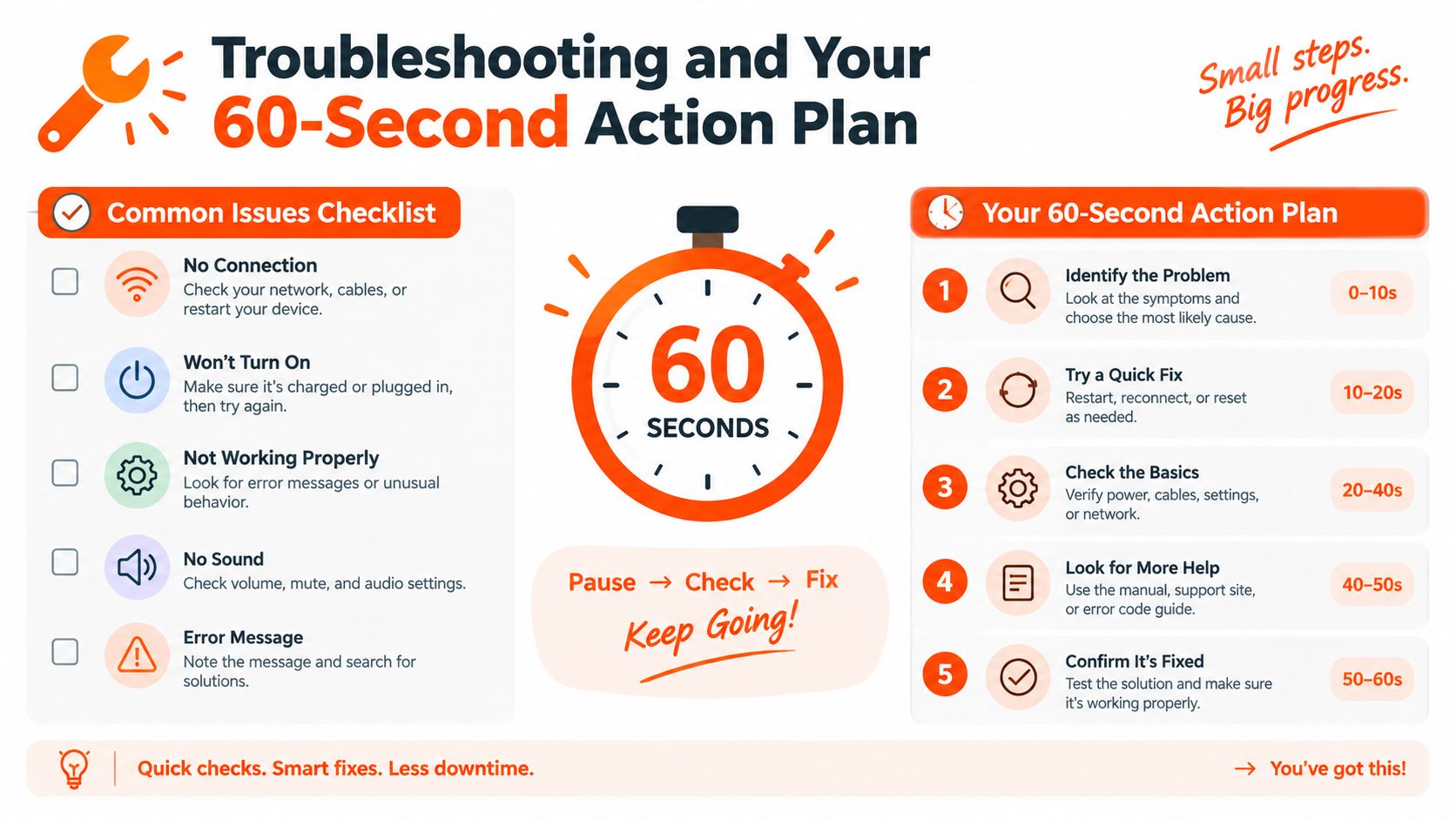
Troubleshooting and Your 60-Second Action Plan
A script can reveal a retention problem before analytics confirm it. Read the draft with a stopwatch. Look for these three failure points:
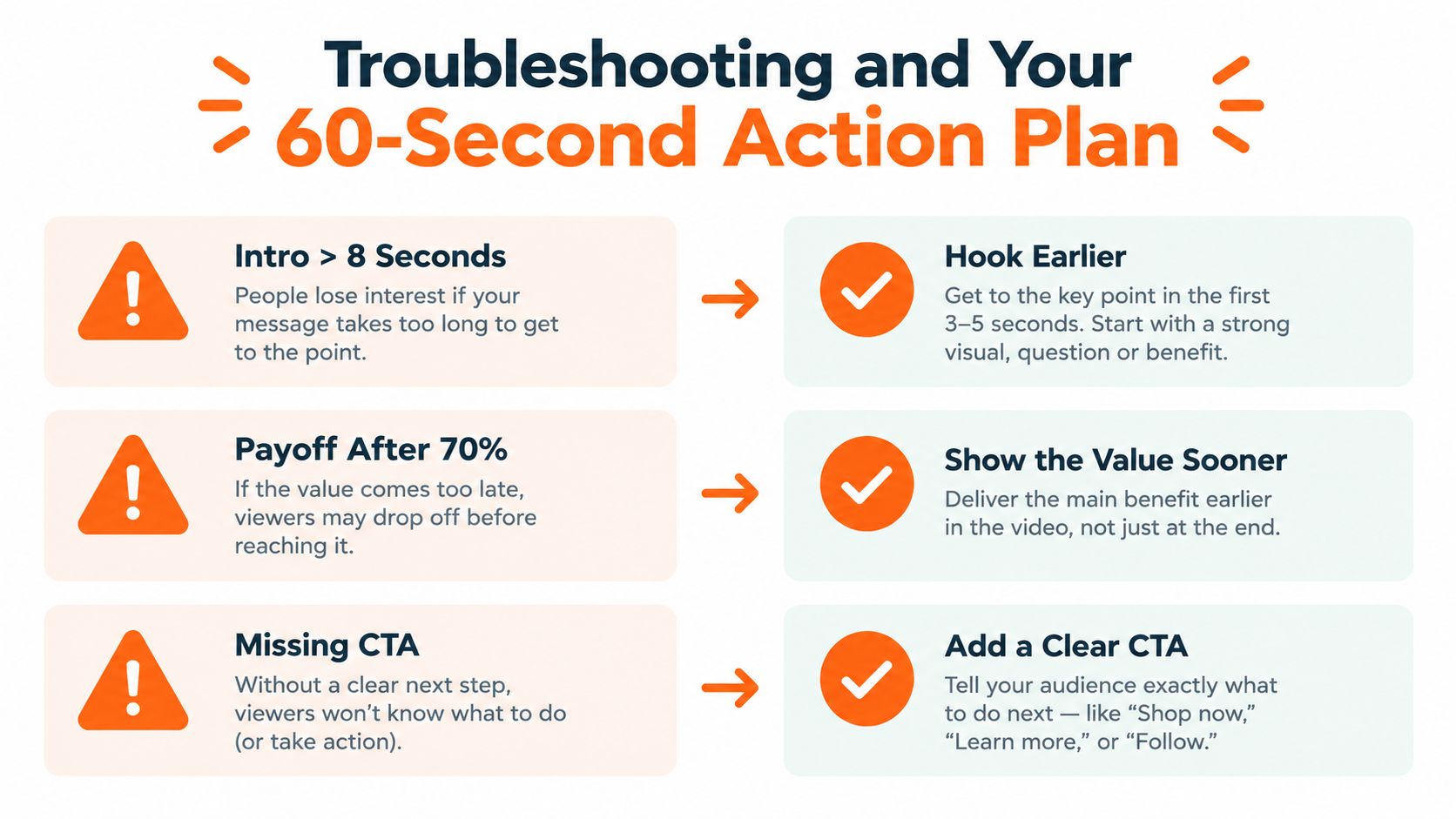
- The intro delays the promise: Greetings, credentials, and branding consume attention without answering why the viewer should stay. Open with the problem, result, or demonstration promised by the title and thumbnail.
- The payoff arrives too late: If the main answer appears after the 70% mark, viewers may leave after collecting partial information. State the core resolution earlier, then reserve the ending for implications and the CTA.
- The middle has no re-hooks: An uninterrupted explanation gives viewers no fresh reason to continue. Mark a question, proof moment, visual change, or consequence that advances the central promise.
Use 45–90 seconds as a checkpoint for transition hooks, not as a rigid rule. Every re-hook needs substance. A timed beat that only announces more information sounds like stalling, and the stopwatch will expose it.
<a id="your-next-60-seconds"></a>
Your next 60 seconds
- Copy the long-form or Shorts template that fits the video.
- Fill in the hook, viewer pain point, payoff, and CTA before drafting.
- Paste the matching prompt into ClipNova's script generator.
- Add re-hook marks at each planned attention reset.
- Record a cold read and time every beat before filming.
A cold read catches slow sentences, overloaded explanations, and promises without resolutions. Fix those problems on the page, where revisions cost less than changes during editing. Use the timing marks to decide whether a beat earns its place or needs a tighter line.
ClipNova can turn a topic or link into a draft with narration, visuals, captions, music, and export options for different aspect ratios. You can also adjust the script's tone and length. Visit ClipNova to build a retention-engineered video from a structured prompt instead of starting with a blank document.
Ready to ship your own?
Start creating viral videos with AI in under twenty minutes, no credit card required.