
The global video editing AI segment was valued at US$1,497.8 million in 2024 and is projected to reach US$9,562.0 million by 2030. AI is already part of everyday video work, with 63% of video marketers using AI tools to help create or edit videos.
At 2 AM, the problem rarely starts with the cut itself. It starts with three camera folders, a script that changed after filming, inconsistent audio, missing B-roll, several aspect ratios, and a deadline that doesn't move. A creator can spend hours completing tasks that have little to do with the story, then discover that the final video still feels disjointed.
Modern video editing AI is changing that workflow. The meaningful shift isn't another auto-caption button. It's the move from isolated assistance to studio orchestration, where scripting, footage selection, voiceover, editing, localization, branding, and export work from the same creative brief.
Table of Contents
- The New Reality of Video Production
- Understanding the Core Capabilities of AI Video Editing
- From Raw Footage to Polished Video
- The Rise of End-to-End AI Studios
- Benefits, Limitations, and the Human Touch
- Choosing the Right AI Video Tool for Your Needs
- The Future of Video Editing with AI
<a id="the-new-reality-of-video-production"></a>
The New Reality of Video Production
Sarah has finished filming a product tutorial. Camera one contains the main presentation, camera two has alternate angles, and a phone captured a few useful demonstrations. Her script includes notes from a late client review, while the music, captions, and vertical cut still need attention.
In a traditional workflow, Sarah opens one tool to transcribe the interview, another to remove silences, another to create captions, and a desktop editor to assemble everything. She then exports a draft for review, receives comments in a messaging app, makes changes on a duplicated timeline, and repeats the process for each platform. The work is manageable, but every handoff creates another opportunity for mismatched versions, forgotten notes, or inconsistent branding.
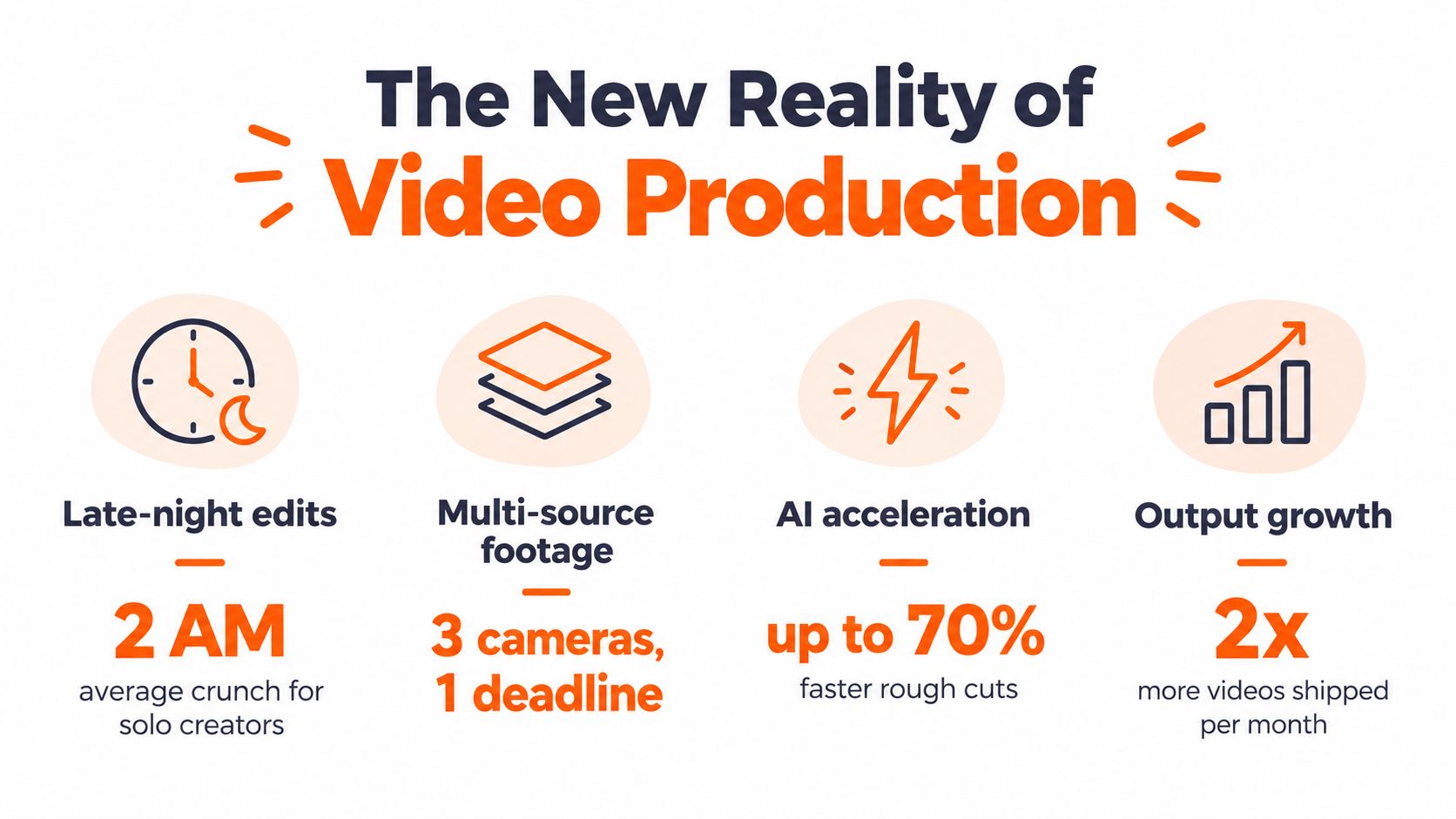
The new workflow starts with a brief rather than a blank timeline. AI can identify speakers, transcribe dialogue, group scenes, locate phrases, suggest a rough structure, and prepare several output formats. Sarah still decides whether the opening earns attention, whether the demonstration arrives at the right moment, and whether the brand sounds credible. The system handles more of the groundwork so she can direct the result.
The commercial momentum is clear. The Grand View Research market figures summarized by Adwave place the global video editing AI segment at US$1,497.8 million in 2024, with a projection of US$9,562.0 million by 2030 and a projected 38% CAGR from 2025 to 2030. The same source identifies North America as the largest revenue-generating market in 2024 and South Korea as the fastest-growing country market for the projected period.
<a id="from-technical-labor-to-creative-direction"></a>
From technical labor to creative direction
AI doesn't remove the craft. It changes where the craft matters most.
An editor who once spent much of the day syncing angles and cleaning dialogue can spend more time shaping tension, emphasis, and rhythm. A marketer can test different hooks without rebuilding every version manually. A small production team can create a coherent first draft without sending each task to a different specialist.
That distinction matters because speed without coherence creates unusable content. A video can have accurate captions and attractive transitions yet still bury the key message, use the wrong visual at the wrong moment, or sound unlike the brand. The winning workflow connects every decision back to the intended audience and outcome.
<a id="understanding-the-core-capabilities-of-ai-video-editing"></a>
Understanding the Core Capabilities of AI Video Editing
AI video editing covers several different capabilities, and they don't all require the same level of intelligence. Removing a pause is a straightforward automation task. Choosing the right pause to preserve for emotional effect requires editorial judgment.

<a id="what-the-tools-handle-well"></a>
What the tools handle well
Most current systems are useful at the repetitive layer of production:
- Transcription and captions: Speech becomes searchable text, captions, and editable dialogue. Teams can find a phrase instead of scrubbing through an entire recording.
- Silence and filler removal: The system can identify pauses, repeated words, and verbal clutter, then prepare a tighter draft for review.
- Speaker and scene detection: AI can separate speakers, recognize changes in shots, and organize footage into a usable starting structure.
- Reframing: A horizontal recording can be adapted for vertical or square formats while keeping the main subject visible.
- Audio enhancement: Noise reduction, leveling, and voice enhancement can make rough recordings more usable.
- B-roll assistance: Some tools search transcripts and visual metadata to suggest footage that supports a spoken point.
The important evolution is from frame-level generation to semantic and temporal reasoning. VEBench evaluates editing through 3.9K human-verified edited videos totaling more than 257 hours, plus 3,080 question-answer pairs. Its design separates technique recognition from operation simulation, requiring a system to identify what editing technique is needed and then locate the correct clips in time. The VEBench research shows why a visually impressive generated frame isn't enough for real editorial work.
Practical rule: Use AI to propose structure, not to define meaning without supervision.
A system may recognize that a speaker mentions a product feature. It may not understand that the customer's hesitation before the sentence is the most persuasive part of the clip. It can detect a smile, but it can't reliably determine whether the moment feels sincere, awkward, or strategically important to the audience.
That gap explains why automatic editing works best when the brief is explicit. Give the system the target platform, audience, tone, must-include points, banned claims, visual rules, and preferred pacing. The more context the editor has, the less it has to infer from pixels and transcripts alone.
<a id="from-raw-footage-to-polished-video"></a>
From Raw Footage to Polished Video
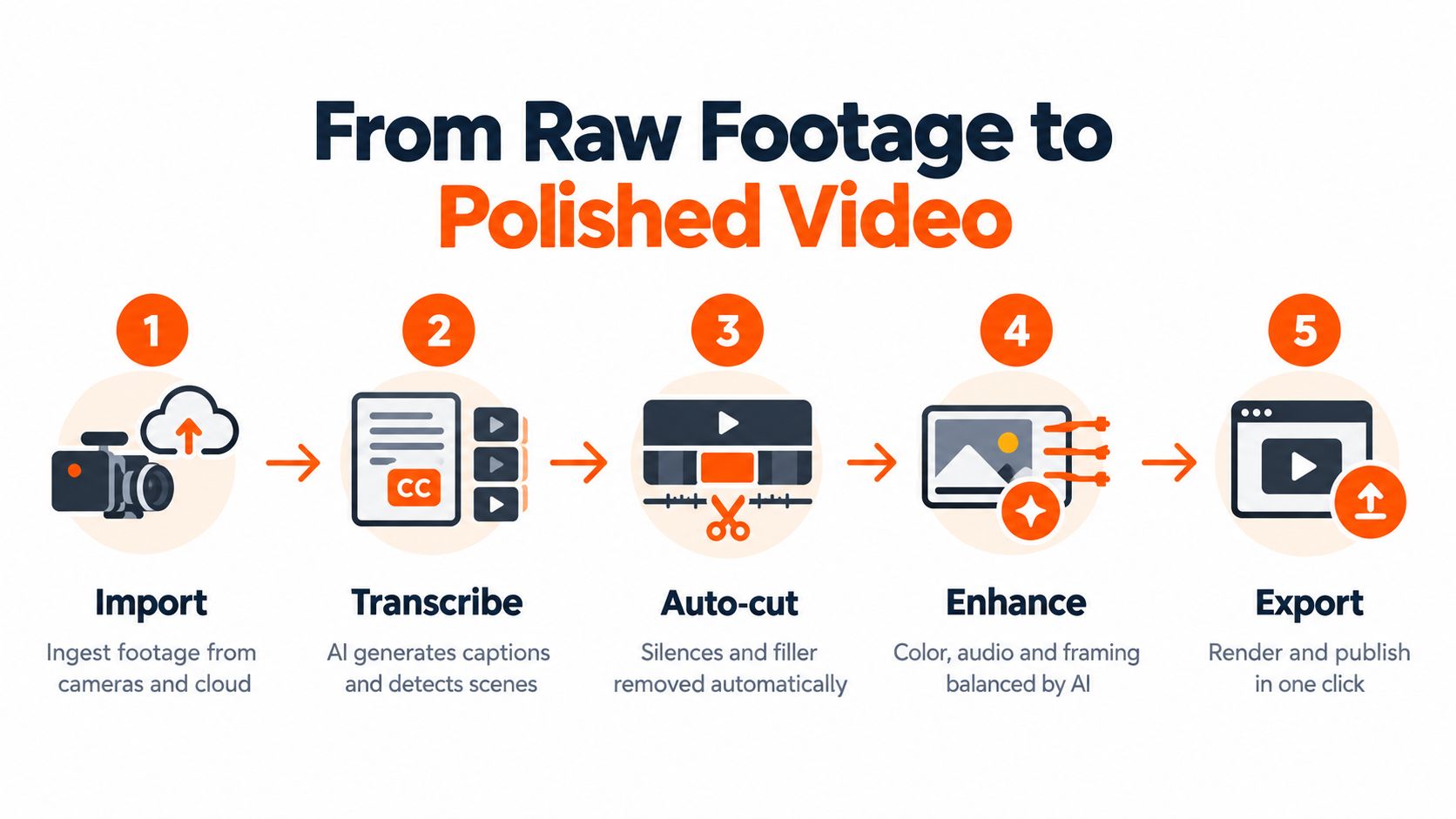
A practical AI workflow should reduce handoffs without hiding important decisions. The following sequence keeps automation useful while preserving editorial control.
<a id="step-one-ingest-and-organize"></a>
Step one, ingest and organize
Import footage from cameras, phones, cloud storage, and screen recordings into a shared project. The system should create transcripts, detect scenes, identify speakers, and expose technical problems early.
Don't skip the brief at this stage. Add the intended audience, desired runtime, primary channel, aspect ratios, brand assets, and required messages. A system that knows the destination can make better decisions about framing and pacing than one that only sees a folder of clips.
<a id="step-two-build-a-searchable-source"></a>
Step two, build a searchable source
Transcription turns an unstructured recording into an editorial database. Search for the product name, customer objection, key phrase, or strongest claim, then review the surrounding footage instead of scanning every take.
Text-based editing can save real effort in this case. Removing a sentence from the transcript can remove its corresponding video segment, while a producer can still refine the timeline afterward. For a more detailed workflow, the guide to automating video editing with AI provides a useful reference point.
<a id="step-three-generate-a-rough-cut"></a>
Step three, generate a rough cut
Ask the system for a specific assembly, not a vague “make it engaging” edit. A better instruction might request a concise opening, one proof point, a demonstration, a clear objection response, and a direct close.
AI can remove dead air, arrange selected statements, and suggest B-roll. It can also make a bad editorial decision quickly. Review the first cut for context, continuity, claims, and emotional rhythm before polishing anything.
<a id="step-four-enhance-and-create-variants"></a>
Step four, enhance and create variants
Once the structure works, apply audio cleanup, color balancing, caption styling, and reframing. Keep these adjustments subordinate to the story. A dramatic transition can't repair a weak sequence, and aggressive caption animation can make a serious message feel cheap.
Generate platform versions from the approved master. Check every crop manually, especially when the speaker moves, a product sits near the edge of the frame, or text appears in the safe area.
<a id="step-five-approve-and-export"></a>
Step five, approve and export
The final stage should include a human review checklist:
- Message: Does the opening establish the subject quickly?
- Accuracy: Are spoken claims, captions, graphics, and on-screen text consistent?
- Brand: Do voice, color, typography, and music match the brief?
- Accessibility: Are captions readable and synchronized?
- Format: Does every version work on its intended platform?
- Delivery: Are filenames, resolutions, audio levels, and export settings correct?
The strongest systems connect this production flow to review and publishing rather than stopping at the render. That is the difference between an automated edit and an automated studio.
<a id="the-rise-of-end-to-end-ai-studios"></a>
The Rise of End-to-End AI Studios
A fragmented stack makes every creative decision travel through a technical queue. The writer prepares a script in one place, the voice artist records in another, the editor assembles visuals somewhere else, and the localization team begins only after the master is approved.
An end-to-end studio reverses that pattern. The brief becomes the central object, and the system builds script, narration, visuals, captions, music, and formats around it. A producer can change the tone of the script, regenerate a voiceover, replace a scene, and review the revised cut without exporting files between unrelated applications.
That consolidation matters for more than convenience. Separate tools often interpret the project differently. A script editor may shorten a sentence without informing the caption file. A voice tool may deliver a pace that no longer matches the visual sequence. A resizing tool may crop the product out of the frame. Or a translation workflow may preserve the words while losing the emphasis.
<a id="coherence-becomes-the-product"></a>
Coherence becomes the product
The useful question is no longer, “Which tool makes captions fastest?” It's, “Can the system keep the same message coherent across every version?”
A studio should preserve:
- Narrative intent: The hook, proof, and call to action should survive edits and translations.
- Visual identity: Logos, colors, fonts, product references, and shot styles should remain consistent.
- Voice direction: Narration should match the intended audience, pace, pronunciation, and emotional register.
- Format logic: A vertical ad shouldn't feel like a horizontal video squeezed into a smaller frame.
- Revision context: Changes should update connected assets rather than create a new disconnected branch.
Chat-based editing can make this process more accessible, but conversational control isn't a substitute for a visual review. A natural-language instruction may be understood correctly while producing a sequence that feels flat. The producer still needs to inspect the cut, listen to transitions, and compare the result with the brief.
The automated video production workflow is most valuable when it treats editing as a connected pipeline. That approach supports faster iteration because the team can test a different hook, voice, or aspect ratio without rebuilding the entire project manually.
A useful studio also supports localization. Translation should account for timing, line length, pronunciation, on-screen layout, and cultural context. Replacing English captions with translated text isn't enough if the voiceover runs longer and the original visual emphasis no longer lands.
<iframe width="100%" style="aspect-ratio: 16 / 9;" src="https://www.youtube.com/embed/Lnkv0-GLU3w" frameborder="0" allow="autoplay; encrypted-media" allowfullscreen></iframe>The category is still developing. Current market commentary identifies multimodal progress, infrastructure optimization, and democratized creative tools as important themes, while newer products increasingly emphasize chat-based editing and translation workflows. The opportunity is not only to generate more clips. It's to coordinate the decisions that turn raw material into a publishable asset.
<a id="benefits-limitations-and-the-human-touch"></a>
Benefits, Limitations, and the Human Touch
AI earns its place in a production workflow when it removes mechanical effort without weakening the creative decision. It works particularly well on tasks with clear patterns, such as transcription, silence detection, caption generation, basic reframing, audio cleanup, and first-pass organization.
It also makes iteration cheaper. A team can create several rough structures, compare different openings, or prepare channel-specific versions before committing to a final polish. That flexibility helps producers discover a stronger edit instead of protecting the first acceptable one.
The limits appear when the system has to infer intent. Emotional timing, irony, cultural nuance, brand risk, and audience expectations are difficult to reduce to a simple instruction. AI may choose the sentence that contains the most keywords while missing the reaction shot that gives the sentence meaning.
<a id="where-the-evidence-remains-sobering"></a>
Where the evidence remains sobering
End-to-end agents still struggle with complex editorial work. Timeline-Bench defines 56 real editing jobs with source assets, containerized execution, and tests for delivery format, content, and brief compliance. Its evaluation used 2,582 blind judgments from 43 video editors, and the best agent solved 15 of 56 tasks, or 26.8%, while the average agent solved 14.0%. These results from Timeline-Bench show that multi-step planning, clip selection, and output conformity remain difficult.
That doesn't make AI useless. It clarifies the right operating model:
| AI is a strong fit for | A human should lead |
|---|---|
| Finding spoken phrases and scenes | Deciding what the audience should feel |
| Preparing a rough cut | Approving the narrative structure |
| Removing obvious filler | Preserving meaningful pauses |
| Generating captions and variants | Checking claims, nuance, and accessibility |
| Balancing routine audio problems | Judging whether the sound supports the scene |
| Reformatting approved content | Reviewing crops and platform context |
Independent coverage also describes generative media as being used mainly for pre-visualization, automated editing, and post-production augmentation rather than primary content creation. The Fal.ai generative media report supports a practical conclusion: augmentation is currently more dependable than replacement.
The human eye should enter before the final export, not after the audience finds the mistake.
<a id="choosing-the-right-ai-video-tool-for-your-needs"></a>
Choosing the Right AI Video Tool for Your Needs
Start with the production problem, not the feature list. A tool optimized for turning interviews into short clips won't necessarily suit a product campaign that needs scripted scenes, voiceover, localization, and multiple branded variants.
<a id="match-the-system-to-the-job"></a>
Match the system to the job
For talking-head content, prioritize transcript editing, speaker detection, silence removal, captions, and automatic reframing. For long-form storytelling, look for searchable media, timeline control, reliable versioning, and exports that professional editors can continue refining.
For marketing campaigns, evaluate the entire chain from brief to approval. The system should support brand assets, voice direction, music control, variant creation, aspect-ratio changes, and stakeholder review. If your team produces written content as well as video, compare the options in this guide to the best tools for content creators before choosing a dedicated editor.
<a id="test-the-workflow-not-the-demo"></a>
Test the workflow, not the demo
Run a real pilot with difficult material. Include overlapping speakers, uneven lighting, background noise, brand terminology, fast movement, and a request for several formats. A polished demo usually shows the easiest input. Your production system has to survive the footage that normally causes delays.
Check these areas:
- Input support: Can the platform ingest the files your team already uses?
- Editorial control: Can you override an AI decision without starting over?
- Asset continuity: Do visuals, voices, captions, and brand elements stay connected?
- Review: Can stakeholders comment on a specific moment and track the approved version?
- Exports: Does the system deliver the resolutions, aspect ratios, caption files, and audio formats you need?
- Governance: Are permissions, data handling, commercial rights, and retention clear?
Pricing also deserves a workflow test. Subscription, seat-based, credit-based, and output-based models behave differently when revisions increase. Estimate your actual volume, include failed generations and alternate versions, then compare the cost of the complete process rather than the advertised entry plan.
The AI movie maker workflow can be useful for teams evaluating prompt-led production, but the same test still applies. Ask whether the result is editable, consistent with your brand, and ready for the channels where you publish.
Choose the smallest system that solves the full bottleneck. Adding another specialist tool may improve one task while increasing the number of handoffs around it.
<a id="the-future-of-video-editing-with-ai"></a>
The Future of Video Editing with AI
The next stage of video editing AI won't be defined by faster captions or more impressive isolated generations. It will be defined by context. Systems will need to understand the brief, audience, channel, product, visual identity, legal constraints, and desired response before recommending an edit.
That means editorial agents will increasingly work from structured project knowledge. A brand guide could inform typography and claims. A campaign brief could define the opening, offer, and audience. Performance feedback could help a producer compare which moments deserve new versions, without allowing an automated system to turn every edit into a formula.
<a id="from-assistance-to-accountable-orchestration"></a>
From assistance to accountable orchestration
Real-time collaboration will become more useful when AI connects creative and operational work. A reviewer could request a shorter opening, a different product angle, and localized captions in one conversation. The system could prepare the changes, show what changed, and preserve the approved version for comparison.
Live production is another natural area for development. AI can help identify moments during a recording, flag technical problems, prepare highlight candidates, and create rough social cuts while the larger production continues. A human producer still needs to decide whether a moment is safe, accurate, and worth publishing.
The industry should remain cautious about overclaiming. A 2025 survey cited in Storyflow's analysis of AI tools for video editors found that viewers often didn't detect AI-edited news clips and rated them similarly to human-edited clips on average, while inconsistency and incorrectness remained notable weaknesses. That combination is important. A video can look acceptable and still contain an editorial error.
<a id="the-durable-role-of-the-editor"></a>
The durable role of the editor
Editors won't disappear because automation becomes more capable. Their work will move further toward judgment, direction, verification, and taste. They'll define what the system is trying to achieve, reject plausible but unsuitable choices, and make the final cut feel intentional.
The best teams will treat AI as a production partner with boundaries. They'll automate repeatable work, keep humans responsible for meaning, and measure success through usable outputs rather than the number of features a platform advertises.
The future studio is not a machine that makes every decision. It's a connected workspace that gets the project from idea to coherent draft quickly, gives people more room to improve the story, and makes every approved version easier to adapt.
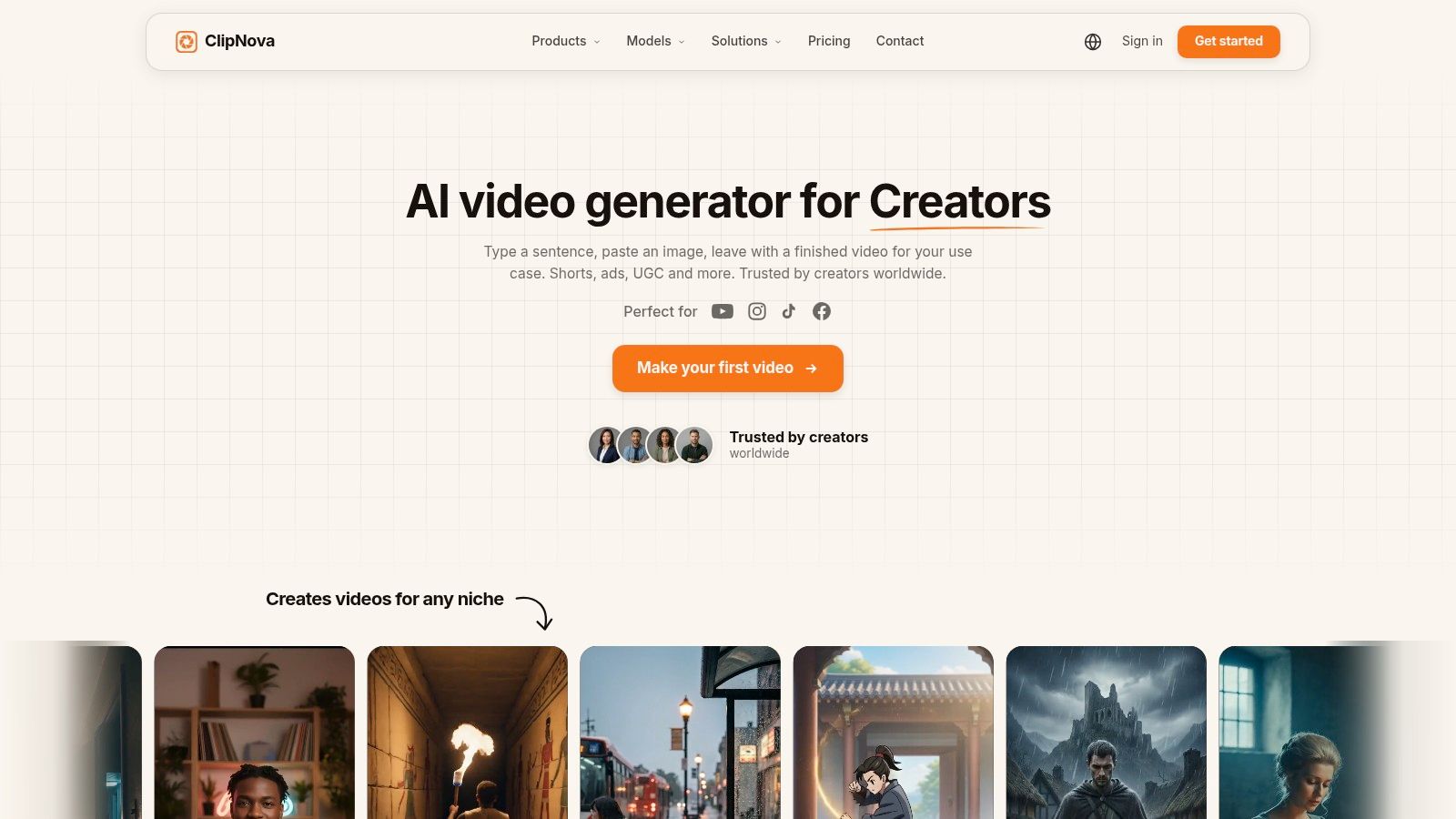
ClipNova offers an AI-powered studio that can turn prompts, links, images, or scripts into short-form videos with scripting, voiceover, visuals, captions, music, and multi-aspect exports. If you want to replace disconnected production steps with one workflow from concept to publish-ready asset, visit ClipNova and test it with a real brief from your content calendar.
Ready to ship your own?
Start creating viral videos with AI in under twenty minutes, no credit card required.