
You've got a useful article, product page, or research post already published. It may be attracting readers, but your video queue has been empty for days because turning that source into a script, voiceover, visual sequence, caption track, and platform-ready export feels like a separate production project.
A turn link into video workflow closes that gap. The software can extract the page's structure, identify important points, draft narration, suggest visuals, and assemble a first cut. Google's URL2Video research describes a similar pipeline, parsing a page, selecting salient content, and building narrated visual scenes. In its reported evaluation, the system created videos for all 50 tested web pages (Google's URL2Video research).
The useful question isn't whether a tool can produce a draft. It's whether that draft is accurate, watchable, on-brand, localized appropriately, and ready for the channel where your audience will see it.
Table of Contents
- Why Converting Links Into Videos Is Suddenly the Default Move
- Picking the Right Source and Prepping It for the AI
- Scripting, Voiceover, and Visuals Inside the Studio
- Captions, Aspect Ratios, and Export Settings for Each Platform
- The Accuracy and Brand-Safety Check Most Creators Skip
- When Link-to-Video Beats Other Short-Form Workflows
- A Repeatable Weekly Workflow and Production Checklist
<a id="why-converting-links-into-videos-is-suddenly-the-default-move"></a>
Why Converting Links Into Videos Is Suddenly the Default Move
A finished blog post can sit in your analytics while your social accounts compete on feeds built for motion. The writing is done, the research is approved, and the URL is public. Yet the team still needs a hook, a scene plan, narration, captions, and exports before that source can reach viewers on TikTok, Instagram Reels, YouTube Shorts, or LinkedIn.
That distribution pressure explains why repurposing matters. One industry summary reports that short-form video accounted for 82% of global internet traffic in 2025 and consumed more than 80% of global mobile data. The same summary says YouTube Shorts surpassed 200 billion daily views in January 2026, a milestone that reflects how vertical, feed-native video has become a mass format rather than a specialist channel (short-form video statistics).
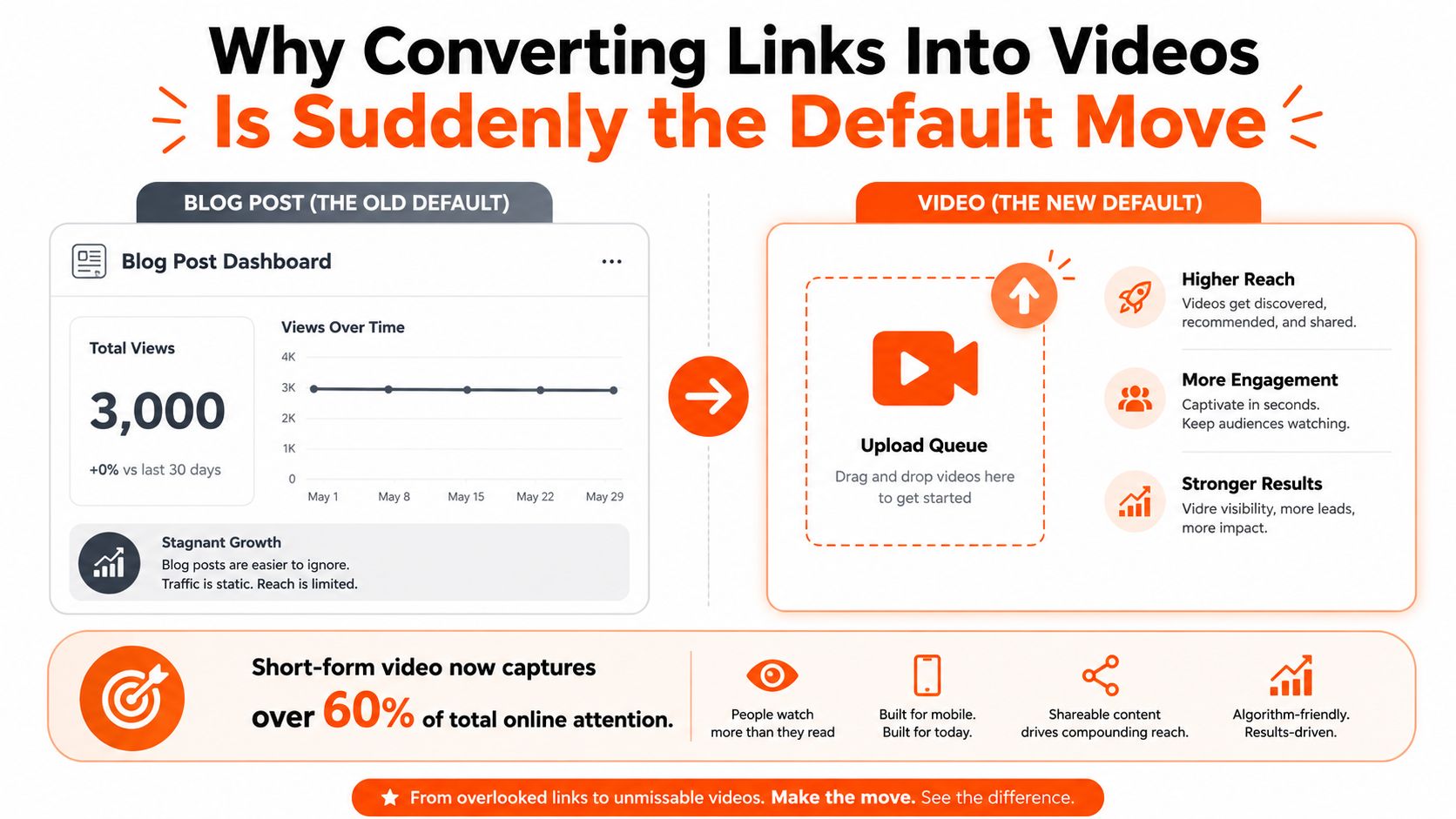
The economics favor a source-first workflow when the underlying content already exists. A URL-to-video tool can pull the central argument, compress supporting points into narration, and assemble a rough vertical cut much faster than a producer starting from a blank timeline. That doesn't make every source suitable, and it doesn't remove editorial work. It moves the bottleneck from assembly to judgment.
<a id="the-source-is-an-asset-not-a-finished-script"></a>
The source is an asset, not a finished script
A good article gives the system material to work from, but written logic rarely maps directly to spoken pacing. Readers can scan a paragraph, reread a qualification, and follow a long transition. Viewers may leave before the first idea lands.
The strongest conversion usually starts with one clear promise. The video might explain a product change, summarize a practical guide, answer a recurring customer question, or isolate one defensible insight from a larger article. Trying to cover the entire source often produces a crowded script with generic visuals and no memorable ending.
Business adoption reinforces the shift. A video marketing roundup reports that 91% of businesses use video as a marketing tool, while 89% of businesses used video in 2026 research (video marketing statistics). For teams already publishing written material, converting links creates a repeatable bridge between content production and video distribution.
Producer's rule: Don't ask whether a page can become a video. Ask whether one idea from that page deserves a viewer's attention in a moving feed.
<a id="picking-the-right-source-and-prepping-it-for-the-ai"></a>
Picking the Right Source and Prepping It for the AI
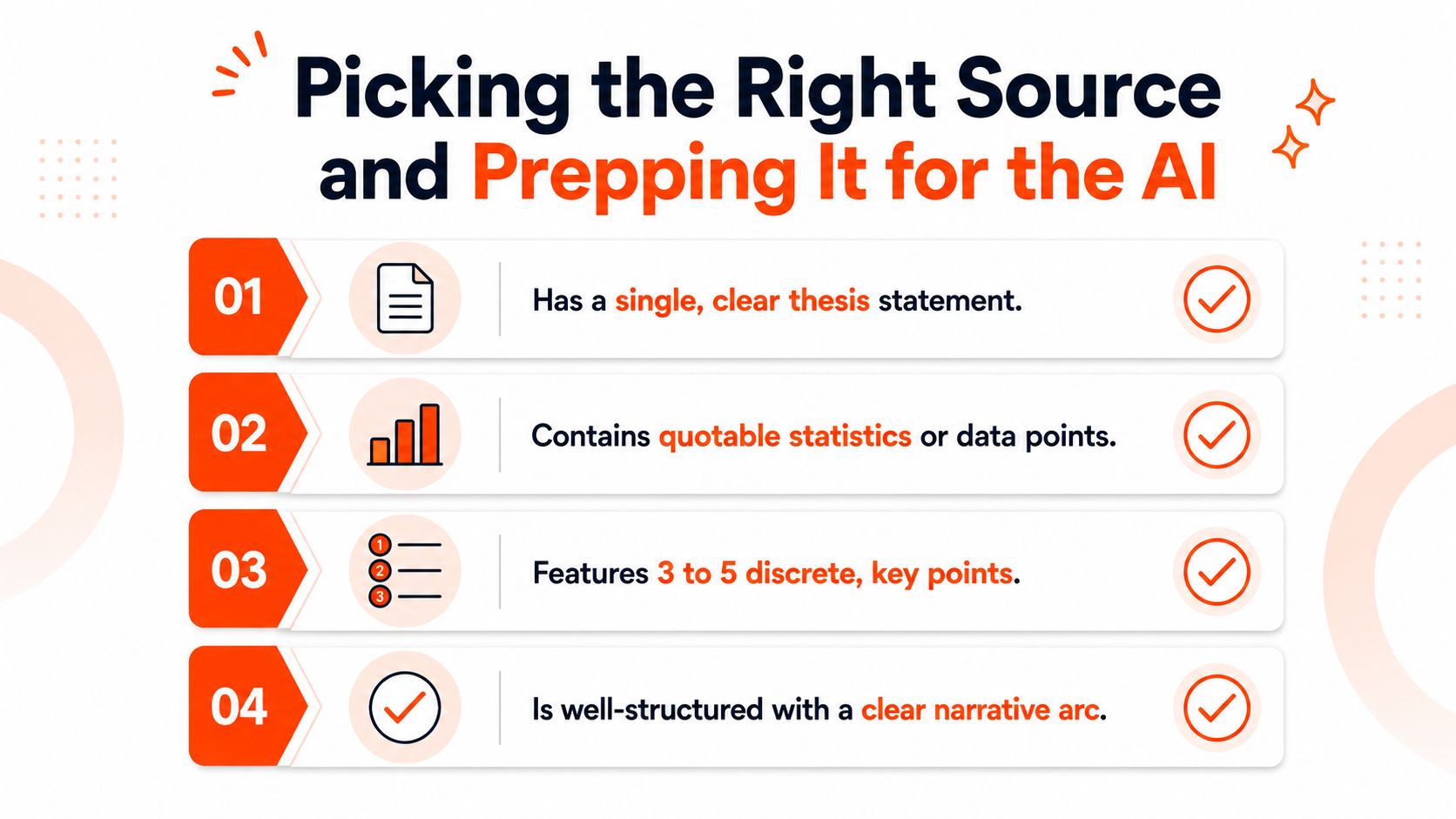
The quality of the input controls the quality of the first draft. A page with one thesis, a logical sequence, and a clear conclusion gives an extraction system something it can organize. A page packed with unrelated offers, navigation elements, testimonials, and sidebars gives it competing signals.
Start with a source that can answer four questions without explanation:
- What is the central claim? You should be able to state it in one spoken sentence.
- What supports it? Look for concrete examples, named features, or source-backed data.
- Which points are distinct? A short sequence of separate ideas is easier to turn into scenes than a dense essay.
- What should the viewer remember? The ending needs a takeaway, not a restatement of the page title.
A strong candidate might be a focused tutorial, product update, comparison, FAQ, or research summary. A weak candidate is often a homepage with several conversion paths or an article whose conclusion depends on context buried elsewhere.
<a id="clean-the-page-before-you-paste-the-url"></a>
Clean the page before you paste the URL
Automatic extraction can mistake page furniture for editorial content. Remove pop-ups, cookie notices, navigation labels, related-post blocks, author biographies, comment modules, and repeated calls to action wherever your workflow allows it. If a protected or dynamically rendered page doesn't parse cleanly, paste the relevant article text instead of trusting an incomplete import.
For teams building retrieval workflows around private or changing sources, a resource such as Web Scraping API for RAG can help separate usable page content from surrounding interface material. The same principle applies inside a simple studio: give the model clean prose and explicit boundaries.
Mark the material before generation. Bold the sentence that should become the opening idea, flag statistics that need source verification, and identify wording that must be paraphrased rather than presented as a quotation. Also note exclusions, such as outdated screenshots, competitor references, or claims that legal has not approved.
Use this quick pre-flight check before generation:
- Confirm the page loads correctly: Make sure the main body is visible and current.
- Choose one angle: Define the single question the video will answer.
- Mark evidence: Flag names, dates, figures, quotations, and citations for review.
- Remove distractions: Strip menus, banners, duplicate headings, and unrelated links.
- Write the desired ending: Tell the system what action or conclusion the viewer should receive.
<a id="scripting-voiceover-and-visuals-inside-the-studio"></a>
Scripting, Voiceover, and Visuals Inside the Studio
Once the cleaned URL is loaded into a studio such as ClipNova, treat the generated script as a junior producer's draft. It may identify the right facts and sequence them sensibly, but it won't automatically understand your audience's tolerance for setup, your brand's phrasing, or which visual metaphor feels credible.
Read the narration aloud before selecting a voice. Cut sentences that carry too many clauses, replace formal transitions with direct spoken language, and make the first line create tension or curiosity. A written opener such as “This article discusses several considerations for choosing a video format” is accurate but inert. A stronger structure starts with the viewer's problem, then earns the explanation.
<a id="match-the-format-to-the-job"></a>
Match the format to the job
Off-screen narration with B-roll works well for tutorials, product updates, explainers, and list-based material. It lets the visuals change quickly while the voice carries the logic.
A talking avatar suits a presenter-led announcement, internal explanation, or brand that already uses a recognizable host style. It can feel wrong when the source depends on demonstrations, screenshots, or visual evidence that a presenter can't replace.
Kinetic text is effective for a sharp quote, a single claim, or a data-led hook. It becomes tiring when every sentence arrives as animated typography with no visual variation.
Choose the voice for the subject, not just for realism. A technical explainer needs controlled emphasis and clean pronunciation. A consumer product clip may benefit from more energy, but speed shouldn't make captions difficult to follow. Flag acronyms, names, product terminology, and unusual spellings before rendering because a polished voice can still mispronounce the one word that matters.

Prompt visuals with the same specificity you'd use for a human editor. State the setting, subject, mood, movement, and brand constraints. “Modern office footage” is broad. “Close-up of a marketer reviewing a product dashboard, warm neutral lighting, orange accent details, no visible third-party logos” gives the visual system a more useful brief.
For a deeper review of how generated scenes communicate meaning, it helps to analyze video content step-by-step. The exercise exposes mismatches between what the narration says and what the screen implies.
Generate a rough cut first. Watch it on a phone, listen through ordinary earbuds, and note every moment where the eye has no reason to stay. Revise the hook, replace generic footage, correct pronunciation, and adjust caption timing before committing to the full export. Guidance on AI voiceover tools can also help when you're deciding between a synthetic narrator, a cloned brand voice, or recorded narration.
<a id="captions-aspect-ratios-and-export-settings-for-each-platform"></a>
Captions, Aspect Ratios, and Export Settings for Each Platform
A generated video becomes useful only after it fits the destination. The same story may need a tall composition for a vertical feed, a square crop for a general social placement, and a wide frame for a YouTube player or embedded article. Build the master around the most demanding crop, then check every alternate version manually.
The common format choices are straightforward:
- 9:16: Use for TikTok, Instagram Reels, and YouTube Shorts. Keep faces, product details, and key text away from interface areas.
- 1:1: Use when a square composition suits a Facebook feed or a LinkedIn distribution asset.
- 16:9: Use for YouTube, presentations, and embedded blog players where horizontal space is available.
The brief's specific export values, including resolution, frame rate, bitrate, and audio targets, aren't supported by the verified data provided here, so avoid treating one technical preset as universal. Instead, confirm each platform's current upload requirements and preserve a high-quality master before making compressed derivatives.
| Platform | Aspect Ratio | Resolution | Length | Captions | Audio Target |
|---|---|---|---|---|---|
| TikTok | 9:16 | Confirm current platform specification | Match the concept | Burned-in or optional subtitle file | Check voice clarity on mobile |
| Instagram Reels | 9:16 | Confirm current platform specification | Match the concept | Burned-in captions recommended for silent viewing | Keep music below narration |
| YouTube Shorts | 9:16 | Confirm current platform specification | Match the concept | Burned-in or subtitle file | Review voice and music separately |
| 1:1 or 16:9 | Confirm current platform specification | Match the concept | Captions should carry the argument | Favor intelligibility over density |
<a id="captions-are-part-of-the-edit"></a>
Captions are part of the edit
Captions shouldn't transcribe the voiceover. Break them at natural phrases, keep each screen easy to scan, and place text where platform controls won't cover it. Use emphasis sparingly, especially for the central idea, a product term, or a meaningful contrast. Review the final caption track for names, numbers, punctuation, and timing.
The choice between burned-in captions and an SRT deliverable depends on distribution. Burned-in captions guarantee visibility and styling across feeds. An SRT file gives the viewer more control and can support accessibility workflows, but it may not travel consistently across every destination. A practical team often exports both when the workflow supports it. For implementation details, use this guide on how to add subtitles to a video.
The opening needs visual movement, readable text, or a face quickly, but that doesn't mean every clip should be compressed into a teaser. A short teaser can create a clean entry point into a longer explanation. A fuller explainer can serve viewers who need the context before taking action. Music should support the voice, carry an appropriate license, and disappear from attention once the narration begins. Test the mix with the phone speaker, not only studio headphones.
<a id="the-accuracy-and-brand-safety-check-most-creators-skip"></a>
The Accuracy and Brand-Safety Check Most Creators Skip
Automation can assemble a persuasive video that is wrong in small, damaging ways. It may round a statistic, convert a qualified statement into a certainty, invent a quotation, attach a source to the wrong claim, or pair an image with narration that the original page never supported.
That risk is visible in benchmarking work around generated video. Video-Bench evaluates dimensions including video-text consistency, action consistency, object-class consistency, color consistency, and scene consistency. Its repository reports that one newer model scored 4.62 on video-text consistency but only 2.81 to 2.93 on several object, color, and scene consistency submetrics, a useful reminder that semantic performance can vary by dimension (Video-Bench evaluation framework).
<a id="use-four-deliberate-passes"></a>
Use four deliberate passes
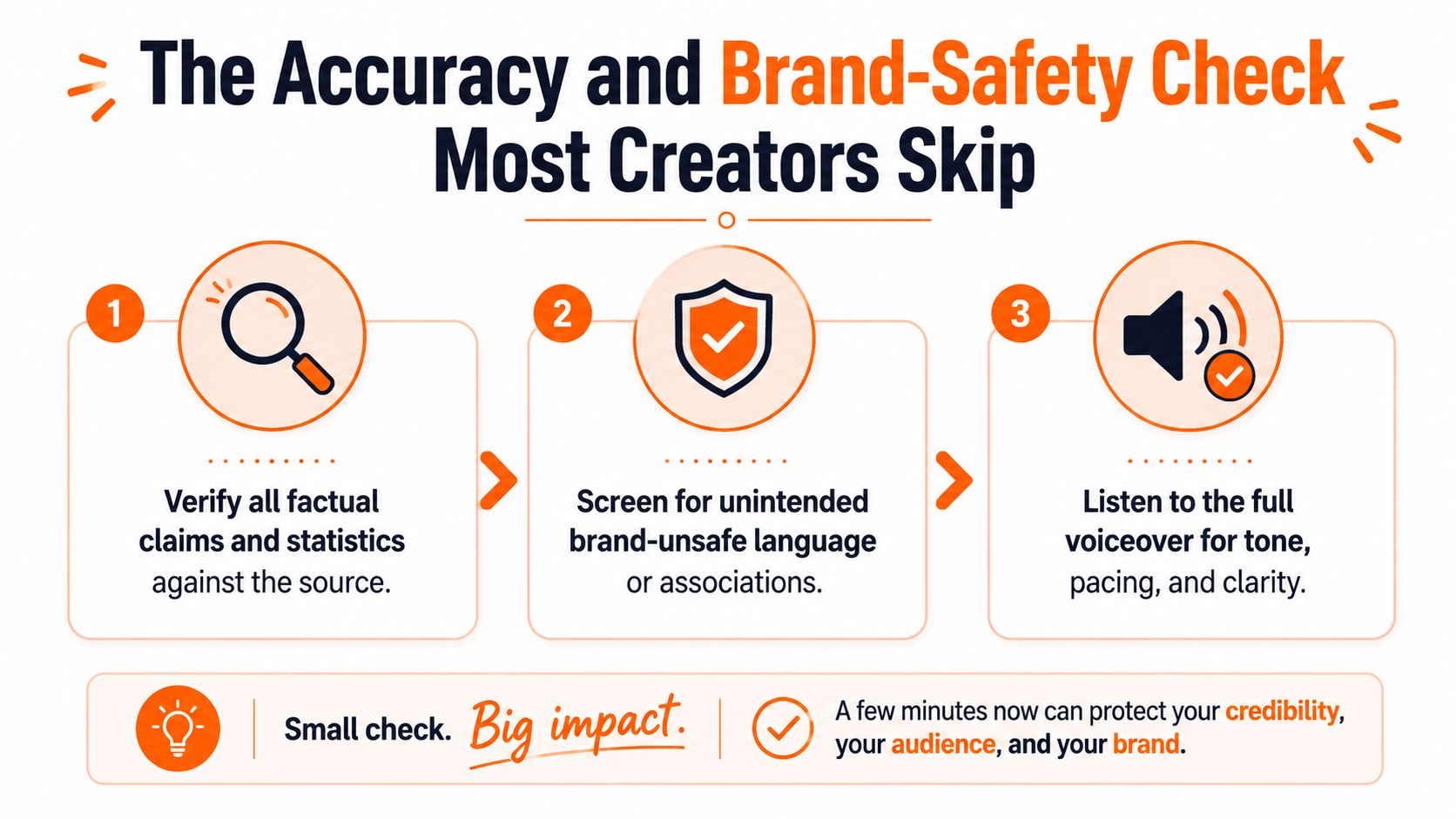
- Verify the claims: Compare every named entity, number, quotation, and causal statement against the original URL. If the script adds information that isn't in the source, remove it or research it separately.
- Inspect the visuals: Check logos, recognizable people, trademarks, screenshots, and implied product behavior. A generic visual can still make a specific claim by association.
- Read for brand fit: Look for exaggerated language, loaded terms, unsupported guarantees, and phrasing that conflicts with your style guide.
- Watch on mute: If the captions and visuals don't communicate the basic argument without sound, the edit isn't ready.
Accuracy check: A fluent voiceover can make an incorrect sentence sound approved. Read the script against the source, not against your confidence in the tool.
A short manual review protects more than factual correctness. It preserves audience trust, gives legal and brand teams a clear checkpoint, and catches visual implications that a text-only review misses. Professional link-to-video production isn't the absence of human judgment. It's the disciplined placement of human judgment where the consequences are highest.
<a id="when-link-to-video-beats-other-short-form-workflows"></a>
When Link-to-Video Beats Other Short-Form Workflows
Link-to-video is strongest when the source already exists and the audience needs a concise explanation. It isn't automatically the right answer for every brief.
| Workflow | Link-to-video advantage | Where another approach wins |
|---|---|---|
| Prompt-only generation | Preserves a published source and its editorial direction | Better when you're starting with an idea, not an existing page |
| Talking-avatar explainer | Can use varied B-roll, screenshots, and text-led scenes | Better when a recognizable presenter is central to trust or conversion |
| Manual editing in Premiere or CapCut | Produces repeatable drafts across many URLs | Better for custom motion design, licensed footage, and a tentpole campaign |
A prompt-only generator gives you creative freedom, but that freedom can become drift when the content needs to remain faithful to an approved article or product page. Starting from a URL gives the production team a reference point, a reviewable source, and a clearer audit trail.
Talking avatars solve a different problem. They create presence without a shoot, but presence may be unnecessary for a quote-driven hook or a tutorial that depends on screen recordings. If the brand's actual product is the host, use the host format. If the information is the product, narration and evidence may work better.
Manual editing remains the right choice for a single hero asset. An editor can shape custom transitions, licensed footage, sound design, compositing, and pacing with precision that a fast automated draft won't match.
The practical decision rule is simple: choose link-to-video when you have a published source, an information-led audience, and a need for consistent output. Choose a hybrid when the source is valuable but the final hook, captions, or end card needs a human polish pass.
<a id="a-repeatable-weekly-workflow-and-production-checklist"></a>
A Repeatable Weekly Workflow and Production Checklist
A steady cadence prevents every clip from becoming an emergency. Select a small group of complementary URLs at the start of the week, then move each source through the same checkpoints instead of improvising the process every time.
Monday: Choose sources, define one angle per URL, clean the pages, and annotate claims that need verification. Draft the intended hook and ending before opening the studio.
Tuesday: Generate scripts, select narration styles, assemble initial visuals, and render rough cuts. Don't spend time polishing a scene that may disappear after the first review.
Wednesday: Review every script against its source, replace mismatched footage, correct captions, and check the brand voice. Watch each cut on a phone and on mute.
Thursday: Create localization variants and alternate hooks where the concept supports them. Keep the central claim consistent while adapting examples, captions, and voice treatment for each audience.
Friday: Export channel-specific files, schedule approved posts, and tag each asset by source, angle, format, and version. Those labels make later performance review more useful without confusing one creative variable with another.
Keep the production checklist short enough that people will use it:
- Source integrity: The imported page is current and complete.
- Script fidelity: Claims, names, numbers, and quotations match the source.
- Visual relevance: Footage supports the narration instead of decorating it.
- Brand safety: Language, logos, people, and implied associations are approved.
- Caption quality: Timing, spelling, emphasis, and safe placement are correct.
- Export fit: Aspect ratio and file settings match the destination.
- Version control: The approved script and final render are clearly identified.
Teams looking to reduce repetitive handoffs can explore how to automate video editing, but automation should preserve review checkpoints rather than erase them. The aim isn't one flawless clip. It's a reliable system that turns strong sources into a sustained presence across the channels your audience already uses.
ClipNova brings URL-based scripting, voiceover, visuals, captions, music, and multi-format export into one AI video studio, so you can move from a prepared source to a reviewable short-form draft without rebuilding the production stack each time. Visit ClipNova to turn your next approved article, product page, or guide into a platform-ready video workflow.
Ready to ship your own?
Start creating viral videos with AI in under twenty minutes, no credit card required.