
The most automated SRT file creator isn't automatically the best choice. A one-click transcript can save time, yet a technically valid file may still show overlapping cues, micro-gaps, duplicate lines, mistranslations, or unreadable timing during actual playback. SRT, or SubRip Subtitle, remains useful precisely because its plain-text structure, numbered cues, start and end timestamps, and subtitle text travel easily between players, editors, and platforms. Learn more about the SRT format and its structure.
The better question is which production problem a tool solves. Compare synchronization method, editing control, language coverage, export formats, batch handling, integrations, review requirements, platform restrictions, commercial rights, and total workflow complexity. Browser tools suit fast creator workflows, desktop editors give hands-on timing control, local transcription protects sensitive media, human services reduce review labor, and professional suites handle delivery specifications that basic SRT exporters ignore.
The ranking below follows that logic. It separates fast AI captioning, transcript-led editing, private processing, human-reviewed accuracy, precision styling, and broadcast compliance, so creators, marketing teams, agencies, and studios can choose a workflow they can maintain.
Table of Contents
- 1. Subtitle Generator by ClipNova
- 2. Subtitle Edit
- 3. Aegisub
- 4. Kapwing Subtitler
- 5. VEED Subtitles
- 6. Descript
- 7. Happy Scribe
- 8. Rev
- 9. MacWhisper
- 10. EZTitles
- Top 10 SRT File Creators, Feature Comparison
- Choose the SRT Workflow You Can Maintain
<a id="1-subtitle-generator-by-clipnova"></a>
1. Subtitle Generator by ClipNova
ClipNova targets a specific production problem: producing editable captions quickly inside a short-form video workflow. Its Subtitle Generator transcribes uploaded audio, creates captions with word-level timing, and exports SRT, VTT, and ASS files. This makes it useful for teams that need a sidecar subtitle file, an editor-ready project asset, or styled ASS output rather than an SRT alone.
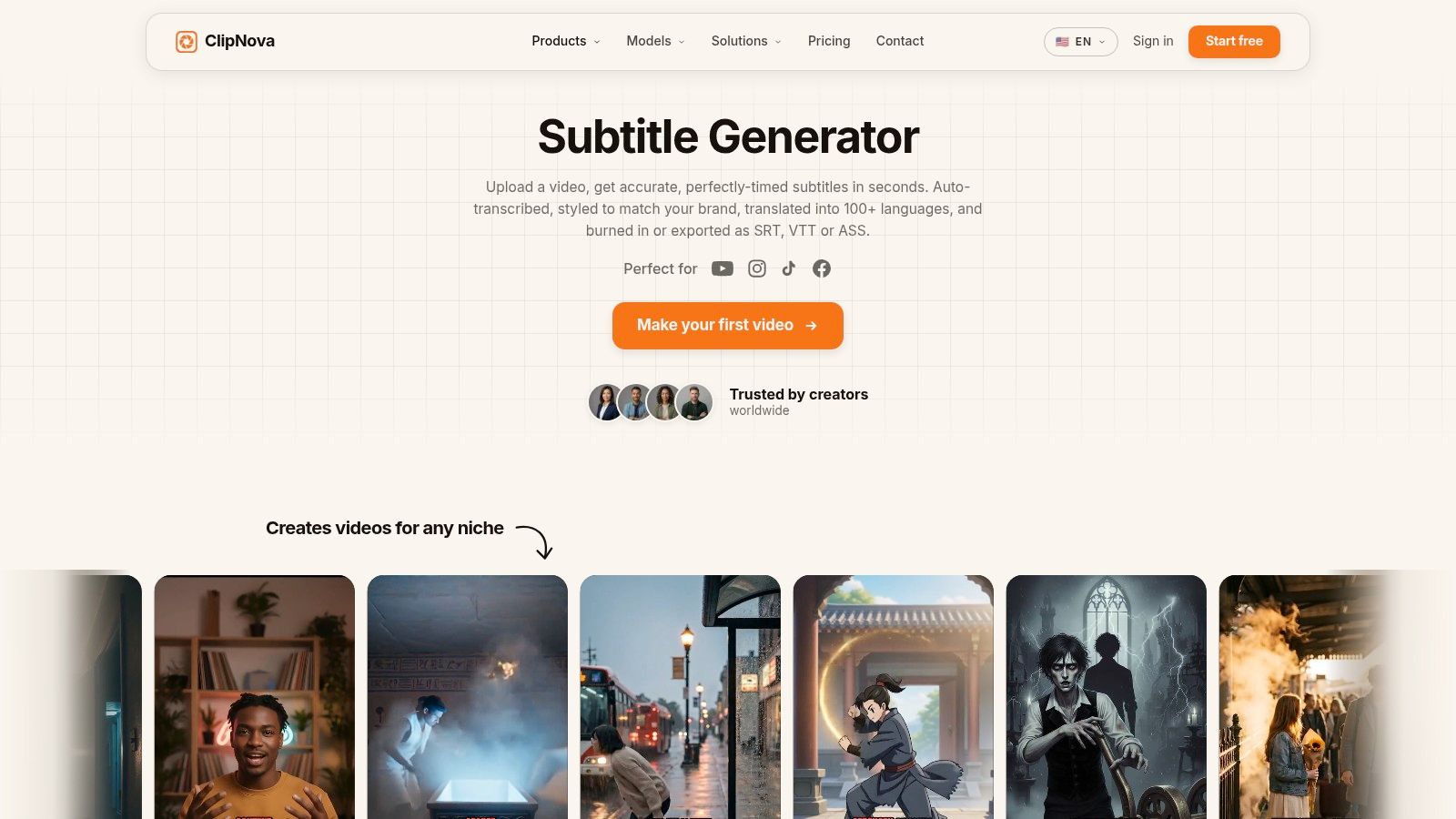
The tool also handles presentation and localization. Styling templates create social-ready captions, while optional burn-in places subtitles permanently on an MP4 for platforms that do not support separate caption files. Translation into 100+ languages supports localized versions, and the wider studio connects captions with resizing, voiceover, re-voicing, visuals, music, and publishing. Its voice library covers 32 languages, allowing teams to produce related versions without transferring every asset between applications.
That consolidation reduces handoffs for creators and marketing teams. A typical workflow can move from transcription to translation, aspect-ratio changes, and publishable video preparation in one workspace. The trade-off is review time. Noisy recordings, accents, overlapping speakers, and music can reduce transcription quality, so generated captions still need a human check before delivery.
Paid plans include commercial rights, privacy controls, watermark-free high-resolution exports, and more advanced team capabilities. Plan-level terms still deserve review before client publication, particularly for exports, collaboration, privacy, and watermark conditions.
Best fit: Teams that need fast, editable captions and localization within a short-form production stack, rather than a dedicated local editor or broadcast captioning suite.
<a id="strengths-and-limitations"></a>
Strengths and limitations
- Fast AI captioning: Word-level timing creates a useful first pass, but it does not remove proofreading or synchronization work.
- Flexible delivery: SRT, VTT, and ASS cover common platform and editing requirements. Burn-in handles workflows that reject separate caption files.
- Localization in context: Translation and re-voicing remain connected to the video instead of becoming separate file-conversion tasks.
- Workflow consolidation: Resizing, styling, voice, and publishing reduce application changes, though the broader feature set may exceed the needs of a simple SRT-only job.
For a practical walkthrough, follow this guide on how to add subtitles to a video. ClipNova fits projects where the output includes a family of captioned, translated, resized, or voiced videos, not just one subtitle file.
Website: ClipNova Subtitle Generator
<a id="2-subtitle-edit"></a>
2. Subtitle Edit
Subtitle Edit solves a different production problem from browser caption tools: detailed correction after transcription. It is a free, open-source editor for creating, synchronizing, translating, converting, and quality-checking subtitle files. Its dense interface includes a timeline, waveform, spectrogram, synchronization controls, visual alignment, and batch conversion. That design favors editors who need evidence for each timing decision, not a simplified caption card.
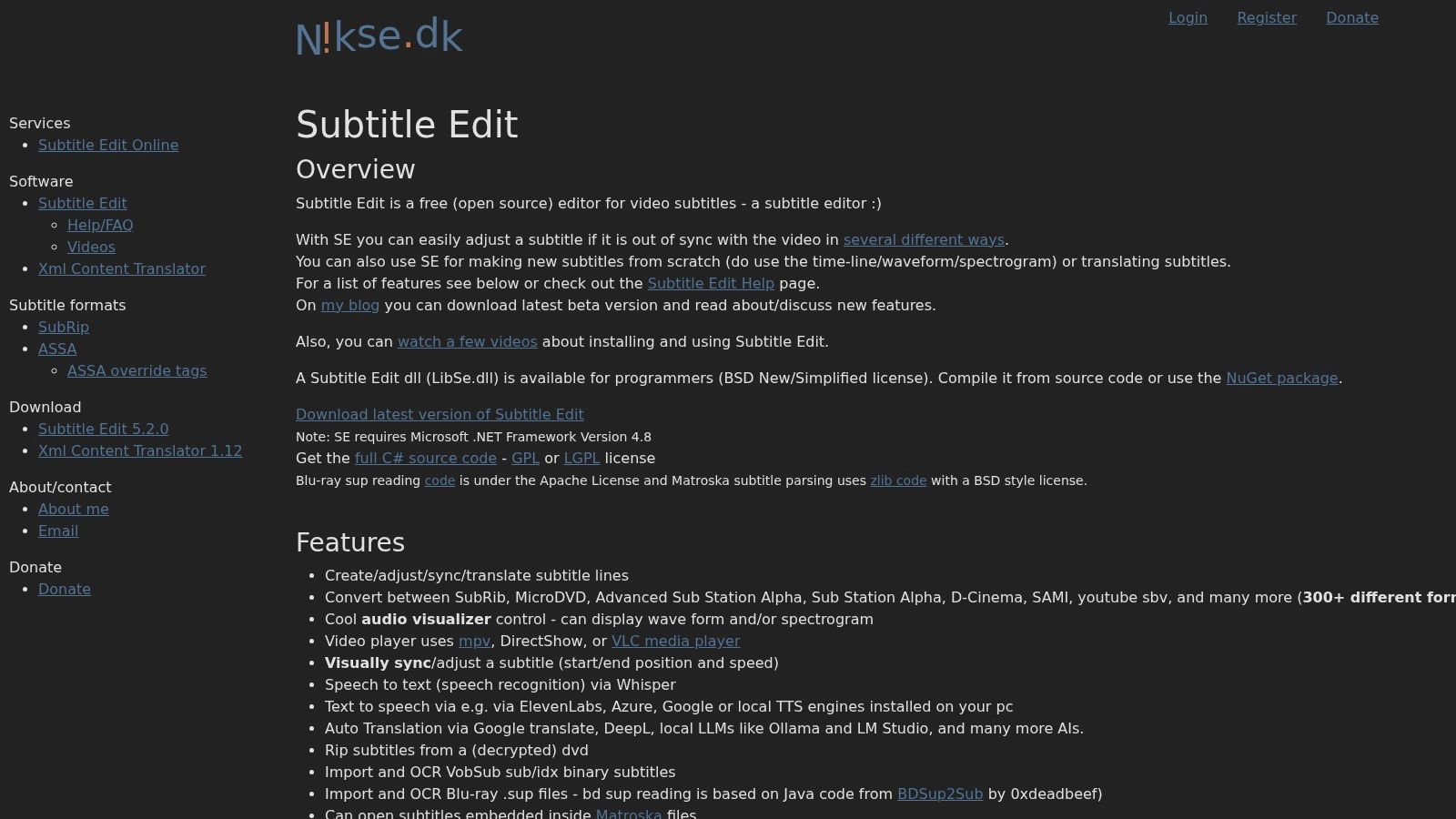
You can create SRT files from scratch, shift timestamps globally, or synchronize two known points. These functions correct a subtitle track that is consistently early or late without requiring every cue to be edited individually. Its broad format conversion support also suits localization teams and agencies that handle several delivery formats.
Subtitle Edit can connect to external speech-to-text and translation services, so its automated workflow depends on the chosen engine and configuration. Users may need external services, keys, or setup. The application therefore offers flexibility rather than a self-contained AI pipeline, and the source audio still determines how much manual review is needed.
For demanding timing work, the main advantages are practical:
- Timing inspection: Waveforms and spectrograms place cue boundaries against speech instead of relying only on a playback timeline.
- Batch handling: Subtitle libraries can be converted or adjusted together, reducing repetitive file-by-file work.
- Format breadth: SRT and many professional or specialized formats support varied delivery requirements.
- Private local editing: The desktop workflow keeps correction and conversion in a dedicated editor, while connected speech or translation services may introduce separate data-handling considerations.
- Low financial barrier: The software is free and open source, with its learning curve as the main tradeoff.
Subtitle Edit Online provides a lighter browser option for quick edits and conversions. The desktop application fits subtitle correction, synchronization, and format management, not end-to-end video production or broadcast compliance by itself.
Website: Subtitle Edit
<a id="3-aegisub"></a>
3. Aegisub
Aegisub solves a narrower production problem than automated captioning tools: frame-accurate timing and complex subtitle styling. It is built for experienced subtitlers who need control over dialogue synchronization, typesetting, karaoke effects, and Advanced SubStation Alpha workflows.
Editors can inspect speech through its audio oscilloscope and spectrum views, then place cue boundaries against the timeline with precision. That makes Aegisub suitable for fansubbing, animated content, music videos, and projects where subtitle placement contributes to the visual design. Styled subtitles can be created in ASS or SSA, then exported as SRT when a platform accepts only that format.
The format choice affects what survives export. SRT stores portable text and timing with limited styling, whereas Aegisub's preferred formats preserve positioning, visual treatment, and karaoke instructions. Converting a styled master to SRT can therefore simplify or remove those instructions. Keep the ASS or SSA master when design control matters.
<a id="where-aegisub-earns-its-place"></a>
Where Aegisub earns its place
- Exact timing: Audio visualization supports careful cue placement and dialogue synchronization.
- Rich typesetting: Positioning, styling, and karaoke effects exceed what a basic SRT file can store.
- Automation: Automation 4 scripting helps experienced users repeat complex editorial operations.
- Efficient manual control: Hotkeys and visual tools speed repeated timing work after the learning curve.
Aegisub's limitation is equally clear: it does not provide AI transcription. Editors need a transcript from another service or must enter dialogue manually. Its styling system and macros also require practice, so it fits precision-focused, human-reviewed work better than rapid first-draft generation. Choose Aegisub when timing and design control outweigh setup speed.
Website: Aegisub
<a id="4-kapwing-subtitler"></a>
4. Kapwing Subtitler
Kapwing addresses a specific production problem: social teams need captions, visual edits, and brand styling in one browser workflow. It combines AI caption generation, transcript access, timeline editing, templates, collaboration, brand tools, and SRT and VTT export. The result is less like a dedicated subtitling workstation and more like a publishing layer attached to the video edit.
Its strongest use case is rapid, visually reviewed captioning. An editor can generate a first draft, correct transcription errors against the video, apply a recurring brand treatment, then export editable captions or a burned-in version for posting. This reduces handoffs between transcription software and a separate video editor, although it does not remove the need to check names, technical language, punctuation, and cue timing.
Kapwing fits recurring social production better than private or compliance-heavy workflows. Browser access supports shared review, while templates and brand kits reduce repeated styling decisions. Long or media-heavy projects may demand more browser performance than short clips, and teams should test their actual files before standardizing on the platform.
Choose it by the production constraint:
- Fast AI captioning: Useful for a quick first draft, followed by human correction.
- Transcript-led editing: Convenient when caption text and the video timeline must be revised together.
- Precision styling: Brand controls and templates suit consistent social presentation, not specialized subtitle design.
- Private local processing: A local editor is a better fit when media must remain offline.
- Human or broadcast accuracy: Specialist review and validation tools remain preferable for regulated delivery.
The free plan adds a watermark, while AI quotas and available features vary by plan. Kapwing therefore works best when browser collaboration and publishing speed matter more than offline control, advanced waveform analysis, or broadcast validation.
Website: Kapwing
<a id="5-veed-subtitles"></a>
5. VEED Subtitles
VEED addresses the production problem of fast, browser-based captioning rather than private processing or broadcast mastering. It combines AI transcription, manual correction, translation, styling, and export in one workspace. Editors can deliver SRT, VTT, and TXT files or burn captions into the video. Its Subtitles API also supports programmatic workflows once caption creation becomes part of a repeatable publishing process.
The main advantage is reduced handoff. A team can generate a transcript, correct names and terminology, translate the captions, apply a preset style, and export without moving between a transcription service and a video editor. Translation support covers 125+ languages, according to the product plan notes. That breadth still requires review, since automated systems can misread names, technical language, slang, speaker changes, and cue boundaries.
VEED fits marketing teams and agencies that publish frequently through a browser. It is particularly useful when several language versions must be prepared quickly, while the API can connect captioning with uploads, content management, or delivery systems. Large projects and heavy media may feel less comfortable than in a local editor, so workflow testing matters before standardization.
Use VEED when the production constraint is speed and consolidation:
- Fast AI captioning: Generate a first draft quickly, then correct it through playback.
- Transcript-led editing: Edit caption text and related video content in the same workspace.
- Precision styling: Apply repeatable visual presets for marketing output, rather than specialized subtitle design.
- Private local processing: Choose a local tool when media cannot leave the device.
- Human or broadcast accuracy: Use specialist review and validation tools for regulated or delivery-sensitive work.
Check AI credit usage, plan-based feature limits, possible watermarking, and browser performance against recurring volume. Translation and timing still need human review, especially for accessibility-focused publishing. For a related workflow, see this caption generator for video.
Website: VEED
<a id="6-descript"></a>
6. Descript
Descript is built around transcript-led editing, so its strongest use case is conversational video where spoken words determine the structure. Podcasts, webinars, interviews, and courses can be revised through text instead of managing every caption cue independently.
Edit the transcript inline, and the related spoken segment can be removed from the media. Correcting names, tightening wording, or removing filler words also improves the text used for subtitle export. Controls for subtitle line length and line counts give editors more influence over SRT readability than a basic automatic segmentation workflow.
The practical advantage is a shared editorial surface. A producer can review the transcript, refine the cut, and export SRT or VTT from the same revised project. That reduces handoffs between video editing and caption preparation, although Descript is not a substitute for a specialist timing or broadcast tool when delivery rules are strict.
Descript fits these production problems:
- Transcript-led editing: Revise dialogue and corresponding video in one workspace.
- Long-form cleanup: Searchable transcript review makes extensive spoken content easier to revise.
- Precision styling: Character and line controls support more deliberate cue formatting.
- Integrated editing: Multitrack tools and filler-word removal extend its role beyond a standalone SRT file creator.
- Fast AI captioning: Useful for generating a draft, provided an editor checks the exported cues.
The tradeoff is workflow overhead. A short, already-edited video that only needs an SRT file may be faster to handle elsewhere. Transcription hours and export capabilities depend on plan limits, so teams should test recurring content volume, media handling, and the learning curve before standardizing on the platform. Projects that connect transcription with wider production systems may also benefit from this overview of automated video editing.
Website: Descript
<a id="7-happy-scribe"></a>
7. Happy Scribe
Happy Scribe solves a different production problem from an ordinary SRT editor: it lets teams choose between an automated draft and human-reviewed delivery. That choice separates caption creation from caption acceptance. AI speeds up the first pass, while human review can address transcription, timing, language, and formatting before delivery.
The platform supports AI subtitles in 150+ languages, according to its product plan notes, and offers optional human-made subtitles described as reaching 99% accuracy. These figures reflect product positioning rather than a guarantee for every file. Audio quality, terminology, overlapping speakers, accents, and delivery requirements still influence the result.
Its broader export support also matters. Alongside SRT and VTT, Happy Scribe supports STL, XML, FCPXML, and EDL. Those options suit post-production workflows that require more than a sidecar subtitle file. The browser editor handles adjustments, while the service model can transfer caption labor to an external workflow when internal review capacity is limited.
<a id="choose-the-workflow-by-production-risk"></a>
Choose the workflow by production risk
- Fast AI captioning: Use the automated path for drafts, internal videos, and projects with editors available to check cues.
- Human accuracy: Request human review for legal, educational, client-facing, or otherwise accuracy-sensitive material. It adds cost and turnaround time, so it fits selected files better than indiscriminate archive processing.
- Broadcast compliance: The wider format range supports workflows that need STL, XML, FCPXML, or EDL, though teams should still verify the destination's exact technical rules.
- Scalable operations: The service can cover quick jobs and controlled post-production, but recurring volume requires testing turnaround, review ownership, and export handling.
Happy Scribe fits teams that need a human checkpoint without building every captioning task in-house. It is less attractive for a large archive where AI drafts and internal review are sufficient, yet its combined service options can reduce the labor needed to turn rough transcripts into dependable deliverables.
Website: Happy Scribe
<a id="8-rev"></a>
8. Rev
Rev suits teams that want human-reviewed captions without operating a dedicated subtitling workstation. The workflow is direct: upload a finished video, specify the language and delivery format, then review and download the completed files. SRT and other sidecar formats support common publishing and post-production handoffs.
Its main value is labor transfer, not editing depth. Marketing teams without captioning staff can avoid learning timing tools or assembling a speech-to-text pipeline. Human production is also better suited to accuracy-sensitive material where speaker clarity, transcription quality, and platform requirements matter more than obtaining an initial draft quickly.
The trade-off becomes clearer across a video library. Human captioning usually costs more than AI-only generation, so outsourcing every archived file may be difficult to justify. Expedited options can address fixed deadlines, but teams still need to confirm language, format, speaker labels, timing expectations, and the level of review included.
<a id="the-production-problem-rev-solves"></a>
The production problem Rev solves
Rev is a strong fit when the bottleneck is review capacity rather than subtitle styling.
- Human accuracy: Choose it when transcription errors could weaken trust or create substantial correction work.
- Limited internal labor: Outsourcing helps teams that lack dedicated subtitling staff.
- Predictable handoff: The order, production, and delivery model is simpler than maintaining a full captioning workflow.
- Archive economics: For large libraries, compare human outsourcing with AI drafts followed by internal correction.
Rev is less suitable for rapid social clips that only need a rough caption file. It becomes more practical when dependable human review and a managed handoff justify the higher operational cost.
Website: Rev
<a id="9-macwhisper"></a>
9. MacWhisper
MacWhisper solves a narrower production problem than browser subtitle editors: private local processing for Mac users who need speech-to-text and direct subtitle exports. It runs Whisper or WhisperKit on the device, keeping sensitive audio out of a cloud captioning workflow.
That distinction matters for confidential interviews, unreleased campaigns, internal meetings, and client footage. MacWhisper supports offline transcription in 100+ languages, exports SRT, VTT, and TXT, and includes controls for line length and segmentation. The local workflow reduces data-transfer concerns, but it does not remove editorial review.
For recurring recordings, batch processing and watched folders can turn a desktop tool into a repeatable intake process. Integrations with Notion and Zapier add options for routing transcripts or related tasks. Apple Silicon can improve processing on compatible Mac hardware, although speed still depends on the model, media, and computer.
A practical setup is to create the transcript locally, export the SRT, then send it to another application for timing checks, styling, or video finishing. That division suits teams that value privacy but still need a separate subtitle editor.
<a id="where-macwhisper-stops"></a>
Where MacWhisper stops
- No built-in video editor: Use another application for cutting footage, styling burned-in captions, or finishing the video.
- Mac-only access: Windows and Linux teams cannot adopt it as a shared standard.
- Local storage demands: Larger models require more disk space.
- Accuracy still needs review: Offline processing protects the file path, but unclear audio and unusual terminology can still produce errors.
MacWhisper fits when privacy and local automation matter more than collaborative browser editing. Pairing it with Subtitle Edit or Aegisub extends the workflow from transcript creation to detailed subtitle correction.
Website: MacWhisper
<a id="10-eztitles"></a>
10. EZTitles
EZTitles solves a delivery problem rather than a caption-generation problem. It targets broadcast, OTT, and studio workflows where subtitle files must meet defined technical requirements. Alongside SRT, it supports professional formats such as EBU STL, TTML, and PAC, with tools for timing, shot-change detection, validation, and delivery checks.
A valid SRT can still fail a broadcaster's review. Cue placement around cuts, formatting, positioning, metadata, and other specification rules may require correction even when the file opens normally. EZTitles gives trained operators a way to inspect these details and test the file before submission.
Its learning curve and Windows-focused workflow limit its usefulness for occasional social publishing. Paid licensing and a professional interface add friction for individual creators who only need captions for short videos. Studios and broadcasters have a different requirement: repeatable checks, format conversion, and standards-aware delivery. For those teams, the software's value lies in reducing rejected assets and late-stage corrections.
<a id="choose-eztitles-for-compliance"></a>
Choose EZTitles for compliance
Use EZTitles when the production risk is delivery failure.
- Specification handling: Import and export options support destination-specific professional formats.
- Timing precision: Shot-change detection and advanced timing controls help operators place cues more consistently.
- Quality assurance: Validation tools identify problems that a basic SRT exporter may not detect.
- Workflow fit: The suite is built for experienced subtitle operators, studios, broadcasters, and OTT delivery teams.
EZTitles is excessive for a clean SRT intended for a short social post. It becomes a stronger fit when the file must pass formal checks, preserve technical metadata, or move through a controlled broadcast workflow. Teams should budget time for training and review rather than treating it as an automated transcription tool.
Website: EZTitles
<a id="top-10-srt-file-creators-feature-comparison"></a>
Top 10 SRT File Creators, Feature Comparison
| Tool | Core features | Quality ★ | Value 💰 | Target 👥 | Unique ✨ |
|---|---|---|---|---|---|
| 🏆 Subtitle Generator | ClipNova | Auto-transcribe w/ word-level timing; SRT/VTT/ASS; 100+‑lang translation; burn‑in MP4; integrated studio | ★★★★★ | 💰 Subscription tiers (Hobby→Enterprise); paid = watermark‑free + commercial rights | 👥 Creators, marketers, teams | ✨ One‑click styling, re‑voice (32 langs), auto-resize, privacy controls |
| Subtitle Edit | Timeline, waveform & spectrogram timing; batch convert 250+ formats; pluggable STT | ★★★★☆ | 💰 Free & open‑source | 👥 Power users, localization teams | ✨ Massive format support, OCR, detailed sync tools |
| Aegisub | Frame‑accurate timing, ASS/SSA typesetting, karaoke & Automation4 scripting | ★★★★☆ | 💰 Free | 👥 Fansubbers, typesetters, designers | ✨ Advanced typesetting & macros for rich styling |
| Kapwing Subtitler | Browser AI subtitler, edit timeline, templates, team collaboration | ★★★★☆ | 💰 Free w/ watermark; paid plans remove limits | 👥 Social teams, marketers, quick editors | ✨ Templates, easy collaboration, fast social workflow |
| VEED Subtitles | One‑click AI captions, 125+ languages, export SRT/VTT/TXT, Subtitles API | ★★★★☆ | 💰 Subscription; some features use AI credits | 👥 Social creators, scale teams, devs (API) | ✨ Strong translation + API for automation |
| Descript | Transcript‑first editing, accurate STT, multitrack & filler‑word removal | ★★★★★ | 💰 Subscription with tiered transcription hours | 👥 Podcasters, long‑form creators, educators | ✨ Inline transcript editing, clean SRT outputs |
| Happy Scribe | AI + optional human subtitling, 150+ languages, broad export formats | ★★★★☆ | 💰 Pay‑as‑you‑go; human review costs extra | 👥 Pro workflows needing accuracy & formats | ✨ Human accuracy option for broadcast quality |
| Rev | Human captioning/subtitles, rush options, simple upload→deliver workflow | ★★★★★ | 💰 Per‑minute pricing (higher cost) | 👥 Broadcast teams, compliance‑focused clients | ✨ Reliable human transcription & fast turnarounds |
| MacWhisper | On‑device Whisper transcription (offline), batch, SRT/VTT export, automations | ★★★★☆ | 💰 One‑time Pro license; local processing | 👥 macOS users, privacy‑first creators | ✨ Offline Apple Silicon speed, watched folders/integrations |
| EZTitles | Broadcast/OTT compliance, advanced timing, shot‑change detection, QC tools | ★★★★★ | 💰 Paid licenses (enterprise pricing) | 👥 Broadcasters, studios, post houses | ✨ Deep spec validation, multi‑format professional exports |
<a id="choose-the-srt-workflow-you-can-maintain"></a>
Choose the SRT Workflow You Can Maintain
There isn't one universal winner because an SRT file is only the visible output of a larger production process. The right tool depends on who creates the transcript, who reviews it, how much timing control the project needs, where the media is processed, and what the destination expects. A fast AI draft may be ideal for a daily social schedule, while the same workflow may be unsuitable for a legal interview, a multilingual course, or a broadcast master.
Start with the production bottleneck. Choose ClipNova, Kapwing, or VEED when your team needs fast browser-based captioning, styling, translation, and publishing support. ClipNova has the broader end-to-end angle for teams that also need re-voicing, resizing, music, visuals, and video production in one workspace. Kapwing emphasizes accessible social editing and collaboration, while VEED adds a path toward programmatic subtitle workflows through its API.
For conversational long-form content, Descript is the more natural fit because transcript editing and media editing happen together. If your team wants detailed manual timing, synchronization, and conversion, Subtitle Edit is the practical workhorse. Choose Aegisub when frame-level timing and rich ASS styling matter more than automated transcription. These tools reward operators who are willing to learn the interface and review the result closely.
Privacy changes the selection. MacWhisper makes sense for Mac-based teams that need on-device transcription, batch handling, and local processing. It won't replace a video editor or a professional QC suite, so plan the handoff before adopting it as the first stage of a workflow.
Accuracy-led outsourcing points toward Happy Scribe or Rev. Happy Scribe offers a route from AI subtitles to human-reviewed work and supports broad professional exports. Rev is better suited to teams that want a straightforward ordering process and minimal hands-on caption production. Both introduce cost and turnaround considerations, but they can be sensible when internal review labor is more expensive than outsourcing.
For broadcast and compliance-heavy delivery, choose EZTitles. Its value lies in validation, specification handling, professional formats, shot-change awareness, and controlled delivery, not in being the easiest SRT file creator for beginners.
Before publishing, review the workflow rather than only the exported file:
- Source audio: Check clarity, background noise, accents, music, and speaker overlap.
- Timing: Look for overlaps, duplicate lines, cues that start late, and gaps so tight that playback may glitch. Practical subtitle guidance notes that some players need about 75 to 100 milliseconds to clear a previous cue, while gaps below 50 milliseconds can cause problems on mobile or lightweight web players. Review guidance on fixing overlapping SRT cues and micro-gaps.
- Accuracy and accessibility: Correct names, terminology, punctuation, speaker changes, and meaningful sound cues. Recent accessibility reporting says only 28% of online videos meet caption accuracy standards, while 72% fall short through missing captions or significant errors. Read the accessibility data and its implications.
- Language needs: Confirm transcription and translation support for every target language, then use a qualified reviewer when nuance or compliance matters.
- Exports: Verify whether you need SRT, VTT, ASS, STL, TTML, XML, FCPXML, EDL, or a burned-in video.
- Scale: Test batch imports, watched folders, API access, quotas, processing limits, and team permissions before moving a library.
- Commercial terms: Check watermarking, paid-plan rights, privacy controls, retention, and whether client work is covered.
- Playback: Watch the final file with sound on and off across the actual platforms and devices where viewers will see it.
Subtitles have become mainstream viewing infrastructure rather than a specialist add-on. Industry coverage cites 70% of Americans watching content with subtitles, and professional research reports mean satisfaction scores of 3.9 for desktop tools and 4.3 for cloud tools, suggesting that browser workflows can be easier for collaborative teams. Review the subtitle-generation trend findings. Those signals support automation, but they don't remove the final human responsibility. A caption file that exports successfully can still fail the viewer during playback.
ClipNova is a strong option for teams that want captions, translation, re-voicing, resizing, and broader video production in one workspace. Use it to accelerate the first draft and localization process, then verify the text, timing, language, and final playback before publishing.
ClipNova combines AI video creation with auto subtitles, SRT, VTT, and ASS exports, translation, re-voicing in 32 languages, multi-aspect resizing, and publish-ready production in one workspace. If you want an SRT file creator that connects captioning to the rest of your content workflow, visit ClipNova and test the subtitle generator for your next video.
Ready to ship your own?
Start creating viral videos with AI in under twenty minutes, no credit card required.