
Most advice on how to remove watermark from video TikTok starts with a downloader, crop tool, or blur brush. That's the wrong starting point for professional publishing. A clean-looking file isn't automatically yours, and a technically successful edit can still damage the picture, erase attribution, or create problems with platform eligibility.
The durable solution is a rights-cleared production workflow. Keep an original master before uploading, repurpose only footage you own or are licensed to use, and recreate ideas when the source file or permissions aren't available. If you must repair an authorized copy, treat the result as a controlled post-production job, not a shortcut.
Table of Contents
- The Copyright Reality Behind Watermark Removal
- Why Technical Removal Methods Often Fail
- Building a Clean Master Export Workflow
- Recreating Concepts with AI Video Studios
- Managing Permissions for Third-Party Content
- Troubleshooting Export and Compliance Errors
<a id="the-copyright-reality-behind-watermark-removal"></a>
The Copyright Reality Behind Watermark Removal
Deleting the TikTok logo and account handle changes the appearance of a file. It doesn't change ownership of the footage, soundtrack, narration, images, performance, or claims inside it. TikTok's Copyright Help Center says its Terms of Service and Community Guidelines prohibit posting, sharing, or sending content that infringes another party's copyright, trademark, or other intellectual-property rights.
That distinction matters because a downloaded video can contain several separate rights layers. The person who filmed it may own the visual recording, while a musician, actor, voice artist, stock provider, product owner, or caption creator may control another element. Attribution identifies a source, but it doesn't replace permission.
Practical rule: Removing branding is an editing action. Authorization is a rights decision.
<a id="three-situations-that-look-similar"></a>
Three situations that look similar
Removing a watermark from your own original camera file is usually a normal export task. You created the footage, retained the project, and can render a clean version for Instagram Reels, YouTube Shorts, a website, or an advertisement.
Editing a partner's video can also be legitimate, but the agreement should explicitly cover editing, watermark removal, redistribution, commercial use, target platforms, territory, duration, and required credit. A casual message saying “feel free to repost” may not address those details.
The riskiest case is downloading a third-party TikTok and stripping its identifier before publishing it as your own. TikTok provides copyright reporting routes, and its policy framework allows rights holders to request removal. Accounts can receive copyright-related strikes, while repeated violations can lead to bans, so obscuring provenance can turn a simple repost into a channel-health problem.
For agencies working across markets, documentation matters as much as the edit. Keep source files, licenses, release forms, creator agreements, and records of approved transformations. When a dispute escalates beyond platform moderation, a practical overview of IP litigation in Israel can help teams understand why ownership evidence and permission records matter.
<a id="why-technical-removal-methods-often-fail"></a>
Why Technical Removal Methods Often Fail
A TikTok watermark isn't always fixed in one corner. It can move around the frame, overlap captions, pass across a product, or sit near a face. That forces the editor to choose between sacrificing composition and attempting reconstruction on a file that may already have been compressed by the platform.
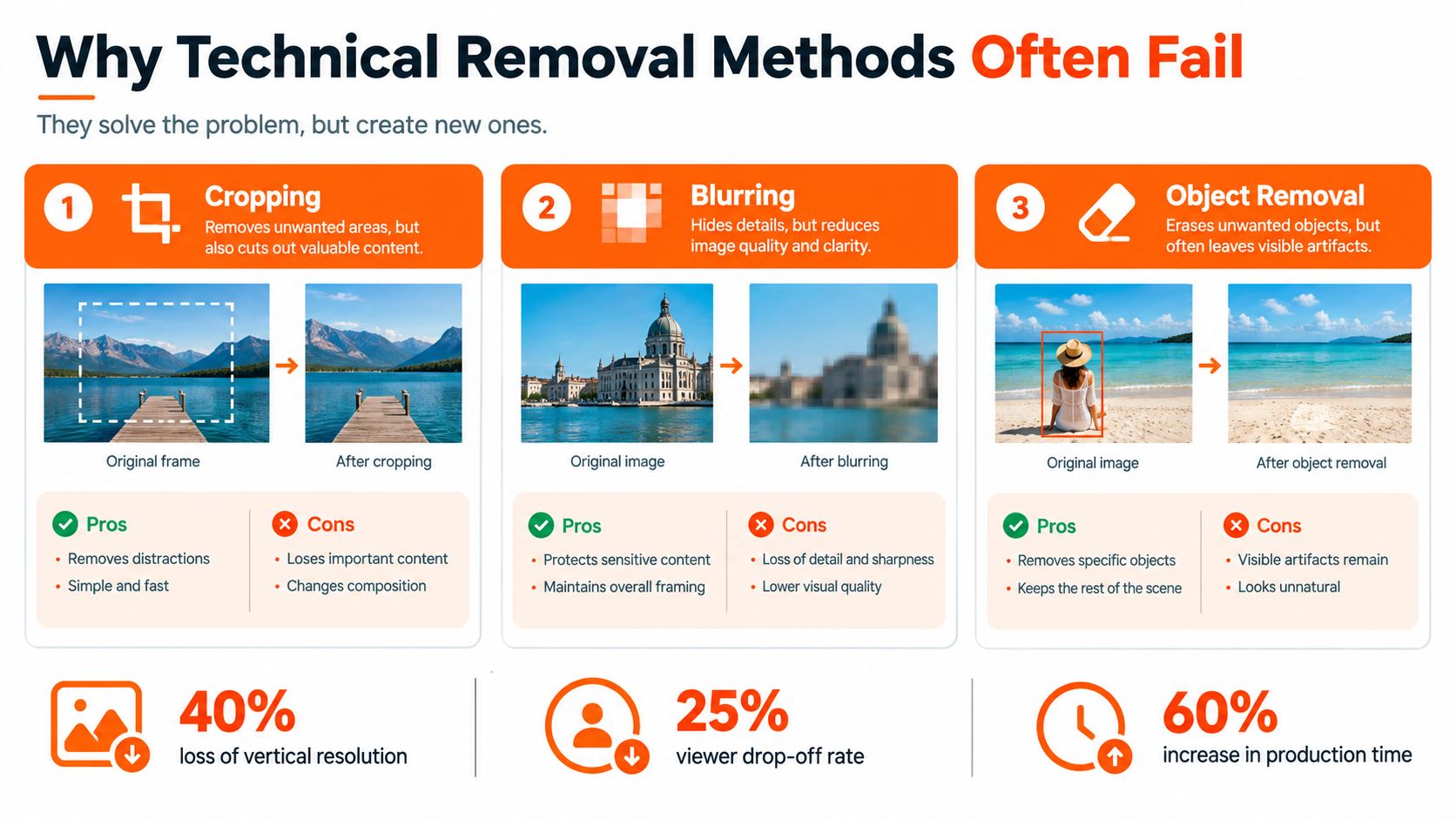
Cropping is predictable, but it removes part of the image rather than repairing it. On vertical footage, a crop can cut into a speaker's shoulder, product packaging, on-screen text, or the visual balance of a shot. It may work when the mark sits at the extreme edge and the remaining composition still supports the message.
Blurring hides detail without restoring it. The soft patch can remain visible during camera movement, and the viewer may notice the damaged area more than the original mark. It also performs poorly when the watermark overlaps text, skin, hair, hands, or a high-contrast object.
Object removal or inpainting can produce a cleaner still frame, but video requires temporal consistency. If the repair changes texture from frame to frame, the result can shimmer, ghost, or show repeated patterns. Faces, moving edges, fine text, and hands are especially unforgiving.
<a id="a-practical-quality-decision"></a>
A practical quality decision
Start with the source, not the removal tool. If the original camera file or editing-project export exists, use it. If only an authorized watermarked file remains, duplicate the file first, test a localized repair, and compare the result against the unedited copy.
Review every affected scene at 100% frame-by-frame, then watch it at normal speed. TikTok's technical guidance recommends checking 10–20 consecutive frames around each watermark transition for edge halos, duplicated textures, and luminance jumps. That review interval is described in the platform workflow guidance, not a universal quality guarantee.
There isn't a defensible universal success rate for watermark repair. Results depend on watermark position, opacity, movement, background complexity, and the amount of prior compression. A technically clean corner won't compensate for a crop that destroys the story or an inpainted face that looks subtly distorted.
<a id="building-a-clean-master-export-workflow"></a>
Building a Clean Master Export Workflow
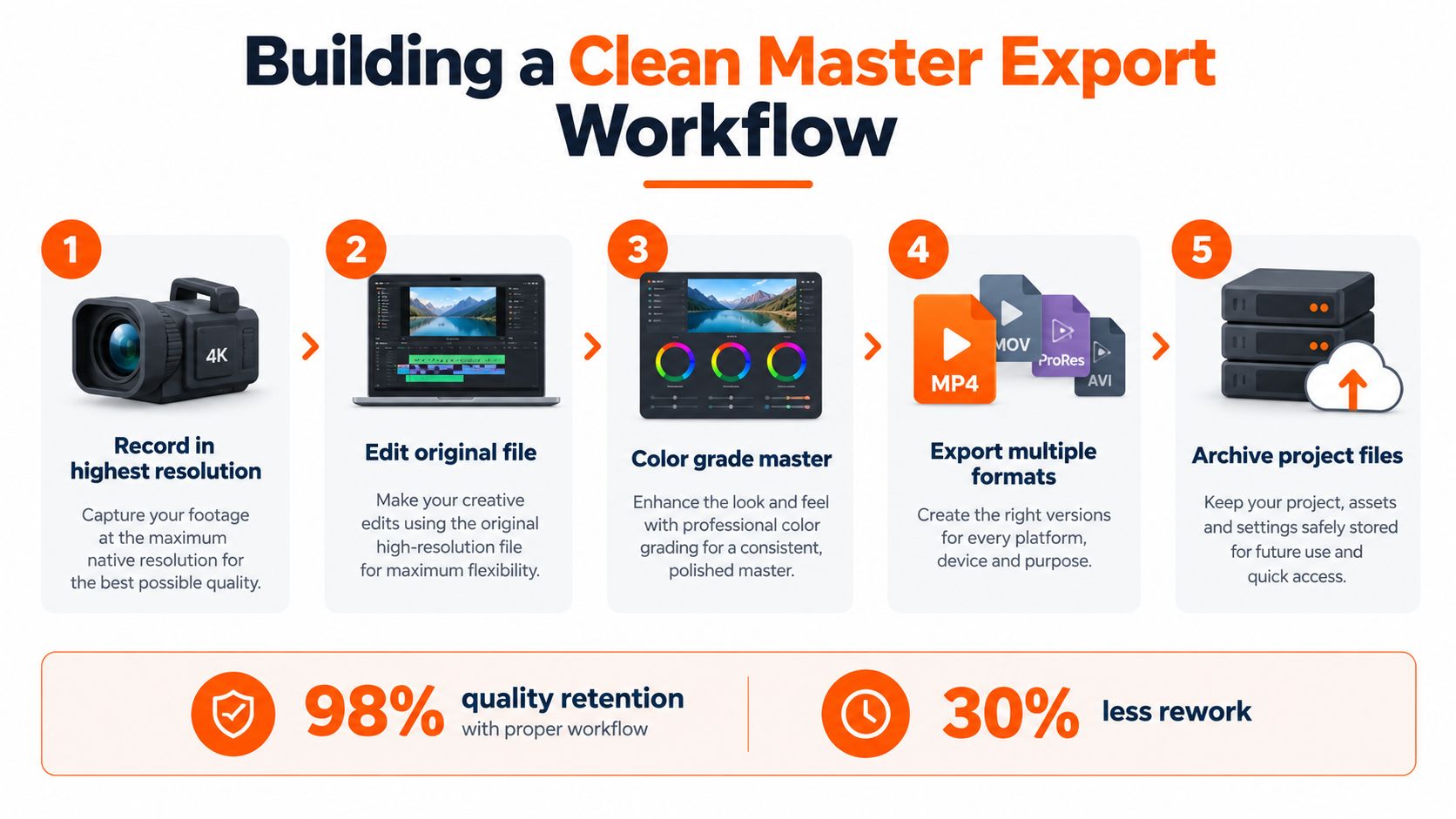
The professional answer is to avoid downloading a posted TikTok whenever possible. Record or edit the material in its original environment, create a clean master, and use that master to make each platform version.
<a id="keep-the-master-outside-the-platform"></a>
Keep the master outside the platform
Organize the project so the original video, audio licenses, graphics, captions, edit decision list, and final exports remain connected. The clean master should preserve the source frame rate and resolution. For an intermediate file, use a high-quality mezzanine codec such as ProRes or a high-bitrate H.264 or H.265 export, then create compressed delivery files from that master.
A practical workflow looks like this:
- Record or retrieve the original. Use the camera file, screenless project export, or the creator's clean delivery file.
- Edit before uploading. Finish timing, captions, music, graphics, color, and legal review in the project file.
- Render a clean master. Keep the master free of platform logos and export at the source frame rate and resolution.
- Create platform versions. Prepare vertical, square, or horizontal variants from the master rather than from a downloaded social copy.
- Archive the evidence. Store the project, source assets, licenses, releases, and approved exports together.
If only a watermarked file exists and you have permission to edit it, duplicate the asset before making changes. Inspect each scene, then choose the least destructive option. A localized crop can be acceptable against a low-detail edge. Edge extension may preserve the subject when the surrounding background is simple. Content-aware repair should stay away from faces, hands, typography, and moving boundaries whenever possible.
TikTok's advertising specifications state that creatives must not contain watermarks, including the TikTok watermark. That makes the clean-master approach useful for more than aesthetics. It gives your team a source that can be adapted for paid placements without repeatedly repairing a compressed upload.
For related publishing workflows, see this guide on uploading PowerPoint to YouTube. The same principle applies: prepare the source asset first, then treat each platform upload as a delivery version.
<iframe width="100%" style="aspect-ratio: 16 / 9;" src="https://www.youtube.com/embed/-UjJqwwMJc8" frameborder="0" allow="autoplay; encrypted-media" allowfullscreen></iframe><a id="recreating-concepts-with-ai-video-studios"></a>
Recreating Concepts with AI Video Studios
Sometimes the clean master is gone. Sometimes the source belongs to another creator, but the underlying format or topic has inspired a campaign. In both situations, downloading and repairing the TikTok is usually the least sustainable option.
A better approach is to separate the concept from the specific execution. You can study the general structure of a short video, then write an original script, record or generate a new voiceover, select licensed visuals, and design fresh captions. The result should express your own message rather than reproduce the other creator's footage, performance, branding, or distinctive edit.
<a id="build-from-a-prompt-instead-of-a-download"></a>
Build from a prompt instead of a download
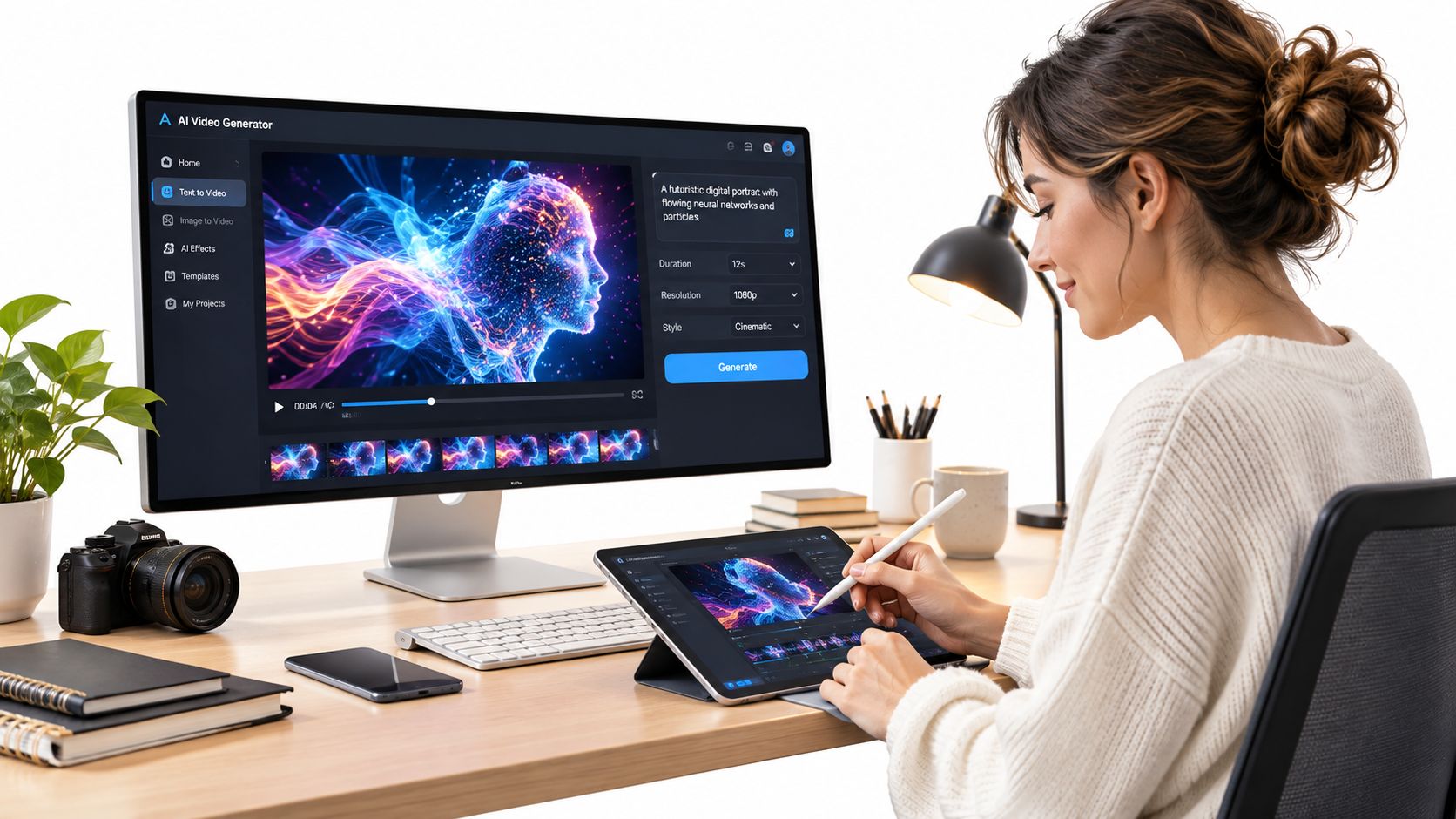
AI video studios can assemble a short-form draft from a topic or natural-language brief. A useful production prompt specifies the audience, hook, claims, visual style, voice, pacing, caption treatment, call to action, and required aspect ratios. You can then review the script for accuracy, replace unsuitable visuals, confirm music rights, and render a clean master before distribution.
ClipNova is one option for this workflow. It generates short-form videos and images from prompts, links, or topics, combining scripting, voiceover, visuals, captions, music, and export formats in one workspace. Its paid plans offer watermark-free exports with commercial rights, plus 9:16, 1:1, and 16:9 versions, so a team can build a new asset for TikTok, Reels, Shorts, and other placements instead of repairing a posted copy.
The important control remains human review. AI can produce a fresh asset, but it doesn't automatically clear every third-party likeness, logo, song, claim, or reference. Check the script, inspect every visual, verify the audio license, and retain the project record.
For creators comparing accessible workflows, this overview of free AI video tools can help frame the options. The strategic goal isn't to imitate a watermark-removal trick. It's to make the watermark irrelevant by creating a clean, reusable source from the start.
<a id="managing-permissions-for-third-party-content"></a>
Managing Permissions for Third-Party Content
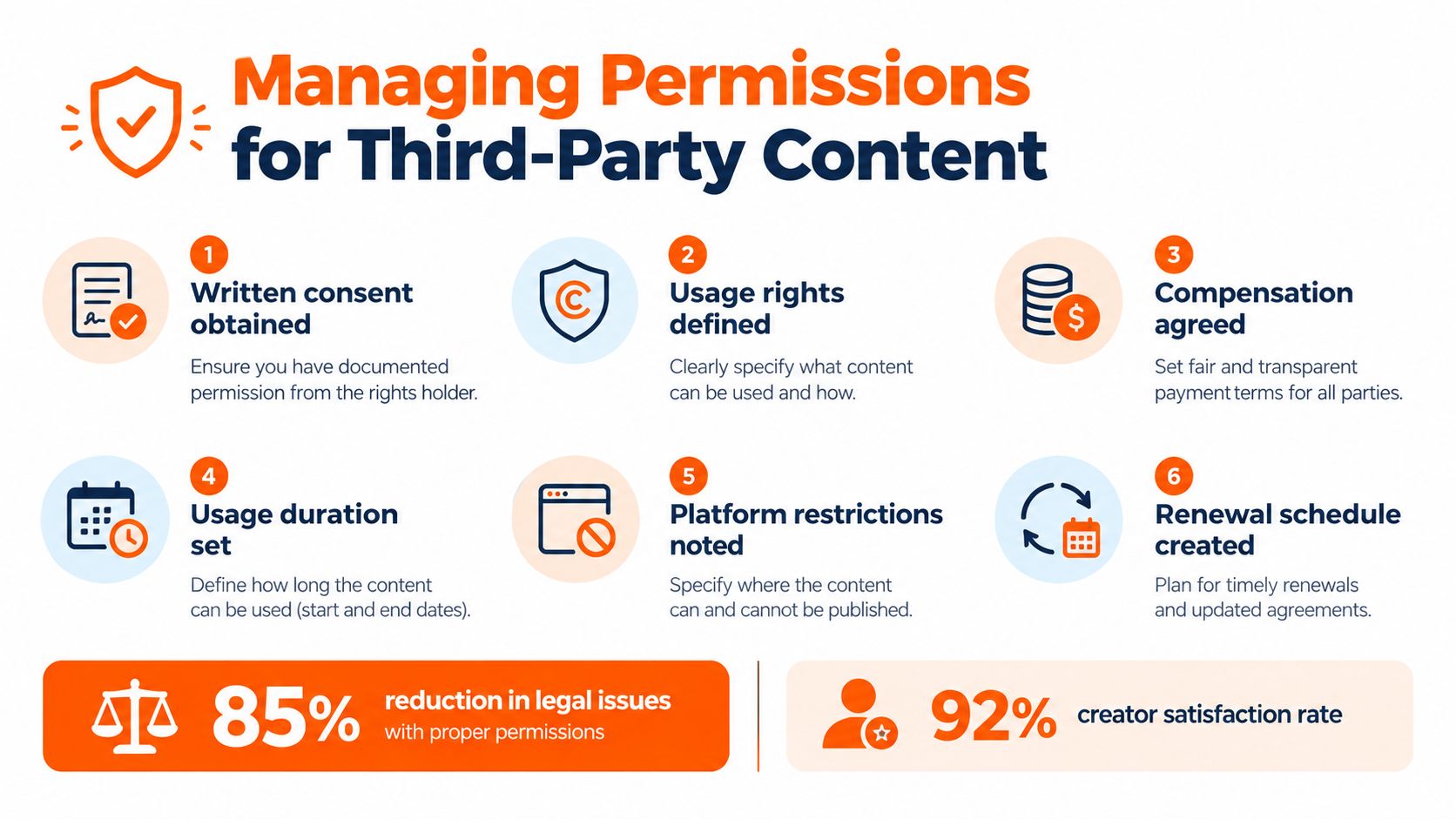
Agencies and growth teams often work with influencer footage, customer videos, affiliate content, and user-generated clips. The edit may take minutes, but permission can determine whether the asset is suitable for a brand account, a paid advertisement, or a campaign running across markets.
Separate these three cases clearly:
- Your own source file: You can usually prepare a clean export, provided the music, talent, logos, and other included elements are also cleared for the intended use.
- A partner's supplied video: Obtain written permission covering the edit, watermark removal, redistribution, platforms, commercial use, territory, term, and attribution.
- A downloaded third-party post: Treat it as protected content unless you have a documented license or another valid legal basis. A new logo doesn't make copied footage original.
TikTok's policy framework prohibits infringing material and advises users to obtain permission before using someone else's work. Its Shop guidance also emphasizes authorization, attribution, and meaningful original contribution for reused third-party content. Those requirements matter because removing a handle can make an approved remix look like an unauthorized repost.
<a id="use-a-rights-checklist-before-editing"></a>
Use a rights checklist before editing
Ask the rights holder to confirm the following in writing:
- Ownership: Who owns the footage and underlying creative elements?
- Editing permission: May your team crop, caption, translate, resize, or remove platform branding?
- Distribution: Which organic and paid channels may publish the asset?
- Music and likeness: Do the licenses cover the soundtrack, voice, performers, products, and locations?
- Attribution: Must the creator be credited, tagged, or identified in a specific way?
- Duration and territory: Where and for how long may the campaign run, and is renewal required?
Keep the signed agreement, source file, delivery notes, and final export together. For music, don't assume that permission to post on TikTok extends to Instagram ads, YouTube Shorts, or paid media. A rights-cleared video is only as defensible as the narrowest permission attached to one of its protected components.
For teams pairing licensed music with new creative, this guide to an application for making videos with music offers a useful production reference. The main principle is simple: preserve provenance even when the final export no longer displays the original platform mark.
<a id="troubleshooting-export-and-compliance-errors"></a>
Troubleshooting Export and Compliance Errors
A clean workflow can still produce a rejected or visibly damaged file. Diagnose the export in a fixed order instead of immediately running another removal pass.
<a id="check-the-picture-first"></a>
Check the picture first
Play the entire file from the beginning. Look for a surviving TikTok logo, creator handle, duplicated caption, corner patch, or a transition where the repair begins and ends. Inspect faces, hands, product labels, fine text, and moving edges at full resolution, then watch the same moments at normal speed for flicker or ghosting.
If the frame feels cramped, compare the export with the original master. A crop may have changed the subject's position or cut off information. If the repaired region looks soft, replace it with the clean source or request an authorized file instead of increasing blur or repeating inpainting.
<a id="check-the-export-and-rights"></a>
Check the export and rights
Confirm that the output preserves the intended aspect ratio, source frame rate, resolution, and audio sync. Generate the delivery version from the clean master, not from a preview downloaded from a social platform. Keep a separate archive copy so later revisions don't compound compression.
Then inspect everything beyond the visible watermark:
- Brand elements: Check creator handles, third-party logos, stock marks, and embedded captions.
- Audio: Confirm that music, narration, samples, and voice permissions cover the destination and use case.
- Claims: Review product statements, endorsements, and subtitles for accuracy and authorization.
- Metadata and naming: Use a clear internal filename that identifies the approved source and version, without treating metadata as proof of ownership.
TikTok's advertising guidance disallows watermarks in creatives, while its copyright system allows rights holders to report infringing uploads. A file can therefore pass a visual inspection and still fail a rights review. If the source, license, or release is missing, pause publication and obtain the clean asset or recreate the video.
ClipNova lets creators and teams generate fresh short-form videos with scripts, voiceovers, visuals, captions, music, and clean multi-aspect exports, rather than removing branding from downloaded third-party posts. Visit ClipNova to create a rights-conscious source workflow for TikTok, Reels, Shorts, and commercial content.
Ready to ship your own?
Start creating viral videos with AI in under twenty minutes, no credit card required.