
Can you animate a character, and still have nothing ready to publish? That's the gap most creators run into when they search for an MC animation maker. A smooth walk cycle, a dramatic camera move, or a funny pose solves one shot. It doesn't give you narration timed to the scene, captions viewers can follow with the sound off, music under the voice, or a character who looks the same in minute four as he did in minute one.
I judge these tools by what they leave you holding at export. If you still need separate software for voice, editing, captions, and music, you've bought an animation step, not a publishing workflow. If the output is already a complete episode, you're working in a different category altogether, even when the visual style looks similar on the surface.
Table of Contents
- What an MC Animation Maker Actually Covers
- Comparing the Three Types of MC Animation Maker
- Core Features That Decide a Finished Episode
- Workflow Example From Script to Published Video
- Plans, Rights and Honest Limits
- Choosing the Tool and Publishing Your First Episode
<a id="what-an-mc-animation-maker-actually-covers"></a>
What an MC Animation Maker Actually Covers
What do you mean when you type MC animation maker into a search box? Most creators assume it's one kind of software. In practice, the phrase covers three different jobs, and picking the wrong one wastes days.
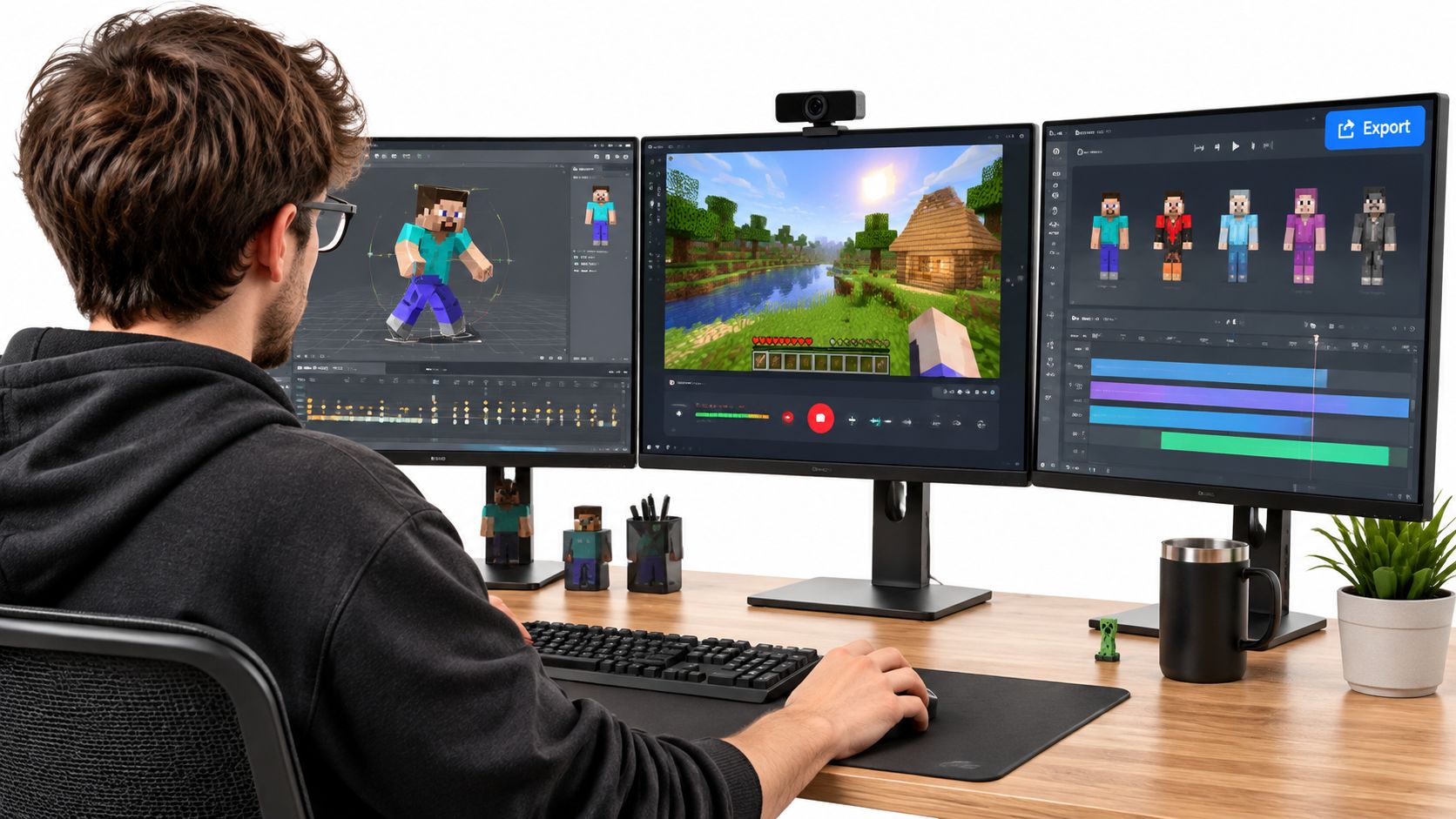
The first group is Minecraft model animators. You load blocky characters and props, set keyframes on a timeline, and pose each movement yourself. The second group is in-game recording tools. You stage or capture action inside Minecraft, then cut that footage into machinima. The third group is AI story video makers. You start with a script or idea, and the tool returns a finished episode with scenes, voice, and captions already assembled.
<a id="why-the-audience-is-bigger-than-gameplay"></a>
Why the Audience Is Bigger Than Gameplay
The demand behind the search is not small. According to PC Gamer's report on YouTube's December 2021 milestone, Minecraft-related videos had exceeded 1 trillion cumulative views, and animation recorded nearly 5 billion views in both 2020 and 2021. That category included videos made inside Minecraft and independent computer animation using Minecraft-inspired characters, settings, and visual design.
That split matters for your channel plan. Viewers aren't only watching screen recordings. They're watching scripted stories, character-driven shorts, music videos, role-play, and animated fiction. A creator who wants talking characters may also want to understand how a talking avatar workflow differs from scene-based storytelling before choosing a tool.
So the decision is simple to state and easy to get wrong. Do you need one animated shot, a gameplay edit with narration added later, or a complete episode with recurring characters? The rest of your choice follows from which finished output you're trying to publish.
<a id="comparing-the-three-types-of-mc-animation-maker"></a>
Comparing the Three Types of MC Animation Maker
Read the table from right to left if your goal is publishing. Skill and continuity tell you what you'll still be fixing after the first render looks good.
Minecraft-style animation tool types compared
| Tool type | What it makes | Length and audio | Character continuity | Skill needed |
|---|---|---|---|---|
| Minecraft model animators (Mine-imator style) | Animated scenes built from Minecraft models | Keyframed shots, voice and captions handled in separate software | Manual, set up by the creator in each scene | Moderate, timeline keyframing |
| In-game recording editors | Machinima recorded inside Minecraft | Limited to the recorded footage, narration added afterwards | Tied to in-game skins and recorded actions | Low to moderate |
| Bedrock animation files | Animation definitions for Minecraft entities and add-ons | Not a video tool, no audio or export | Reusable across scenes when bone names and geometry match | High, file and code work |
| AI story video makers | Finished story video from a script or idea | Narration, captions and music produced in one pass | Saved characters keep the same face and outfit in each scene | Low, script-first workflow |
<a id="what-each-row-leaves-for-you-to-finish"></a>
What Each Row Leaves for You to Finish
Model animators give you control, and they charge you time for it. Mine-imator style tools let you place rigs, lights, cameras, and keyframes exactly where you want them. That control suits intros, fight scenes, and short skits where one pose has to land. What you don't get is a finished episode. You'll still record or generate voiceover elsewhere, write captions, mix music, and assemble everything in a video editor. It's a strong animation step, not a publishing step.
In-game recording editors start from what already happened. You capture footage inside Minecraft, then shape the story around the angles and actions you managed to record. This works well for server events, build showcases, and gameplay recaps because the game supplies the world. It works less well when a script demands a specific expression, a line delivered to camera, or a scene that never occurred in play. Narration is layered on afterwards, so pacing problems usually show up in the edit, not the recording.
Bedrock animation files aren't video tools at all. They define how entities move inside the game for add-ons and custom content. If you're building a mob that players will meet, that's the right layer. If you're publishing an episode on YouTube, you're solving the wrong problem. New creators lose hours here because the word animation sounds like video production when it means motion data.
Practical rule: Judge a tool by what exists after the animation step. A polished shot with no voice, captions, or ending is still an unfinished video.
AI story video makers invert the workflow. You bring a script or idea, and narration, captions, and music arrive in the same pass as the scenes, with saved characters holding their face and outfit across the episode. You trade frame-level posing control for a publishable file. For simpler projects outside Minecraft style, some creators also make animations with customizable templates from Wideo, which suits short template-led pieces when original recurring characters matter less. The central rule stays the same. If your goal is a complete episode, don't rank tools by how smooth one shot looks. Rank them by how little is left to build after export.
<a id="core-features-that-decide-a-finished-episode"></a>
Core Features That Decide a Finished Episode
A strong animated shot is only one part of a publishable episode. Check these features in a short sample before building the full story. Each one affects how much work remains after generation.
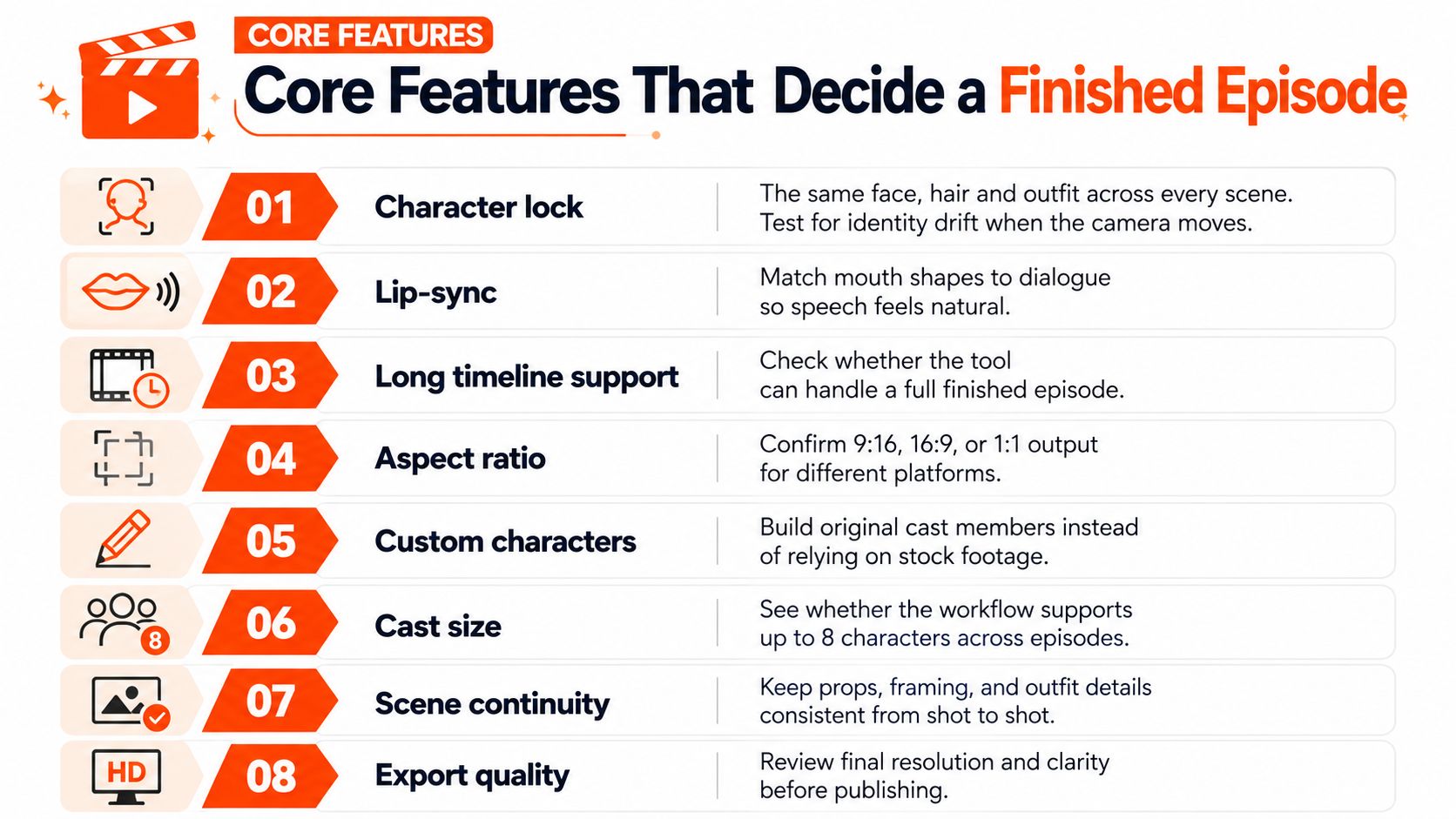
- Character consistency. Check that the same face, hair, and outfit hold across scenes. Camera moves, partial occlusion, and pose changes can make a character drift. Test each new character in a three-scene sample before building an episode around them.
- Cast size. Check how many recurring characters a single episode and a series can support. A two-person skit has different demands from an ensemble story.
- Narration. Check available languages and whether the voice stays consistent across scenes. Compare AI voiceover tools for voice quality and stability.
- Lip sync. Confirm that characters can speak on screen, rather than relying only on narration. Test the tool with your own dialogue, since a demo line may not reveal how it handles your script.
- Captions and music. Find out whether the tool adds both during video creation or leaves them for you to add later. Manual captioning and music placement add editing work before an episode is ready to publish.
- Scene-level repair. Check whether you can redo one weak scene without rebuilding the whole video. That option makes it easier to fix a drifted face or a scene that misses the script.
- Aspect ratio. Confirm support for 16:9 long-form video, 9:16 vertical video, and 1:1 square feeds. Cropping after generation can cut off captions or characters.
- Episode length. Check the longest single render. Short limits mean stitching clips together, which adds editing steps and can create character or audio inconsistencies.
<a id="the-test-i-would-run-first"></a>
The Test I Would Run First
Check the first 30 seconds with every new character. Review the face, clothes, and setting through several shots before generating the full episode. If those details drift, the finished story will need more repair.
Character consistency and scene-level repair determine how much control you have over the story. Narration, captions, and music determine how much editing remains before publication. Aspect ratio and episode length determine whether the finished file fits the intended format.
<a id="workflow-example-from-script-to-published-video"></a>
Workflow Example From Script to Published Video
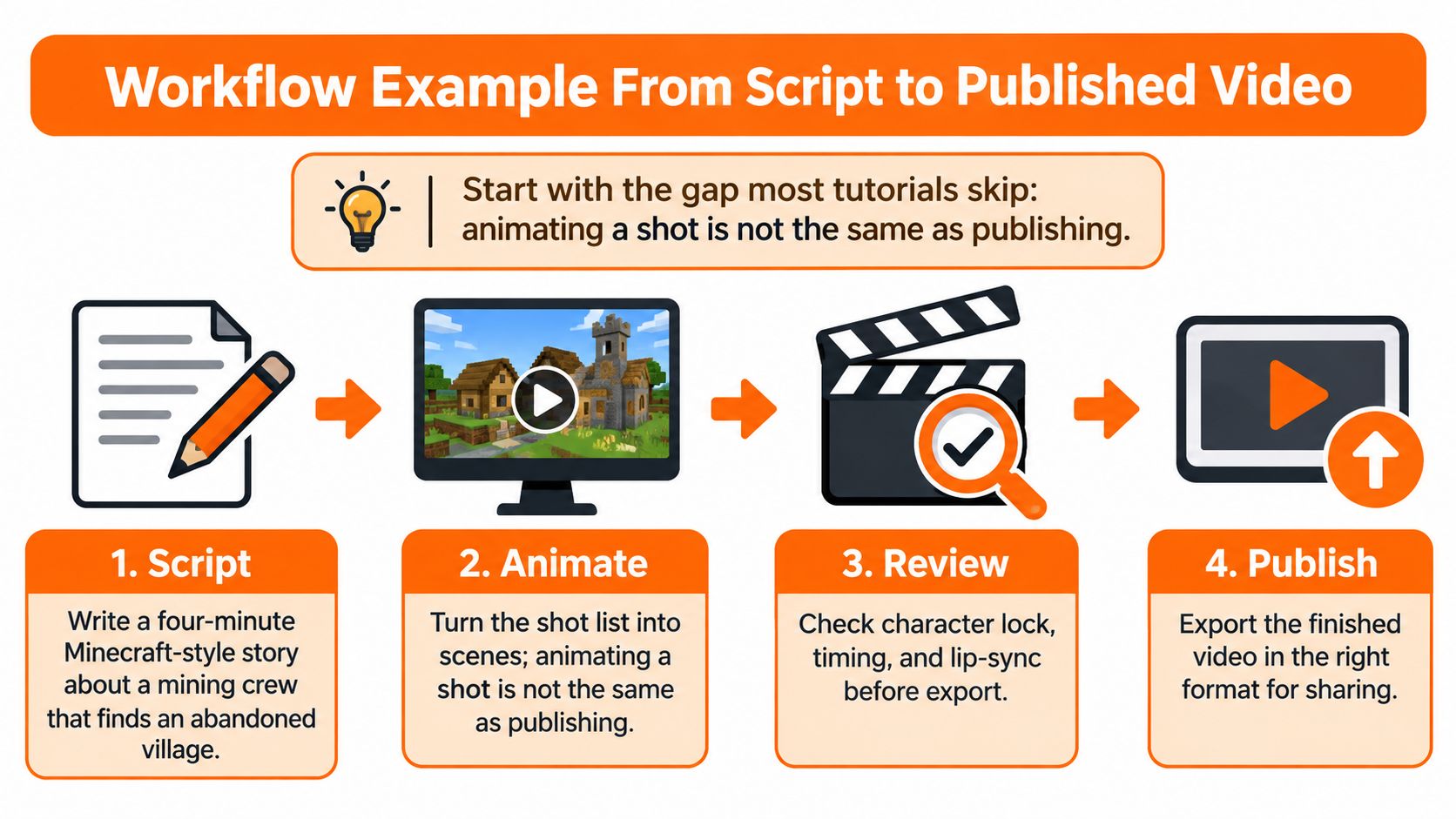
Say you're making a four-minute Minecraft-style story about a mining crew that finds an abandoned village. Most tutorials would show you how to animate the crew walking. Almost none show you how the episode gets finished. As Planet Minecraft's overview of Mine-imator notes, older coverage points to practical limits such as lag on weaker computers, limited rendering formats, no direct audio workflow, and the need for separate video-editing software. That gap is exactly where episodes stall.
<a id="eight-steps-to-a-publishable-file"></a>
Eight Steps to a Publishable File
- Outline four beats. Hook in the first 10 seconds, rising tension, a twist, then an ending or cliffhanger. Common slip: opening with the crew walking while nothing is at stake.
- Define each character and lock the look. Save a reference image for face, hair, and outfit before generating scenes. Common slip: redesigning a jacket halfway through because one scene looked better with it changed.
- Write the script with timing. Use about 150 words per minute of narration to estimate runtime, so four minutes needs roughly 600 spoken words. Common slip: writing dialogue first and discovering the scenes can't hold it.
- Choose one visual style and keep it. Minecraft blocky, or another look, but the same across the episode. Mixing styles makes one story look like three channels.
- Generate voiceover and captions, then check fit. Every line should finish inside its scene. This is also where an automated video production approach saves the most manual syncing.
- Add background music under the narration. Keep it low enough that names and plot points stay clear. Common slip: music that wins against the voice in quiet lines.
- Review every scene and regenerate only the weak ones. Fix the village reveal if the face drifts there. Don't rebuild scenes that already work.
- Export per platform. Horizontal for long-form viewing, vertical if you're cutting a short version. Export ratios at render time, not by cropping later.
<a id="final-check-before-you-upload"></a>
Final Check Before You Upload
Three questions catch most problems. Does the hook land inside the first 10 seconds? Does every recurring character look the same in the last scene as in the first? Do the captions match the spoken words exactly, including character names? If any answer is no, repair that scene or line now. Viewers forgive a simple set. They don't follow a story they can't hear or recognize.
<a id="plans-rights-and-honest-limits"></a>
Plans, Rights and Honest Limits
Price only makes sense next to limits, so put them side by side before you choose. With ClipNova, plans start at $19 per month and include commercial rights, so monetized uploads don't need a separate rights arrangement. Compare that cost against the hours you'd otherwise spend stitching shots, voiceover, captions, and music across separate tools.
<a id="what-one-render-includes"></a>
What One Render Includes
- Length and quality: Videos run up to 5 minutes at up to 1080p.
- Formats: 9:16, 16:9, or 1:1 per video.
- Narration: Available in 18 languages, with script, scenes, voiceover, captions, and background music produced in one pass.
- Characters: Saved characters keep the same face and outfit across scenes, and Series keeps a cast of up to 8 characters with story memory across episodes.
<a id="limits-to-plan-around"></a>
Limits to Plan Around
Episodes longer than 5 minutes need splitting into parts, so write natural break points into longer stories. Consistency is a target to verify, not a promise for every frame, so check each new character in its first scene before building a full episode around it. Lip sync reliability depends on the system and on your scenes, so test short dialogue before writing a talk-heavy script.
There's also a category limit worth stating plainly. A story video tool doesn't replace Bedrock add-on work or in-game recording. If you're building playable content or cutting real gameplay, you still need those dedicated tools. Choosing by finished output keeps that boundary clear.
<a id="choosing-the-tool-and-publishing-your-first-episode"></a>
Choosing the Tool and Publishing Your First Episode
Start with three questions. What finished output do you need, a clip, a gameplay edit, or a full episode? Must one character appear across episodes? Does your audience need narration and captions in its own language? Your answers narrow the field faster than any feature list.
Typical requirements by channel type
| Channel or use case | Typical length | Recurring characters | Narration needs |
|---|---|---|---|
| Faceless story or horror channel | 3 to 5 minutes | Yes, narrator plus cast | Full voiceover and captions |
| Kids cartoon series | 2 to 5 minutes per episode | Yes, same cast each episode | Character voices and lip sync |
| Shorts or TikTok story | 30 to 60 seconds | Sometimes | Narration and captions |
| Faith or Bible story channel | 3 to 5 minutes | Optional, often a recurring narrator | Narration in the target language |
| Small brand UGC ad | 15 to 30 seconds | Same creator or presenter face | Voice or lip sync |
Find your row, then match the tool type to it. One animated clip for a music or montage project fits a model animator. Real gameplay footage fits an in-game recorder. A complete episode with recurring characters and narration fits an AI story video tool.
<a id="where-adjacent-tools-stop-short"></a>
Where Adjacent Tools Stop Short
The surrounding categories each solve part of the job. Clip generators such as Runway, Kling, Veo, and Hailuo make strong single shots, but you assemble the story. Template editors such as InVideo and Pictory build longer videos from stock footage, so your own characters aren't on screen. Faceless shorts tools such as Revid, StoryShort, and Zebracat stop at short vertical videos. Avatar tools such as HeyGen and Synthesia make presenters who address the camera, not casts acting inside a story.
Against that, a long-form story workflow is built to return finished videos up to 5 minutes with consistent characters. A saved character keeps the same face, hair, and outfit in every new scene, and a series format can hold a cast of up to 8 characters with story memory of the last 5 episodes, so episode six doesn't forget episode five.
<a id="publish-the-first-episode-in-four-steps"></a>
Publish the First Episode in Four Steps
- Write a three to five scene script with a hook up front and a cliffhanger at the end.
- Save each recurring character with a reference picture, then check scene one for the same face and outfit.
- Render a 60-second test and check narration timing, captions, and lip sync before scaling up.
- Regenerate one weak scene, not the whole video, then export in the ratio your channel row calls for.
That sequence turns a tool choice into a published file instead of another folder of test renders. When you're ready, make your first video and judge the result by the finished episode, not by a single animated shot.
ClipNova makes finished long AI videos with consistent characters, so your MC animation maker search can end with a publishable episode instead of loose clips. Bring a script or idea and get scenes, voiceover, captions, and music in one pass, with the same characters in every scene. Start your first story video with ClipNova AI today.
Ready to ship your own?
Start creating viral videos with AI in under twenty minutes, no credit card required.