
Comedy is already competing inside social media's biggest attention bucket. One industry compilation reports that short-form video accounts for 58% of worldwide social media time, while another cites 94.6% of online adults watching online video in the past 30 days. The same 2026 roundup says short-form video averages about 2.5 times the engagement of long-form video, and a creator-focused report identifies comedy as the most-watched video genre globally, with 42% of viewers watching it daily. See more background in this guide to video ideas for creators.
That doesn't mean random effects, loud captions, or copying a trend will make a funny video work. Strong comedy usually starts with a clear mechanism: surprise, recognition, imitation, escalation, contrast, or deliberate confusion. Choose the audience expectation, decide the payoff, plan the opening seconds and final beat, then select visuals, voice, captions, music, and export settings around that structure.
The ten recipes below turn common comedy formats into repeatable production systems. ClipNova can help assemble scripts, narration, visuals, captions, music, variants, translations, and aspect ratios when those tasks match the production need. The tool can reduce assembly time, but the comedic decision still belongs to the creator.
Table of Contents
- 1. The Unexpected Plot Twist
- 2. Observational Humor and Relatable Commentary
- 3. Lip-Sync Comedy and Lip-Dub
- 4. Skit and Character Comedy
- 5. Meme and Trend Participation
- 6. Reaction and Commentary Video
- 7. Educational Content with Comedy
- 8. Absurdist and Surreal Humor
- 9. Transformation and Makeover Comedy
- 10. Parody and Impersonation Comedy
- 10-Point Comparison of Funny Video Formats
- Turn One Joke Into a Repeatable Series
<a id="1-the-unexpected-plot-twist"></a>
1. The Unexpected Plot Twist
A person reaches for a cereal bowl, but inside is a rubber chicken wearing sunglasses. That concrete mismatch gives the viewer an ordinary action to follow and a clear reason to watch the final beat. The same recipe can show someone preparing intensely for a presentation before revealing an argument rehearsal with a houseplant. The setup promises one situation, then the ending replaces it with an absurd, ironic, or overly literal result.
Build the joke in four beats:
- Expectation: Show the ordinary situation immediately.
- Misdirection: Add details that support the obvious interpretation.
- Pause: Leave enough time for viewers to accept that interpretation.
- Reversal: Deliver the unexpected object, action, or line.
Keep the premise visible from the first shot. If the reveal belongs in the final 1 to 3 seconds, spend the earlier footage establishing context rather than explaining it. A long introduction weakens the payoff because viewers may leave before the reversal.
<a id="build-the-reveal-before-the-opening"></a>
Build the reveal before the opening
Write the ending first, then work backward to choose the clues that should appear and the information that should stay hidden. For the cereal bowl gag, use serious breakfast music, a close-up of the reaching hand, and “Finally, a calm morning” before cutting to the chicken. The sound and caption guide the audience toward one interpretation while the object prepares the contradiction.
ClipNova's scripting assistance can generate several setup and payoff combinations, which helps when the twist changes more often than the editing. Keep the opening consistent, produce alternative endings, and compare audience comments or rewatches to identify the strongest reversal. The trade-off is clarity versus surprise: show too much and the joke becomes predictable, hide too much and the reveal feels random. Export a vertical cut for TikTok and Reels, then create a square version only if the subject remains clear after cropping.

<a id="2-observational-humor-and-relatable-commentary"></a>
2. Observational Humor and Relatable Commentary
Relatable commentary succeeds when one precise irritation becomes a repeatable comic engine. Opening the refrigerator repeatedly, replying “you too” when a server says “enjoy your meal,” or rehearsing a phone call in your head works because viewers recognize the behavior before the punchline arrives. Expensive production matters less than a clear situation and a specific point of view.
Choose one setting or theme, then build several connected beats instead of listing unrelated complaints. Start with the visible behavior, expose the private logic behind it, push that logic into an unreasonable conclusion, and finish with a line that changes how the audience reads the scene.
- Recognizable action: Show the behavior in the first shot.
- Private thought: Add narration, captions, or a cutaway to the character's internal reasoning.
- Escalation: Repeat or intensify the behavior until the logic becomes ridiculous.
- Recognition tag: End on the phrase viewers might say to themselves.
“Things people do when they hear a noise at night” gives the video concrete shots to plan. “Modern life is weird” leaves the scene undefined. Direct-to-camera delivery creates intimacy, while narration over B-roll makes retakes, timing changes, and visual escalation easier. ClipNova's Text to Video can produce simple scenes for abstract observations, and AI voiceover lets you test several deliveries without recording each variation again. Animate only the words carrying the joke, so captions support the timing instead of covering every line.
<a id="turn-one-observation-into-a-series"></a>
Turn one observation into a series
A series needs a fixed container and a fresh inconvenience. Names such as “Types of people who…,” “Things I hate about…,” or “The unspoken rules of…” establish the format immediately. Keep the opening recognizable, then change the behavior, setting, or conclusion in each episode.
Test a dry voice, an excited performance, and deliberately serious narration. Dry delivery often makes an ordinary inconvenience sharper, while false scientific confidence can sell an absurd conclusion. The trade-off is speed versus personality: AI narration can create variants quickly, but it may sound generic when the script has no distinct attitude. Write the narrator as exhausted, overconfident, defensive, or falsely scientific, then match facial expressions, framing, and caption style to that attitude.
<a id="3-lip-sync-comedy-and-lip-dub"></a>
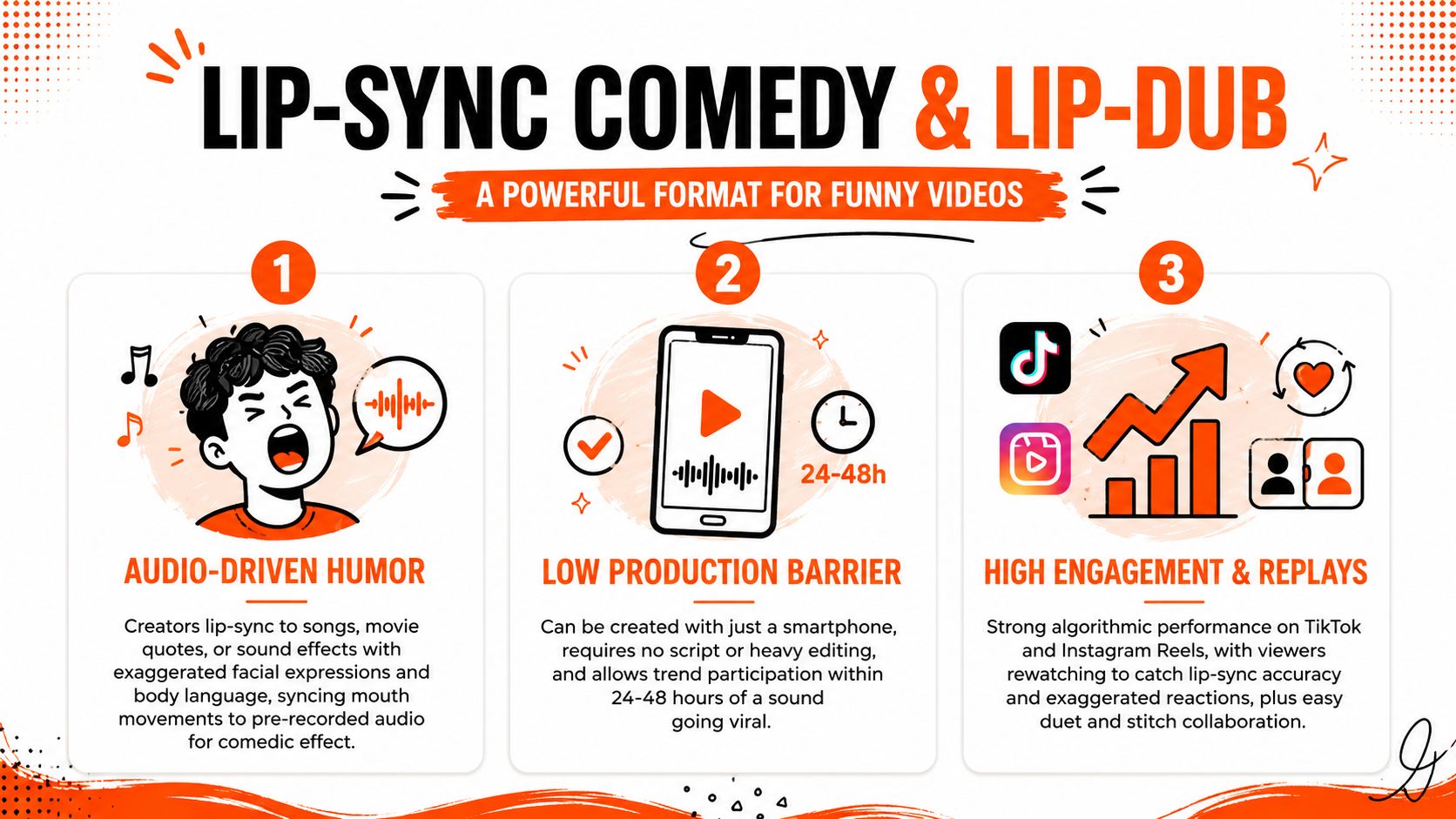
3. Lip-Sync Comedy and Lip-Dub
Lip-sync comedy depends on timing, but timing alone isn't the joke. The humor comes from the gap between the audio and the performance. A cheerful lyric paired with a visibly exhausted face, a dramatic movie line delivered while someone struggles with a fitted sheet, or a serious speech performed by an unimpressed character creates that mismatch.
Start by choosing audio with a clear emotional identity. A sound that already feels intense, romantic, threatening, or triumphant gives the performance something to contradict. Then mark the audio's emphasis points before recording or generating visuals. The face, gesture, or cut should change on the beat that viewers already expect.
A practical recipe looks like this:
- Audio premise: Identify what the sound appears to mean.
- Physical contradiction: Perform the opposite emotion or an overly literal interpretation.
- Escalation: Make each expression or movement more extreme.
- Final pose: Hold the last reaction long enough for the mismatch to register.
<a id="make-the-performance-repeatable"></a>
Make the performance repeatable
Film or generate several interpretations rather than trying to perfect one take. One version can use deadpan restraint, another can use exaggerated panic, and a third can stage the audio as a miniature argument. ClipNova's Talking Avatar helps preview scripted delivery and sync points, while variant generation can produce alternative performances around the same audio concept. For creators refining their narration workflow, these AI voiceover tools can also support voice-led versions when the format doesn't require a live lip-sync.
Keep the frame clean. The viewer should see the mouth, eyes, and main physical gag without searching through decorative effects. Transitions can add energy, but too many effects compete with the performance. Use vertical 9:16 for TikTok and Reels, and make sure captions don't cover the facial expression that carries the punchline. Trend timing matters, but a weak performance won't become funny just because the sound is popular.
<a id="4-skit-and-character-comedy"></a>
4. Skit and Character Comedy
A skit works when a clear character pursues a simple goal and makes the problem worse through a recognizable flaw. An employee treating every email like a legal emergency, a roommate negotiating over a borrowed charger, or a customer-service agent repeating polite phrases while losing patience can each carry a short scene.
Give every character one dominant trait and one concrete objective. Keep the cast small, establish the situation through action or dialogue, and avoid backstory the viewer must memorize before the joke becomes clear.
<a id="build-a-compact-story-engine"></a>
Build a compact story engine
Use this sequence:
- Immediate conflict: Open after the situation has already become inconvenient.
- Trait reveal: Make the character respond in a way only that person would.
- Escalation: Let that response create a larger problem.
- Payoff: Finish with a reversal, admission, or behavior that confirms the trait.
Write the script before planning the edit. CapCut can handle basic assembly, but the stronger production choice is deciding the character's objective, reaction, and escalation first. Use quick cuts only when they sharpen the exchange. Hold a shot long enough for viewers to read the face and identify the speaker.
Recurring characters gain value from consistent clothing, framing, vocal style, and catchphrases. That consistency makes a small change in behavior feel significant, while simple props can distinguish roles without slowing the scene. For a short vertical video, establish the premise early, give the character one escalation, then leave room for the final reaction to register.
ClipNova's scripting assistance can generate alternate versions of one premise, and Talking Avatar can provide different character voices when several actors are unavailable. Its automated video editing workflow helps after the script is stable by assembling dialogue, scene changes, captions, and supporting visuals. The trade-off is performance control. AI characters may miss subtle pauses, gestures, or physical timing, so use the workflow for dialogue-led, visually simple skits and refine any beat that depends on precise human acting. Keep captions away from the face and the prop carrying the joke.
<a id="5-meme-and-trend-participation"></a>
5. Meme and Trend Participation
Trend comedy gives viewers a familiar structure before your variation begins. That lowers the explanation burden. A POV format, a “types of people” joke, a green-screen setup, or a sound-reactive sequence already carries context, so your creative work lies in the angle you add.
Don't copy the surface and remove the idea. A direct imitation may be recognizable, but it gives viewers no reason to share your version. Add a specific audience perspective, combine a sound with an unrelated situation, or treat a familiar format as if it belongs to a completely different world.
<a id="use-speed-without-sacrificing-a-point-of-view"></a>
Use speed without sacrificing a point of view
Monitor TikTok's Discover and Trends areas, then write the joke before opening the editor. ClipNova's rapid generation can help create several variations while the format is still relevant. Its Text to Video prompt workflow can turn a short concept into draft scenes, voiceover, captions, and supporting visuals, which is useful when the trend depends on fast iteration.
A trend production pass should answer four questions:
- What does the audience already understand? Preserve the recognizable frame.
- What changes in your version? Add the joke, not just the same audio.
- Where is the first visual proof? Show the variation early.
- Can the viewer follow it without sound? Use readable captions and clear action.
The main trade-off is shelf life. Trend content can earn immediate discovery but become difficult to reuse once the format fades. Build a second version around an evergreen premise, or adapt the same comedic engine to a recurring series. Export 9:16, 1:1, and 16:9 only when each crop keeps the joke legible. More formats don't help if the central action disappears outside the vertical frame.
<a id="6-reaction-and-commentary-video"></a>
6. Reaction and Commentary Video
A reaction video earns laughs from the creator's interpretation. Watching a trailer, unboxing, performance, viral clip, or unfamiliar social custom is only the raw material. The comedy comes from identifying one detail viewers may overlook, then framing it through a clear point of view.
Choose a source with a visible surprise, contradiction, or tense decision. Open on that moment, not a long introduction. A dramatic trailer can become a joke about impractical character choices. A music producer can point out an ordinary sound placed in an unexpectedly serious arrangement. Exaggerate the response, but keep the observation specific.
Practical rule: Remove your commentary and ask whether the video changes. If it does not, the reaction needs a sharper point.
Build the short around four beats: show a brief source fragment, cut to the reaction, explain the observation, then return to the source only when it advances the joke. Captions can label an internal thought, expose a contradiction, or freeze a facial expression with a concise note. A side-by-side layout suits sustained commentary. A tight face crop usually delivers a faster punchline.
ClipNova's caption styling can emphasize reaction lines, while its multi-format workflow can assemble a 16:9 side-by-side cut for YouTube and a vertical edit for short-form feeds. Use from idea to script with AI to turn a sharp observation into a beat-by-beat commentary outline, then check every factual statement about the source yourself. ClipNova saves time on captions, framing, and versioning, but it cannot supply the point of view.
Copyright, permission, and platform rules still apply. A reaction does not automatically make borrowed footage safe to use, so keep source excerpts brief and make your commentary the main content.
<a id="7-educational-content-with-comedy"></a>
7. Educational Content with Comedy
Comedy can make an explanation easier to enter, but it can't replace accuracy. A useful educational funny video starts with a real problem, illustrates it with an exaggerated scenario, then gives the viewer a clear solution. The laugh earns attention. The information earns trust.
A career video might show an applicant treating a routine interview question like an action-movie interrogation. A science explainer might give a molecule an anxious personality while the narration explains the actual process. A life-hack video can use a deliberately overconfident character to demonstrate why a shortcut fails, then show the correct method without confusing the gag with the instruction.
<a id="separate-the-joke-from-the-instruction"></a>
Separate the joke from the instruction
Use a structure such as problem, comedic illustration, solution, humorous application. Put the subject in the opening seconds, then establish the joke before moving into the explanation. Captions should reinforce the key learning point, while visual gags should support rather than obscure it.
ClipNova's Text to Video can generate illustrative scenes, and its voiceover library can deliver a clear narration track with controlled pacing. Hormozi-style captions can draw attention to important terms, but don't highlight every phrase. Use emphasis where the viewer needs to remember a concept, measurement, warning, or action.
The largest risk is false equivalence. A funny analogy can simplify a complex idea, but it may also create a misleading impression if the analogy becomes the only explanation. Keep the factual statement direct, then use the character or visual gag to make it memorable. Educational comedy also works well as a series because related topics provide a reason to return, while the recurring format reduces planning time.
<a id="8-absurdist-and-surreal-humor"></a>
8. Absurdist and Surreal Humor
Absurdist comedy doesn't ask viewers to accept a normal premise and wait for a conventional punchline. It creates an impossible relationship between things that don't belong together. A solemn documentary narrator can describe a sandwich's emotional journey. A cartoon accountant can conduct an emergency meeting with a cloud. A character can obey a completely meaningless rule with total seriousness.
The production challenge is controlled confusion. Randomness alone feels unfinished. Give the scene one stable element, such as a serious narrator, a fixed camera, a formal caption style, or a repeated phrase. Then introduce the strange element against that stable background.
<a id="make-the-impossible-visually-clear"></a>
Make the impossible visually clear
Lean on contrast. Serious orchestral music under an absurd image, a calm voice describing an impossible event, or a formal title card for a trivial problem creates an immediate comedic frame. ClipNova's Anime Video Generator and AI Cartoon Video Generator can support stylized scenes when live footage would make the concept difficult or expensive to stage. Its voiceover generation can create unusual narration styles, but the script should remain short enough for the viewer to understand the relationship between the elements.
Rapid cuts can increase disorientation, though they shouldn't erase the main visual. Use captions creatively, perhaps presenting an absurd event as a dry official announcement. Don't explain the joke after the reveal. The audience's attempt to interpret the scene often becomes part of the engagement.
The trade-off is audience selectivity. Surreal humor may generate strong discussion from viewers who enjoy unconventional formats, while others may leave because they can't identify a premise. Test different openings, not just different endings. One version can reveal the impossible object immediately, while another can delay it and build a more serious setup.
<a id="9-transformation-and-makeover-comedy"></a>
9. Transformation and Makeover Comedy
Transformation comedy works when the reveal changes the meaning of the setup, not just the appearance. Start with a specific problem, attach a comic label, then promise an outcome that seems far more dramatic than the production can justify. A room makeover can end with one object moved. A glow-up can require elaborate preparation before producing an ordinary result. An outfit transition can reveal that the dress code was misunderstood.
Match the before and after with consistent lighting, camera position, and framing. That continuity makes the joke readable and keeps the reveal from looking like an editing mistake. Use a time-lapse to compress repetitive work, while keeping one or two shots of setbacks, inconvenience, or overconfident planning.
Build the short around four beats:
- Before state: Show the starting problem and label it with a dry caption.
- Process: Include effort, failed attempts, or excessive preparation.
- Expectation: Raise the promised payoff through narration, music, or title cards.
- After state: Reveal the change, then add a reaction or visual contradiction.
The comedic engine is the gap between the promised transformation and the actual result. A voiceover can maintain that gap while the visuals document progress. ClipNova's voice library can generate commentary, and picture to video AI can animate still images when reference photos are available but new footage is limited. Use transitions to connect matching positions. Decorative effects on every cut can weaken the reveal.
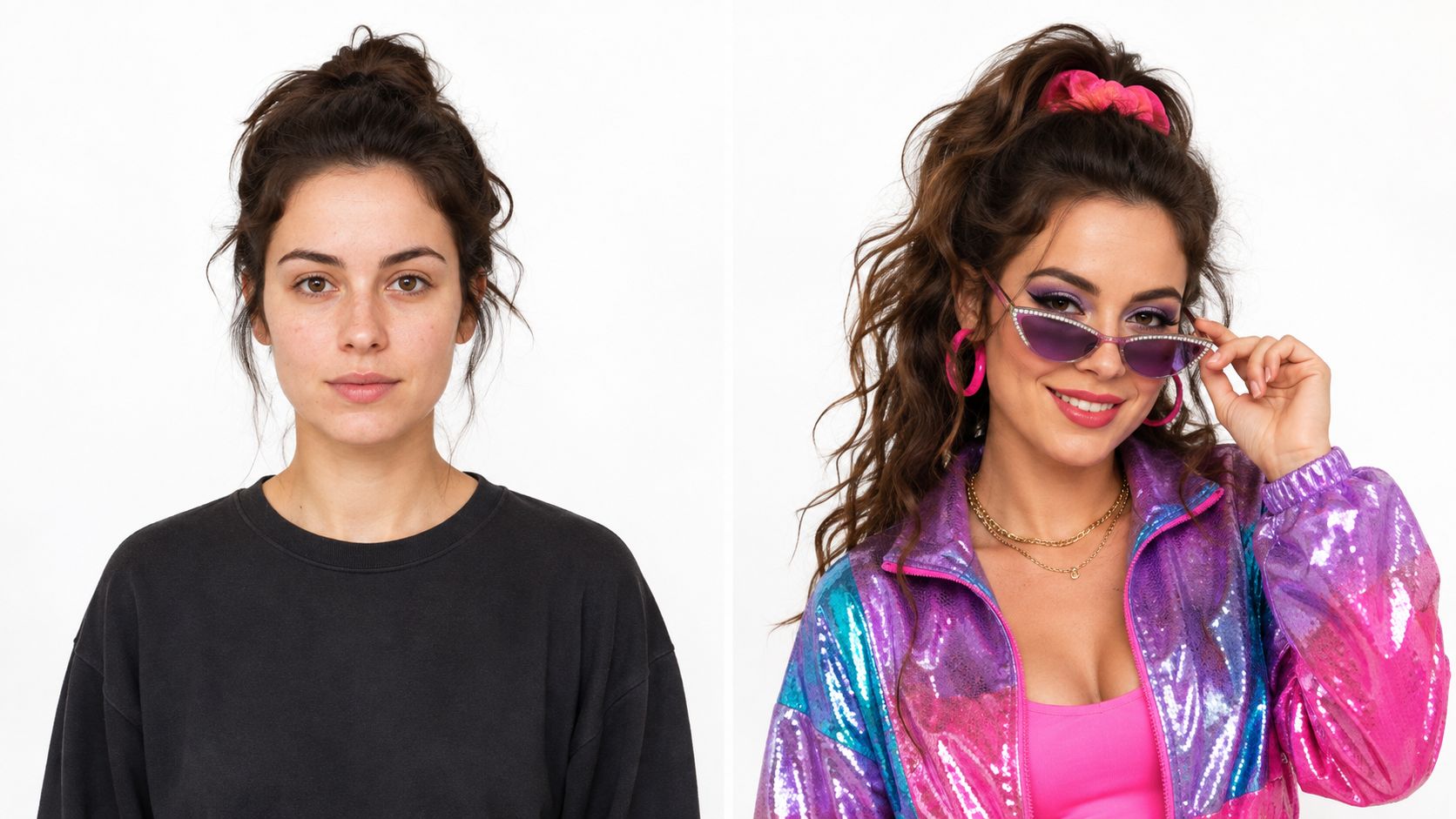
Show the result before the reaction. The viewer needs to register the change first, then the character's expression can deliver a second beat. A reaction placed before the reveal spends the payoff too early.
<iframe width="100%" style="aspect-ratio: 16 / 9;" src="https://www.youtube.com/embed/K16TAsmVHBU" frameborder="0" allow="autoplay; encrypted-media" allowfullscreen></iframe>The recipe fits vertical feeds, square posts, and horizontal edits, but each crop needs its own framing check. Keep the subject near the center for reuse, then build repeatable categories such as room changes, outfit misunderstandings, or overdramatic desk upgrades.
<a id="10-parody-and-impersonation-comedy"></a>
10. Parody and Impersonation Comedy
Parody relies on recognition. The audience needs to identify the celebrity, brand, show, song, advertisement, or influencer style before the distortion becomes funny. You don't need a perfect imitation. You need a few distinctive signals, then a scenario that sends those signals somewhere unexpected.
Select one recognizable behavior, such as a speaking rhythm, dramatic pause, product claim, interview habit, or trailer voice. Exaggerate it until the source becomes a comedic reference rather than a confusing copy. A brand parody might treat an ordinary household task like a luxury launch. A movie-trailer parody might use epic narration for a character who has misplaced their keys.
<a id="distort-the-original-instead-of-reproducing-it"></a>
Distort the original instead of reproducing it
Write the subversion first. “What would this style sound like if the stakes were embarrassingly small?” is more useful than “How do I imitate this person?” Costuming, posture, framing, and music can establish the reference quickly, while the script supplies the actual joke.
ClipNova's Talking Avatar and voiceover library can help create character-led drafts with different delivery patterns. An app with video filters can also support visual styling for exaggerated personas, but filters shouldn't carry the entire parody. The viewer should understand the premise through writing and performance even if the effect is removed.
Be careful with real people, brands, and copyrighted material. Avoid presenting a fabricated statement as authentic, especially when the parody could mislead viewers. A clear comedic context, original wording, and obvious distortion help distinguish the joke from impersonation intended to deceive. The strongest parody doesn't merely reproduce a familiar style. It uses that style to expose an absurd habit, expectation, or contradiction.
<a id="10-point-comparison-of-funny-video-formats"></a>
10-Point Comparison of Funny Video Formats
| Format (Title) | 🔄 Implementation complexity | ⚡ Resource requirements | ⭐ Expected outcomes | 📊 Ideal use cases | 💡 Key advantages / Tips |
|---|---|---|---|---|---|
| The Unexpected Plot Twist | 🔄 Low→Med, tight timing and scripted misdirection | ⚡ Low, minimal effects, short shoots | ⭐⭐⭐⭐, high rewatchability & shareability | Final-reveal shorts (TikTok, Reels) | Use variant testing; keep setups 3–8s; guard thumbnails |
| Observational Humor / Relatable Commentary | 🔄 Low, writing and delivery focused | ⚡ Low, camera/voiceover only | ⭐⭐⭐⭐, strong audience loyalty, evergreen | Direct-to-camera series, voiceover shorts | Prioritize authentic voice; scale with multi-language VO |
| Lip-Sync Comedy & Lip-Dub | 🔄 Low, practice timing and confidence required | ⚡ Low, smartphone + trending audio | ⭐⭐⭐⭐, strong engagement; trend-driven virality | Trend participation, duet/stitch formats | Jump on sounds fast; rehearse expressions; use captions |
| Skit & Character Comedy | 🔄 Med→High, scripting, blocking, editing | ⚡ Med, multiple takes, actors/voices | ⭐⭐⭐⭐, strong series potential & retention | Recurring characters, narrative shorts | Build character templates; invest in tight scripts |
| Meme & Trend Participation | 🔄 Low, template-driven, fast iteration | ⚡ Low, rapid production and variants | ⭐⭐⭐⭐, algorithm boost during trend peaks | Early trend adoption, high-volume posting | Act within 24–48h; add a unique twist vs. copy |
| Reaction & Commentary Video | 🔄 Low→Med, capture authentic reactions + edit | ⚡ Low, reaction capture + basic editing | ⭐⭐⭐, good engagement; parasocial growth | Trailers, viral clips, music reactions | Be authentic; pause to add commentary; watch copyright |
| Educational Content with Comedy | 🔄 Med, research + comedic framing required | ⚡ Med, visuals/animation + VO | ⭐⭐⭐⭐⭐, high retention, perceived value, evergreen | How-tos, explainers, professional tips | Lead with hook; balance accuracy and humor; use visuals |
| Absurdist & Surreal Humor | 🔄 Med, creative editing and surreal design | ⚡ Low→Med, visual generators helpful | ⭐⭐⭐, niche strong-engagement; conversation-driven | Avant‑garde TikTok, meme communities | Embrace non-sequiturs; don't over-explain; test variants |
| Transformation & Makeover Comedy | 🔄 Med, planning before/after + pacing | ⚡ Med, props, lighting, time-lapse capture | ⭐⭐⭐⭐, high visual impact and replay value | Glow-ups, room/fitness/makeup transformations | Keep lighting consistent; include reaction reveals |
| Parody & Impersonation Comedy | 🔄 Med, impersonation skill + scripting | ⚡ Low→Med, costume/voicework and editing | ⭐⭐⭐⭐, high shareability if target is familiar | Celebrity/brand parodies, topical sketches | Exaggerate traits for humor; monitor IP/copyright risks |
<a id="turn-one-joke-into-a-repeatable-series"></a>
Turn One Joke Into a Repeatable Series
The best format is the one your production resources can support consistently. If you perform well on camera, observational commentary, reactions, and lip-sync comedy can build around your delivery. If you have strong writing but limited footage, skits with avatars, educational explainers, surreal animation, and narrated transformations may fit better. If speed matters because a trend is moving, meme participation benefits from rapid scripting and versioning. If you want a durable library, recurring characters and themed observations are easier to extend than one-off trend copies.
Start with one premise that can be expressed in a sentence. “A person treats a missing charger like an international crisis” is usable. “A funny video about technology” isn't. Decide whether the comedic engine is surprise, recognition, contradiction, escalation, imitation, or absurdity. Then write the first visual and the final beat before filling in the middle.
Put the hook early, but make the hook part of the joke. A bold caption can introduce the situation, while an immediate visual can demonstrate it. Reserve a specific moment for the payoff. If the punchline is spread across several weak endings, viewers won't know which beat deserves their attention.
<a id="produce-variations-deliberately"></a>
Produce variations deliberately
Create more than one version of the central idea. Change one variable at a time:
- Opening: Try a direct statement, an image-first reveal, or an in-progress action.
- Performance: Compare deadpan, anxious, enthusiastic, and overly formal delivery.
- Payoff: Test an absurd reversal against an understated reaction.
- Caption treatment: Use minimal captions in one edit and stronger keyword emphasis in another.
- Composition: Reframe the main action for vertical, square, and horizontal exports.
Short-form production remains crowded. An industry roundup reports more than 200 million creators actively posting across TikTok, YouTube Shorts, and Instagram Reels, while fewer than 5% post daily or near-daily. Those figures come from short-form video statistics for 2026, and they point to an operational problem rather than a shortage of ideas. A creator who can turn one premise into several thoughtful edits has a stronger publishing system than a creator who waits for one perfect joke.
ClipNova can support that loop in one workspace when its features suit the project. It can help with scripting, AI voiceover, generated visuals, captions, music, translation and re-voicing in 32 languages, variant creation, and automatic exports in 9:16, 1:1, and 16:9. Those capabilities are most valuable when they preserve creative decisions rather than replace them. The platform can assemble the video, but you still need to judge whether the timing feels natural, the visual makes the premise clear, the caption is readable, and the ending earns a reaction.
The question behind many social media content gaps in 2026 isn't whether creators have enough ideas. It's whether they can package a good idea into a repeatable format that invites comments, remixes, saves, or rewatching. Build around the format, keep the joke legible, and treat every upload as information about the next version.
Use ClipNova to turn a comedy premise into a short video with script support, AI narration, generated visuals, captions, music, variants, and platform-ready aspect ratios. Choose one of the ten formats, create several versions of the same joke, and start building a funny-video series you can publish consistently.
Ready to ship your own?
Start creating viral videos with AI in under twenty minutes, no credit card required.