
Your track is mixed, the release caption is drafted, and you're still staring at an empty video timeline. You could book a location, generate a folder of dramatic shots, or post the cover art again. None of those choices answers the useful question: what will make someone want to watch this song again?
To make a music video worth repeating, treat the finished song as a small publishing system. Build a concept, map the music, prepare accessible captions, and plan a set of cuts. Spend money where it strengthens the artist's presence or the idea, not where it merely makes the production look expensive.
Table of Contents
- Why a Music Video Still Earns Attention
- Shape the Concept Before You Generate Shots
- Map the Song Before You Cut Visuals
- Pick a Production Path That Fits the Song
- Cut for Rhythm, Captions, and Clarity
- Ship a Set of Cuts Not One Master
<a id="why-a-music-video-still-earns-attention"></a>
Why a Music Video Still Earns Attention
The awkward stage after finishing a song isn't usually a shortage of visual possibilities. It's a shortage of decisions. You can imagine a cinematic premiere, but you also need something you can publish without turning the release into another unfinished project.
A useful video gives the listener a visual memory: a face, a gesture, a setting, or a recurring image they can connect to the artist. That doesn't require a miniature feature film. It requires a recognizable idea that survives repeat viewing.
<a id="what-mtv-actually-changed"></a>
What MTV actually changed
MTV launched in the United States at 12:01 a.m. on August 1, 1981, opening with The Buggles' “Video Killed the Radio Star”; its initial library contained approximately 125 videos, and an audience initially below 1 million grew beyond 2 million within several months, before the channel estimated a reach of approximately 45 million homes, or 49% of American households, by 1988, according to EBSCO's history of MTV's cultural impact.
That history matters because the breakthrough wasn't just better-looking footage. Artists gained a distribution environment where viewers could encounter the same song and visual identity repeatedly. Labels increasingly treated the video as a promotional asset rather than an optional accompaniment.
Producer's rule: Don't ask whether your song deserves a movie. Ask which visual idea deserves to accompany it repeatedly.
The expensive interpretation of that history is to chase bigger sets, more effects, and a prestigious premiere. The useful interpretation is to connect distribution, repetition, and artist identity before approving the production.
<a id="give-the-video-a-defined-job"></a>
Give the video a defined job
Decide what you want a viewer to remember after the upload disappears from their screen. For a performance-led artist, that might be their expression during the hook. For a story-led song, it might be an unresolved action that becomes meaningful at the ending.
- Recognition: Choose a visual signature you can preserve across the release.
- Interpretation: Add an emotional perspective instead of decorating the audio.
- Repeat exposure: Make material you're willing and able to publish beyond premiere day.
My recommendation is to approve the video only when you can explain its job without mentioning camera quality. A beautiful image can support a release, but beauty alone isn't a publishing plan. Build an asset you can use, not an event you can only announce once.
<a id="shape-the-concept-before-you-generate-shots"></a>
Shape the Concept Before You Generate Shots
Write the concept before opening a camera app or generation tool. Otherwise, you'll make attractive fragments and spend the edit inventing a reason for them to belong together.
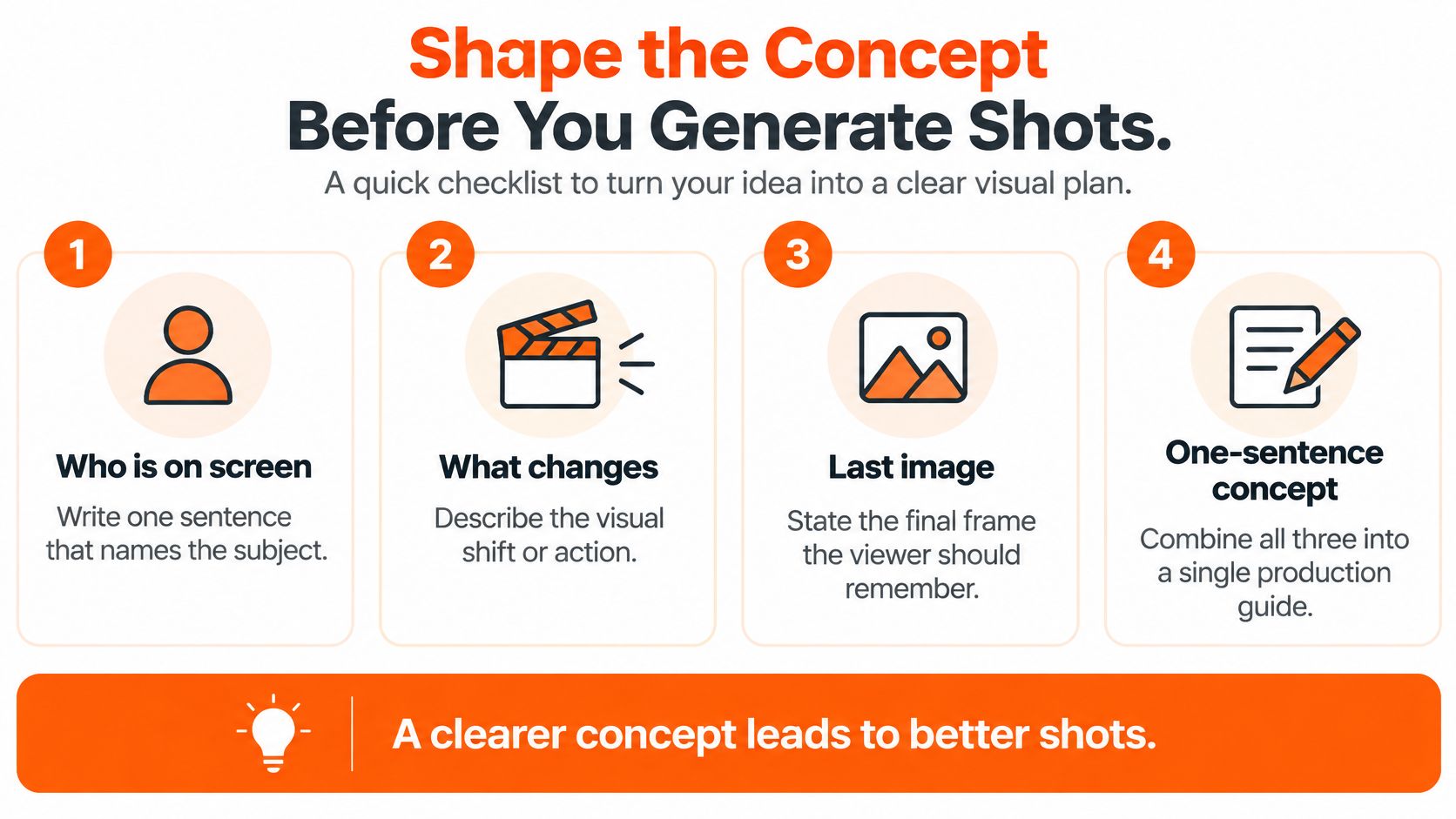
Use a sentence that identifies who is on screen, what changes, and what the final image leaves behind. For example, a singer performs in an empty rehearsal room while the surrounding objects gradually disappear, ending alone beside an untouched microphone. That's a hypothetical production concept, not a demand for a particular budget.
Use this checklist to keep the decision small enough to act on.
<a id="turn-the-sentence-into-a-treatment"></a>
Turn the sentence into a treatment
Give the concept a beginning, escalation, and payoff. Establish the room and performance, change the environment as the song develops, then land on an ending that completes the idea. Don't introduce a new visual language whenever you run out of footage.
Storyboard the opening and chorus before filling the entire timeline. A controlled study involving 107 participants found that higher-budget visual accompaniment didn't significantly outperform lower-budget visuals on song fondness or engagement under the tested conditions; the accompanying production guidance recommends planning the first 5–10 seconds and chorus early, as discussed in the University of Oregon music-video study.
That finding doesn't mean craft is irrelevant. It means cost alone isn't evidence that the creative choice works. Spend on the performance, location, or practical effect only when it helps the treatment communicate.
<a id="build-coverage-with-different-jobs"></a>
Build coverage with different jobs
A close-up and an establishing shot aren't interchangeable filler. Give each type of coverage a reason to exist so the editor can change emphasis without abandoning the concept.
- Performance close-ups: Capture expression, breath, and the delivery of important lyrics.
- Medium movement shots: Show gesture and physical energy without losing the artist.
- Establishing images: Explain the space and make environmental changes legible.
- Story inserts: Show the object or action that carries the recurring motif.
Avoid illustrating every lyric directly. You'll usually end up changing ideas faster than the audience can understand them. Likewise, don't bury the vocal under effects or spend all your imagination on an opening with no ending.
Review the rough assembly against these questions:
- Opening: Does it establish the artist, mood, or conflict immediately?
- Escalation: Does each chorus introduce a meaningful visual change?
- Motif: Can someone understand the recurring image without reading the lyrics?
Keep the approved concept sheet short enough to use during production. If a shot doesn't serve it, remove the shot or revise the concept deliberately.
<a id="map-the-song-before-you-cut-visuals"></a>
Map the Song Before You Cut Visuals
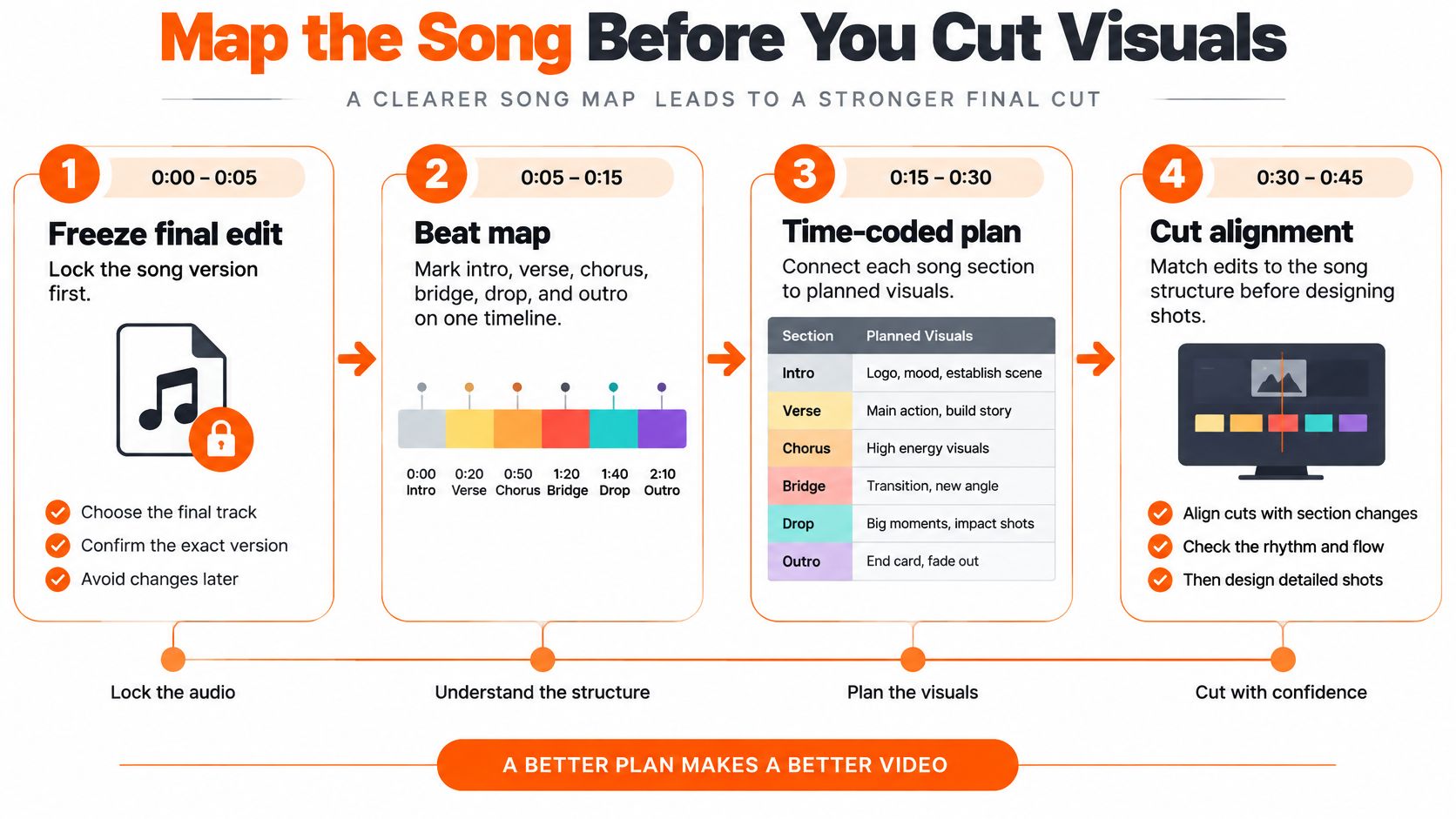
Lock the final song edit first. Don't build a precise visual timeline around an audio file that still has a provisional intro or an unresolved ending.
Create a time-coded beat map with the intro, verse, chorus, bridge, drop, and outro marked wherever they occur. Beneath those markers, note the planned visual change, necessary coverage, and any transition that needs preparation.
Use the map as a production document, not just an editing aid.
<a id="connect-musical-events-to-visual-decisions"></a>
Connect musical events to visual decisions
Listen for the events that deserve emphasis: a drum attack, a vocal entrance, a musical stop, or a change in intensity. Assign important changes to those moments instead of letting the available shot length dictate the edit.
If the performer needs help hearing the pulse before rehearsing movement, Danza Academy of Social Dance offers a resource to build confidence dancing to the beat. Use that preparation to make gestures intentional, not to force choreography onto a song that doesn't need it.
Maintain a consistent project frame rate and usable timecode references throughout filming, generation, and editing. If you want slow motion, plan the capture and interpretation before production rather than changing the entire project's timing later.
<a id="set-delivery-requirements-before-export"></a>
Set delivery requirements before export
For a practical delivery baseline, use 48 kHz audio, AAC or PCM as appropriate, and H.264 for web delivery; starting bitrates are approximately 8 Mbps at 1080p and 35–45 Mbps for 4K SDR, while common web-mix targets are about −16 LUFS with a −1 dBTP ceiling, compared with −23 LUFS for EBU R 128 broadcast workflows, as outlined in Kevin Welter's synchronized video-editing guidance.
Treat those as workflow baselines, not universal upload rules. Confirm the receiving platform's requirements, measure loudness with an integrated meter, and check true peaks rather than trusting how loud the edit sounds through laptop speakers.
Changing frame rates mid-project can introduce judder or repeated frames. Keep the timeline stable and inspect the encoded file, not just the editor's preview.
- First transient: Confirm that the opening visual accent and audio event align.
- Chorus entrances: Check for sync errors after trims and transitions.
- Slow motion: Inspect cadence and the return to normal-speed footage.
- End card: Make sure the final message doesn't interrupt the musical resolution.
- Encoded playback: Check audio drift and mobile playback after export.
Create a high-quality mezzanine master before producing vertical and square deliverables. Work from that master or the source timeline, never from a compressed social upload downloaded for another round of editing.
<a id="pick-a-production-path-that-fits-the-song"></a>
Pick a Production Path That Fits the Song
Choose the method according to what the viewer needs to believe. If the artist's presence carries the song, film the artist. If a changing situation carries the meaning, build a narrative. If the release needs stylized variations without a location day, consider generated visuals.
Every path needs the locked audio, an approved concept, and permission to use the recording. Check the underlying composition and visual permissions too. A production tool's commercial terms don't clear a song, performer's likeness, or third-party footage you don't control.
<a id="three-ways-to-produce-the-same-song"></a>
Three Ways to Produce the Same Song
| Path | Best when | Main risk | What you finish with |
|---|---|---|---|
| Performance shoot | The artist's expression, movement, or musicianship is the hook | Repetitive coverage or an unconvincing performance | A performance master and reusable coverage |
| Short narrative | The song benefits from a situation with a beginning and payoff | Unclear action, continuity problems, or excessive setup | A story-led master and self-contained scenes |
| AI music-to-video | Stylization, variants, and format flexibility matter more than documenting a real event | Inconsistent subjects or beautiful but disconnected shots | A generated visual sequence and alternate treatments |
A performance shoot is my default when the audience needs to meet the artist. Rehearse delivery against the approved recording and protect the moments where expression matters. This path is weak when the performer is uncomfortable and the concept depends entirely on charisma.
A narrative needs actions the viewer can understand without an explanation in the caption. Write what changes on screen, not a backstory that never appears. If the key event requires complicated casting or a location you can't secure, simplify the event before shooting.
<a id="use-generation-for-a-defined-production-need"></a>
Use generation for a defined production need
ClipNova is an option for the generated route: its Music to Video workflow offers automatic beat matching, while Text to Video supports prompt-led scenes and an Ultra mode with native synchronized audio. Its anime and cartoon tools suit concepts that call for stylization, and its studio combines script, visuals, voice, captions, and music.
For a finished song, preserve the approved recording rather than adding generated audio over it. Use voiceover or multilingual re-voicing for promotional introductions and supporting content, not as an unreviewed replacement for the performance. Review current paid-plan commercial terms, watermark removal, and output availability before committing the release.
The practical comparison in this guide to choosing an application to make video with music can help distinguish assembly needs from shot-generation needs.
Choose the path that can deliver the difficult part of the concept reliably. Don't choose it because its demo looks impressive.
Finish this decision with an asset list: the essential performance take, the narrative payoff, or the generated scenes that establish and transform the motif. If the method can't produce those assets, change the method before spending more time.
<a id="cut-for-rhythm-captions-and-clarity"></a>
Cut for Rhythm, Captions, and Clarity
Start the edit with performance and meaning, then add polish. Place major visual accents on the mapped musical events, change shot scale when the chorus needs expansion, and remove effects that distract from the vocal.
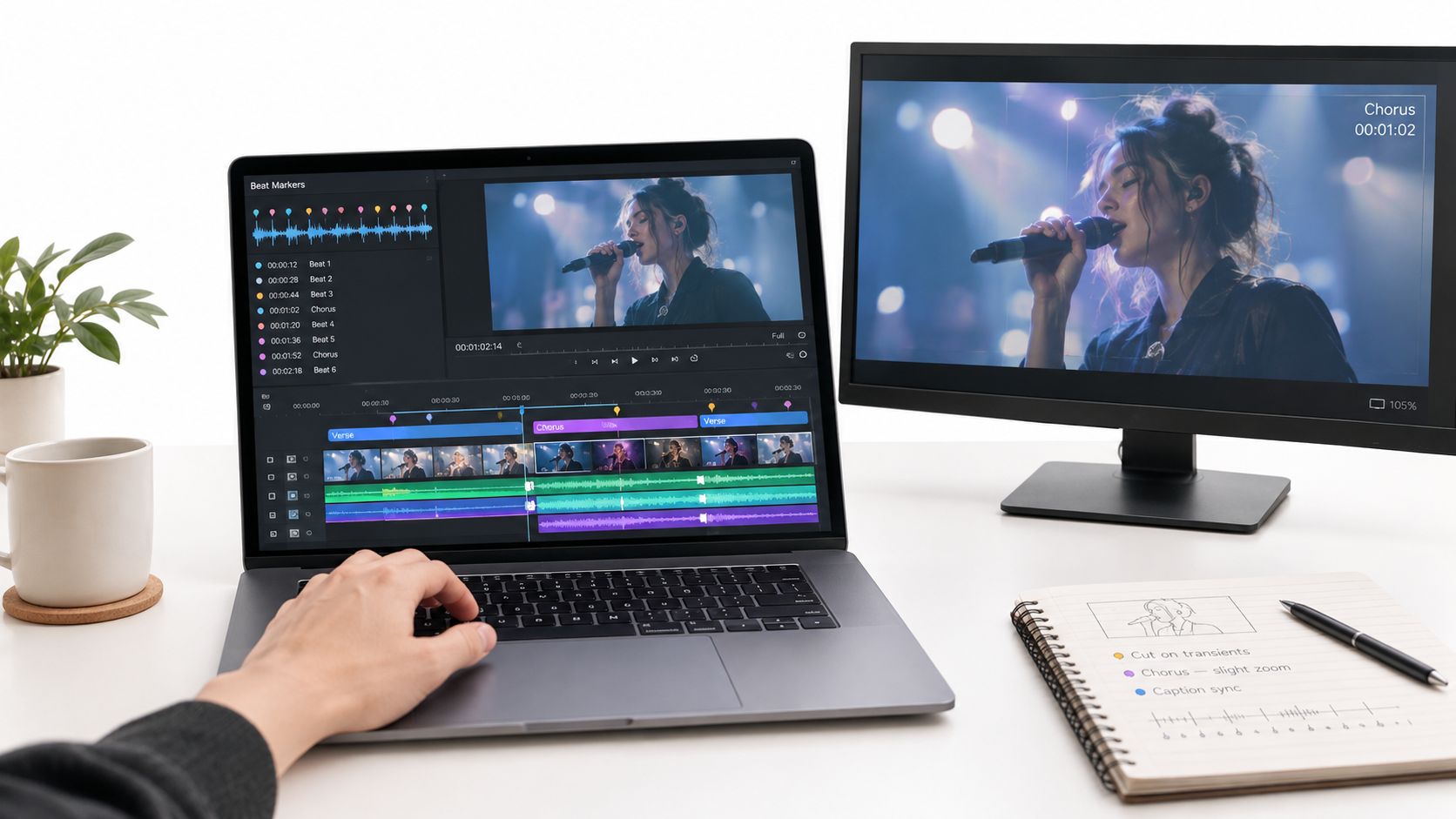
Keep the timeline and viewing screen visible during the review, as in this editing setup.
<a id="make-the-audio-information-understandable"></a>
Make the audio information understandable
Lyric captions should follow the vocal, not present a loosely timed paraphrase. Check repeated phrases, backing vocals, and words stretched across musical passages against the approved lyric sheet.
Captions also need meaningful non-speech information. Section 508 guidance on captions and transcripts calls for important music and sound effects, not dialogue alone. For a music video, that means deciding which sonic changes matter to comprehension without covering the picture in commentary.
Describe a meaningful shift from restrained instrumentation to an aggressive passage when it supports the experience. Don't annotate every instrument just because you can hear it. Accessibility requires editorial judgment as well as transcription.
- Accuracy: Correct recognition errors against the recording and lyric sheet.
- Timing: Keep caption appearances aligned with the relevant vocal or sound.
- Readability: Check type size, contrast, and placement on a phone.
- Density: Leave enough reading time without obscuring essential action.
Use the workflow in this guide on how to add subtitles to a video to prepare the caption layer, then review the generated result manually. Automatic output is a draft, especially when the singer changes pronunciation or stretches syllables.
<a id="plan-description-beside-the-main-edit"></a>
Plan description beside the main edit
For a story-led video, prepare an optional audio-description script while the narrative cut is still flexible. Identify the actions and visual changes a blind or low-vision viewer needs, then plan their delivery without casually talking over essential lyrics.
The embedded video is available for a separate viewing pass.
<iframe width="100%" style="aspect-ratio: 16 / 9;" src="https://www.youtube.com/embed/SAlJ32_g5r8" frameborder="0" allow="autoplay; encrypted-media" allowfullscreen></iframe>Check the main edit muted as well. Captions can help a viewer follow the words in a noisy room or during sound-off playback, but they won't explain a confusing visual story. Test both language comprehension and narrative comprehension.
For distribution context, FindClout's guide to promoting music through short clips is a useful companion when selecting excerpts. Keep the accessibility package attached to those excerpts rather than treating captions as something only the official video deserves.
Approve the cut only after checking sync, caption readability, important sound information, and the story's meaning without hearing. Recheck those details after resizing because a readable horizontal caption can become an awkward vertical overlay.
<a id="ship-a-set-of-cuts-not-one-master"></a>
Ship a Set of Cuts Not One Master
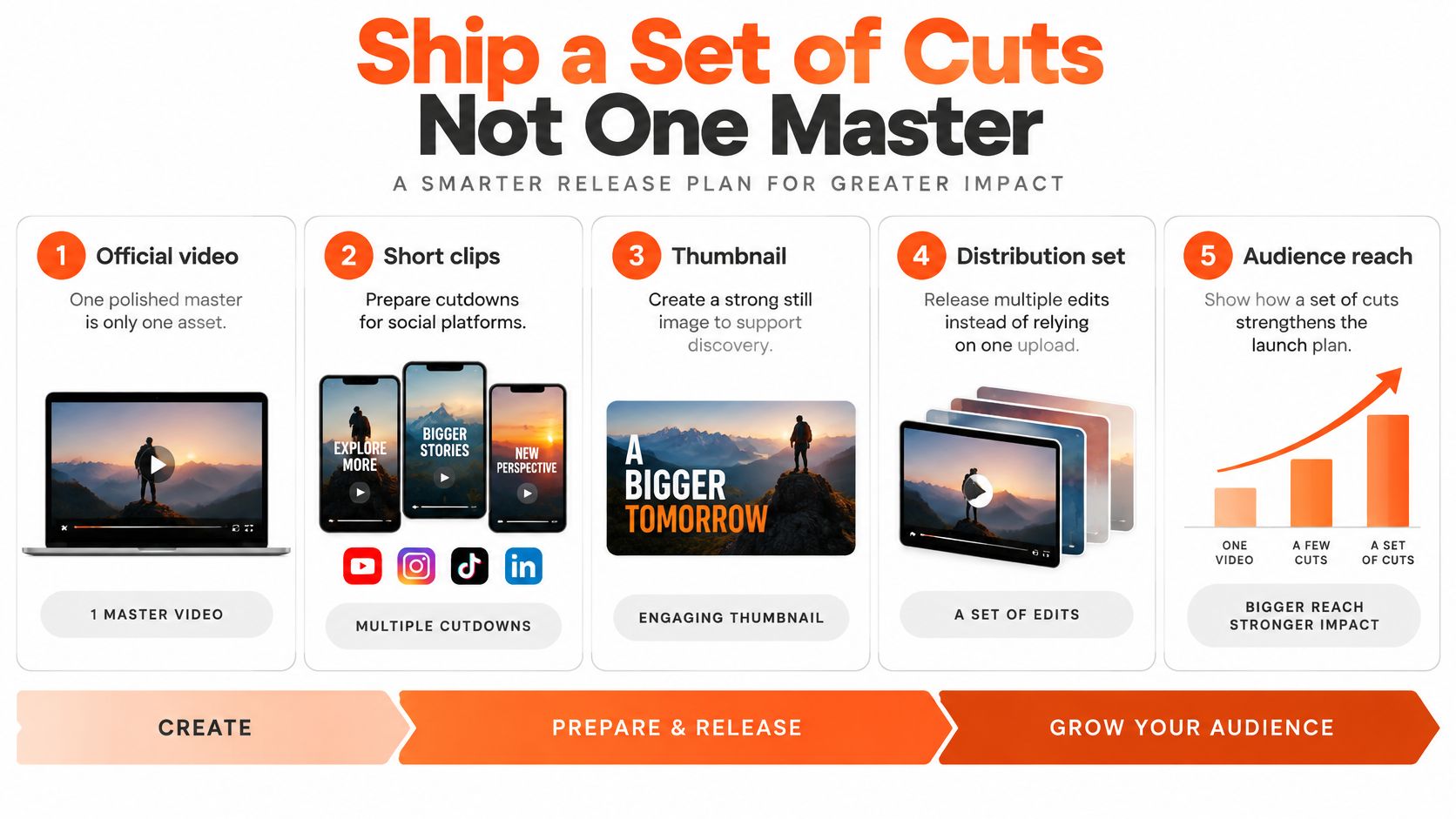
A finished official video isn't a complete release plan. It's the source of a release set. If every promotional post requires another creative reset, you haven't finished the production work.
A Ditto Music survey of more than 5,000 independent artists across 112 countries found that 49% named TikTok or YouTube as their biggest source of new fans, while 67% cited social video platforms for audience reach, according to the survey announcement on independent artists and discovery. That's a reason to plan social assets, not proof that every artist should copy the same format.
<a id="package-the-release-before-premiere-day"></a>
Package the release before premiere day
Build a library with distinct jobs rather than exporting the same excerpt under different filenames. Keep the artist's visual identity recognizable while changing the entry point.
- Official master: Preserve the complete performance or narrative experience.
- Hook-specific verticals: Give different musical or lyrical moments their own openings.
- Lyric snippet: Feature a passage whose words deserve attention.
- Beat-synced visualizer: Offer a simpler visual treatment.
- Teaser and thumbnail: Create an invitation to the release and a recognizable still.
- Localized captions: Prepare reviewed translations where the intended audience needs them.
Use this release-plan checklist to track the package.
Sup Growth's guide to use Stories to engage music fans can support the accompanying conversation around the release. Give those posts a purpose, such as asking which visual interpretation fits the song, instead of repeatedly announcing that the video exists.
<a id="run-a-publishing-session-this-week"></a>
Run a publishing session this week
Open the locked song and approved project. Generate or assemble alternate hook, chorus, and ending treatments, attach the reviewed caption package, and prepare the required platform versions using the master workflow established earlier.
Use automated video editing for repetitive assembly, not for deciding whether the opening communicates. Keep a shared lyric sheet and clearance record so variants don't introduce incorrect words or unapproved assets.
Judge the published versions by retention, completion, rewatches, shares, and saves, not total views alone. Compare openings with the same visual identity so you can make a useful editorial decision rather than changing everything at once.
Post the first approved cut and queue the alternates. A small release set you can publish is more useful than an ambitious cinematic plan that never leaves the timeline.
ClipNova offers beat-matched music visuals, captions, variant generation, and multi-format exports in a shared workspace. Visit ClipNova with your locked song and concept sheet, then build an approved first cut and alternate openings for your release.
Ready to ship your own?
Start creating viral videos with AI in under twenty minutes, no credit card required.