
A long form AI video generator completes a multi-scene story, often up to 5 minutes, while many research systems still produce only a few seconds per pass. A bigger export setting is the easy part. The test is continuity: whether the same characters, locations and story logic survive every cut.
The popular advice is to generate attractive clips, stitch them together and call the result long form. That works for a montage. A narrative fails differently: the detective's face drifts between scenes, a coat changes color, lip sync slips off the dialogue and a character answers a question nobody asked.
Long form is continuity across many short generation windows. Identity, lip sync and policy checks are where stitched workflows break first.
Table of Contents
- What Long Form Means in AI Video
- Clip Tools Versus a Finished Story
- How a Five Minute Video Is Built
- Keeping the Same Face Across Scenes
- Story Channels That Need Longer Videos
- Staying Original and Policy Safe
- Make Your First Five Minute Video
<a id="what-long-form-means-in-ai-video"></a>
What Long Form Means in AI Video
A long form AI video generator takes an idea or script and returns a publishable episode with scenes, voice, captions and music, rather than a single generated shot. Long form describes a connected production workflow, not a larger duration field.
A 2025 survey of 32 video-generation studies published by Adobe Research found that leading systems commonly produce only 5 to 16 seconds per generation, with longer sequences frequently losing consistent character appearance, scene layout and multi-subject motion coherence. The survey also describes pipelines reaching 150 seconds that still show repeated frames and limited temporal variety, and a character-stable pipeline whose reported consistency score fell from 7.99 to 0.55 when visual anchoring was removed.
Those findings explain why a polished opening shot proves little about an entire episode. A generator can make a convincing face without reliably bringing that face back after a location change.
<a id="what-long-form-changes-versus-a-single-clip"></a>
What long form changes versus a single clip
Use these rows to score a tool before watching its demo reel. The story-generator column describes the finished-story workflow and ClipNova's stated output ceilings, not a guarantee shared by every tool in the category.
| Limit | Single clip generator | Long form story generator |
|---|---|---|
| Generation window | Often short, isolated shots | Many short scenes with shared references |
| Finished length | One shot, then a manual edit | Up to 5 minutes in one pass |
| Resolution | More frames and pixels increase generation demands | Up to 1080p for the finished file |
| Characters | Face and outfit can drift each shot | Saved face and locked outfit reused across scenes |
| Audio package | Usually added in another tool | Narration or lip sync, captions and music |
| Aspect ratio | Often one default frame | 9:16, 16:9 or 1:1 chosen per video |
The distinction between generation window and finished length matters most. A finished episode can contain many separately generated scenes. It doesn't need to come from an uninterrupted model run, provided the system carries the right references and story state between scenes.
<a id="test-continuity-rather-than-duration"></a>
Test continuity rather than duration
Say your episode follows a courier who discovers a letter inside an abandoned station. The opening establishes her raincoat, the sealed envelope and a locked waiting room. Later scenes must preserve those details unless the script deliberately changes them.
Check more than appearance:
- Identity and costume: Can you recognize the courier when the camera moves closer or the lighting changes?
- Location and objects: Does the waiting-room door stay in the same place, and does the envelope remain sealed until she opens it?
- Dialogue and pacing: Does each line advance the discovery, or does the narrator repeat information to fill the runtime?
A longer file isn't necessarily a longer story. Look for events that change the situation, not extra shots that repeat it.
A useful demo includes a recurring location, a speaking character and an object that changes state. Those elements expose continuity problems that a sequence of unrelated settings can hide.
<a id="clip-tools-versus-a-finished-story"></a>
Clip Tools Versus a Finished Story
Start with the job you need finished. A striking establishing shot, a narrated stock-footage explainer and a recurring-character mystery are different production problems, even when every tool offers a text prompt box.
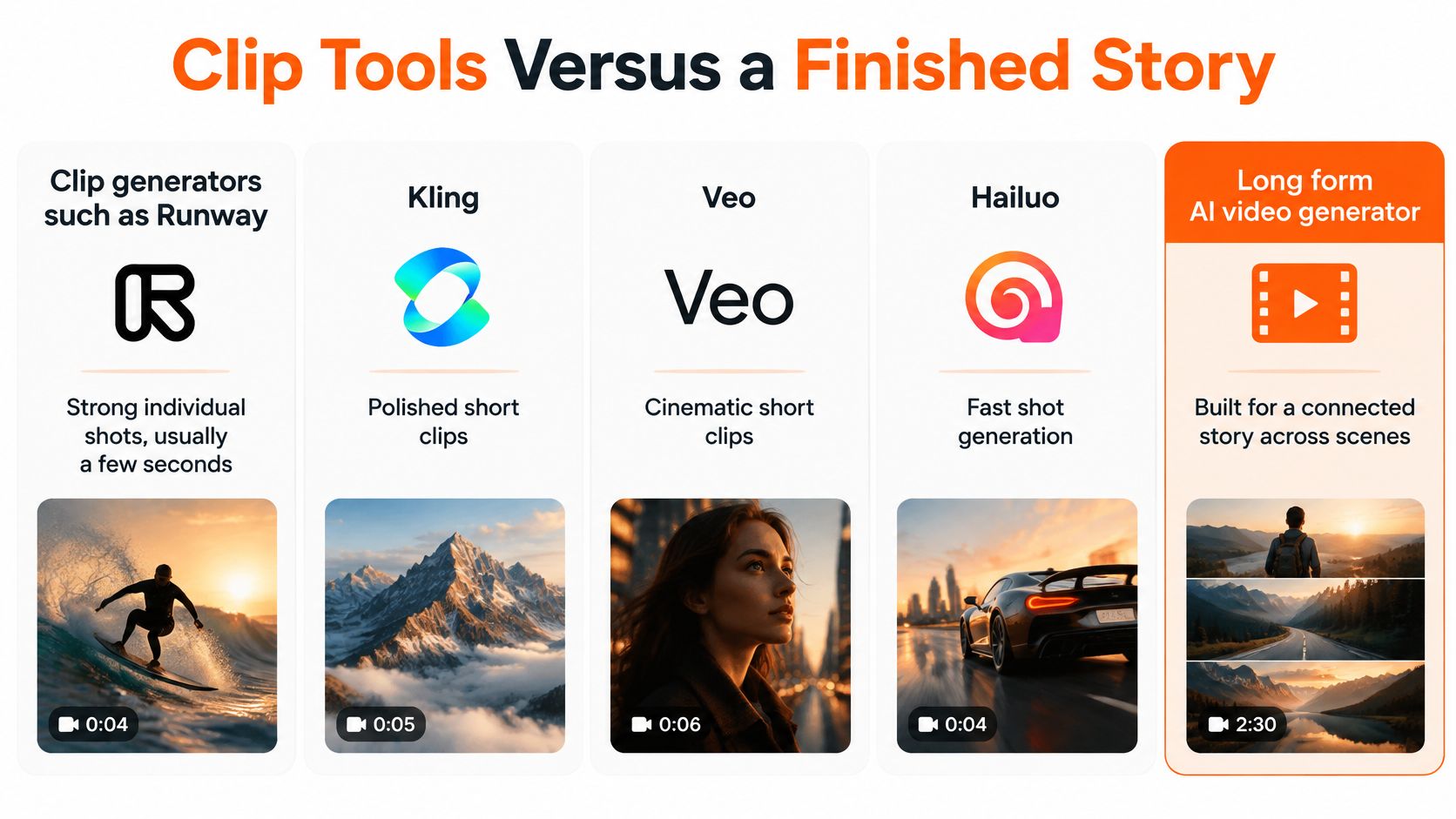
The comparison below separates individual shot generation from connected-story production.
<a id="which-video-tool-matches-the-job"></a>
Which video tool matches the job
| Tool type | Examples | What you get | What you still do |
|---|---|---|---|
| Clip generator | Runway, Kling, Veo, Hailuo | A strong shot of a few seconds | Edit shots into a story |
| Template editor | InVideo, Pictory | A longer video from stock footage | Supply a script and accept library pictures |
| Faceless shorts tool | Revid, StoryShort, Zebracat | A short vertical post | Stay inside short form |
| Avatar tool | HeyGen, Synthesia | A presenter explaining a topic | Write the talk track |
| Story generator | ClipNova | Original scenes, same cast, voice, captions, music | Review and regenerate weak scenes |
Runway, Kling, Veo and Hailuo fit a shot-led workflow. You direct individual moments, choose the best takes and assemble them. That control is useful when a particular camera movement or visual effect matters more than automatic episode assembly.
InVideo and Pictory fit a library-led workflow. Stock footage can explain broad ideas efficiently, but finding the same fictional person in the same outfit across unrelated library clips is a different problem. Accept stock when the pictures illustrate the narration rather than carry a character's actions.
<a id="match-the-remaining-work-to-your-skills"></a>
Match the remaining work to your skills
Revid, StoryShort and Zebracat occupy the faceless-shorts category in this comparison. Their job is the short vertical post, not the connected multi-minute episode. Before committing to any category, inspect its current editing and export options rather than assuming every feature follows the category label.
HeyGen and Synthesia put a presenter on screen. That's a good fit for a lesson or announcement, but a presenter delivering a script isn't the same as a cast acting through changing locations.
ClipNova's role is the finished story: original scenes with recurring characters, plus the accompanying audio and captions. The remaining human work is editorial judgment, including rejecting a weak performance or repairing a scene that breaks continuity.
For a broader shortlist, ClipCreator.ai's guide can help you find an AI video creation tool by workflow rather than by an impressive sample alone.
Choose a clip tool for a hero shot, a template editor when stock is acceptable, a shorts tool for short vertical publishing and an avatar tool for a talking presenter. Choose a story generator when the finished episode needs a recognizable cast and connected action.
<a id="how-a-five-minute-video-is-built"></a>
How a Five Minute Video Is Built
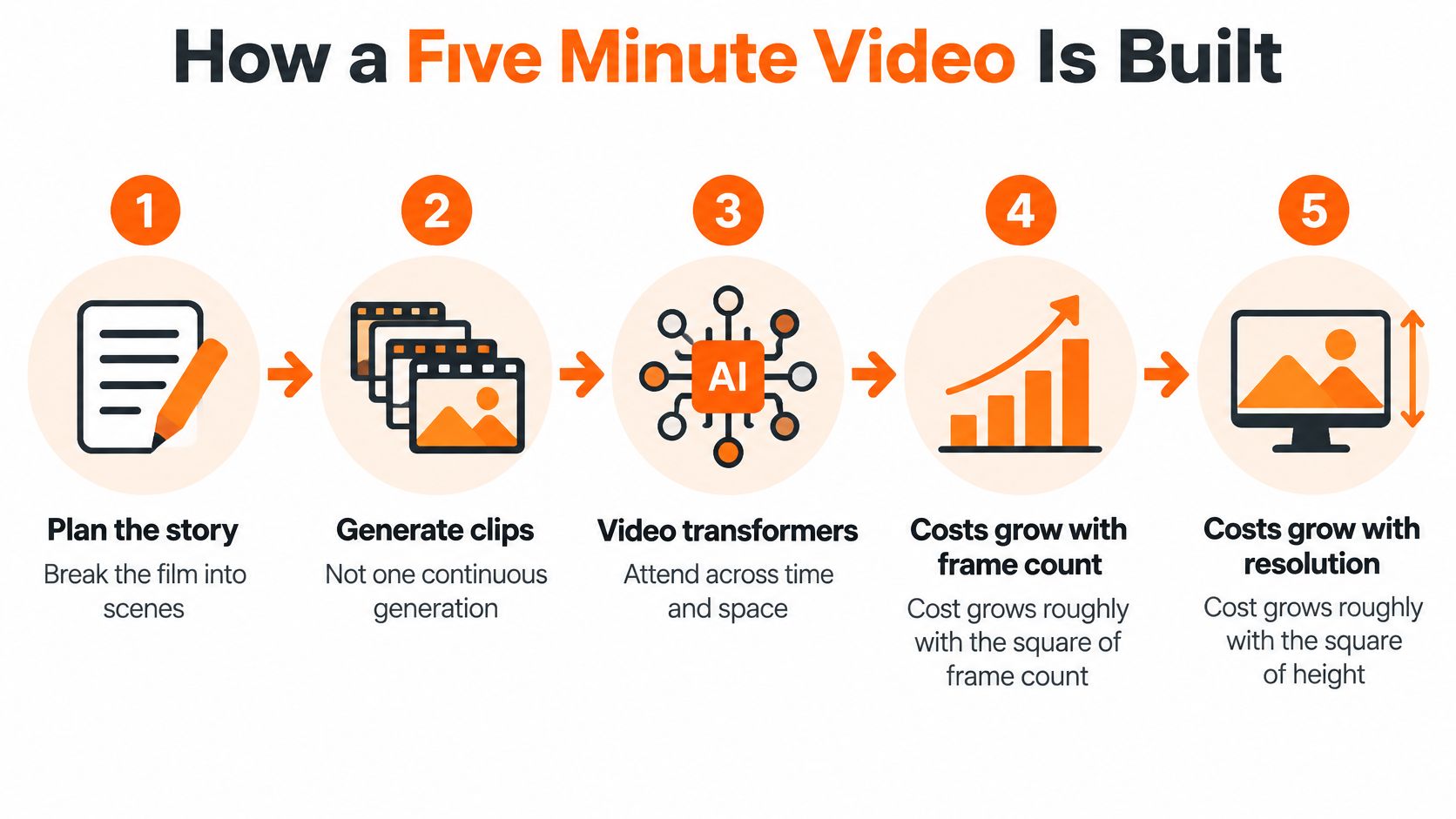
A multi-minute file usually isn't a continuous generation. Video transformers process information across both time and space, so longer sequences and larger frames make visual generation substantially more expensive.
A published video-generation efficiency analysis describes attention complexity growing approximately with the square of frame count and the squares of frame height and width; its example of a five-billion-parameter model took about 30 seconds for 270p output versus roughly 2,150 seconds for 1080p output, while an efficiency-focused method produced a six-second 1080p clip in 102 seconds. Those are experimental generation timings, not a promise about end-to-end episode rendering.
Scene-based production makes that cost manageable. The system plans the episode, generates shorter shots with shared references and assembles the selected results on a timeline.
This process diagram shows why planning and generation remain separate jobs.
<a id="follow-the-creator-path"></a>
Follow the creator path
-
Start with an idea or pasted script. Specify who wants what, what prevents it and how the episode ends. A topic alone leaves too much narrative work unresolved.
-
Shape the story and budget its length. Build a hook, rising scenes, a turn and an ending. For a hypothetical narration budget of 130 to 150 words per minute, a five-minute episode would contain roughly 650 to 750 spoken words. Treat that as a planning example, then time the selected voice because pauses and dialogue change the fit.
-
Choose the speaker and language. Decide whether a narrator carries the story or characters speak on screen. Our guide to AI voiceover tools helps distinguish voice selection from the work of timing and directing a read.
-
Choose the frame. Pick 9:16, 16:9 or 1:1 before generation. Compose for that shape instead of hoping an automatic crop will preserve every face and caption.
-
Generate the scenes. Keep character references, location descriptions and object states attached to the relevant shots. Avoid changing the visual description just to make each prompt sound different.
-
Repair locally, then export. Regenerate the failed scene and check its neighboring cuts before exporting with captions and music.
<a id="keep-expensive-repairs-local"></a>
Keep expensive repairs local
Visual generation is the expensive part compared with captioning, audio mixing and export. A misspelled caption shouldn't require new imagery, and a distorted hand shouldn't force you to discard a successful narration track.
Production rule: Repair the smallest unit that contains the error, then review the joins around it.
Scene-level recovery prevents a bad sequence from spoiling an otherwise usable episode. It also lets you spend attention on storytelling decisions instead of repeatedly rebuilding work you've already approved.
<a id="keeping-the-same-face-across-scenes"></a>
Keeping the Same Face Across Scenes
A recurring character becomes harder to judge once they start talking. A still face can look correct while the moving version changes jaw shape, loses an identifying feature or speaks with mouth movements that don't match the audio.
Keep a reference and a review checklist visible while inspecting the edit.
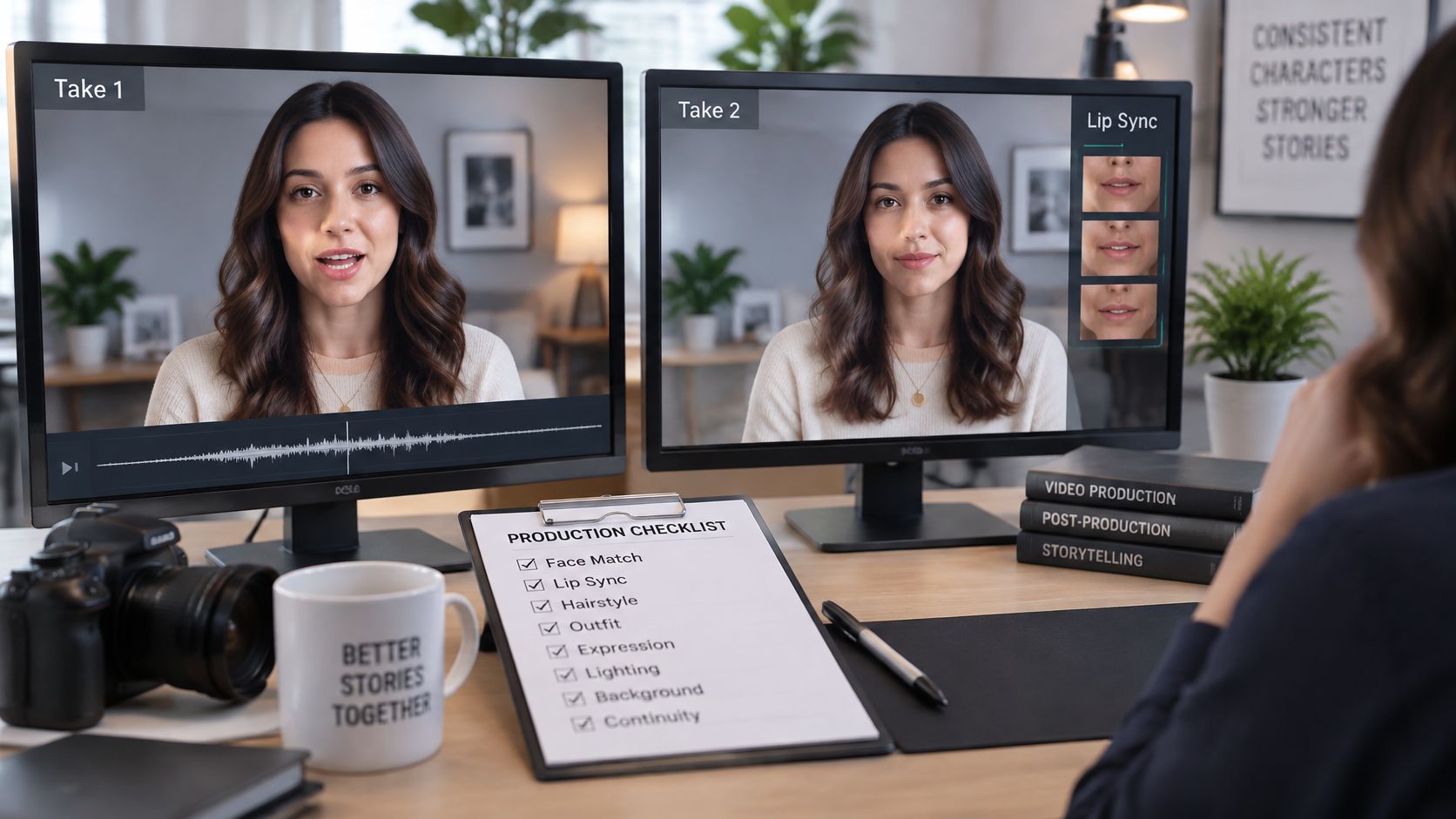
Lip sync means aligning mouth movements with speech audio, and the NeurIPS 2025 OmniSync paper describes preserving character identity alongside natural facial dynamics, including evaluation involving facial occlusion. That distinction matters: a mouth can follow the words while the person around it becomes less recognizable.
<a id="inspect-every-scene-boundary"></a>
Inspect every scene boundary
Use a saved reference image rather than your memory of the previous shot. Compare an ordinary frame from the approved character with the entrance and exit frames of each speaking scene.
- Compare the face: Inspect eye spacing, nose shape, jawline and distinctive marks. A similar-looking person isn't necessarily the same character.
- Compare the whole silhouette: Check clothing, hair, accessories and body proportions. A correct face on a different build still breaks recognition.
- Watch speech against sound: Play the line at normal speed, then inspect the suspect moment. Include profile views and moments when a hand, prop or another person partly blocks the face.
For a returning series, the character record should preserve the approved face and outfit, while story memory records what happened. These solve different problems: visual references preserve appearance; plot notes preserve knowledge, relationships and unfinished actions.
Watch a speaking sequence for the relationship between facial movement and the selected voice.
<iframe width="100%" style="aspect-ratio: 16 / 9;" src="https://www.youtube.com/embed/44E8s0ejj4g" frameborder="0" allow="autoplay; encrypted-media" allowfullscreen></iframe><a id="recognize-the-failure-cases"></a>
Recognize the failure cases
Large lighting changes can obscure facial features. Crowded frames make it easier for attributes to migrate between people, and fast motion can distort proportions. Partial occlusion is especially revealing because the generator must reconstruct the hidden face when it reappears.
If a scene fails, simplify the action before regenerating it. Separate overlapping speakers, reduce the camera movement or move the line into a clearer angle. Keeping an ambitious but visibly broken performance usually costs more viewer trust than choosing a calmer shot.
Creators making presenter-led tutorials may also want to explore Heygen creator partnerships through SponsorRadar when considering sponsorship fit. Keep that commercial decision separate from your continuity review: a partnership listing doesn't establish facial or speech quality.
A consistency claim without an inspectable reference is weak. Approve the character first, then judge every performance against that approval.
<a id="story-channels-that-need-longer-videos"></a>
Story Channels That Need Longer Videos
Say you run a mystery channel about a station caretaker who finds objects left by missing passengers. A short post can introduce the object, but an episode needs room for an investigation, a misleading clue and a resolution.
AI asset creation is already part of many creators' work: Adobe's 2025 Creators' Toolkit Report found that 86% of surveyed creators across the United States, United Kingdom, France, Germany, South Korea, Japan, India and Australia used creative generative AI, while 52% used it to generate new assets such as images and video. Adoption doesn't establish story quality, but it makes editorial differentiation important.
<a id="match-the-episode-to-its-shelf"></a>
Match the episode to its shelf
The Sprout Social video specifications guide identifies 9:16, commonly 1080×1920, for mobile-first placements such as Shorts, Reels and TikTok; 16:9, commonly 1920×1080, for conventional widescreen publishing; and 1:1, commonly 1080×1080, for square feeds. These are distribution formats, not a claim that every generator exports every listed pixel dimension.
Apply those choices to the channel's actual viewing experience:
- Faceless storytelling: Give a vertical post a complete hook and payoff. Use a longer widescreen episode when viewers need to follow an investigation rather than hear its surprising outcome.
- Kids and cartoons: Keep the drawn cast recognizable in 2D, 3D, anime or comic styles. A short bedtime episode works better with readable actions and a clear resolution than with constant camera changes.
- Horror: A 30-to-60-second short can deliver a twist, while a cut up to 5 minutes can establish why the character enters the dangerous place. Compose the short vertically and the longer YouTube version for widescreen viewing.
- History, mystery and faith: Let the narrator distinguish documented events, interpretation and dramatization. Use a longer horizontal episode when the audience needs context before the central scene makes sense.
<a id="give-each-format-a-reason-to-exist"></a>
Give each format a reason to exist
An education channel might use a brief vertical explanation to answer a narrow question, then a wide-format episode to demonstrate the process. The longer version needs additional reasoning, not a slower reading of the same script.
A brand can reuse a recognizable face and product while changing the customer problem each ad addresses. A square-feed version should be composed for that placement, with room for the product and readable text rather than a cropped widescreen layout.
Our guide to making your own movies can help turn an episode premise into actions that are worth showing.
Volume only helps if viewers recognize both the cast and the point of view. Reusing a character supports a series; repeating the same argument with substituted nouns doesn't.
<a id="staying-original-and-policy-safe"></a>
Staying Original and Policy Safe
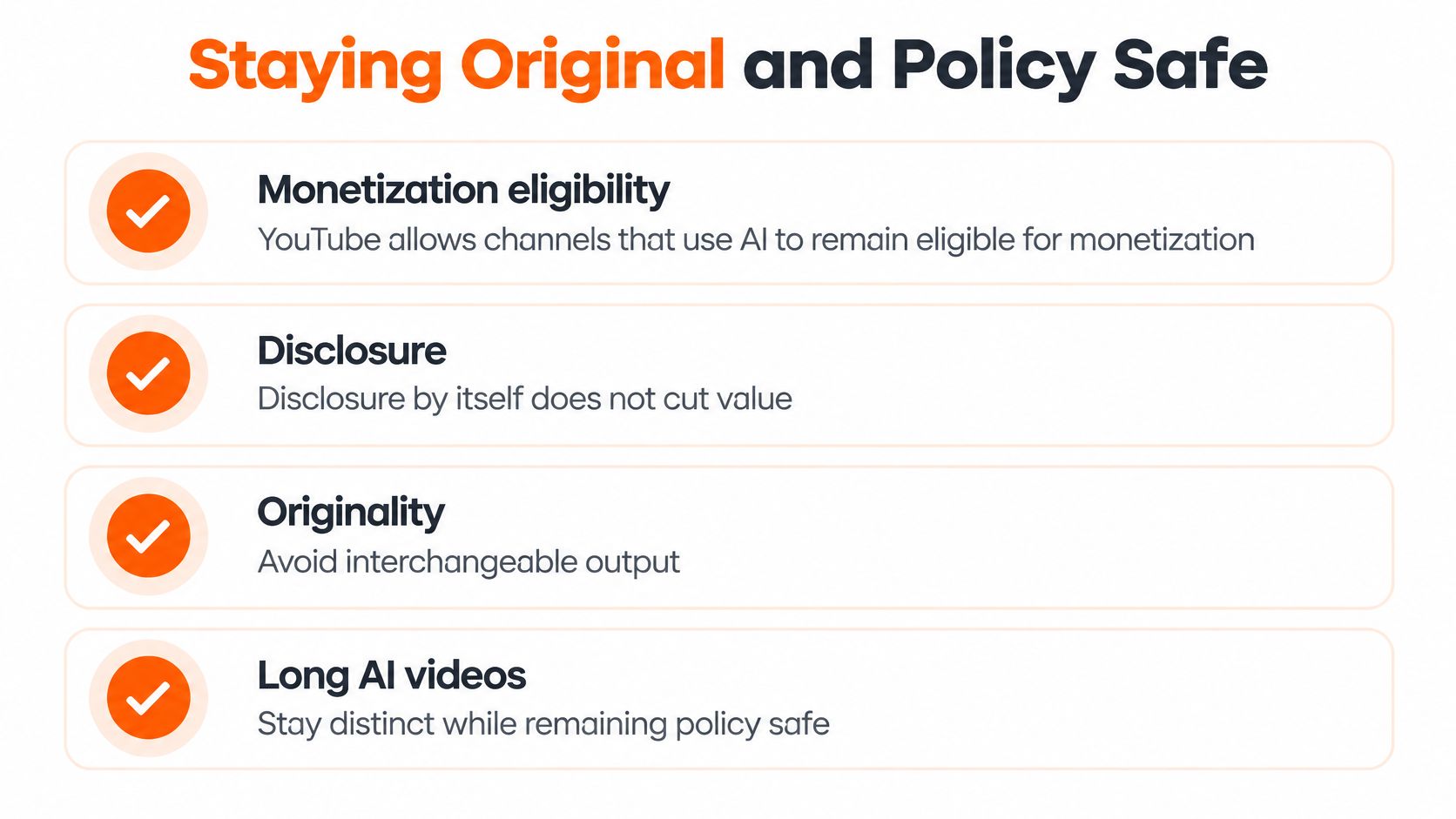
Using AI does not automatically make a channel ineligible for monetization. YouTube's monetization guidance treats AI-assisted creation differently from generic mass-produced output, says disclosure itself does not reduce reach or monetization eligibility, and asks creators to disclose realistic AI-generated or meaningfully altered material during upload.
YouTube places disclosure labels differently for long-form videos and Shorts. Treat disclosure as part of the edit, the way you would check captions or loudness before export: if a scene could pass for a real recording, mark it while the video is still in your hands.
A five-minute episode is a chain of short generation windows. Originality has to survive each handoff: the face stays stable, the narration stays in character, and every new window advances the argument instead of restating it in fresh scenery. Policy trouble usually appears when continuity is only visual, while the idea underneath never moves.
<a id="build-evidence-of-authorship"></a>
Build evidence of authorship
-
Write a specific angle. Decide what this episode argues, reveals or explores. Swapping the topic inside an otherwise identical script isn't a meaningful editorial change.
-
Add research or commentary. For factual episodes, verify names, quotations, causal claims and chronology before generating scenes. A convincing visual reconstruction isn't evidence that an event happened that way.
-
Disclose realistic synthetic footage. Identify altered or generated elements that viewers could reasonably mistake for authentic recordings. Make the disclosure during upload rather than relying only on a vague channel description.
-
Vary the structure. Let an investigation unfold differently from a biography or a moral tale. Change the reasoning and dramatic progression, not just the background.
-
Keep a human editorial pass. Review anything a viewer might treat as expert advice. Remove unsupported certainty and check whether the host appears to claim qualifications they don't have.
<a id="separate-a-storyteller-from-an-adviser"></a>
Separate a storyteller from an adviser
A fictional host narrating a tale has a different role from a synthetic persona presenting itself as a health, legal, financial or political authority. An AI host in those sensitive areas invites closer scrutiny, because a realistic face and clean lip sync can imitate confidence without supplying expertise.
Long-form makes this sharper. A narrator can stay consistent across dozens of generated windows and still repeat an unsupported claim for five minutes. Check each window for identity drift, mouth movement that implies certainty the script cannot prove, and any wording that sounds like a credential.
Fictional horror, historical dramatization, scripture retelling and children's animation still need judgment. Check for misleading factual presentation, age-inappropriate material and implied endorsements, rather than assuming fiction removes every risk.
Before upload: Be able to explain what you wrote, what you checked and what you chose to change.
Commercial rights from a production tool aren't a monetization guarantee. Keep records of your script, references and editorial decisions, and assess each upload on its own merits.
<a id="make-your-first-five-minute-video"></a>
Make Your First Five Minute Video
ClipNova makes finished story videos up to 5 minutes at up to 1080p, with plans starting at $19/mo and commercial rights on every plan. It's built for complete story episodes, not feature-length films.
Our AI Story Video Generator runs the path inside one generation, from an idea or written script to an exported episode. It creates the hook, storyboard, scenes, characters, narration and captions, adds background music and assembles the result into one file.
<a id="start-with-a-contained-story"></a>
Start with a contained story
Try an episode about a lighthouse keeper who receives a distress signal from a ship that vanished. Lock the keeper's face and outfit, choose a single target platform and give the ending a clear answer rather than adding unrelated mysteries.
Use the text-to-video prompt guide to describe the setting, action and intended look. Keep the first production manageable: a contained location makes changes in props, clothing and lighting easier to inspect.
- Choose the delivery: Export in 9:16, 16:9 or 1:1 according to where you'll publish.
- Direct the voice: Narration supports 18 languages, with genre-matched pace and tone, such as hushed horror, a warm bedtime tale or a solemn Bible story.
- Keep the cast: Saved characters retain the same face and outfit, and characters can speak with lip sync. Series supports a cast of up to 8 across episodes with story memory.
- Review before posting: Open the result in Studio to change a particular scene or line rather than accepting a weak moment.
Make your first video with a clear episode idea, a locked character and a target platform. Judge the result as a story: does the action make sense, does the character remain recognizable and does the ending earn the viewer's time?
ClipNova AI turns an idea or script into a finished long AI video with recurring characters, narration, captions and music. Visit ClipNova AI to build a complete episode, then review the scenes and speaking performances before you post.
Ready to ship your own?
Start creating viral videos with AI in under twenty minutes, no credit card required.