
Most advice about interactive video examples starts in the wrong place. It treats interactivity like a layer of buttons, hotspots, or overlays you add after the edit is done. That's backwards. Interactive video works when the viewer gets a meaningful choice and that choice changes what happens next, what they learn, what they buy, or what data they share.
That distinction matters because the format itself isn't new. Interactive video advertising has been around since the 1990s, and the format has improved as devices, bandwidth, and ad tech matured, as covered by Marketing Dive's report on Magna's interactive ad study. What changed is that teams can now build these experiences faster, distribute them across more platforms, and connect them to commerce, lead capture, personalization, and training systems.
The better way to study interactive video examples is by mechanism and implementation complexity. A shoppable tag solves a different problem than a branching scenario. A quiz gathers different signals than a live poll. A hotspot teaches differently than a progressive form.
Below are eight formats organized around that reality. For each one, I'm focusing on four questions practitioners need answered: how it works, where it fits, what trade-offs it introduces, and how to reproduce it without creating a fragile production process. I'm also noting measurement priorities, platform constraints, and a realistic ClipNova workflow where it helps speed scripting, variants, voiceover, captions, localization, or exports.
Table of Contents
- 1. Shoppable Video & Product Tagging
- 2. Branching Narrative & Choose-Your-Own-Adventure Videos
- 3. Quiz & Polls with Result-Based Video Outcomes
- 4. Video Hotspots & Information Overlays
- 5. Live Polling & Real-Time Audience Voting
- 6. 360° & VR Interactive Video Experiences
- 7. Form-Embedded Video with Progressive Profiling
- 8. Personalized Dynamic Video with Data Integration
- 8 Interactive Video Formats Compared
- Turn Interaction Into a Repeatable Video System
<a id="1-shoppable-video-and-product-tagging"></a>
1. Shoppable Video & Product Tagging
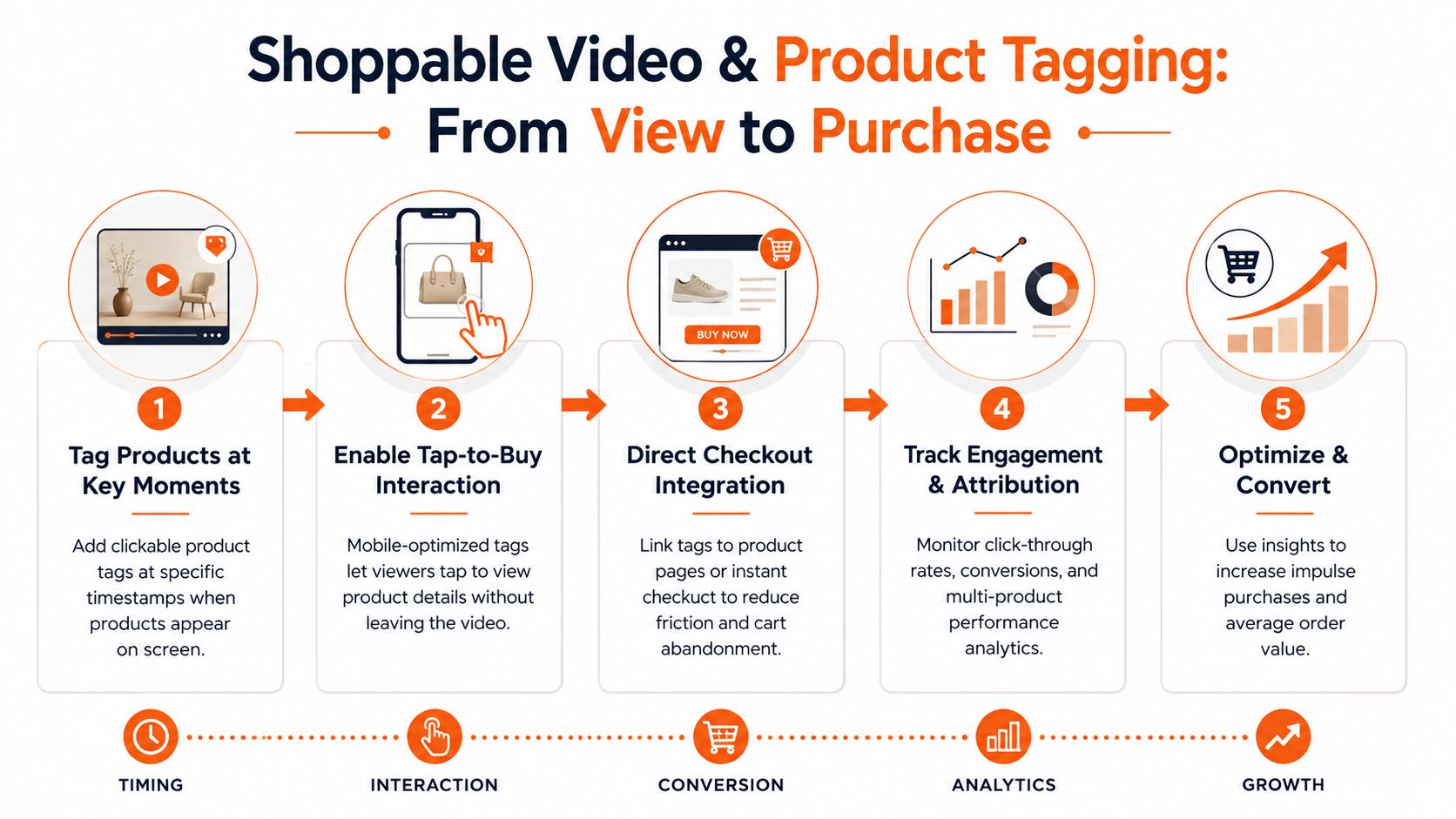
Shoppable video performs best when it is treated like merchandising logic inside a video, not a standard ad with a buy button added at the end. The interaction mechanism is simple: a viewer taps a tagged product, opens a product card or storefront, and continues toward checkout without losing the context that created intent. The implementation looks simple too. In practice, it sits in the middle of the complexity curve because timing, catalog mapping, platform UI, and landing-page continuity all affect conversion.
The format fits products that benefit from visual proof before purchase. Beauty, apparel, home goods, kitchen tools, and gadgets tend to work well because the viewer can see the product in use, then act on that interest immediately. It is less effective for products that need heavy comparison, long education, or stakeholder approval before purchase.
Good shoppable videos place tags at the moment of understanding. In skincare, that is often the application or result reveal. In apparel, it is usually the full-look shot or a movement clip that answers fit questions. In home categories, detail shots and before-and-after sequences do more work than broad lifestyle footage.
The main trade-off is friction versus focus. Add tags too early and the video asks for a decision before interest has formed. Add too many tags and the viewer stops watching the story and starts scanning a mini catalog. Push the click into a mismatched product page and the handoff breaks.
A practical production rule helps: script the intent peak first, then place the tag there.
Three production tactics are repeatable:
- Build around one primary SKU per beat. If the scene contains five purchasable items, decide which one owns the moment.
- Match the destination to the exact frame promise. Color, bundle, creator-used variant, and price context should line up with what the viewer tapped.
- Test tag timing as a variable, not a fixed choice. A tag at first appearance and a tag at demonstrated value can produce very different results.
For apparel and accessories, fit confidence often limits purchase more than product interest. Pairing a shoppable video with tools explained in this complete guide to fitting room tech can reduce the gap between “that looks good” and “I know what to buy.”
Measurement should stay close to the interaction path: tag taps, product-card opens, click-through to PDPs, add-to-cart rate, and completed checkouts where the platform or commerce stack makes that visible. If a product gets taps but weak cart activity, the problem is often price clarity, variant confusion, or landing-page mismatch rather than creative quality.
ClipNova fits this format best at the asset-production stage. Teams can turn still product images into short motion sequences with picture-to-video AI workflows, then export multiple cuts for different placements. I would usually create variants by hook, tag timing, CTA language, and aspect ratio first, because TikTok Shop, Reels, YouTube, and onsite players each frame product prompts differently. That keeps the interaction mechanism consistent while adapting the execution to platform constraints.
<a id="2-branching-narrative-and-choose-your-own-adventure-videos"></a>
2. Branching Narrative & Choose-Your-Own-Adventure Videos
Branching works when the choice itself is the product experience. Netflix's Black Mirror: Bandersnatch made that obvious in entertainment, but the same mechanism also fits education, onboarding, troubleshooting, product recommendation, and scenario-based training.
The appeal is agency. The risk is sprawl. Most branching videos collapse because the story tree gets too wide, too early, and turns into a production burden.
<a id="keep-the-branches-shallow-and-consequential"></a>
Keep the branches shallow and consequential
The best branching interactive video examples don't give viewers endless options. They give them a small number of meaningful ones. In practice, two or three choices at a decision point is usually enough to create ownership without confusing the viewer.
Good fits include:
- Training simulations: “What would you do next?” decision paths
- Product recommendation flows: “Pick your use case” guided demos
- Entertainment promos: teaser narratives that reveal alternate scenes
- How-to content: route beginners and advanced users into different tracks
A branch should change something the viewer cares about: outcome, recommendation, level, or next step. Cosmetic branching, where every path feels the same, teaches viewers not to click.
Branching gets expensive when every choice requires net-new scenes. Reuse locations, hosts, graphics, and payoff structures wherever you can.
<a id="production-logic-and-clipnova-workflow"></a>
Production logic and ClipNova workflow
Map the decision tree before writing scripts. That sounds obvious, but teams often draft scenes first and only later realize the path logic doesn't hold together. Define entry point, branch points, and end states first. Then write transitions.
ClipNova can simplify the asset production side. A useful setup is to draft multiple path scripts, generate host-led scenes with a consistent avatar, and localize them when needed through ClipNova's music video ideas and production workflows, especially if your creative concept mixes narrative pacing with soundtrack-led edits. If you need deeper narrative design references, these interactive fiction tools for writers are helpful for thinking through branch logic before production.
Track branch selection rates, completion by path, and drop-off after each decision point. If one branch loses viewers much faster than others, the issue is usually clarity or payoff, not just pacing.
<a id="3-quiz-and-polls-with-result-based-video-outcomes"></a>
3. Quiz & Polls with Result-Based Video Outcomes
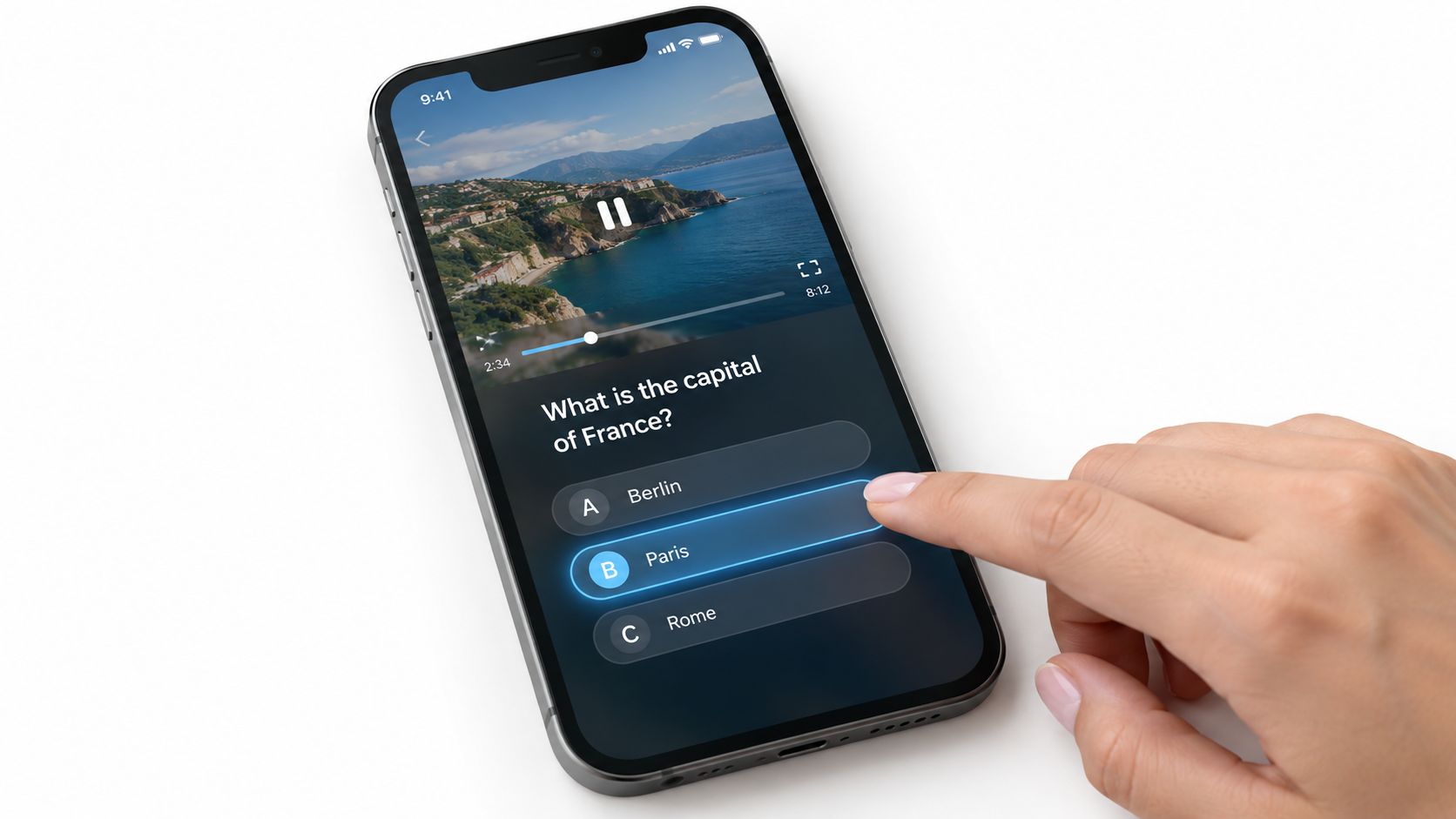
Quiz-driven videos sit in a useful middle ground between content and data collection. They ask the viewer to answer, classify themselves, or test knowledge, then return a video outcome that feels more custom than a static result page.
This format works well for skincare shade matching, course placement, B2B maturity scoring, and wellness recommendations. It also matches audience behavior better than many marketers assume. Industry reporting says 77% of consumers are interested in receiving interactive videos from brands, with stronger interest among Gen Z and millennials, according to Digiday's sponsored research on interactive video adoption.
<a id="what-separates-a-useful-quiz-from-a-gimmick"></a>
What separates a useful quiz from a gimmick
A good quiz has one clear promise. “Find your routine.” “Check your readiness.” “Choose the right setup.” The questions feel necessary, and the result changes the advice.
A bad quiz asks for effort without earning it. It piles on too many questions, gives generic outcomes, or asks for contact details before delivering value.
Use a short sequence and make the result video different. That difference can show up in product picks, lesson recommendations, risk flags, or next actions.
- Use answerable questions: Avoid abstract prompts that feel subjective unless the result is entertainment.
- Make outcomes distinct: If every result video sounds the same, the interaction feels fake.
- Request data after value: Deliver the result first if the form isn't essential upfront.
<a id="measurement-and-clipnova-workflow"></a>
Measurement and ClipNova workflow
Measure start rate, question completion, answer distribution, result-video completion, and downstream actions. The distribution of answers often becomes a segmentation asset for later campaigns.
ClipNova is useful when you need multiple result videos without rebuilding the whole project each time. Generate a base script structure, swap in outcome-specific sections, then use avatars, voiceovers, and prominent caption styling so the questions and result labels stay visually clear. In practice, that makes quiz personalization manageable even when each result needs its own CTA and follow-up clip.
<a id="4-video-hotspots-and-information-overlays"></a>
4. Video Hotspots & Information Overlays
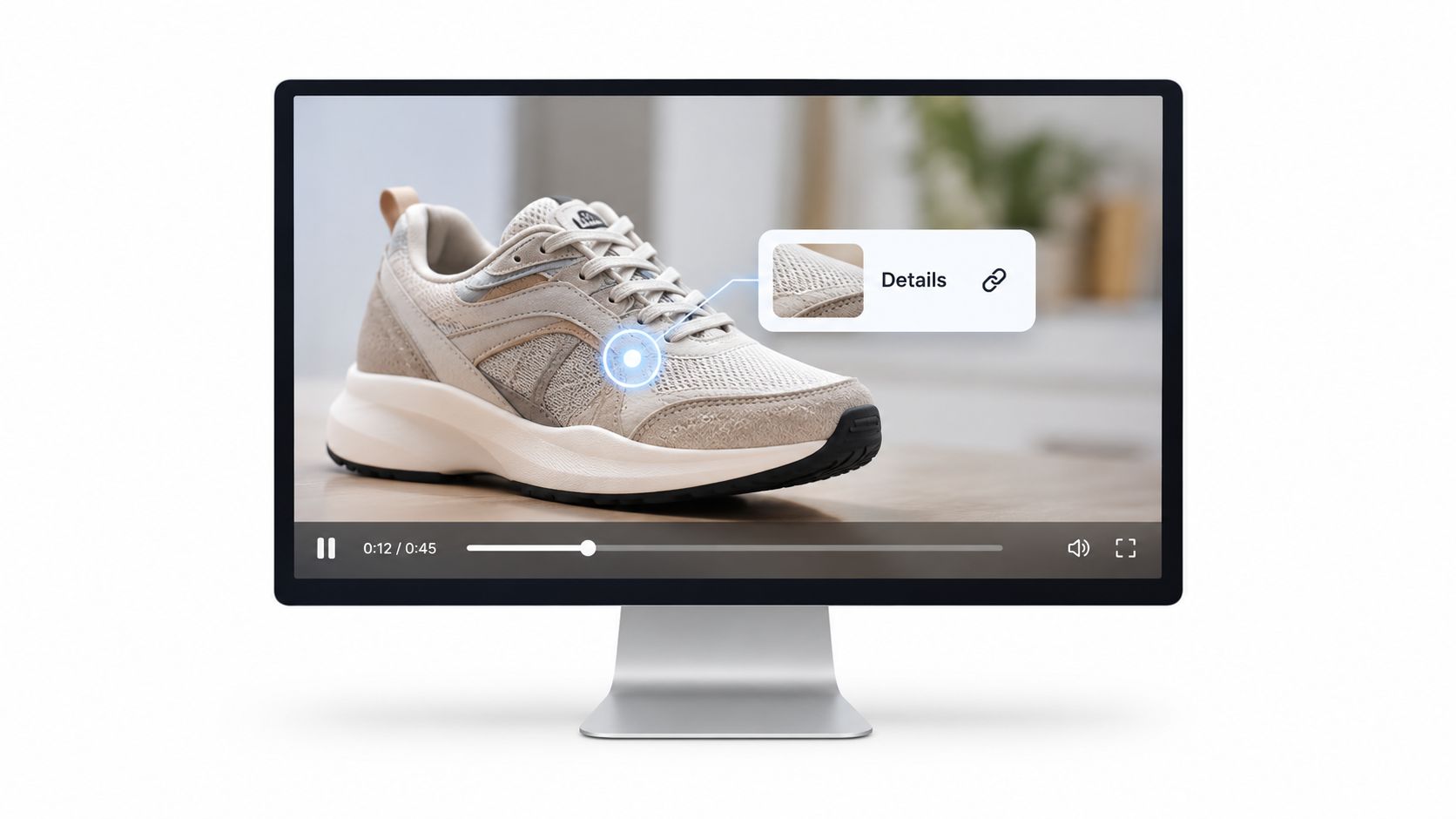
Hotspots look lightweight, which is exactly why teams misuse them. They add clickable layers quickly, then wonder why viewers ignore them. The format works when the interaction appears at the moment curiosity peaks, not when the producer wants to show off a feature.
By mechanism, hotspots are selective disclosure. The main timeline keeps moving, and the viewer chooses whether to inspect an object, label, location, or feature in more detail. By implementation complexity, they sit in the middle tier. Simpler than branching or live logic, harder than a plain overlay, because placement, timing, mobile behavior, and analytics all matter.
This format fits product demos, technical training, real estate tours, medical education, software walkthroughs, and travel content. It is useful when one audience wants the overview and another wants the detail layer without forcing two separate edits.
<a id="the-real-job-is-information-timing"></a>
The real job is information timing
A hotspot should answer the question the viewer just formed.
That sounds obvious, but it is where weak executions fail. If a sneaker demo opens with five clickable parts before the host explains cushioning, traction, or material choices, the viewer has no reason to explore. If the hotspot appears right after the host mentions outsole grip or heel support, the click feels earned and the overlay carries real value.
The production tactic is straightforward. Script the base video first. Then mark the exact lines likely to trigger follow-up questions. Those moments become hotspot candidates. In practice, fewer hotspots usually perform better because each one has a clearer purpose and more screen space.
<a id="trade-offs-constraints-and-measurement"></a>
Trade-offs, constraints, and measurement
Hotspots preserve narrative control better than branching formats, but they can clutter the frame and slow viewing momentum. Every overlay competes with the primary visual. Dense scenes, small products, and fast cuts make them harder to use well.
Platform constraints shape the build. Desktop hover states rarely translate cleanly to mobile, so design for taps first. Keep targets large, avoid placing multiple clickable zones too close together, and signal interactivity with visible icons, labels, or motion cues. Static micro-dots often disappear on phone screens.
Measure hotspot open rate, overlay dwell time, return-to-video rate, and exits after interaction. Those metrics answer different questions. Open rate shows whether the prompt is clear. Dwell time shows whether the information is worth reading. Return rate shows whether the overlay supports the story or hijacks it.
A practical ClipNova workflow starts with the core explainer or demo cut, with captions and on-screen hierarchy already resolved. Add overlays only to moments that have already built intent. Then produce alternate text cards, callouts, or voiceover snippets for each hotspot so the expanded layer feels intentional instead of pasted on. This format is easy to overbuild. Restraint usually improves completion and makes the interaction easier to reproduce across future videos.
<a id="5-live-polling-and-real-time-audience-voting"></a>
5. Live Polling & Real-Time Audience Voting
Live polling changes the psychology of the video because viewers aren't just affecting their own path. They're affecting the group outcome. That's why it works so well on TikTok Live, Twitch, YouTube Live, Amazon Live, and event-style broadcasts.
This format is strongest when participation changes what happens next. Viewers vote on a product color, stream topic, challenge outcome, outfit choice, next demo segment, or which feature gets explored live. The more visible the consequence, the better the participation.
<a id="best-use-cases-and-trade-offs"></a>
Best use cases and trade-offs
Use live polling when you want community energy, not polished narrative control. Product launches, creator streams, shopping events, audience Q&A sessions, and entertainment countdowns all fit.
The trade-off is operational. Live interaction introduces uncertainty, moderation needs, and timing pressure. If the host can't react naturally to results, the poll feels bolted on.
A few practical patterns help:
- Ask simple questions: Binary or short multi-choice prompts work best in live environments.
- Reveal results quickly: Long delays kill momentum.
- Prepare content paths in advance: The stream should continue smoothly no matter which option wins.
For brands exploring commerce, this platform fit for live commerce is a useful way to think about where polling belongs in the wider shopping stack.
<a id="measurement-and-realistic-workflow"></a>
Measurement and realistic workflow
Track poll participation rate, concurrent viewer retention during poll windows, comment velocity, and post-poll click behavior if the stream includes product links. Polls can also inform your next content batch. Winning answers often become demand signals.
A realistic ClipNova workflow happens before and after the live event rather than inside it. Use it to create pre-event promos, host-led teaser clips, alternate outcome segments, and recap edits tied to whichever option won. If you know you'll branch to different recap topics based on the vote, generate those variants in advance so the turnaround stays tight.
<a id="6-360-and-vr-interactive-video-experiences"></a>
6. 360° & VR Interactive Video Experiences
Some interactive video examples depend on a click. This one depends on spatial control. The viewer looks around, chooses where to focus, and sometimes activates objects or navigation points inside the environment.
That makes 360° and VR video a fit for property tours, destination marketing, training simulations, concerts, exhibitions, and exploratory education. The format can create a strong sense of presence, but it also has the highest production friction on this list.
Here's a simple example format:
<iframe width="100%" style="aspect-ratio: 16 / 9;" src="https://www.youtube.com/embed/Dt7CCtJxc3A" frameborder="0" allow="autoplay; encrypted-media" allowfullscreen></iframe><a id="where-immersion-helps-and-where-it-hurts"></a>
Where immersion helps and where it hurts
Immersion helps when the environment is the message. Real estate, travel, events, and equipment simulations all benefit because the viewer needs spatial context. Immersion hurts when the core message is linear and informational. If you need someone to remember five product benefits, a standard guided video often performs better than a scene they can miss by looking the wrong way.
Start with browser-based 360 before committing to full headset-based VR. The lower-friction option usually reveals whether the concept is compelling enough to justify more complexity.
Don't use 360 video to make ordinary footage feel innovative. Use it when the space itself carries meaning.
<a id="measurement-and-production-constraints"></a>
Measurement and production constraints
Measure dwell time, view-direction patterns, hotspot interactions if present, and completion across devices. Device context matters a lot in interactive video generally. In a global benchmark, interactive video outperformed non-interactive video by 3.13x in engagement on average, with lift reaching 5.56x in Latin America and 4.11x in Europe. The same benchmark reported interactive mobile and PC engagement at 0.97% and interactive CTV engagement at 5.42%, according to the Sizmek rich media and video benchmark summary.
For production, script visual guidance carefully. Spatial audio cues, narration, and environmental movement help steer attention without forcing it. If you add interactive prompts, keep them close to likely sight lines. Otherwise, viewers won't find them.
<a id="7-form-embedded-video-with-progressive-profiling"></a>
7. Form-Embedded Video with Progressive Profiling
This format solves a common lead-gen mistake. Teams often gate video before it provides any value, then wonder why completion is weak or data quality is poor. Progressive profiling flips that sequence. The video earns attention first, then asks for one piece of information at the moment it becomes relevant.
That works well for B2B demos, education previews, financial explainers, healthcare onboarding, and product recommendation flows. Instead of dumping a long form upfront, the player asks for a role, goal, email, company size, or use case during the experience.
<a id="why-this-format-converts-better-than-static-forms"></a>
Why this format converts better than static forms
The form isn't separate from the video. It's contextual. If a SaaS demo asks for company size right before recommending a plan path, the request feels justified. If an investment explainer asks about risk preference before showing the next educational module, the question supports the experience rather than interrupting it.
This is also where implementation quality matters more than format novelty. Broader examples often focus on quizzes, polls, and clicks, but many practical teams need interactive video as qualification infrastructure. A report on interactive mobile video advertising analyzed 250 campaigns and surveyed nearly 270,000 consumers across major industries, finding average brand-choice lift of 31.5% for browse formats, 29.6% for another interactive type, and 36.6% for play-based formats, with especially strong effects in Entertainment, Technology, and Retail.
<a id="measurement-and-clipnova-workflow-1"></a>
Measurement and ClipNova workflow
Track field completion by step, drop-off before and after each request, and lead quality by path. If one field sharply reduces continuation, ask whether it's essential or premature.
ClipNova helps most at the scripting layer here. Build one core demo or explainer, then create variants where the host frames each request differently for different audiences. You can also generate alternate CTAs based on known segments, then connect the video flow to your CRM or marketing automation platform so returning viewers don't get asked for the same details twice.
<a id="8-personalized-dynamic-video-with-data-integration"></a>
8. Personalized Dynamic Video with Data Integration
Personalization works when it changes the decision, not just the greeting. A first name in the intro rarely matters on its own. A different proof point, product bundle, pricing frame, or CTA based on account status often does.
This format runs on data rules rather than click logic. The interaction mechanism is usually hidden from the viewer. CRM fields, lifecycle stage, usage data, location, plan tier, or past behavior determine which scenes, overlays, or CTAs appear. Implementation complexity sits in the medium-to-high range because the hard part is not filming one video. It is mapping variables, governing data quality, and preventing broken combinations.
Use it where the message needs to change before the viewer acts. Good fits include account-based outreach, customer onboarding, renewal nudges, plan upsell, localized explainers, and ecommerce recommendation flows. Weak fits include broad awareness campaigns where the audience is anonymous and the extra production logic will not change performance enough to justify the setup.
A reliable production pattern starts with modular scenes. Record one stable backbone, then create swappable intros, industry examples, offer blocks, and CTAs tied to a small set of segments. Individual personalization comes after the segment version proves it improves response. ClipNova's talking avatar AI workflow helps keep the presenter, pacing, and delivery consistent when teams need many variants across regions or account lists.
Trade-offs show up fast. More data points can improve relevance, but they also raise QA load and increase the chance that a viewer notices personalization without understanding why they are seeing it. That usually hurts trust. Keep the variable elements visible and useful. Change the part that clarifies the next step, not every line in the script.
Measurement should match the job. Track completion rate by segment, CTA clicks by variant, downstream conversion, and whether personalized scenes outperform a generic control. Also monitor operational signals such as render errors, stale CRM fields, mismatched offers, and unsubscribe or complaint patterns if the video is distributed through email or paid media.
Research cited earlier supports the broader case for interactive creative. The practical lesson here is narrower. Personalized video earns its keep when the data changes the content in a way the viewer can use immediately. If the underlying rule does not improve the next action, keep the video standard and reduce the system complexity.
<a id="8-interactive-video-formats-compared"></a>
8 Interactive Video Formats Compared
| Interactive Format | Implementation Complexity 🔄 | Resource Requirements ⚡ | Expected Outcomes 📊 | Ideal Use Cases 💡 | Key Advantages ⭐ |
|---|---|---|---|---|---|
| Shoppable Video & Product Tagging | Medium–High, requires e‑commerce & tag integration 🔄🔄 | Moderate, checkout integration, analytics, mobile UX ⚡ | Higher conversions, increased AOV, clear attribution 📊⭐ | DTC brands, social commerce, influencer launches 💡 | Reduces purchase friction; measurable sales lift ⭐ |
| Branching Narrative & Choose-Your-Own-Adventure | Very High, multi‑segment production & branching logic 🔄🔄🔄 | High, many video variants, voiceovers, QA, platform support ⚡ | Strongly increased watch time and retention; replay value 📊⭐ | Brand storytelling, education, gamified campaigns 💡 | Deep personalization and engagement; A/B testing within narrative ⭐ |
| Quiz & Polls with Result-Based Outcomes | Medium, response tracking and outcome mapping 🔄🔄 | Moderate, backend for responses, result videos, CRM integration ⚡ | Captures zero‑party data; high completion and qualified leads 📊⭐ | Lead gen, education, product recommendation flows 💡 | Direct data capture and segmentation; personalized followups ⭐ |
| Video Hotspots & Information Overlays | Low–Medium, hotspot mapping and overlay design 🔄 | Low, minimal production change; UI/metadata work ⚡ | Better discovery and click‑throughs without interrupting flow 📊 | Product demos, training, educational and real‑estate videos 💡 | Adds depth without breaking narrative; broad platform compatibility ⭐ |
| Live Polling & Real-Time Audience Voting | Medium, real‑time backend and moderation needed 🔄🔄 | Moderate, streaming infra, moderation, host resources ⚡ | High live engagement, viral potential, instant audience insights 📊⭐ | Live shopping, streams, launches, community events 💡 | Drives urgency and community involvement; shareable outcomes ⭐ |
| 360° & VR Interactive Experiences | Very High, specialized capture, spatial interaction design 🔄🔄🔄 | Very High, 360/VR hardware, post‑production, bandwidth ⚡ | Maximum immersion and recall; premium positioning 📊⭐ | Real estate tours, training simulations, immersive brand experiences 💡 | Strong emotional impact and differentiation; premium offerings ⭐ |
| Form‑Embedded Video with Progressive Profiling | Medium, form timing, conditional logic, privacy setup 🔄🔄 | Moderate, CMS/CRM integration, UX and compliance work ⚡ | Higher form completion and improved data quality for leads 📊⭐ | B2B demos, course previews, product explainer pages 💡 | Seamless lead capture with better qualification; reduced friction ⭐ |
| Personalized Dynamic Video with Data Integration | High, API/CDP integrations and dynamic logic 🔄🔄🔄 | High, robust data infrastructure, template/variant management ⚡ | Higher engagement and conversion; scalable 1:1 personalization 📊⭐ | ABM, enterprise outreach, personalized e‑commerce campaigns 💡 | Scales personalization without reshoots; measurable conversion lift ⭐ |
<a id="turn-interaction-into-a-repeatable-video-system"></a>
Turn Interaction Into a Repeatable Video System
The fastest way to waste time with interactive video is to chase formats before defining the viewer action. Teams see strong interactive video examples, copy the visible mechanics, and skip the harder question: what should the viewer do, and what should happen after they do it?
That's why format selection should follow goal selection. Use shoppable tags when you need to reduce purchase friction inside content. Use branching when agency and replay matter. Use quizzes when you want zero-party data paired with a custom recommendation or lesson. Use hotspots when you need layered information without slowing every viewer down. Use live polling when group participation is part of the value. Use 360° video when the environment itself sells, teaches, or persuades. Use progressive forms when qualification should happen inside the experience. Use dynamic personalization when relevance depends on known context.
The second decision is complexity tolerance. Some formats look simple but create operational burdens later. Branching creates asset sprawl. Live polling needs moderation and contingency planning. Personalization needs clean data and privacy discipline. Shoppable overlays need reliable product feeds and destination pages that match the in-video promise. The best format usually isn't the most impressive one. It's the one your team can maintain without breaking analytics, user experience, or production capacity.
Implementation quality decides whether interactivity feels helpful. One source I trust on this point is practical execution guidance: the interaction should ask for one clear action, appear after enough context, and return something useful. That rule travels well across every format in this list. Polls need a real consequence. Quizzes need meaningful outcomes. Hotspots need to answer the question the viewer just formed. Forms need to ask only for what the next step requires.
For rollout, keep the workflow simple:
- Define one viewer action: buy, choose, answer, explore, vote, or submit.
- Storyboard the interaction early: don't bolt it on after final edit.
- Produce variants deliberately: different paths, CTAs, or timings should test a real hypothesis.
- Test on mobile first: many interactive ideas fail because the touch experience is weak.
- Connect analytics before launch: track selections, completions, drop-off points, and downstream outcomes.
- Improve the next iteration: use interaction data to tighten script, timing, and payoff.
If you're building these workflows repeatedly, ClipNova can help on the production side. It's useful for scripting variants, generating host-led videos, creating voiceovers in multiple languages, styling captions, resizing exports, and producing alternate versions for testing. That won't solve weak strategy, but it does make iteration more practical, which is what interactive video needs most.
ClipNova gives creators and teams one place to turn prompts, scripts, or source assets into publish-ready videos with voiceover, captions, visuals, and format variants. If you're testing interactive video examples across shopping, branching, quizzes, or personalized campaigns, it can shorten the production loop for the versions you need to build and compare. Explore the workflow at ClipNova.
Ready to ship your own?
Start creating viral videos with AI in under twenty minutes, no credit card required.