
You've got a strong subject, a folder of research, maybe a few interviews booked, and a blank document that won't turn into a script. You draft narration that sounds polished, then realize you don't have footage to support half of it. Or you film first, end up with hours of material, and can't find the story inside it.
That's the normal tension when you learn how to write a documentary script. You're not inventing dialogue for actors. You're building a structure from reality, evidence, and access, and that structure has to change when reality pushes back. The practical solution is a two-phase workflow. Write a hypothesis and a plan before production. Write the actual script after you have verified material to work from.
Table of Contents
- What a Documentary Script Really Is
- Research First, Write Later
- Structuring Your Story for Impact
- Writing Narration and Scenes in Two Columns
- Conducting Interviews That Produce Usable Material
- Planning B-Roll as Visual Evidence
- Fact-Checking and the Ethics Layer
<a id="what-a-documentary-script-really-is"></a>
What a Documentary Script Really Is
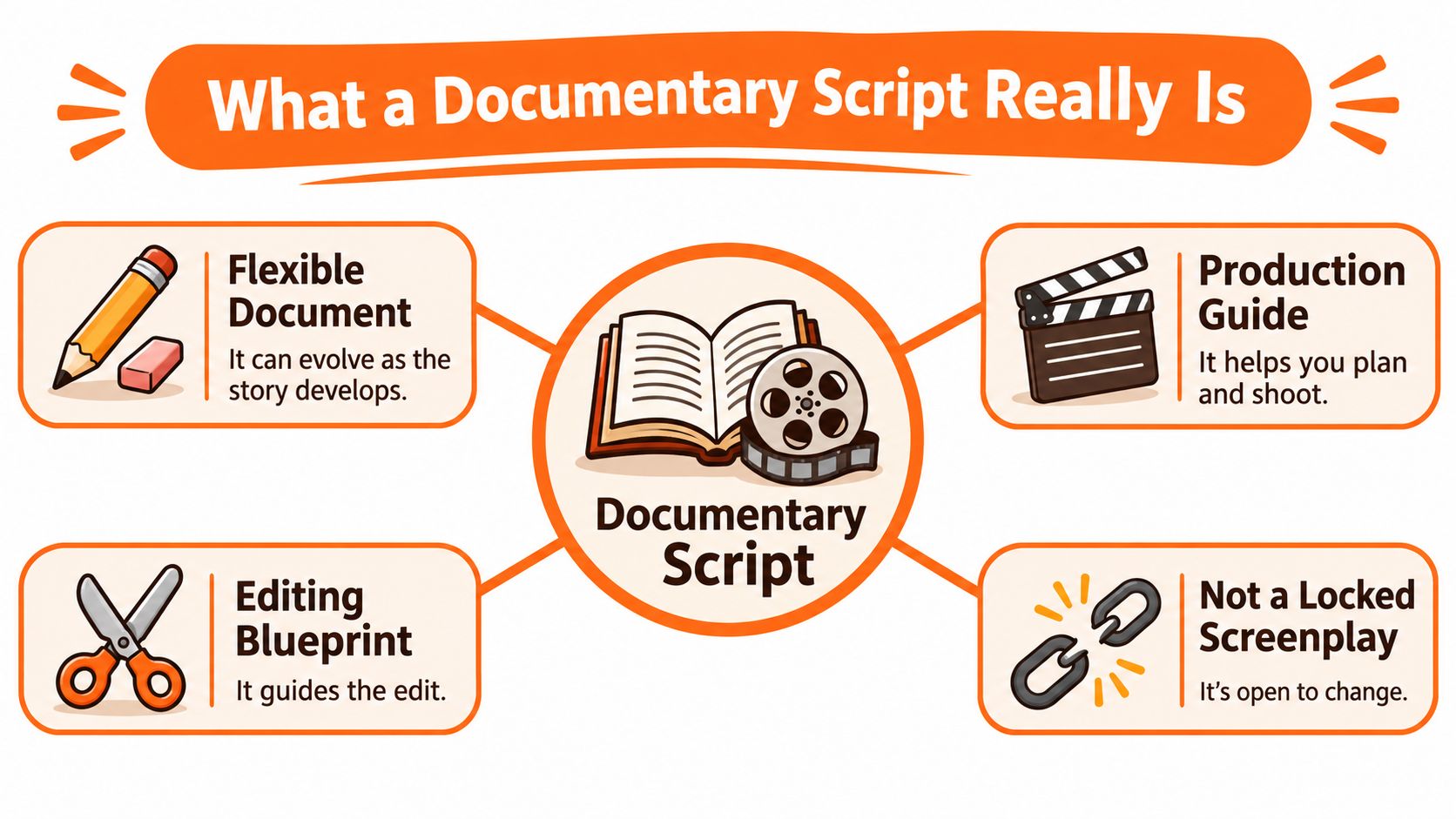
A documentary script isn't a locked screenplay. It's a flexible production and editing document that combines a sequence outline, interview plan, draft narration, archival references, on-screen facts, sound cues, and notes on evidence that still needs verification.
That flexibility isn't a compromise. It's how the form developed. Britannica's history of documentary film traces early work from the Lumière brothers filming workers leaving their factory in March 1895 to Robert Flaherty's Nanook of the North in 1922, frequently identified as the beginning of English-language documentary filmmaking. John Grierson's British documentary movement in the 1930s then helped establish documentary as an organized practice, with Drifters in 1929 documenting the British herring fleet and Night Mail in 1936 following the nightly mail train from London to Glasgow.
<a id="a-hypothesis-not-a-blueprint"></a>
A Hypothesis, Not a Blueprint
In fiction, you invent characters and decide what they say. In documentary, you create structure from available evidence, interviews, locations, and observed behavior. Actors don't correct your premise on camera. Real people do.
Start with four fixed points, then leave room around them.
- Clear subject: One person, place, event, or process, not a broad topic like climate or crime.
- Central question: What don't you know yet that the film will investigate.
- Intended audience: Who needs this explained, and what do they already believe.
- Proposed narrative route: Your best guess at opening, development, and conclusion, subject to revision.
Treat the early script as a testable claim about what you'll find. If interviews contradict it, the script changes, not the evidence.
Guidance on documentary script components and source logs makes a similar point for factual work. Record the source, rights holder or permission status, and exact wording that supports each claim. Writers used to audio formats will recognize the discipline. A podcast script template pack serves a comparable planning purpose for spoken episodes, separating planned segments from material you only finalize once recording exists.
<a id="research-first-write-later"></a>
Research First, Write Later
Drafting narration before research feels productive. It usually creates rewrite debt. You write elegant lines about events you can't prove, people you can't access, and footage you don't have.
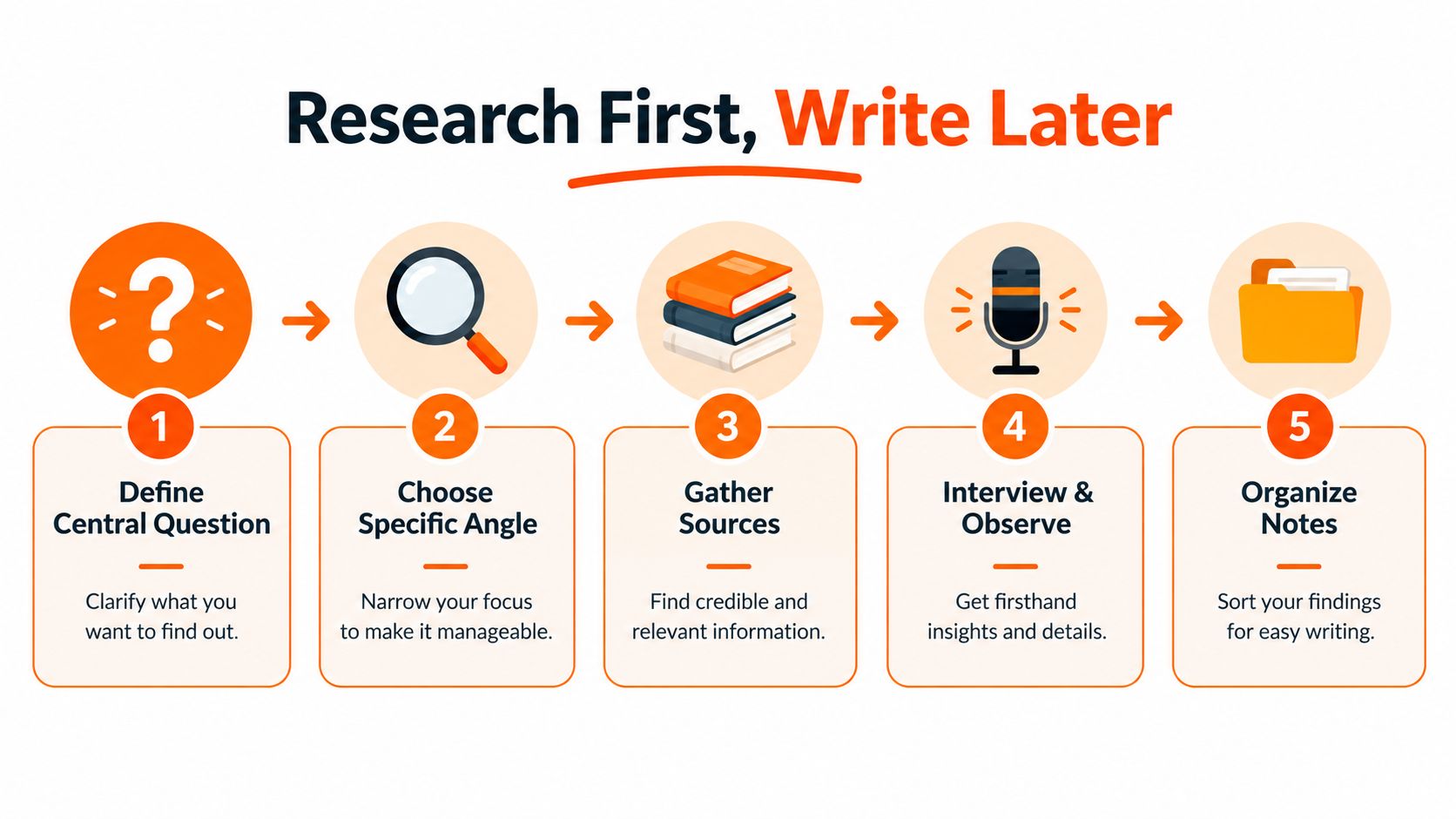
Research first means you collect primary sources such as interviews with experts, witnesses, and participants, plus records and direct observation, alongside secondary sources such as books, articles, documentaries, and academic papers. Documentary writing guidance on research and narration material frames this phase as where you build in-depth knowledge, locate suitable characters or situations, collect narration material, and decide on a tentative voice-over style.
<a id="build-a-research-matrix-before-you-outline"></a>
Build a Research Matrix Before You Outline
Don't keep research in scattered notes and browser tabs. Build one matrix you can audit later. If your notes are already messy, these tips for managing research notes offer a useful starting point for tagging and retrieving material by claim rather than by source alone.
Use columns for claim, source, quotation or data, date, confidence, visual evidence, and planned sequence. That last column matters more than most beginners expect. A fact without a visual plan becomes unsupported voiceover, or it gets cut in the edit.
Add a separate timeline with four categories.
- Confirmed events: Dates and actions supported by strong sources.
- Disputed points: Claims where sources disagree, flagged for attribution.
- Missing evidence: What you'd need to prove the premise and don't have yet.
- Access risks: People, locations, or archives that may not cooperate.
<a id="turn-research-into-a-one-page-outline"></a>
Turn Research Into a One-Page Outline
Once the matrix shows what you can support, write a one-page story outline. Name the opening hook, main characters, conflict or unanswered question, major discoveries, opposing viewpoints, and conclusion. Keep it to one page on purpose. If you can't state the story briefly, you don't have an angle yet, you have a topic.
That sequence, research and data collection before outlining, production planning, scriptwriting, and editing, matches the documentary production methodology placing research before scriptwriting. It also prevents the most common failure in short factual videos. You won't write claims that available footage and reliable evidence can't support, because the matrix would have exposed the gap before you recorded a word.
<a id="structuring-your-story-for-impact"></a>
Structuring Your Story for Impact
Structure isn't decoration. It's how you decide what the audience learns first, what stays uncertain longest, and what the ending is allowed to claim.
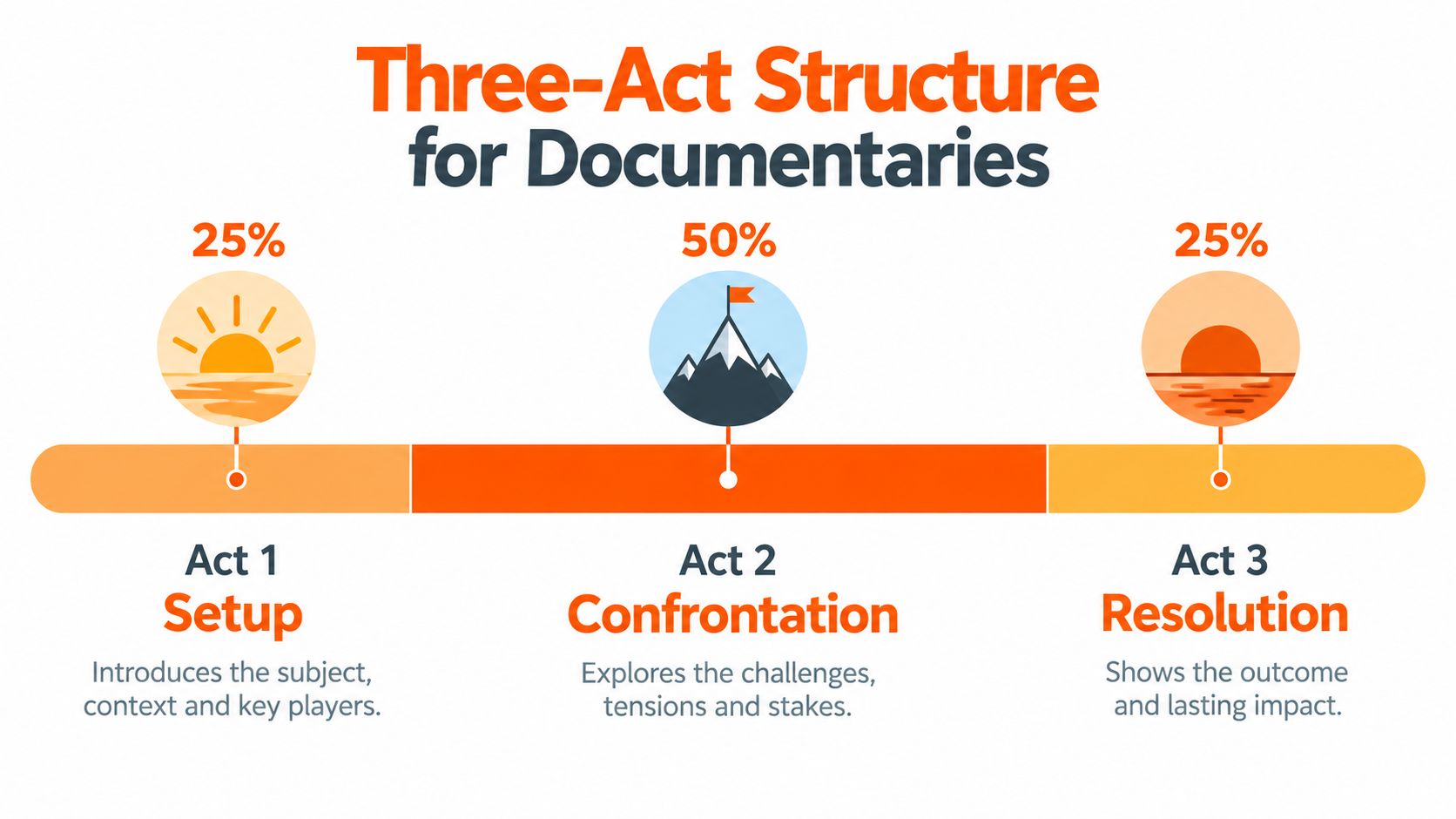
A practical default divides a documentary into approximately 25% setup, 50% journey or complications, and 25% resolution, proportions set out in the Impact Media Lab guide to documentary film production. For a five-minute video, that's roughly 1 minute 15 seconds for setup, 2 minutes 30 seconds for development, and 1 minute 15 seconds for resolution in that same guide.
<a id="what-each-act-has-to-earn"></a>
What Each Act Has to Earn
Setup introduces the subject, setting, central question, and stakes. Don't spend it on background history unless that history creates the stakes. Viewers need a reason to care before they need context.
The middle carries most of the investigation. Obstacles, contradictions, discoveries, and changes in understanding belong here. If nothing changes in your understanding during the middle, you don't have an investigation, you have an illustrated lecture.
Resolution presents findings and consequences, or acknowledges that the question remains unresolved. An unresolved ending isn't a failure if the evidence is incomplete. Forcing a clean answer the research doesn't support is a failure.
Three-Act Structure for a Five-Minute Documentary
| Act | Time | Purpose |
|---|---|---|
| Setup | About 1 minute 15 seconds | Introduce subject, setting, central question, and stakes |
| Journey | About 2 minutes 30 seconds | Investigation, obstacles, contradictions, and discoveries |
| Resolution | About 1 minute 15 seconds | Findings, consequences, or an honest unresolved ending |
<a id="write-a-treatment-not-fixed-dialogue"></a>
Write a Treatment, Not Fixed Dialogue
Convert the outline into a treatment that identifies key scenes, interview questions, and B-roll needed for each section. Don't write every line as fixed dialogue at this stage. You don't know what your subjects will say, and pretending otherwise creates a script you'll have to defend against your own footage.
Creators moving from planned narrative work into factual formats often need to unlearn the locked-script habit, a shift worth considering alongside the basics in making your own movies with a structured plan. Your treatment should be specific about purpose and loose about wording. Each sequence needs a job. It doesn't need final narration yet.
<a id="writing-narration-and-scenes-in-two-columns"></a>
Writing Narration and Scenes in Two Columns
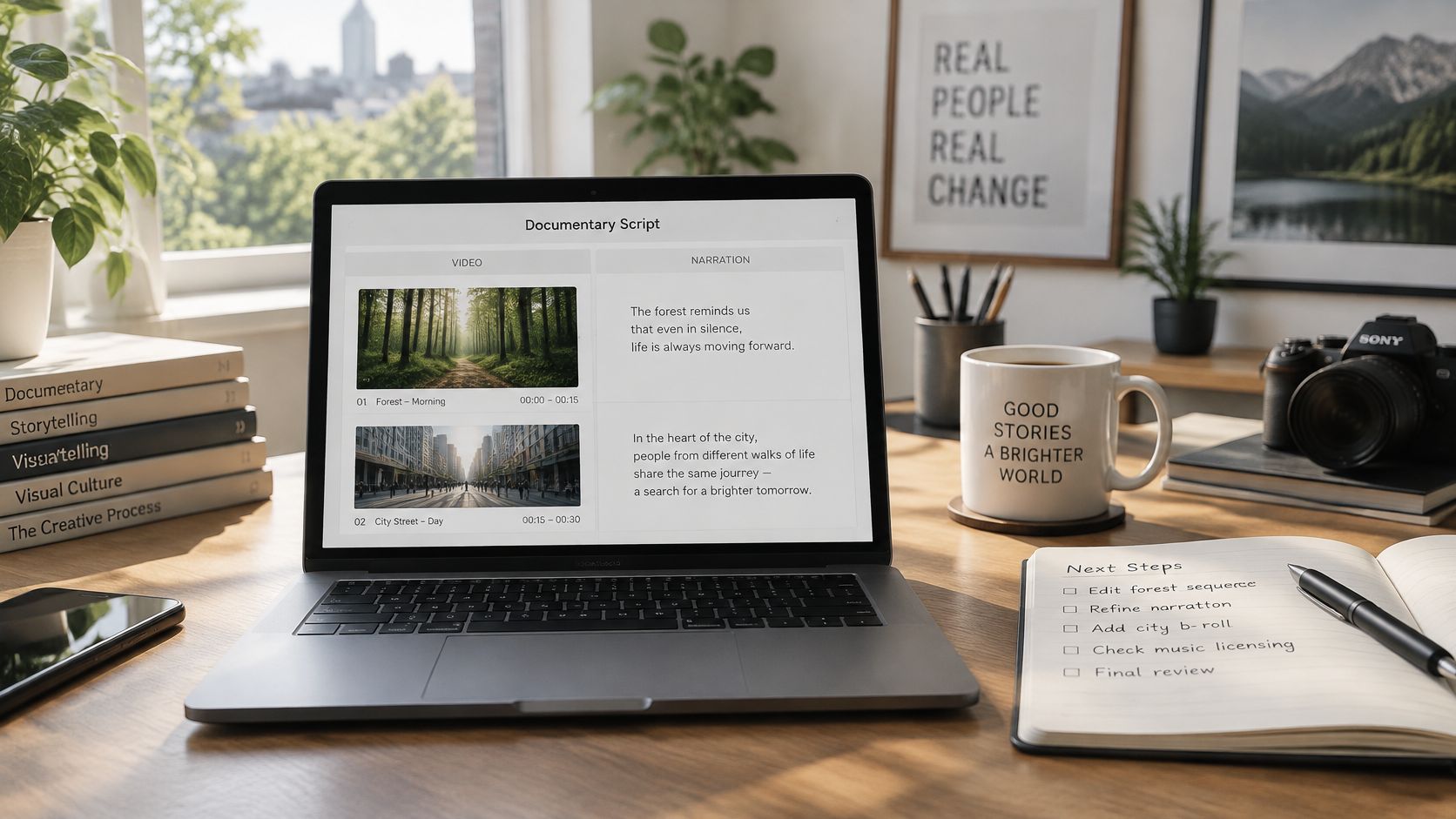
The two-column format solves a problem single-column scripts hide. When narration and visuals sit in one block of text, you can't see where words have no image or where images have no purpose. Separate them, and gaps become obvious.
A practical workspace for drafting and revising this format looks like this.
<a id="the-decision-rule-for-what-to-write-when"></a>
The Decision Rule for What to Write When
Most guides don't answer the question creators ask. What do you write before filming, and what waits until after. Use this rule based on how much control you have over the material.
- Treatment: Use before production when you have a premise, access plan, and possible beats, but no footage. This is your hypothesis document.
- Shooting script: Use when scenes are largely controllable, such as planned demonstrations, locations you can revisit, or reconstructed sequences.
- Narration script: Draft lightly before filming, finalize after the rough cut, because images and interviews determine which context and transitions you need.
- Paper edit: Use after filming for interview-led and observational work, building the script from transcripts and timecoded selects.
The New York Film Academy guide to writing a documentary script recommends researching interviews and source material before writing voice-over and sequences, which supports this order. A complete pre-shoot script for an investigative piece encourages you to force real people into a predetermined thesis. A hypothesis plus a paper edit keeps you honest.
The following walkthrough shows how scene planning and narration interact in practice.
<iframe width="100%" style="aspect-ratio: 16 / 9;" src="https://www.youtube.com/embed/LlJbZOo4CTQ" frameborder="0" allow="autoplay; encrypted-media" allowfullscreen></iframe><a id="label-every-row-by-status"></a>
Label Every Row by Status
In your two-column script, mark each sequence as planned, captured, or verified. Add scene-level notes showing which claims need on-screen evidence, attribution, or qualification. Production teams that outsource parts of this work, including through explainer video services, rely on the same discipline, since a handoff only works when visual and audio intentions are explicit row by row.
Write narration that adds context, transition, or meaning. Don't restate what viewers can already see. When you compare approaches for recording that narration, including the options covered in AI voiceover tools for video narration, remember the tool choice comes after the script decision. A tool such as ClipNova can take a finished script and produce a video up to 5 minutes at up to 1080p, with scenes, voiceover, captions, and background music in one pass, but it can't fix narration that repeats the image or claims more than your evidence shows.
<a id="conducting-interviews-that-produce-usable-material"></a>
Conducting Interviews That Produce Usable Material
Bad interview footage usually isn't a camera problem. It's a question problem. You get short confirmations, fragments that need your voice to make sense, and answers you can't cut without losing context.
New York Film Academy guidance on documentary interviews recommends avoiding yes-or-no questions and using open prompts that encourage subjects to describe pressure, decisions, events, and consequences. That distinction decides whether your edit has story material or isolated testimonials.
<a id="ask-for-complete-editable-answers"></a>
Ask for Complete, Editable Answers
Phrase questions so the answer carries its own context. Asking the interviewee to repeat the question in the answer preserves meaning when you remove the interviewer in editing. Compare these two approaches.
- Closed prompt: Were you worried that night. You get yes, and nothing to cut to.
- Open prompt: Walk me through what you were worried about that night, and what you decided to do. You get a sequence with a beginning, a decision, and a consequence.
Don't interrupt to show you're engaged. Pauses and long answers can be shortened in post-production. An interruption over the best sentence is much harder to remove cleanly. Let silence work. Subjects often give the most usable material right after they think they've finished answering.
Practical rule: If an answer can't stand alone without your question in the edit, ask the follow-up on camera, not in narration later.
<a id="tie-every-interview-to-the-narrative"></a>
Tie Every Interview to the Narrative
Before each interview, write down what narrative job it performs. Does this person establish stakes, supply evidence, contradict another account, or explain a decision no one else can explain. If you can't name the job, you're collecting testimonials.
Support each interview with a shot list for visual evidence, including the subject's workplace, routine, relevant locations, hands, tools, and actions. Record clean audio and transcribe promptly, because transcripts become the raw material for your paper edit. Accurate transcripts also make later caption work far easier, which is why it's worth understanding what a caption generator for video can and can't correct automatically. A generator won't fix a transcript built from mumbled, interrupted answers. Good questions upstream save correction time downstream.
<a id="planning-b-roll-as-visual-evidence"></a>
Planning B-Roll as Visual Evidence
B-roll fails when you treat it as wallpaper. You shoot generic cutaways, drop them under narration, and hope viewers don't notice the footage proves nothing. They notice, even if they can't name why the video feels untrustworthy.
Plan B-roll as visual evidence tied to expected talking points, organized by location and subject so production time is used efficiently. Hollyland guidance on B-roll in interview documentaries sets out useful coverage types for each interview, and they map well to short factual work.
<a id="coverage-that-earns-its-place"></a>
Coverage That Earns Its Place
For each subject and location, aim for a mix rather than volume.
- Environment: The subject in their actual setting, wide enough to establish place.
- Referenced locations: Places mentioned in their account, shot so viewers can connect claim to geography.
- Details and textures: Hands, tools, documents, and objects that carry specific information.
- Complete actions: Arriving, working, and finishing, so you can build a sequence instead of isolated clips.
- Visual metaphors: Used sparingly for abstract ideas, and labeled in your script as illustrative, not archival.
<a id="align-images-row-by-row"></a>
Align Images Row by Row
In your audio-and-visual script, align narration or interview audio with the planned image in each row. Add a source or visual-status column recording whether footage is original, archival, or still needed. That column stops a subtle error. Illustrative footage placed under a factual claim can imply you've proven something you haven't.
Apply one test to every row. If the shot already demonstrates the fact, your voiceover should provide context, transition, or meaning instead of repeating it. If the shot adds no information beyond the narration, replace it or cut it. Viewers trust documentaries where images do evidentiary work. They drift during documentaries where images merely fill time under a voice.
For history and educational channels working without camera access, the same logic applies to maps, archival images, captions, and reconstructed scenes. Every visual still needs a status and a job. Decorative filler is a credibility cost, whatever your source material is.
<a id="fact-checking-and-the-ethics-layer"></a>
Fact-Checking and the Ethics Layer
Fact-checking isn't a final proofread. It's a technical production stage with its own document, its own pass, and the authority to change or cut scenes.
Assign every factual narration line, interview assertion, statistic, date, image, and caption a source identifier, then verify it against the strongest available original or authoritative source. PBS Frontline journalistic guidelines on fact-checking state that long-form work should check every narration line, synchronized interview segment, and picture tied to a factual assertion, while retaining sourcing in a fact-checking document or annotated script.
<a id="run-four-revision-passes-in-order"></a>
Run Four Revision Passes in Order
Keep an annotated script or spreadsheet recording the exact source, page or timecode, wording supported, verification status, and any required qualification. Then revise in a fixed sequence.
- Narrative logic: Does each sequence follow from the previous one.
- Source support: Does every claim trace to a source identifier.
- Visual and audio alignment: Do images prove only what they show.
- Legal and fairness risks: Are disputed or potentially defamatory claims corroborated, with relevant viewpoints represented and subjects given an appropriate opportunity to respond.
<a id="add-an-ethics-layer-to-the-script-itself"></a>
Add an Ethics Layer to the Script Itself
Accuracy alone doesn't make a documentary fair. Narrative clarity can reduce fairness when a clean protagonist-versus-antagonist structure hides uncertainty, institutional causes, or a subject's lack of control over how their words are framed. Filmora guidance on writing a documentary script covers verification and interview transcription, but you need operational detail beyond that for contested material.
Add fields beside each sequence for claim status, source strength, omitted context, consent constraints, right-of-reply status, and whether visuals are illustrative rather than archival. Label narration as fact, allegation, interpretation, or dramatization, and disclose reconstructed scenes to viewers. Watch for four recurring pitfalls. Unsupported voiceover, one expert carrying a contested claim, illustrative footage implying an unproven fact, and compressing uncertainty into definitive language.
Each scene in your final script should hold one clear claim, one evidentiary basis, and visuals that don't overstate what the evidence shows.
Once your script separates planned, captured, and verified material and every narration line traces to a source, you can turn that document into a finished documentary-style video with ClipNova AI, which produces videos up to 5 minutes at up to 1080p with script, scenes, voiceover, captions, and background music in one pass, narration in 18 languages, and plans from $19/mo with commercial rights. Bring your verified two-column script, keep the same characters consistent across scenes and episodes if your story needs them, and make your first video at https://app.clipnova.io.
Ready to ship your own?
Start creating viral videos with AI in under twenty minutes, no credit card required.