
You've got a 60-second story that works, your audience asks for more, and your first attempt at three minutes sags in the middle. The premise repeats, the visuals loop, and viewers leave before the payoff. That's the normal problem when you learn how to make longer videos by stretching a short idea. Runtime isn't a word count to fill. It's a budget of story beats, and every added beat has to change something the viewer knows, wants, or expects.
Table of Contents
- Build the Beat List Step by Step
- Which Added Scenes Earn Their Seconds
- Fix the Drops Before You Add More Minutes
- Split a Long Story Into a Series
- Recaps and Callbacks That Keep Viewers Oriented
- Make Your First Longer Video Today
<a id="build-the-beat-list-step-by-step"></a>
Build the Beat List Step by Step
A three-minute target needs more than a longer opening and a delayed ending. Plan the runtime as a sequence of story beats, each earning its seconds by changing the stakes, revealing information, or forcing a decision. Use this beat budget as a starting point, then adjust for the pace of the story.
| Target length | Beats (one every 20 to 40 seconds) | Hook and premise | Resolution and call to action |
|---|---|---|---|
| 1 minute | 2 to 3 | 3 to 6 seconds | 6 to 9 seconds |
| 2 minutes | 3 to 6 | 6 to 12 seconds | 12 to 18 seconds |
| 3 minutes | 5 to 9 | 9 to 18 seconds | 18 to 27 seconds |
| 5 minutes | 8 to 15 | 15 to 30 seconds | 30 to 45 seconds |
Treat the numbers as planning ranges, not a formula. A beat should change what the viewer knows or what the character can do. If you cannot give a beat a distinct job, the story may not need that much runtime.
<a id="write-the-promise-before-the-script"></a>
Write the promise before the script
1. State the promise in one sentence. Name what the viewer will learn, see revealed, or watch resolved by the end. Show that promise within the first 10 seconds, through the image and narration rather than after a logo or channel intro. A horror story might open with a child hearing her own voice from a locked room. A history story might begin with an object found aboard a ship that had already been searched. If the viewer cannot see the promise early, the opening is still background.
2. Divide the runtime before writing scenes. Reserve 5 to 10% for the hook and premise, 70 to 80% for escalating developments, and 10 to 15% for the resolution and call to action, following the timed-outline approach in educational video research hosted by Monash University. For a three-minute video, that means roughly 9 to 18 seconds to open and 18 to 27 seconds to close. Keep the middle for developments that raise the stakes. If those developments do not fill the time, shorten the video instead of stretching the ending.
<a id="give-every-beat-one-job"></a>
Give every beat one job
3. Give each beat an objective and a change. The change can be a question, obstacle, reveal, cost, or reversal. A character wants to open a door; the handle is warm. That obstacle raises a question. A character walks through another attractive room while the narration repeats the premise. That is filler, no matter how good the render looks. For terminology on structuring these turns, explore beat sheet terminology.
4. Schedule a visible change every 20 to 40 seconds. Shift the location, information source, shot scale, or speaker. A close-up after a wide shot can reset attention; a new document, another character's reaction, or dialogue replacing narration can change what the viewer notices. Three angles of the same action usually do not create a new beat. Mark each planned change beside its beat. A gap longer than 40 seconds needs a clear reason, such as a decision unfolding or tension deliberately building.
A beat without an objective is usually filler, even when the image is strong.
5. Turn each beat into a scene with one purpose. Let the scene deliver one beat and one emotional change: curious to afraid, certain to doubtful, safe to exposed. If two reveals compete for attention, separate them so each has room to register. If adjacent scenes deliver the same information and emotion, merge them. Spend the recovered time on a beat that changes the direction of the story.
<a id="lock-continuity-before-you-generate"></a>
Lock continuity before you generate
6. Keep a character and prop ledger for every scene. Track each character's face, outfit, age, location, lighting, and mood, along with props that matter later. A wardrobe change in minute three stands out because viewers have had time to learn the character's look. Planning shots as a sequence, as in making your own movies, helps keep those details consistent across scenes.
A ledger also narrows regeneration to the scene that failed. Rebuild only that scene from its saved reference instead of regenerating the cast and risking mismatches across the rest of the story.
7. Check the cut in a fixed order. Look for these five faults:
- Redundant establishing shots: Cut a shot of a place the viewer already knows.
- Repeated captions: Remove text that restates the image or narration.
- Dead air: Trim pauses that neither build tension nor mark a decision.
- Abrupt voiceover breaks: Smooth joins where tone, volume, or pace jumps.
- Music over dialogue: Lower or replace music that competes with speech.
Regenerate only weak scenes and leave approved character references untouched. Replacing a good scene because a neighboring one failed adds continuity risk without fixing the problem.
<a id="read-the-list-aloud-as-the-final-test"></a>
Read the list aloud as the final test
Read one line per beat. Each line should answer a different question from the one before it. The first beat might ask who is behind the door. The next should answer part of that question and raise a harder one, such as why the voice knows the character's name.
Two consecutive beats that ask the same question expose padding. Cut one, merge them, or give the character a consequence that forces a new action. More narration over unchanged visuals will not fix the sequence.
This read-through catches repetition while it is still cheap to fix. Deleting a line from the beat list takes less effort than generating, captioning, scoring, and publishing a scene that never earned its place.
<a id="which-added-scenes-earn-their-seconds"></a>
Which Added Scenes Earn Their Seconds
Most creators hit the wall at about three minutes. The first minute has energy, the ending is clear, and the middle repeats the premise in new clothes. The story hasn't run out of footage. It has run out of consequences.
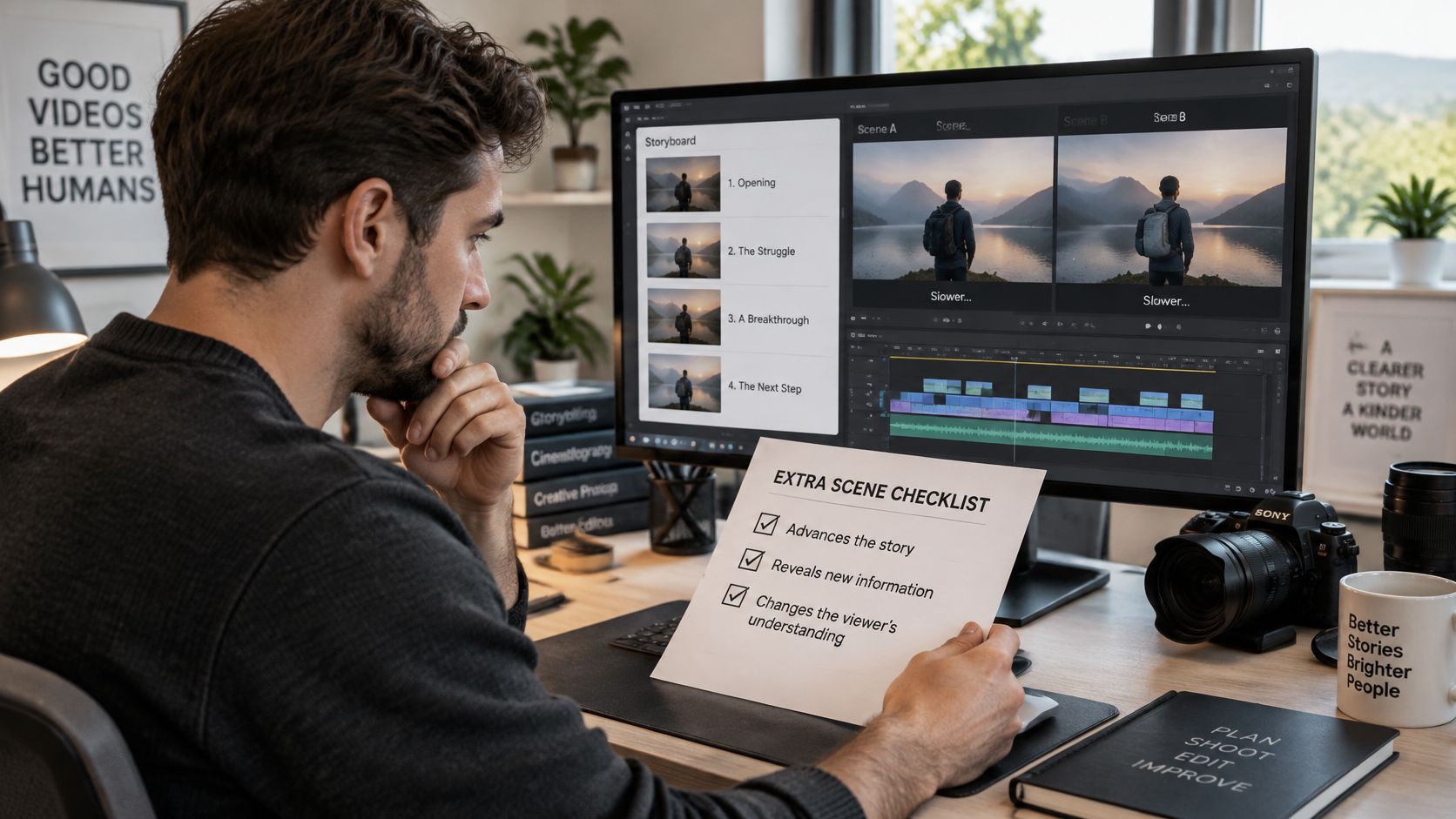
Run every extra scene through three questions. Does it ask a new question the previous scene didn't ask. Does it add a consequence that changes what the character does next. Does it change what the viewer understands about the place, the person, or the risk. One yes can justify a short scene. Three no answers mean you should cut it or merge it into a neighbor.
<a id="the-hallway-test"></a>
The hallway test
Say you're building a horror story. Padding looks like three shots of an abandoned hallway while the narrator repeats that the house is dangerous. The camera moves, but nothing the viewer believes has changed, and the character has no new decision to make.
An earned version uses the same hallway once. A door the character locked is now open. Inside, a name written at child height tells the viewer who lived there before. The scene asks who opened the door, changes the viewer's understanding of the house, and gives the character a reason to stop searching and start hiding. Same location, three times the work.
Variety supports that test, but it doesn't replace it. Changing shot scale, setting, or information source every 20 to 40 seconds gives the eye a reason to keep moving, yet a new angle on old information still fails. The same discipline applies when you plan visual rhythm for other formats, including the set pieces in music video ideas, where a new location only works if the song's section has also changed.
There's one honest exception. A slow documentary explainer can hold longer single shots when the narration adds a new fact every few seconds. The picture stays still while understanding keeps moving. As soon as the narration starts restating, that exception ends.
Swap rule: If a scene could trade places with its neighbor and the viewer wouldn't notice, it's filler.
<a id="fix-the-drops-before-you-add-more-minutes"></a>
Fix the Drops Before You Add More Minutes
Open your retention graph and find the first major drop. Fix that point before you extend anything. A benchmark summarized in WaveVision's coverage of video length and YouTube performance puts average YouTube retention near 23.7%, with more than half of viewers leaving within the first minute regardless of video length. Your opening is therefore the first suspect, not your ending.
| Symptom | Likely cause | Fix before adding minutes |
|---|---|---|
| Viewers leave in the first minute | Opening shows branding or repeats the premise | Open on the promise and the first conflict within 10 seconds |
| Drop at the first beat transition | Setup runs longer than one beat | Cut the setup by half and move the new fact into the next beat |
| Sagging midpoint | Scenes repeat the same visual or line | Replace one scene with a reversal or a new source of information |
| Viewers lose track of a character | Face or outfit changes between scenes | Check the character ledger and regenerate the weak scene from the saved reference |
| Audience stops near the end | Resolution and call to action run past 15 percent of runtime | Trim the closing and end on the reveal or the cliffhanger |
Read the rows as a repair order. A weak opening makes every later number look worse than it is, because your least committed viewers have already gone. A long setup then loses the viewers who survived the opening but haven't received their first payoff. Midpoint repetition and character drift are production faults you can fix scene by scene. An overlong closing is the easiest cut of all, since the story has already finished.
For viewers watching without sound, put the premise in on-screen captions within the first 10 seconds and restate the open question in captions once per beat. The thread has to survive with the sound off, not just the dialogue. If you're reworking several uploads, it helps to automate video editing checks such as caption placement so you don't miss them under deadline.
Judge a longer cut on two measures, not one. Longer videos can earn substantially more total watch time even when the percentage viewed is lower, so track percentage retained and total minutes watched together. Fix the opening first, then the first transition, then the midpoint. Only then add minutes.
<a id="split-a-long-story-into-a-series"></a>
Split a Long Story Into a Series
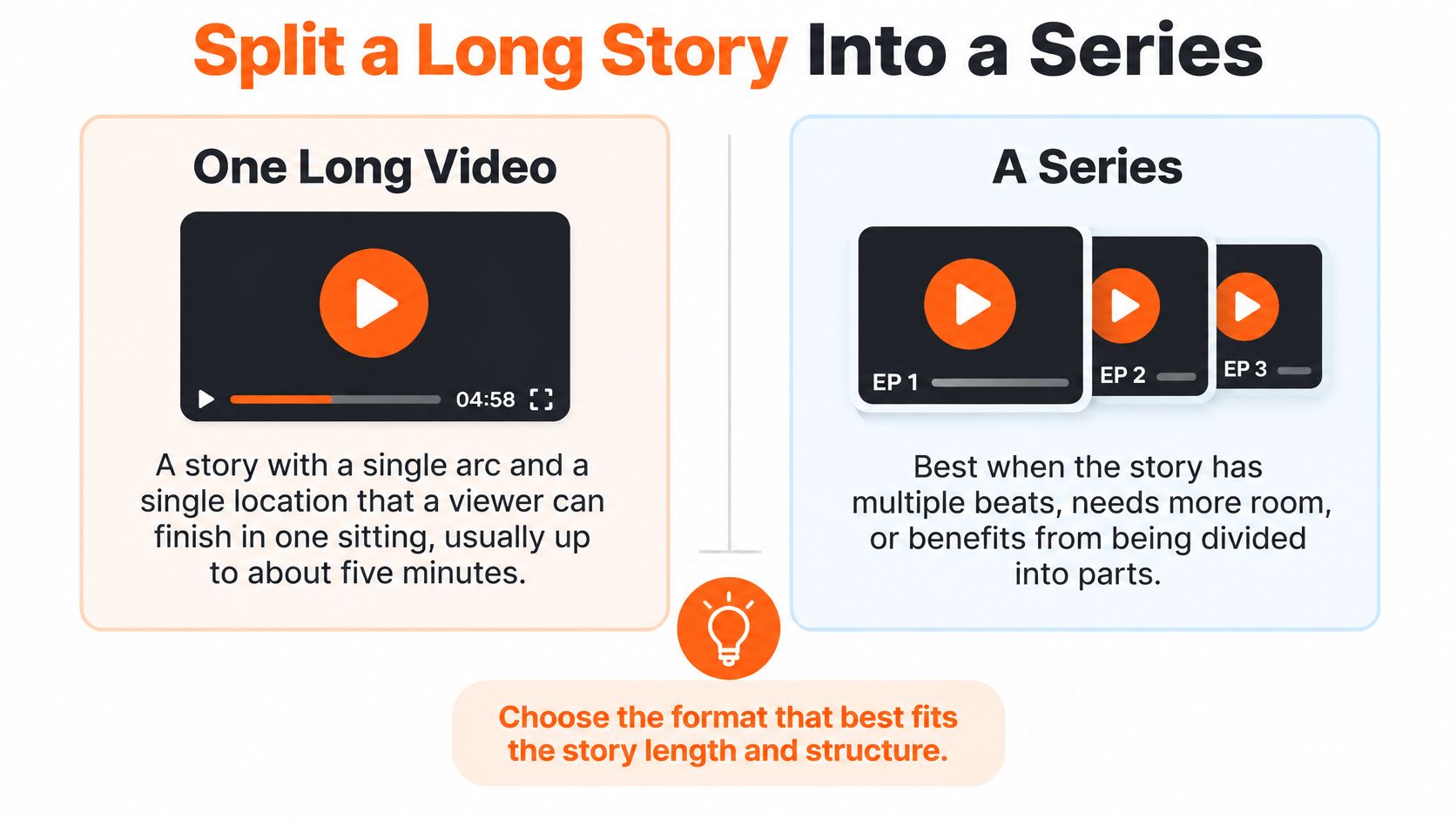
One long video and a series solve different problems. A single video suits a story with one arc and one main location that a viewer can finish in one sitting, usually up to about five minutes. A series suits several arcs, a returning cast, or a plot that needs more than five minutes to resolve without rushing the reveal.
The comparison below is the decision in its simplest form.
In ClipNova, episodes run 30 seconds, 1, 2, 3 or 5 minutes, and story memory carries the thread from earlier parts into the next. Each episode in a Series can run up to five minutes, so you split at story joints rather than at an arbitrary timestamp. End each episode on an open question instead of a summary, and place the main reveal in the last 30 seconds so the next episode starts with a job to do.
The example below shows how an episode ending changes when the last beat opens a question instead of closing the story down.
<iframe width="100%" style="aspect-ratio: 16 / 9;" src="https://www.youtube.com/embed/6eWksVDXq2o" frameborder="0" allow="autoplay; encrypted-media" allowfullscreen></iframe>Keep the cast at a size viewers can track. ClipNova Series supports up to 8 recurring characters, but eight is a ceiling, not a target. I would check whether each character has changed the plot by the third episode. A character who only reacts adds faces for the viewer to remember and references for you to keep consistent.
That consistency work is the main cost of a series. Errors compound across shots, a problem Google Research describes in its work on coherent long-form video generation, which reported a peak quality score of 81.4 on GenAD-Bench for a framework built to reduce identity drift. Across episodes, you need identity and wardrobe checks between parts, not just within one video.
Apply one test before you commit. If removing an episode leaves a question from the previous one unanswered, the split is working. If nothing is left open, you've cut one video in half and asked viewers to do the joining work for you.
<a id="recaps-and-callbacks-that-keep-viewers-oriented"></a>
Recaps and Callbacks That Keep Viewers Oriented
A recap belongs at the start of a later episode or in the second act of a long video. It isn't a summary of everything that happened. In a five-minute video, keep it to 10 to 20 seconds and show only the one or two moments the new part depends on. Reuse the earlier clip rather than retelling it in narration, so the viewer sees the character's face and the place again.
<a id="the-three-step-recap-pattern"></a>
The three-step recap pattern
- Show the last image: Hold the final frame or shot of the previous part for about 3 seconds.
- Name the open question: Use one line of narration that states what's unresolved, not how it got there.
- Start the new development: Move into new action or new information within 10 seconds.
That pattern respects two audiences at once. A returning viewer gets a fast reminder of the stakes. A new viewer gets the single fact they'd otherwise miss, without sitting through a compressed version of an episode they didn't watch.
Callbacks do the same job inside one video, and they cost no extra runtime. A prop, phrase, or location returns later with a new meaning. A locked box sits in the background in minute one while the character searches for a key. In minute four, the box is open and empty, and the object everyone wanted has already been taken. The viewer reinterprets the earlier scene without hearing it explained.
A callback pays off attention. A recap only restores it, so callbacks are worth more of your runtime.
There's a clear limit. A recap is dead air for someone who watched the previous part minutes ago in the same session, so skip it in single-video stories and keep it shortest for episodes published close together. Finish with a blunt test. Could you remove the recap without confusing a viewer who saw the earlier part. If you could, cut it down to one line and give the saved seconds to the next development.
<a id="make-your-first-longer-video-today"></a>
Make Your First Longer Video Today
Take a story you already have and set a runtime target of 3 minutes. That gives you room to test a longer beat structure without taking on the full five-minute edit. Build the beat list, generate the video, then check three things:
- First 10 seconds: The story's promise is clear in the visuals and narration, with no branding ahead of it.
- First 40 seconds: Something has changed, such as the character's location, the scale of the problem, or what the viewer knows.
- Every scene: The character keeps the same face and outfit throughout.
Publish, then compare retention at the hook, first transition, midpoint, and ending with your next upload. One result can point to a story-specific issue. Two give you a first comparison of how the structure is working.
For a story that needs more than five minutes, split it into Series episodes of 1, 2, 3, or 5 minutes. The episodes share a cast, and story memory keeps the plot connected. ClipNova generates the script, scenes, voiceover, captions, and music in one pass. In Studio, you can regenerate a single scene if the midpoint beat falls flat, rather than rebuilding the whole video. When your beat list is ready, make your first video and check it against the retention points above.
Make your three-minute beat list into a finished video with ClipNova. Videos run up to 5 minutes at up to 1080p, with saved characters keeping the same face and outfit across scenes. The script, voiceover, captions, and music are generated in one pass, so you can focus on whether each beat earns its time. Start with ClipNova AI.
Ready to ship your own?
Start creating viral videos with AI in under twenty minutes, no credit card required.