
In 2024, the global lip-sync automation for dubbing market estimated by DataIntelo reached USD 1.12 billion, yet money doesn't solve the frame where a mouth stays open through a p, b, or m. Viewers spot that miss before they can name it, and they'll keep spotting it every time the same character returns. If you're learning how to lip sync dialogue that holds up beyond a short demo, you need two layers working together. The first is timing in milliseconds, with some mouth shapes starting before the sound you hear. The second is performance, because a mouth can hit every beat and still look like it doesn't mean the line. Translated dialogue adds a third demand, since new words bring new syllable timing that a swapped audio track can't fix on its own.
Table of Contents
- Timing Windows That Decide If Speech Looks Real
- Lip Sync Workflow and Failure Repairs
- Mouth Shapes for the Sounds Viewers Notice
- Expression and Beats That Stop a Robotic Read
- Adapting Lip Sync to Another Language
- Put Lip Sync on a Recurring Story Cast
<a id="timing-windows-that-decide-if-speech-looks-real"></a>
Timing Windows That Decide If Speech Looks Real
Work inside the narrow window first. The audiovisual speech review in PMC reports that people usually perceive speech as synchronized when sound may lead the visible mouth movement by roughly 50 milliseconds, while the mouth movement may lead the sound by approximately 200 milliseconds. In controlled experiments in that review, speech was judged precisely aligned only from audio leading video by about 20 milliseconds to video leading audio by about 70 milliseconds.
That gap matters. The broad window tells you when viewers stop calling it broken, not when it looks natural. Aim for the 20 to 70 millisecond range on close-ups and accept the wider tolerance only on wide shots where the mouth is small.
<a id="why-the-mouth-gets-more-room-to-lead"></a>
Why the Mouth Gets More Room to Lead
Speakers often start a visible mouth movement before the consonant or syllable becomes audible, so your animation should anticipate certain sounds instead of reacting to them. A lip press that begins exactly on a loud p can already read late, because the closure has to form before the burst of air releases. Treat the finished voice track as the clock, then place shapes against it, letting closures arrive early enough to be seen.
Frame rate makes this concrete. The WACV 2021 visual speech paper notes that at 24 fps, one frame represents about 41.7 ms, so a single frame eats much of your precise window. You can't split a frame, which means you choose the earlier frame for closures and the fuller frame for open vowels.
| Check | Offset | What a Miss Looks Like |
|---|---|---|
| Precise alignment | Audio leads by about 20 ms, up to video leading by about 70 ms | Speech feels early or late even if the viewer cannot name it |
| Broad tolerance | Sound may lead the mouth by about 50 ms; the mouth may lead sound by about 200 ms | Outside this, speech looks detached from the face |
| One frame at 24 fps | About 41.7 ms | Plosives and fast lines show a one-frame slip |
| Audio as the clock | Lock the voice, then place mouths | A drifting picture track never stays matched |
| Anticipation | Mouth may start before the audible consonant | A mouth that only reacts looks late on p, b, and m |
Use that table before you draw or generate a single mouth. Check the voice you're syncing to as well, since a flat or noisy read gives you weak hits to place against, a point covered in this guide to AI voiceover tools.
<a id="not-every-sound-gives-you-the-same-evidence"></a>
Not Every Sound Gives You the Same Evidence
Mouth openings, closures, vowels, and consonants don't produce equally strong visual cues, so don't spread your effort evenly across a sentence. Closures and wide vowel openings are easy for viewers to verify. Sounds made inside the mouth are harder to check, and viewers forgive more there.
A wrong shape can do more than look cheap. With the McGurk effect, conflicting audio and lip movements make viewers perceive a different sound from the one presented. In plain terms, a bad mouth can change the word your audience thinks it heard.
Practical rule: Spend your checking time on closures, the first sound after silence, and wide vowels. Those are the frames viewers can actually audit.
That's doubly true for a recurring character. A stranger in one wide shot gets inspected once, while the same face in a dialogue-heavy scene gets inspected line after line, and small timing habits become part of how credible that character feels.
<a id="lip-sync-workflow-and-failure-repairs"></a>
Lip Sync Workflow and Failure Repairs
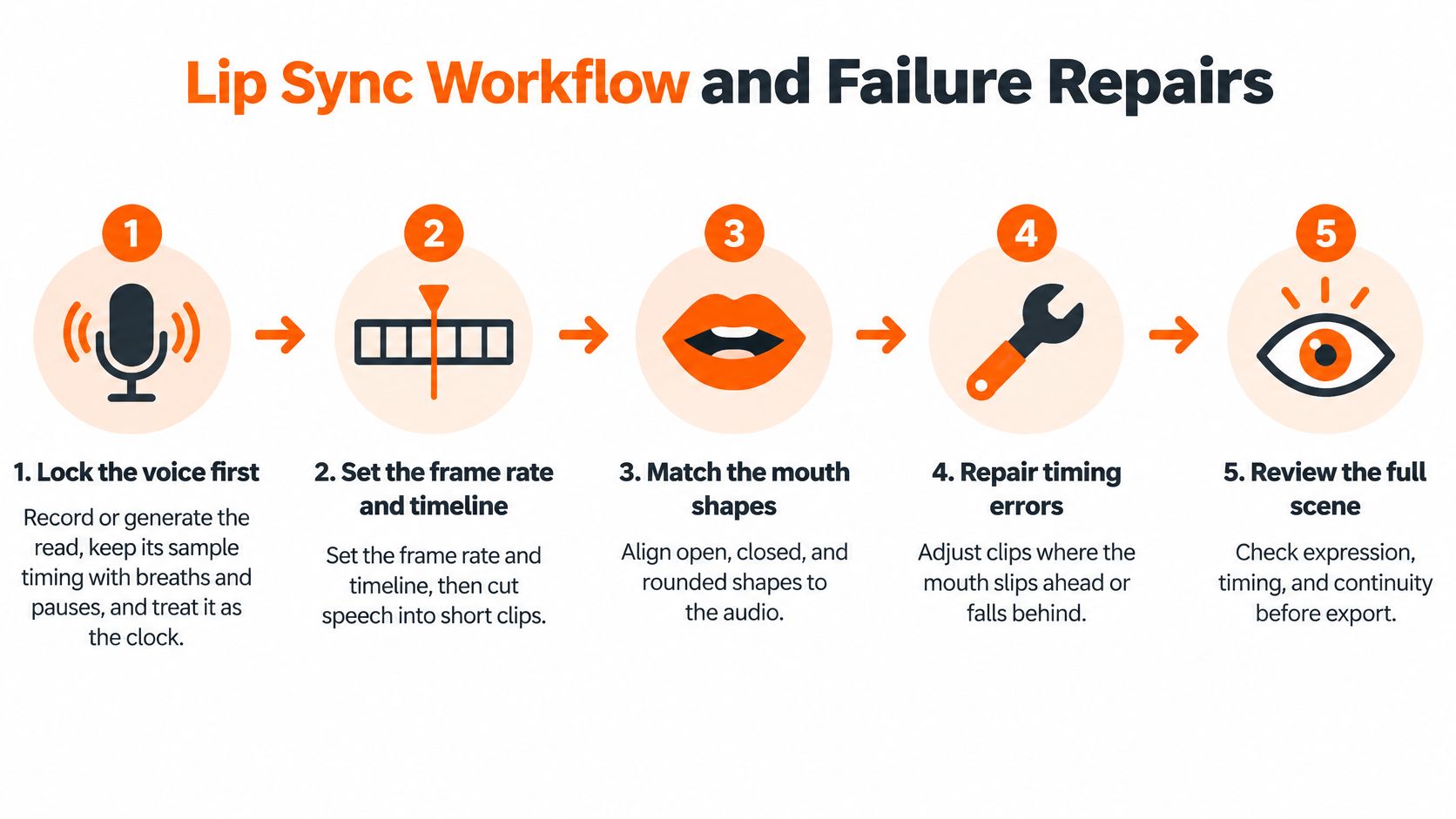
Most failed passes fail before animation starts, because the voice wasn't locked. Follow the order below and you'll fix clips instead of rebuilding scenes.
<a id="the-seven-steps-in-order"></a>
The Seven Steps in Order
- Lock the voice first, because the read is your clock. Record or generate the performance, keep its original sample timing, and don't trim breaths and pauses you plan to act against. If the line changes later, the mouth work under it is scrap.
- Set the frame rate and timeline, because your offset budget is measured in frames. Decide the rate, lock the edit, then cut speech into short, sentence-level clips you can regenerate on their own.
- Crop frontal or near-frontal, because mouth tracking and shape readability both drop as the head turns. Detect the speaking face and align each video segment to its matching audio window before synthesis, as described in the Wav2Lip follow-up paper on arXiv, which starts from clean sentence-level audio and a frontal or near-frontal face crop.
- Map phonemes to visemes, because shapes must change in the right order, not just move while audio plays. Work sound by sound through each clip instead of treating a sentence as one block.
- Place closures on the hit, because p, b, and m are the shapes viewers verify. Press the lips for one to two frames on the consonant, then open the jaw into the vowel that follows.
- Render a review pass, because a timeline view hides what playback exposes. Check the first voiced phoneme after silence, every closure, and the final syllable before a cut.
- Regenerate only the failing clip, because a full rebuild risks breaking scenes that already work. Confirm the mouth region doesn't drift from the face across the cut before you move on.
<a id="reading-the-lab-scores-without-fooling-yourself"></a>
Reading the Lab Scores Without Fooling Yourself
Two SyncNet-derived metrics show up in tool dashboards and model reports. LSE-D measures the distance between audio and mouth-motion embeddings, so lower is better, and LSE-C measures audio-visual correlation confidence, so higher is better, both as defined in that same arXiv paper. Read them together, since a low distance with weak confidence can still hide unstable stretches.
Don't let a headline number do your quality check. That paper reports the SyncNet model used in Wav2Lip exceeded 99% classification accuracy on its synchronization task, and that's a lab classification result, not a promise that 99% of your finished clips will pass. Your profile views, occlusions, reverb, and second faces weren't in that test.
A score tells you where to look. Your eyes on the closure frames tell you whether to ship it.
Repairs follow a cost ladder. Nudging shapes by a frame costs nothing. Regenerating one sentence-level clip costs a clip. Rebuilding a whole scene costs every clip that already works under it, so climb the ladder only when the rung below it failed.
<a id="picking-the-fix-for-a-failing-clip"></a>
Picking the Fix for a Failing Clip
Inspect frame-level failures around pauses, consonant-heavy words, scene cuts, profile views, occlusions, and shots with more than one face visible. Those are the conditions that break sync in practice, and each one has a different first fix.
| Symptom | Likely Cause | Fix |
|---|---|---|
| Mouth moves but words feel late | Voice was not the clock, or the mouth is one frame late | Nudge shapes earlier and recheck the first voiced sound after silence |
| p, b, or m looks open | Missing lip closure | Add a one to two frame press on the consonant hit |
| Scores look fine but the face is stiff | Upper face never changes with stress | Mark stressed words and add brow, blink, and head motion |
| Mouth drifts on a side view | Profile, occlusion, or a soft mouth | Prefer a near-frontal crop and regenerate that clip |
| Translation is right, mouth is not | New language has different syllable timing | Rebuild visemes to the new audio |
| The wrong face talks | More than one face in frame | Isolate the speaker and keep the clip short |
That translation row deserves respect early, not at export. The Springer chapter on multilingual lip sync reports Wav2Lip performance in Turkish, Persian, and Arabic comparable to English, yet language pairs farther from English can see lip-sync quality trail behind translation quality on the same pipeline. A correct script and a correct mouth are separate deliverables, so budget a separate pass for each language version.
Common failure sources are mundane. Noisy or reverberant audio blurs consonant hits, low-resolution mouths lose teeth and lip edges, exaggerated head motion breaks tracking, and temporal interpolation softens the exact frames you worked hardest to place. Fix the input before you blame the model, because clean dry audio and a stable crop improve every downstream step.
<a id="mouth-shapes-for-the-sounds-viewers-notice"></a>
Mouth Shapes for the Sounds Viewers Notice
A phoneme is a sound unit of spoken language. A viseme is a group of phonemes that share a similar mouth shape, which is why you don't need a unique drawing for every sound in a language. You need a small, consistent set of shapes arriving in the right order at the right frames.
Six shapes cover most of what viewers can see. Learn them as physical actions, not as letters, because your job is to show what the lips and jaw do, not to spell the word.
| Viseme | Example Sounds | Mouth Shape | When to Hold It |
|---|---|---|---|
| Closed bilabial | p, b, m | Lips pressed together | On the consonant hit, for one or two frames |
| Labiodental | f, v | Upper teeth on the lower lip | Short, do not smear it across the vowel |
| Open vowel | a, ae | Jaw dropped, lips relaxed | On the vowel, not the whole word |
| Rounded vowel | o, u | Lips pushed forward | Through that vowel only |
| Narrow teeth | s, z, t, d | Small opening, teeth visible | Quick, then release |
| Neutral rest | Silence and pauses | Closed or slightly parted, no chatter | Between phrases |
<a id="walking-the-set-with-real-words"></a>
Walking the Set With Real Words
Say pat slowly and you'll feel the set in sequence. The lips press shut for p, the jaw drops for a, and the teeth narrow for t. Miss the press and the word reads wrong even if the timing is perfect.
- Closed bilabial in mop: The press lands on m and again on the final p, and both need a visible held frame.
- Labiodental in van: Upper teeth touch the lower lip for v, briefly, before the jaw opens. Smearing it through the vowel makes the whole word look mushy.
- Open vowel in cat: The jaw drop belongs to the vowel peak, not the full word. Holding it too long turns speech into yawning.
- Rounded vowel in moon: Lips push forward through oo and release for n. Rounding that arrives late reads as a different vowel.
- Narrow teeth in sit: A small, quick teeth-forward shape covers both s and t. Keep it short so it doesn't swallow the vowel between them.
- Neutral rest between lines: Closed or slightly parted lips during pauses keep the character from chattering through silence, which is one of the fastest ways to look synthetic.
<a id="timing-and-shape-are-separate-scores"></a>
Timing and Shape Are Separate Scores
A mouth can move on the beat and still show the wrong shape, and research now measures those as two different problems. The PVSync paper on arXiv describes a model that estimates audio-video offset and separately evaluates whether the visible mouth shape matches the spoken sound. On the LRS2 benchmark, the system estimated synchronization offsets to within one video frame with 92.7% accuracy, while its viseme-matching ROC AUC increased from 0.69 to 0.96 before reaching 0.91 in the final model.
For your own review, that split gives you two questions instead of one. First, does movement start and stop with the audio. Second, does each visible shape match the sound under it. A clip can pass the first and fail the second, and that's the clip viewers describe as off without knowing why.
Scrub the transitions, not just the middle of words. Errors sit where one shape hands over to the next, especially closures releasing into vowels and rounded shapes relaxing into neutral. Play those two or three frames at reduced speed and check the order of shapes against the order of sounds.
Stylized characters get real forgiveness here, with one condition. A cartoon mouth with fewer shapes works fine if closures and open vowels stay identical every time that character speaks, because viewers learn the character's system and judge consistency. Changing the system scene to scene breaks that trust faster than simplification does.
<a id="expression-and-beats-that-stop-a-robotic-read"></a>
Expression and Beats That Stop a Robotic Read
The most common failure in finished work isn't a late mouth. It's a mouth that's on time attached to a face that isn't acting, and viewers read that as robotic within a few lines.
Watch a creator check a read against the waveform and you'll see where the performance decisions happen, at the stressed words rather than at every syllable.
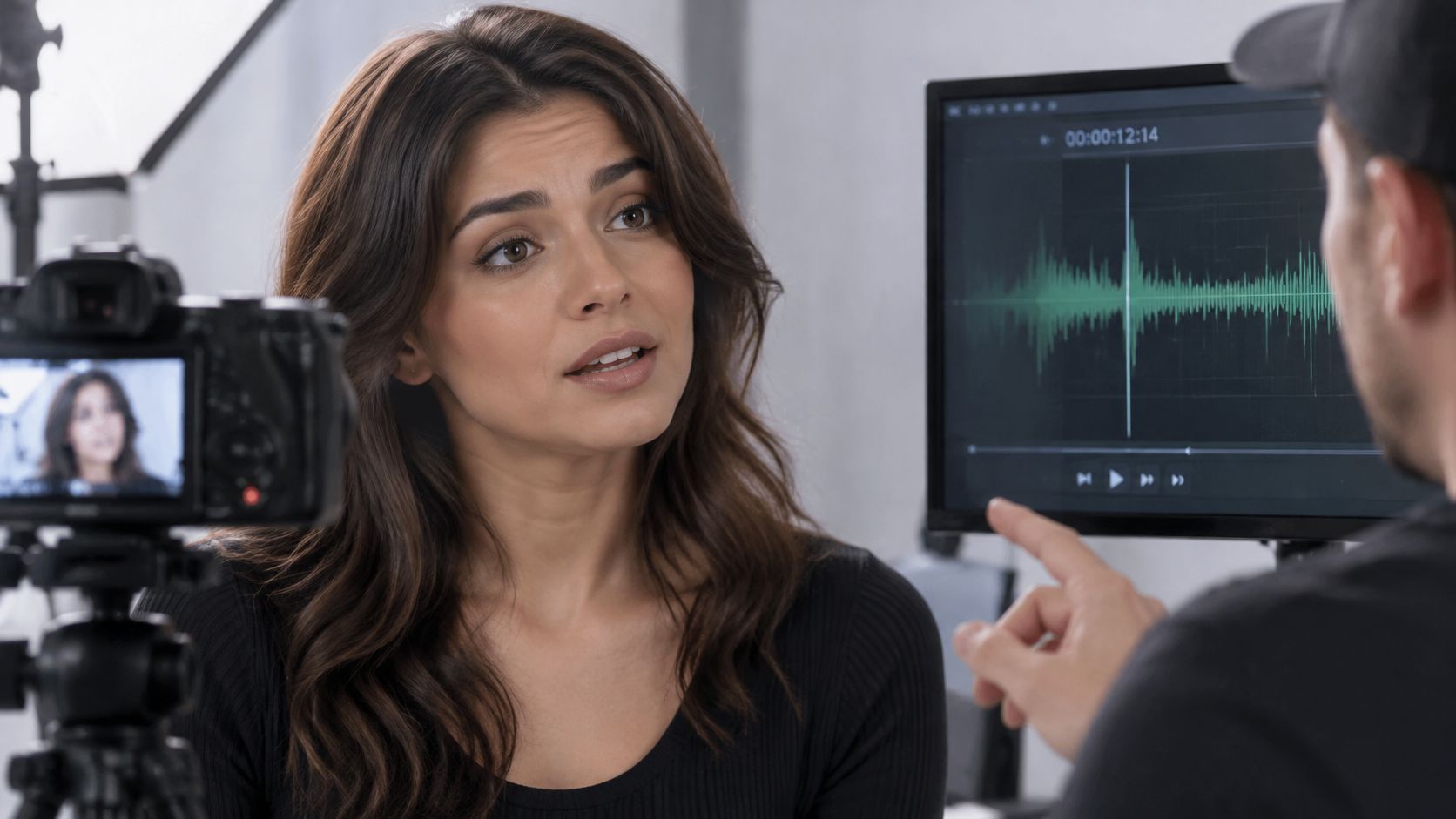
Systems that drive the whole face directly from audio tend to miss how lip shapes should stay constrained by the sound while the upper face carries expression. The Figma resource library guide to lip sync animation reflects established animation practice here, blocking stressed beats and consonant hits first, then adding head movement, eyebrows, and breathing. Separating speech-driven lip motion from broader facial expression is what lets both layers do their own job.
<a id="blocking-the-performance-pass"></a>
Blocking the Performance Pass
Work in this order, after basic sync already holds.
- Mark the stressed words on the script or waveform, because emphasis is where the face should move most.
- Hit consonant beats first, since they anchor the rhythm the rest of the face follows.
- Hold a neutral mouth between phrases so lips aren't chattering through silence.
- Add one physical action per line, such as a head tilt, a brow change, a breath, or a gaze shift that belongs to that sentence.
- Shorten or re-record packed lines instead of speeding the mouth up, because cramped articulation can't be acted well at any frame rate.
Long stories expose what short demos hide. Frozen eyebrows, the same blink timing on every line, identical mouth cycles, and missing reaction shots accumulate across repeated dialogue scenes until the cast feels mechanical. A simplified but consistent mouth survives that scrutiny better than a detailed mouth on a frozen face.
This breakdown of dialogue acting shows how emphasis and reaction carry a line once the mouth is already placed.
<iframe width="100%" style="aspect-ratio: 16 / 9;" src="https://www.youtube.com/embed/zoWPIkSJLWs" frameborder="0" allow="autoplay; encrypted-media" allowfullscreen></iframe>Run two checks before you call a scene done. Watch it muted and confirm the face still looks like it's speaking with intent, including listening and reacting between lines. Then watch with sound and confirm the visible stresses land on the same words the voice stresses. If only one scene fails, regenerate or edit that scene alone rather than rebuilding the episode.
Viewers judge whether the character appears to be listening, reacting, and feeling the line, not merely whether the lips move.
That's the standard to hold. Perfect phoneme matching on a character who never reacts will lose to a simpler mouth on a character who clearly means what it says.
<a id="adapting-lip-sync-to-another-language"></a>
Adapting Lip Sync to Another Language
A translated version isn't the original video with a new audio file dropped under it. The new language brings different syllable counts, different stress patterns, and sounds that don't look the same on the lips, so the mouth pass has to be rebuilt against the new track.
Start small and compare directly. Take one short scene in English and the same scene in your target language, and line up the first voiced sound after silence in each. You'll usually find the pauses sit in different places, because the translated sentence breathes where its own grammar puts the breaks.
<a id="rebuilding-timing-for-the-new-track"></a>
Rebuilding Timing for the New Track
Rebuild pauses and syllable timing to the new audio before you touch shapes. Then recheck every closure, because a word that needed a lip press in English may not need one in the translation, and a new press may appear mid-sentence where the original had an open vowel.
Keep your English viseme sheet only where the target sounds closely match it. Where a sound has no close visual equivalent, add a shape or adjust hold times rather than forcing the nearest English shape onto it. Forcing a match is how you get a mouth that moves constantly and convinces nobody.
On a stylized character, I'd choose a natural-looking mouth over a literal phoneme match every time. Viewers accept a simplified system they can read, and they reject fussy shapes that arrive at the wrong moments. Intelligibility doesn't require every sound to be perfectly drawn.
Burn captions in the target language so the audience isn't relying on mouth shapes alone to follow dialogue, following the approach in this guide on how to add subtitles to a video. Captions synced to the new voice carry the exact wording while the mouth carries the performance.
Reuse rule: Keep a shared timing sheet per character, per language. Same cast, separate mouth notes for each version.
That discipline matters most for educational, faith, and documentary channels reusing one cast across language versions. The character's face stays consistent, but each language gets its own closure points, pause map, and caption timing. Treat each version as its own sync job with shared art, not as one job with swapped audio.
<a id="put-lip-sync-on-a-recurring-story-cast"></a>
Put Lip Sync on a Recurring Story Cast
For a single close-up, a lip-sync model or a careful manual pass using the windows and visemes above is enough. A story that brings the same face back across scenes is a different job, because the voice, the mouth, and the locked look have to survive together for minutes at a time. That's the split to decide on before you pick a tool.
Clip generators such as Runway, Kling, Veo, and Hailuo make individual shots you still have to assemble. Template editors such as InVideo and Pictory build long videos from stock footage, faceless shorts tools such as Revid, StoryShort, and Zebracat stop at short clips, and avatar tools such as HeyGen and Synthesia make presenters, a distinction explored in this guide to talking avatar AI. None of those paths is built around a cast that keeps the same face and outfit while it talks through a story.
On ClipNova, talking characters speak on screen in their own voices with lip sync on AI Video, available on Base at 768p or Pro at 1080p. Moving AI Images uses a narrator instead, so choose AI Video when the mouth has to move. Lines given to a talking character are spoken word for word, which keeps the phoneme timing tied to the script you approved.
The practical limits are clear. Videos run up to 5 minutes at up to 1080p, in 9:16, 16:9, or 1:1, with narration in 18 languages. Plans start at $19 per month and include commercial rights. The file comes back finished with script, scenes, voiceover, captions, and background music in one pass, and Series keeps a cast of up to 8 characters across episodes with story memory.
That structure fits the workflow above. You describe an episode in one sentence or paste your own script, generate the video, then redo a single weak scene in Studio without rebuilding the episode. It's the same fix-one-clip discipline, applied at series scale.
If your next video needs the same character talking in scene one and scene ten, start there. Make your first video and check the closures on the first line before anything else.
ClipNova AI makes finished story videos up to 5 minutes with saved characters who keep the same face and outfit in every scene, including talking characters with lip sync, voiceover, captions, and music in one pass. If you want your dialogue checked against a cast that returns episode after episode instead of a single clip, visit ClipNova AI and build the first scene today.
Ready to ship your own?
Start creating viral videos with AI in under twenty minutes, no credit card required.