
YouTube Shorts scaled past 200 billion daily views in 2025–2026, making the format too large to treat as leftover content from a long-form workflow. Independent reporting also places Shorts at about 2 billion monthly users, ahead of TikTok's 1.59 billion and Instagram Reels' 1.8 billion monthly users. The opportunity is enormous, but reach alone won't make a weak Short work. You need to engineer the opening, pacing, captions, visuals, and post-publish diagnosis as one production system.
The most useful answer to how to create a YouTube Short isn't “film vertically and keep it short.” It's a repeatable process that gets you from idea to publishable video, then uses retention data to tell you what to change next.
Table of Contents
- Why YouTube Shorts Deserve a Dedicated Production Workflow
- Format Rules and Pre-Production Planning
- Producing a Short with an AI Video Studio
- Engineering the First Three Seconds for Maximum Retention
- Reading Retention Curves to Diagnose Underperformance
- Export Settings, Localization, and Publishing Strategy
<a id="why-youtube-shorts-deserve-a-dedicated-production-workflow"></a>
Why YouTube Shorts Deserve a Dedicated Production Workflow
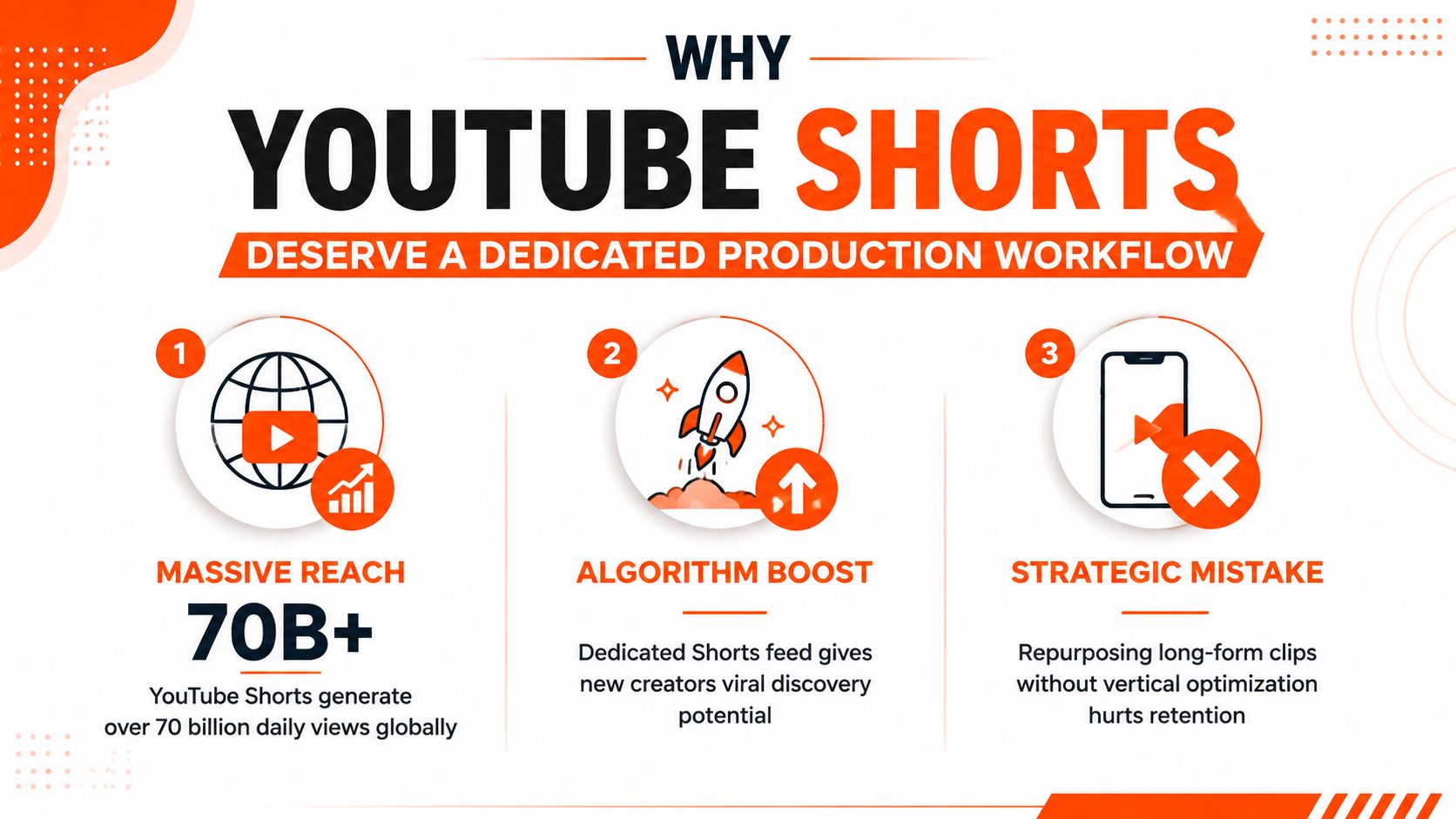
A Short can reach a global audience before a new channel has built a substantial subscriber base. That distribution potential changes the production question. You're not trimming a long video into a smaller file. You're creating a standalone piece designed for a fast-scrolling feed, where the viewer decides almost immediately whether the promise is worth their attention.
Shorts became a major global format after scaling to more than 200 billion daily views in 2025–2026. The same independent reporting estimates about 2 billion monthly users for Shorts, compared with 1.59 billion for TikTok and 1.8 billion for Instagram Reels. Those figures don't guarantee distribution for every upload, but they show why a channel needs a format-specific operating model rather than occasional experiments.
<a id="treat-retention-as-the-product"></a>
Treat retention as the product
Long-form viewers may tolerate a setup, branded intro, or contextual explanation. Shorts viewers usually need the value proposition immediately. A repurposed clip often begins with a sentence that depended on earlier context, a wide frame with wasted space, or a speaker who takes too long to reach the point. Those choices can make a technically clean video feel irrelevant before the useful moment arrives.
A dedicated workflow solves that by forcing separate decisions for:
- The idea: one clear promise, not a collection of related points.
- The opening: a visual and verbal reason to keep watching.
- The sequence: each cut advances the payoff.
- The measurement: retention curves and average percentage viewed guide revisions.
Practical rule: Build the Short around the viewer's next question, not around the footage you already have.
That distinction matters for creators, agencies, and product teams. A production pipeline built for automated video production can reduce the friction between a concept and several testable versions, but automation still needs editorial judgment. AI can assemble scenes, narration, and captions. It can't decide whether the first frame makes a specific promise your audience cares about.
If you're still building the basics, this practical guide on how to make YouTube Shorts is useful for understanding the platform workflow. The next step is more demanding: create a system that treats every second as a retention decision.
<a id="format-rules-and-pre-production-planning"></a>
Format Rules and Pre-Production Planning
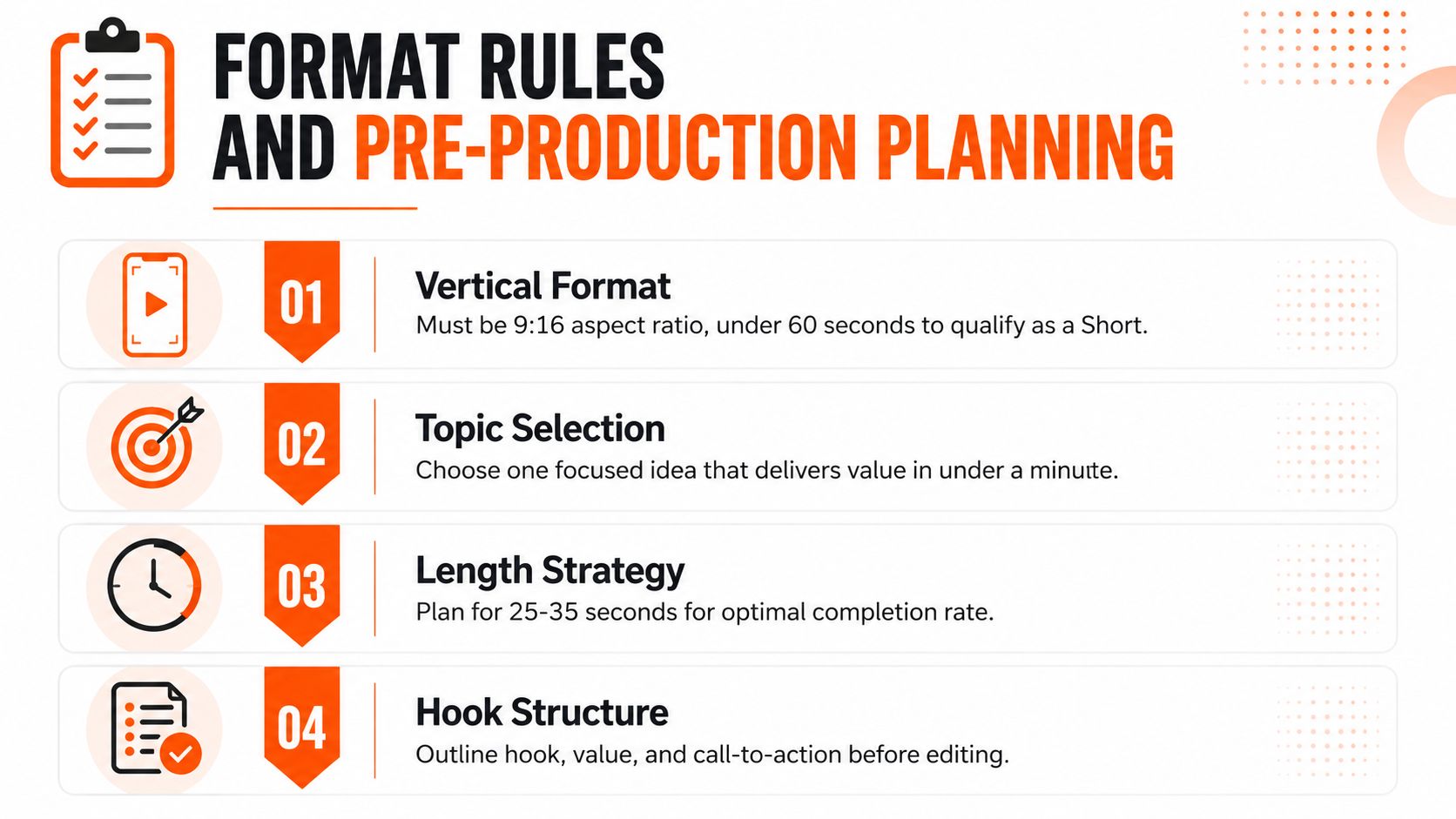
Before recording or generating visuals, lock the technical format and the editorial promise. As of October 15, 2024, YouTube classifies videos as Shorts when they're vertical or square and up to 3 minutes long, replacing the older 60-second limit for standard channels. Current Shorts specifications also describe 9:16 or 1:1 videos at 180 seconds or less as qualifying formats.
<a id="start-with-one-promise"></a>
Start with one promise
Choose a topic that can be understood without a long preamble. “Three ways to improve your home office lighting” is still broad if each tip needs a demonstration. “Move your key light beside the camera to remove harsh shadows” gives you a tighter promise and a clearer visual.
Write the hook before the body. A useful script skeleton is:
- Hook: identify the problem, result, or surprising tension.
- Value: demonstrate one method, insight, or transformation.
- Payoff: show the result or resolve the question.
- Call to action: ask for one sensible next step, only if it fits.
Avoid drafting a greeting, channel introduction, and background paragraph first. Those elements may be appropriate in a long video, but they consume the exact opening space where a Short needs to earn attention.
<a id="choose-duration-by-the-idea"></a>
Choose duration by the idea
There's no universal ideal length. A quick visual transformation may need only enough time to establish the before state and reveal the after state. A tutorial may need more room for a demonstration, while a compact opinion can work when every sentence adds a new piece of information.
Use this decision logic:
| Content type | Planning priority | Common mistake |
|---|---|---|
| Quick reveal | Make the visual change instantly legible | Delaying the reveal with branding |
| Compact tutorial | Show the action, not just the explanation | Listing steps without proof |
| Mini-story | Establish tension before context | Explaining the backstory first |
Think in terms of completion and density, not a target number copied from another channel. Draft the shortest version that delivers the promise, then add time only when the viewer needs more evidence or context. For voice pacing, a practical duration guide from Voice Control Pro can help you estimate whether your script will fit the intended runtime before you generate narration.
<a id="producing-a-short-with-an-ai-video-studio"></a>
Producing a Short with an AI Video Studio
A traditional Short may pass through separate tools for ideation, scriptwriting, voiceover, stock footage, editing, captions, music, resizing, and export. That pipeline creates handoff problems. A voiceover revision can break the edit, a caption change can affect timing, and a new hook may require rebuilding the opening manually.
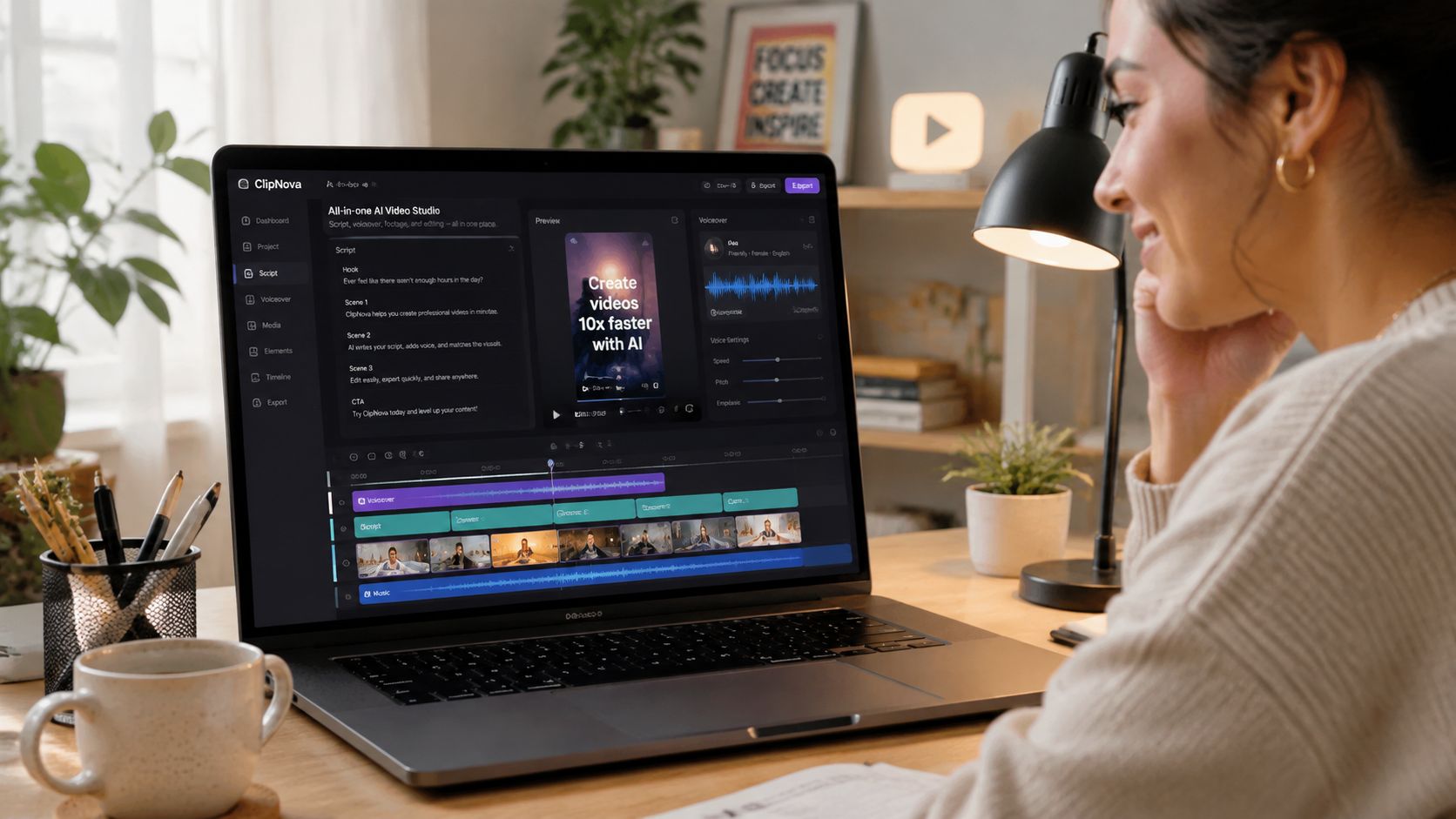
An AI studio such as ClipNova can handle scripting, voiceover, visuals, captions, music, and export formats inside one workspace. Its workflow supports text-to-video generation, talking avatars, automatic B-roll assembly, caption styling, music selection, and variant creation. Paid plans provide watermark-free 1080p and 4K exports with commercial rights, according to the supplied product information.
<a id="build-the-first-draft-in-passes"></a>
Build the first draft in passes
Start with a natural-language brief that includes the audience, topic, promise, tone, visual style, target duration, and desired action. Don't ask for “a viral Short.” Ask for a specific structure, such as a direct problem statement, a visual demonstration, and a concise conclusion.
Then review the draft in this order:
- Script: Remove claims, transitions, or explanations that don't advance the promise.
- Voice: Choose a voice with a pace and emphasis appropriate to the subject. A calm voice can suit an educational explainer, while a sharper delivery may support a fast product demonstration.
- Visuals: Use footage that proves or illustrates the narration. Generic B-roll often creates a mismatch between what viewers hear and what they see.
- Captions: Make the words readable without sound and align them tightly to speech.
- Music: Keep it subordinate to the message. A track that competes with narration damages clarity.
Talking avatars work well when a consistent presenter matters, especially for instructional or branded formats. Text-to-video generation is more useful when the idea depends on stylized scenes, product environments, or visuals you can't easily shoot. Neither format replaces a strong script.
For teams comparing narration options, this guide to AI voiceover tools offers useful context on the role of synthetic speech in production. Generate multiple hook variants before polishing the full video. It's cheaper to compare opening concepts while the project is still editable than to discover after export that the premise never earned attention.
A practical production sequence looks like this:
- Generate the core script and several opening lines.
- Select the strongest promise and match it with a visual first frame.
- Generate narration, scenes, captions, and music in the same project.
- Remove slow transitions and replace decorative B-roll with proof.
- Export the vertical master, then create alternate openings for testing.
The studio workflow saves time only when you keep the review strict. Automation can produce a finished-looking video that still has a weak hook, repetitive visuals, or captions that arrive too late.
<iframe width="100%" style="aspect-ratio: 16 / 9;" src="https://www.youtube.com/embed/0RiUicSjUKk" frameborder="0" allow="autoplay; encrypted-media" allowfullscreen></iframe><a id="engineering-the-first-three-seconds-for-maximum-retention"></a>
Engineering the First Three Seconds for Maximum Retention
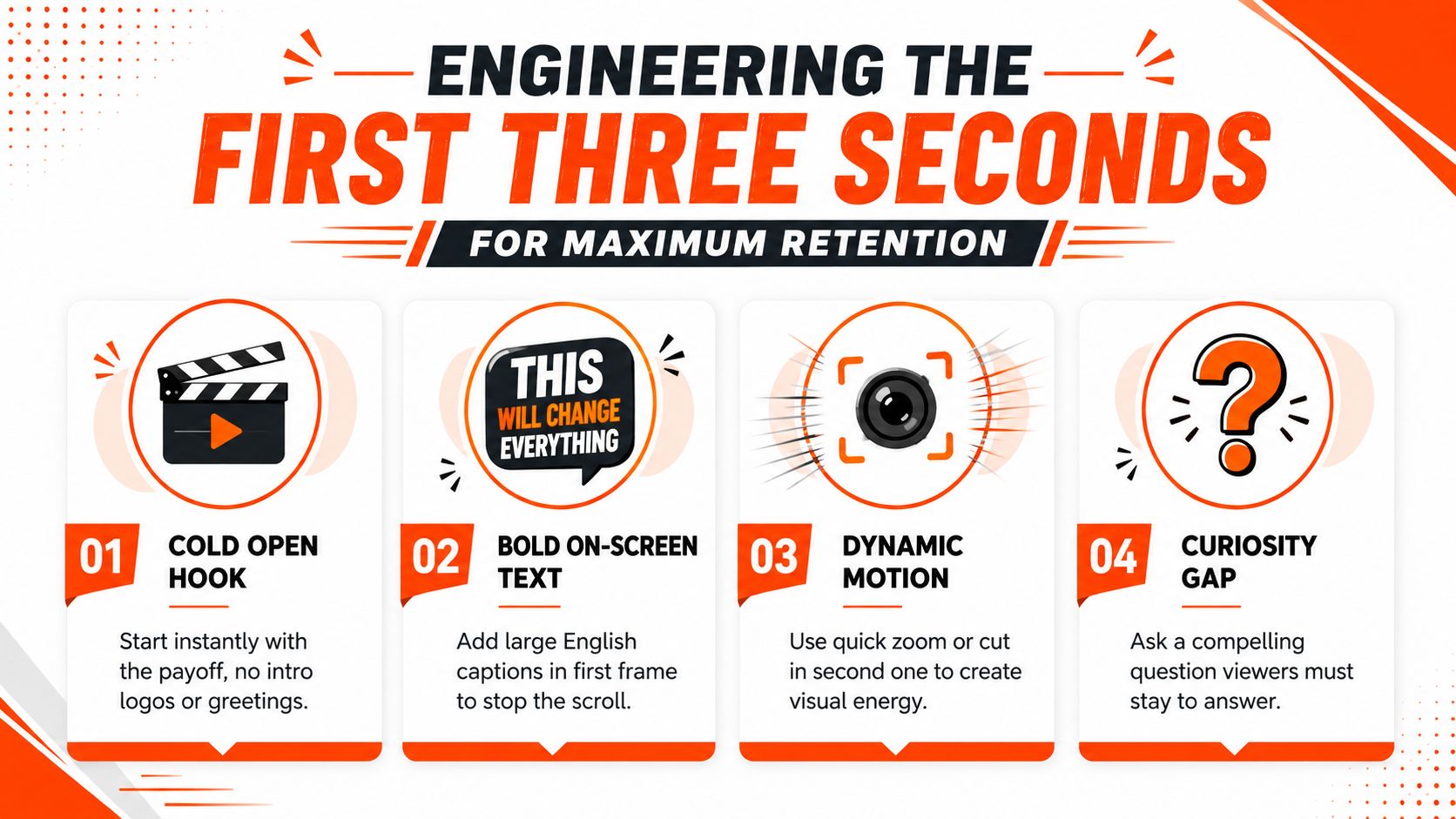
The first three seconds deserve their own edit pass. One independent analysis reports that 50-60% of viewers who abandon a Short do so within those first three seconds. That doesn't mean every video must shout or cut at frantic speed. It means the opening has to answer the viewer's immediate question: why should I stay?
<a id="replace-introductions-with-evidence"></a>
Replace introductions with evidence
Cut the logo animation, name card, “welcome back,” and empty establishing shot unless one of them is essential to the story. Open on the result, the mistake, the unusual object, or the question. If the video teaches a technique, show the outcome first and explain the method immediately afterward.
Four hook patterns work across many niches:
- Immediate payoff: Show the finished result, then reveal how you achieved it.
- Specific problem: Name the frustrating situation in the first spoken line.
- Curiosity question: Ask something the rest of the video can answer clearly.
- Contrasting claim: Put two outcomes side by side and explain the difference.
The first frame should carry meaning even when the viewer hasn't heard the audio. Use hard-coded captions from the opening frame, keep each frame to 2-4 words, and use high-contrast styling. The same creator guidance connects this approach with improved sound-off retention of 25-40%. Keep text inside safe areas so platform controls and cropping don't cover the message.
Don't make the viewer wait for the subject of the video to appear. Put the subject on screen before the explanation.
<a id="cut-for-movement-and-comprehension"></a>
Cut for movement and comprehension
A cut should either change the information, clarify the action, or reset visual attention. Random zooms and constant motion can make a Short feel nervous rather than engaging. Use a close-up when the detail matters, a wider frame when the action needs context, and a visual change when the narration introduces a new idea.
Test the spoken first line against the opening frame. If the caption says “Stop doing this,” the visual should show the behavior being challenged. If the frame shows a finished product while the voice begins with background, you've created a mismatch that forces the viewer to reconcile two different stories.
For more hook concepts, these 3 second hook strategies provide a useful source of prompts. Use them as starting points, then adapt the language to your niche. A creator teaching photography, for example, might open with a badly lit portrait and the line “Your window is facing the wrong way,” followed by the correction. The hook works because the visual demonstrates the problem and the line promises a practical fix.
<a id="reading-retention-curves-to-diagnose-underperformance"></a>
Reading Retention Curves to Diagnose Underperformance
View count confirms that YouTube distributed a Short. It does not explain where viewers lost interest or why they replayed it. In YouTube Studio, filter the Content area to Shorts, then review the retention curve with average view duration and average percentage viewed. Use the curve to diagnose the edit, not to justify a generic “make it shorter” change.
<a id="match-the-shape-to-the-edit"></a>
Match the shape to the edit
A steep decline during the first three seconds points to the opening. Rework the first frame, caption, and spoken line before changing the ending. A drop immediately after the hook often means the video made a clear promise but postponed the evidence.
A mid-video dip usually marks a pacing or clarity problem. Check the exact sentence, shot, or transition at that timestamp. Remove a setup line, replace a repetitive visual, or move the demonstration earlier.
A flat stretch followed by a lift suggests that viewers found the most useful information late. Bring that moment forward in the next version. Replays can indicate that a visual or explanation rewards repeat viewing, but they do not prove that the entire Short works. Compare replay behavior with the curve and completion pattern.
One benchmark guide illustrates the trade-off with a 30-second Short at about 85% watch duration outperforming a 60-second Short at about 50%. The practical lesson is to protect completion, not force every concept into the shorter example. Remove anything that does not contribute to the payoff.
<a id="run-controlled-hook-tests"></a>
Run controlled hook tests
Create several versions with the same body and different openings. Change one variable per version, such as the first sentence, first visual, or caption. Publish them and compare early retention, average percentage viewed, and replay signals with your own channel baseline.
Avoid treating a generic threshold as a pass or fail rule. Independent retention guidance notes that there is no official universal threshold for Shorts. Tubular's 2025 data places 77% of global YouTube views on videos under a minute. Metricool reports that YouTube interactions declined by nearly 50% year over year as Shorts volume increased. These signals describe different parts of the market, so raw length cannot explain performance by itself.
Read the curve as an editing brief. Every visible dip gives you a place to investigate.
After comparing variants, keep the strongest two opening approaches and build new topics around their underlying promise. A useful test identifies more than a winner. It reveals which viewer expectation your channel can satisfy consistently.
<a id="export-settings-localization-and-publishing-strategy"></a>
Export Settings, Localization, and Publishing Strategy
Export the master in 9:16 for the Shorts feed, then create square or horizontal versions only when another channel requires them. Keeping one clean master lets you adapt the idea without rebuilding the edit. Check the first and last frames after resizing, because captions, faces, and product details can shift into unsafe areas.
Captions deserve a final inspection on the exported file, not just inside the editor. Look for timing errors, words hidden behind interface elements, poor contrast, and lines that cover the product or speaker's expression. If you need a practical workflow for this step, use this guide on how to add subtitles to a video.
<a id="localize-the-winning-idea"></a>
Localize the winning idea
Translation and re-voicing can extend a proven concept to new audiences without requiring a new shoot. ClipNova supports voiceover generation in 32 languages, along with automatic translation and re-voicing, so teams can adapt narration while retaining the original visual structure. Review translated captions manually. Literal translations can create awkward emphasis, mismatched timing, or culturally unclear hooks.
Publishing consistency matters more than chasing a magical posting hour. Choose a cadence your team can sustain, batch several concepts in one session, and leave room to review retention before producing follow-ups. Variant generation is especially useful here. One topic can produce different opening lines, visual treatments, or narrator styles without forcing you to start from a blank timeline each time.
Before publishing, check:
- Format: The file is vertical or square and within the current Shorts duration rules.
- Opening: The first frame communicates the subject without requiring audio.
- Captions: Text is readable, synchronized, and safely positioned.
- Promise: The title and opening agree about what viewers will receive.
- Testing plan: You know which retention signals you'll inspect after release.
Don't judge the upload by views alone. Save the retention curve, average percentage viewed, and replay behavior beside the script and hook version. That record turns each Short into production intelligence instead of an isolated result.
ClipNova brings scripting, voiceover, visuals, captions, music, variant generation, and multi-aspect export into one AI video studio for short-form production. Use ClipNova to build several YouTube Short openings from one idea, publish the strongest version, and use retention data to guide the next iteration.
Ready to ship your own?
Start creating viral videos with AI in under twenty minutes, no credit card required.