
A long block of copied hashtags doesn't automatically improve discovery. It can describe the wrong audience, ignore platform differences, and become stale while your content changes. The useful question isn't “Which list has the most tags?” It's “Which resource helps me choose the right tags for this video's purpose?”
The eight resources below organize hashtag decisions by how the decision is made: research data, creator communities, platform-native signals, scheduling software, shared templates, competitor analysis, trend timing, and performance testing. Each method has a different balance of evidence quality, speed, cost, and platform fit. A research tool may offer more structured evidence, while a community list can reveal language that formal databases miss. Native suggestions usually fit the platform better, but they may not explain why a tag is relevant.
Use the methods as a workflow for ClipNova videos. Start with the platform's own suggestions, add a small number of specific community or research-based tags, reserve trend bundles for timely posts, then record the results. For broader templates and ready-to-use examples, see these copy and paste viral hashtag templates.
Table of Contents
- 1. Hashtag Research Tools
- 2. Niche-Specific Hashtag Lists
- 3. Platform-Native Hashtag Suggestions
- 4. Hashtag Generator APIs and SaaS Platforms
- 5. Google Sheets and Notion Hashtag Templates
- 6. YouTube and TikTok Comment Analysis
- 7. Trending Audio and Trend Hashtag Bundles
- 8. Hashtag Performance Analytics and Testing Frameworks
- 8-Point Hashtag Resource Comparison
- Build a Hashtag System, Not a Static List
<a id="1-hashtag-research-tools"></a>
1. Hashtag Research Tools
Research tools such as Hashtagify and RiteTag earn their place by comparing related terms, mapping topical relationships, and separating a broad discovery label from a precise niche term. The copy button is incidental. Their evidence helps you decide whether a tag describes the video, the intended audience, or only a large volume of unrelated posts.
Reach and relevance produce different outcomes. A broad tag can expose a video to a large, mixed audience. A specific term may attract fewer viewers while producing more qualified engagement. Treat tool results as research inputs, then review each suggestion against the video's subject, audience, and platform before adding it to a caption.
For a team producing ClipNova assets, use the research in a repeatable production workflow:
- Begin with the subject: Search the central topic, product, audience, and format. Searching only for “viral” tags produces weak context.
- Classify the terms: Keep broad tags in a reach group, then create a separate group for the exact problem, use case, or community.
- Build variations: Prepare different sets for educational, entertainment, and conversion-focused videos. A single block applied to every asset quickly becomes misleading.
- Review saved lists: Recheck language and platform recommendations before reuse. Audience vocabulary and discovery systems change, so an old list can become stale.
A marketing agency could use RiteTag while preparing several TikTok ad concepts, assigning different terms to product demonstrations and customer-story videos. An e-commerce team might research a product video, remove tags describing a different buying context, and paste the reviewed set into its publishing workflow.
The practical value comes from matching the tag to the content. A survey cited by MarketingCharts found that 58% regularly used hashtags, and 71% of those users accessed them from mobile devices according to MarketingCharts' survey summary. The finding supports mobile-friendly libraries and quick copying. It does not establish that a larger hashtag block performs better.
Practical rule: Use research tools to document why a tag fits, then test that choice rather than filling every available hashtag field.

<a id="2-niche-specific-hashtag-lists"></a>
2. Niche-Specific Hashtag Lists
A creator community often knows the vocabulary of a niche better than a generic generator. Discord servers, Reddit communities, shared Notion workspaces, and private creator groups can reveal the phrases people use to identify a format, subculture, product type, or professional problem.
This resource is especially valuable for qualified niche engagement. A fitness creator posting a workout explainer needs more than a general fitness label. The useful tags might describe the training style, audience level, equipment, or specific movement. A music producer may need genre and production-language tags that a broad social tool treats as unrelated terms.
Community lists also carry a risk: their evidence is often informal. Someone may have saved a tag because it appeared on a popular post, not because the tag caused the attention. A list can also reflect one market, one platform, or an older content style.
Use community knowledge as a language layer, then validate it before making it part of a permanent library:
- Join relevant communities: Choose spaces where creators discuss the same audience and format as your ClipNova output.
- Record the source and date: A tag without context is difficult to evaluate later.
- Compare with research tools: Check whether the term is active, relevant, and specific enough for the video.
- Return useful findings: Sharing tested observations improves the community's library and helps distinguish common usage from guesswork.
A fitness creator could collect community terms, use ClipNova's Text to Video workflow to produce several workout variations, and assign different niche groups to educational and motivational versions. A musician might use a Discord database to tag a Music to Video release, while an e-commerce team could compare product-community language with the words customers use in comments.
The hashtag's history explains why these shared libraries became normal. Chris Messina publicly proposed using the pound sign to group Twitter conversations on August 23, 2007, and #barcamp became the first widely cited live example. Instagram adopted hashtags in January 2011, Facebook made them clickable in June 2013, and the word entered the Oxford English Dictionary by 2014, according to this historical overview of hashtag development. The rapid spread made repeated copy-and-paste workflows practical, but it didn't make every saved list accurate.
For patterns that help shape the videos before tagging them, explore Hooked viral video patterns.
<a id="3-platform-native-hashtag-suggestions"></a>
3. Platform-Native Hashtag Suggestions
Platform-native suggestions offer the best initial fit because they appear inside the publishing environment where the post will live. Instagram, TikTok, and YouTube can surface terms related to the caption, video topic, or account context. These suggestions don't replace judgment, but they reduce the chance of copying an Instagram-oriented set into a TikTok post without adaptation.
The main advantage is platform fit. A TikTok caption suggestion may reflect current behavior on TikTok, while a YouTube hashtag recommendation belongs to a video-search and channel environment. The limitation is transparency. Native systems may suggest a term without showing whether it supports broad reach, niche discovery, or a commercial action.
Use the native list as a baseline for every new video:
- Write or paste a clear description of what the video shows.
- Review the suggested tags for topic accuracy.
- Keep the terms that match the audience and intent.
- Add a small number of specific tags from a community or research library.
- Adapt the final set separately for Instagram, TikTok, and YouTube.
A ClipNova creator could generate a video with auto-subtitles, draft a precise TikTok caption, and use TikTok's suggestions as the first layer. An agency publishing a product video could repeat the process in Instagram's composer rather than copying the TikTok set. A DTC team can make the same decision for a YouTube export, where the title and description should carry much of the video's meaning.
Platform-specific restraint matters because recent guidance summarized by HashtagTools describes a move toward 2 to 3 niche tags matched to the exact content, with reported platform caps of 5 on Instagram, 3 to 5 on TikTok and Shorts, 1 to 3 on Threads and Facebook, and 1 to 2 on X in its 2026 hashtag trend recap. Those figures are a directional guide from an independent recap, not a reason to paste the same quota everywhere. The broader conclusion is more durable: descriptive text and precise relevance matter more than a large copied block.
A creator testing the same ClipNova concept on three platforms should therefore produce three adapted hashtag sets, not one universal string. Keep the topic stable, but change the platform signal, formatting, and number of tags.
<a id="4-hashtag-generator-apis-and-saas-platforms"></a>
4. Hashtag Generator APIs and SaaS Platforms
Buffer, Later, and Hootsuite sit between research and publishing. They can help teams generate, store, schedule, and review hashtag sets without moving repeatedly between a video editor, browser tabs, spreadsheets, and social accounts. Their strongest use case is operational consistency, especially when multiple people publish content from the same library.
These tools are most useful when a team already has a clear tagging policy. A generator can accelerate selection, but it can't decide whether a product video is intended to create awareness, attract a niche buyer, or support a conversion. That decision belongs in the content brief before the tags are generated.
A practical setup looks like this:
- Create platform-specific libraries: Keep Instagram, TikTok, and YouTube sets separate.
- Label by intent: Mark groups for reach, education, community, product discovery, or conversion.
- Store rejected terms: A short “do not use” list prevents irrelevant or misleading suggestions from returning.
- Connect the publishing step: Export the final set with the video caption so the copy survives handoffs.
- Review performance notes: Keep results beside the set rather than trusting a generator's generic ranking.
For example, an agency can prepare several ClipNova ad variations in Hootsuite, assign a different relevant set to each creative angle, and keep the caption and tags together during approval. An e-commerce team can use Buffer while preparing Product Video and UGC assets, then preserve the approved tags in a shared workspace. Later can support a similar loop when a creator compares results across publishing dates and platforms.
The workflow becomes more useful when the generated output is checked against native signals and community language. A third-party tool may recognize a popular phrase, but platform-native suggestions can expose a more current or platform-specific variation. A community may also reveal a term that a general-purpose system misses.
For a TikTok-focused starting point, compare the generated output with Captapi's TikTok hashtag tool. Don't copy every result automatically. Ask whether each tag describes the actual video, the intended viewer, and the action you want that viewer to take.
The biggest operational error is treating a stored list as finished research. Hashtags are part of the publishing context, so the team should update the library when the topic, platform, audience, or format changes.
<a id="5-google-sheets-and-notion-hashtag-templates"></a>
5. Google Sheets and Notion Hashtag Templates
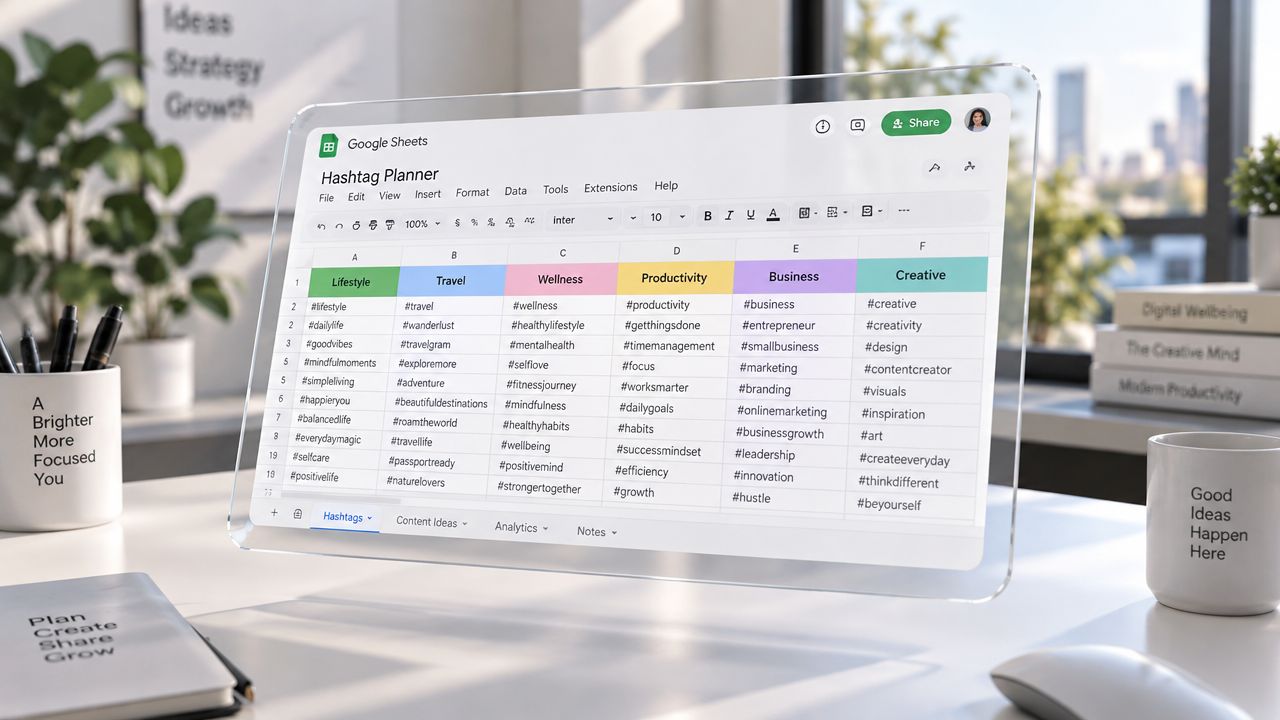
Google Sheets, Notion, and GitHub templates are attractive because they're transparent, editable, and easy to share. They can organize tags by niche, platform, format, audience, and campaign. Unlike a closed generator, a shared template lets the team see why a tag was added, who last reviewed it, and where it has been used.
That visibility makes templates valuable for ClipNova production pipelines. An agency can create a row for each video, attach the production brief, and select a relevant set before exporting the final asset. A solo creator can duplicate a public database, remove irrelevant categories, and build a smaller working library rather than repeatedly searching from scratch.
The template itself doesn't prove that its tags work. Open-access lists may combine current community language with old recommendations, and a tag can remain in a spreadsheet long after it stops matching the content. Version control is therefore more important than visual organization.
Use a template as a maintained decision system:
- Duplicate the original: Work from your own copy so the source remains intact.
- Add provenance: Record the source, platform, niche, date reviewed, and reason for inclusion.
- Separate candidates from approved tags: A suggestion shouldn't become a default until someone tests its relevance.
- Create platform views: Filter the same topic by TikTok, Instagram, YouTube, or another destination.
- Archive stale entries: Keep old records for learning, but don't leave them in the active copy-and-paste view.
A creator could duplicate a public TikTok template, apply different rows to several ClipNova Text to Video outputs, and record which combinations fit tutorials versus entertainment clips. An agency might fork a GitHub repository into an internal database, then require a reviewer to approve every new tag before it reaches the publishing queue.
A clean production process also reduces editing friction. Teams building a repeatable asset pipeline can use ClipNova's guide to automating video editing as a related workflow reference, while keeping hashtag decisions in the same project documentation.
Date the active library clearly. A label such as “Fitness TikTok Hashtags, reviewed September 2026” tells the next publisher when to question the set. It doesn't guarantee freshness, but it prevents an undated list from appearing permanently authoritative.
<a id="6-youtube-and-tiktok-comment-analysis"></a>
6. YouTube and TikTok Comment Analysis
Comments reveal the language audiences use after watching a video. That makes comment analysis a strong reverse-engineering method, particularly when formal hashtag tools return broad terms that don't capture the viewer's actual questions, identity, or use case.
Start with successful videos in the same niche, but don't assume their hashtag block caused their performance. A video may have benefited from its hook, creator reputation, audio, timing, or recommendation behavior. Treat competitor tags as observed context, then look for repeated language across creators and formats.
A useful manual process is:
- Select comparable videos: Match the topic, audience, platform, and format instead of copying from any high-view post.
- Read the comments: Record recurring questions, phrases, objections, and self-descriptions.
- Compare hashtag overlap: Tags appearing across relevant creators deserve review, not automatic approval.
- Separate topic from identity: A product category tag and a community tag can serve different discovery purposes.
- Test adapted sets: Use your own wording and content, then compare results across ClipNova variants.
A fitness creator might examine videos from established accounts, collect terms viewers use for beginner routines, and apply those terms to a batch of workout videos. A music producer can compare comments under genre-specific releases before selecting tags for a Music to Video asset. A DTC team can examine competitor UGC comments to find the product problems customers discuss, then build a more accurate product-focused caption.
The technique works best when you analyze both tags and comments. Hashtags tell you how the publisher labeled the content. Comments show how viewers understood it. If those two vocabularies differ, the gap may reveal a better descriptive phrase for your own post.
Avoid copying a competitor's branded tag unless your content fits naturally within that community. Reusing a brand or campaign label can confuse viewers and make the post look derivative. The same warning applies to tags attached to a trend that has already changed meaning.
A comment library should be dated and linked to the original video internally. Revisit it as your niche evolves, but don't promise that a tag will produce a particular reach level. This method offers real-world language evidence, not a controlled performance experiment.
<a id="7-trending-audio-and-trend-hashtag-bundles"></a>
7. Trending Audio and Trend Hashtag Bundles
Trend bundles connect a hashtag with a sound, challenge, visual format, seasonal moment, or active conversation. Their value depends on timing and platform fit. Unlike evergreen lists, they can lose relevance quickly, so a copied bundle needs a recorded discovery date and a clear use case.
A trend tag should explain why the video belongs in that format. Adding a popular tag to an unrelated product demonstration may bring broad impressions while attracting viewers with little interest in the offer. It can also make the post harder for the platform to classify accurately. Trend reach and niche engagement are different outcomes.
Use a lightweight process:
- Read platform-native signals: Check TikTok and Instagram trend surfaces, including sounds and formats currently receiving attention, instead of relying only on saved lists.
- Match sound to subject: Confirm that the audio fits the video's tone, audience, and message.
- Document the bundle: Record the sound, visual pattern, related tags, date found, and intended content angle.
- Test before scaling: Publish one relevant video before adapting the trend across a larger ClipNova batch.
- Set a retirement trigger: Remove the bundle when the platform stops surfacing the sound or the format no longer matches current viewer behavior.
A creator using ClipNova's Music to Video workflow can identify a rising sound, produce a relevant visual interpretation, and add only the tags that describe the trend and topic. A brand can apply the same process to a seasonal shopping moment when the video genuinely addresses that moment. A Talking Avatar video can respond to a current conversation, but its script and caption must supply context that the hashtag cannot provide.
For prompt ideas that translate a trend into a coherent video, use ClipNova's text-to-video prompt guide.
Trend tags can open a discovery path, but the video still needs a reason for viewers to continue watching. The strongest bundle therefore combines platform-native timing with a subject-specific tag and a clear audience promise. Broad trend labels may create exposure, while narrower descriptors help qualify the resulting attention.
Record the first-use date, review the bundle after its initial test, and retire it within 7–14 days of first use, or as soon as the platform's trend surface stops surfacing the sound, whichever comes first. This keeps copy-and-paste resources from presenting expired trends as current recommendations.
<a id="8-hashtag-performance-analytics-and-testing-frameworks"></a>
8. Hashtag Performance Analytics and Testing Frameworks
Analytics turns hashtag selection from a collection habit into a learning process. The important shift is from asking whether a tag is “popular” to asking whether a particular set supports the video's purpose on a particular platform.
That requires controlled comparisons. Keep the video topic, hook, format, caption quality, and publishing context as consistent as practical. Change the hashtag set, or change one meaningful component at a time. If you alter the hook, audio, aspect ratio, caption, and tags simultaneously, you won't know what influenced the result.
A usable testing record should include:
- Video identity: Save the ClipNova project or export name.
- Platform and format: Record whether the asset was published to TikTok, Instagram, YouTube, or another destination.
- Hashtag version: Name the exact set, including its broad, niche, native, and trend components.
- Business intent: Mark whether the post seeks reach, qualified engagement, or conversion.
- Outcome notes: Record the available reach, engagement, clicks, comments, shares, saves, or other meaningful signals without treating any single metric as proof of causation.
A marketing team can generate several versions of the same concept in ClipNova, assign different relevant sets, and compare the audience response. An e-commerce team can test one product message across multiple export formats while holding the hashtag set stable, then separately test a new tag combination. A musician can compare genre-specific tags with trend-related tags across releases and build a reference library from repeated observations.
Use analytics to retire weak or misleading tags, not just to collect winners. A broad tag may create exposure without qualified engagement. A niche tag may bring fewer viewers but more useful comments or profile actions. A conversion-oriented post may need a different evaluation standard from an awareness video.
For teams turning written content into social assets, ClipNova's video-for-blogs workflow can sit before this testing stage. The publishing system should preserve the source topic, platform, format, caption, and hashtag version so later analysis remains interpretable.
Test one meaningful change at a time. A hashtag set is only useful when you can connect the result to a decision.
<a id="8-point-hashtag-resource-comparison"></a>
8-Point Hashtag Resource Comparison
| Hashtag Strategy | Core Features | Quality & Usability ★ | Value 💰 | Best For 👥 | ClipNova Fit ✨ |
|---|---|---|---|---|---|
| Hashtag Research Tools | Real-time trends, competition scores, engagement data, cross-platform suggestions | ★★★★★ Data-driven and reliable | 💰 Paid subscriptions; saves research time | 👥 Agencies, TikTok creators, e-commerce teams | 🏆 Supports A/B testing of ClipNova video variants |
| Niche-Specific Hashtag Lists | Community-curated lists, niche categories, seasonal variations, creator feedback | ★★★★☆ Practical but quality varies | 💰 Free or low-cost | 👥 Indie creators, solopreneurs, niche communities | ✨ Applies targeted tags to batch-generated content |
| Platform-Native Suggestions | Context-aware recommendations, trending indicators, one-click copying | ★★★★☆ Fast and platform-optimized | 💰 Free | 👥 Everyday creators and social teams | ✨ Works well with ClipNova captions and multi-platform exports |
| Hashtag Generator SaaS Platforms | AI recommendations, scheduling integration, performance analytics, bulk generation | ★★★★★ Personalized and team-friendly | 💰 $15–$100+/month; strong workflow value | 👥 Agencies, DTC teams, multi-account creators | 🏆 Connects exported ClipNova assets with publishing workflows |
| Google Sheets & Notion Templates | Searchable databases, engagement tiers, collaboration, version control | ★★★★☆ Organized but community-dependent | 💰 Free | 👥 Teams, productivity communities, budget-conscious creators | ✨ Enables shared ClipNova-specific hashtag libraries |
| Comment Analysis & Reverse Engineering | Competitor research, proven hashtag combinations, niche and regional insights | ★★★★☆ Highly relevant but manual | 💰 Free; requires significant time | 👥 Growth hackers, micro-influencers, emerging creators | ✨ Pairs competitor insights with ClipNova variant testing |
| Trending Audio & Hashtag Bundles | Viral audio tracking, challenge discovery, trend lifespan estimates | ★★★★★ Fast-moving and trend-focused | 💰 Often free; speed creates high value | 👥 Short-form creators, marketers, e-commerce teams | 🏆 ClipNova's rapid generation helps capture trends early |
| Performance Analytics & Testing Frameworks | A/B testing, engagement tracking, conversion attribution, reporting | ★★★★★ Most measurable and scalable | 💰 Medium–high setup cost; highest optimization value | 👥 Performance marketers, agencies, enterprise teams | 🏆 Directly complements ClipNova's built-in variant generation |
<a id="build-a-hashtag-system-not-a-static-list"></a>
Build a Hashtag System, Not a Static List
The best copy-and-paste hashtags resource depends on the decision you need to make. Use a research tool when you need structured comparisons. Use a community when you need authentic niche language. Use platform-native suggestions when platform fit matters most. Use a trend bundle when timing is central, and use analytics when you need to decide what deserves a permanent place in the library.
A practical sequence starts inside the destination platform. Draft a clear caption, review the native suggestions, and remove anything that doesn't describe the actual video. This gives you a platform-relevant baseline without pretending that a TikTok list automatically belongs on Instagram or YouTube.
Add a small number of specific tags from a maintained community list or research tool. Match them to the video's subject, viewer, and purpose. A broad-reach video can include one broad anchor, while a tutorial or product explanation may benefit more from language that identifies the exact problem, audience, or category. The evidence doesn't support treating volume as a universal growth lever. A 2026 industry summary reports more than 7.2 billion hashtagged posts created daily across major platforms, which shows the scale of competition and discovery activity, but not that copying more tags will make an individual post stand out as summarized by Amra and Elma.
Reserve trend bundles for posts with a genuine connection to the trend. Keep the trend tag alongside evergreen topic language so the post remains understandable after the immediate moment passes. If the video doesn't fit the audio, challenge, or conversation, leave the trend out.
Then record the result in a reusable template. Store the platform, content intent, exact hashtag set, date, ClipNova project, and outcome notes. This creates a library that can improve instead of becoming a static archive of copied blocks. Refresh it when platform behavior, audience language, seasonality, or content format changes.
Match the set to the video's job:
- Broad reach: Use a relevant broad anchor with precise topic terms, while accepting that attention may be less qualified.
- Niche engagement: Favor community language and specific audience descriptors that help the right viewers recognize the subject.
- Conversion: Use tags that support the offer and pair them with clear caption copy and an action viewers can understand.
- Trend timing: Use a small trend layer only when the video belongs to the moment.
- Measurement: Keep the set identifiable so you can compare it with another version.
ClipNova can support the production side of this system by generating short-form videos and images from prompts, links, or topics, with scripting, voiceover, visuals, captions, music, and multiple export formats in one workspace. Its variant-generation workflow can help you test one hashtag-related change while keeping the creative concept consistent. The platform is subscription-based, with plans for individual creators, teams, and enterprises.
Start with one content theme and one platform. Create a native baseline, add carefully chosen niche language, produce a small set of ClipNova variants, and log what happens. Scale only the combination that fits your audience and objective, not the longest list you can copy.
Use ClipNova to generate publish-ready short-form videos with scripts, voiceovers, visuals, captions, music, and platform-ready exports. Create a few controlled video variants, pair each with a deliberate hashtag set, and build a reusable publishing library from the results.
Ready to ship your own?
Start creating viral videos with AI in under twenty minutes, no credit card required.