
A horror channel's narrator can become recognizable before its title card appears. A low, slow voice delivers the first line, and viewers already know whose story they're hearing. But if that same character sounds different in the next scene, or appears with a new face, the channel's identity starts to wobble.
AI voice characters solve a different problem from ordinary voiceover: they give a recurring persona a voice that can return across scenes and episodes. To make one work, it helps to separate three systems that are often bundled together under “realism”: voice identity, performance, and on-screen dialogue. Visual continuity and story memory matter too, but they need their own checks.
Table of Contents
- What Are AI Voice Characters
- Voice Identity Versus Voice Performance
- How Dialogue and Lip Sync Work On Screen
- Keeping the Same Character Across Scenes and Episodes
- How to Create an AI Voice Character Step by Step
- Where AI Voice Characters Earn Their Keep
- Limits, Consent and Common Misconceptions
- Make Your First AI Voice Character
<a id="what-are-ai-voice-characters"></a>
What Are AI Voice Characters
An AI voice character is a synthetic voice attached to a persistent persona. The same named character speaks in a recognizable voice, and may also appear with the same face and clothes across scenes or episodes.
That's different from plain text-to-speech voiceover, which reads words but doesn't necessarily preserve a character's identity from one project to the next. It's also different from a clip generator, which can create individual shots without building a recurring cast or carrying a story between scenes.
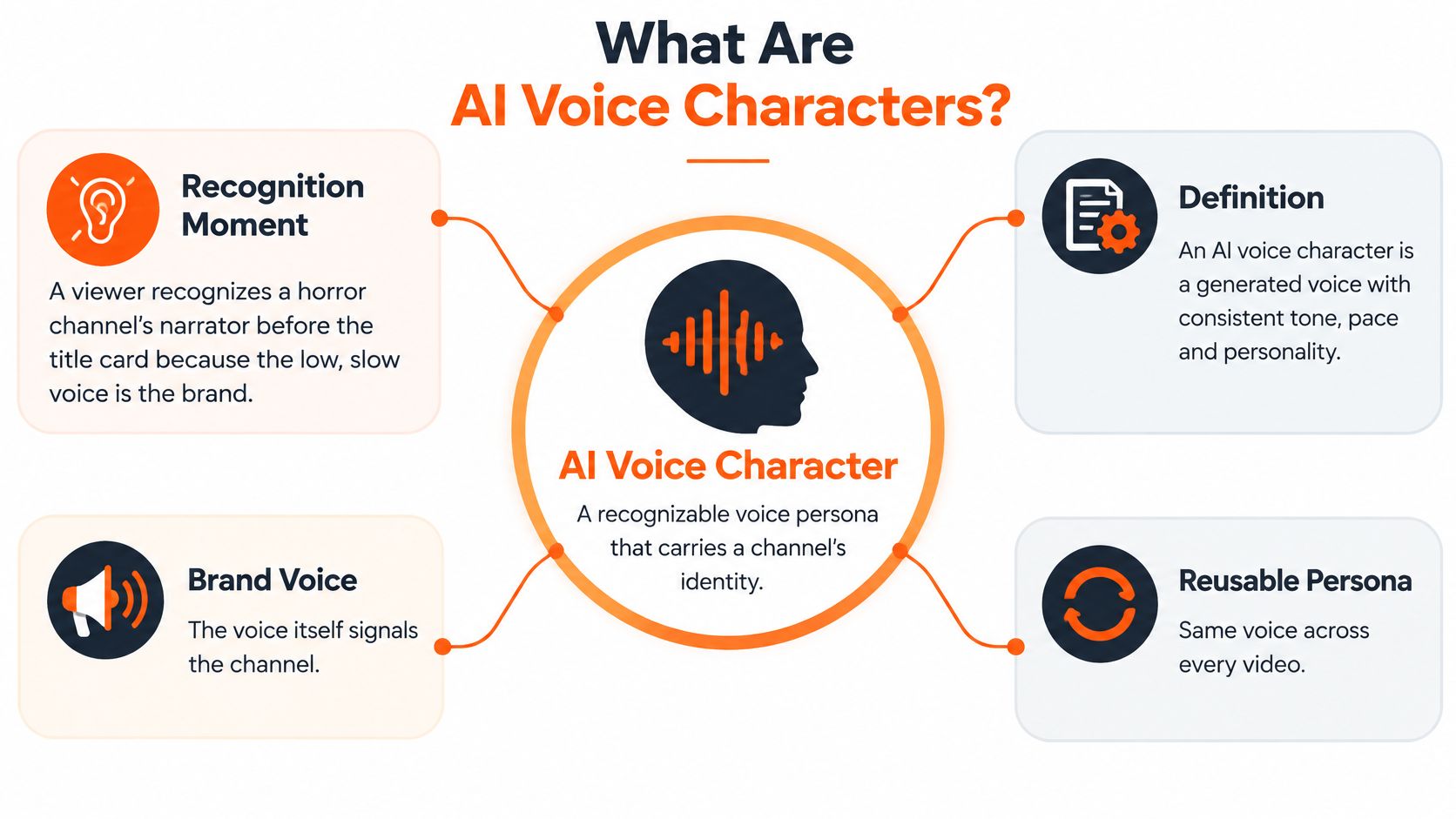
Voice interaction is already a familiar way for people to use connected devices. An industry analysis citing figures attributed to Statista and industry tracking estimated 8.4 billion active voice-assistant devices worldwide by the end of 2024, compared with approximately 4.2 billion in 2020. The same analysis reported that about 20.5% of global internet users used voice search in the first half of 2024. Those figures describe devices and voice-search use, not demand for AI story videos, but they show that spoken interaction is a well-established part of everyday media use. (The global voice-assistant device estimates)
A useful way to understand the production is to break it into five working parts:
- Voice identity: the stable sound that makes the character recognizable.
- Voice performance: the emotion, pace, and emphasis in a particular scene.
- Dialogue and lip sync: the character's spoken lines and matching mouth movements.
- Visual consistency: the face, hair, and outfit that stay recognizable across shots.
- Story memory: the character's relationships and plot details that carry into later episodes.
Like casting a performer and then directing each scene, you need both a recognizable voice and a suitable delivery. The distinction matters: the same character can sound frightened in a dark hallway and calm while narrating the backstory without becoming a different person.
<a id="voice-identity-versus-voice-performance"></a>
Voice Identity Versus Voice Performance
Think of voice identity as an instrument and voice performance as how it's played. The instrument gives a character a recognizable sound. The performance changes to fit the scene.
The identity layer includes qualities such as timbre, the low end of the pitch range, an accent's basic sound, and breathiness. In speech systems, speaker embeddings help represent those relatively stable characteristics. You can think of an embedding as the character's vocal casting file: it gives the system a reference for who is speaking.
Performance is more like the actor's choices during a take. Prosody controls pitch movement, speaking rate, energy, pauses, and emphasis. A character might speak cautiously in a horror scene, with warmth in a bedtime story, or with solemn pacing in a scripture retelling. The voice identity stays steady while the delivery follows the scene.
| Control layer | Typical parameters | Set per | If it drifts |
|---|---|---|---|
| Voice identity (speaker embedding) | Timbre, pitch floor, accent base, breathiness | Once per character | The character sounds like a different person |
| Voice performance (prosody) | Speaking rate, energy, pitch movement, pauses, emphasis | Every scene or line | The same voice sounds flat, rushed, or emotionally wrong |
| Dialogue and personality | Script lines, vocabulary, catchphrases | Every episode | The character breaks personality or contradicts the story |
Research on prosody-conditioned speaker adaptation found that adding utterance-level prosodic features improved objective and listener-rated similarity compared with speaker-embedding baselines. The evaluations included native listeners rating naturalness and similarity. (The study of prosody-conditioned speaker adaptation)
That finding supports a practical production rule: save the character's identity once, then specify performance separately for each scene. A prompt or character record might preserve the accent and breathiness while setting a line's emotion, pace, pitch range, and pause behavior.
The first common failure is an identity that matches acoustically but uses identical rhythm in every scene. It can sound like the right character reading every line in the same mood. The second is mixing identity and performance controls so tightly that changing the delivery also changes the perceived voice.
Practical rule: Lock the identity once, direct the performance per scene, and don't regenerate one by editing the other.
For more production approaches to choosing and preparing a narration voice, see this guide to AI voiceover tools.
<a id="how-dialogue-and-lip-sync-work-on-screen"></a>
How Dialogue and Lip Sync Work On Screen
A narrated video usually takes one of two paths: an off-screen narrator carries the story while scenes play, or on-screen characters speak their own lines. Lip sync matters in the second path. It isn't the same thing as generating the voice: it changes a character's mouth movements to align with the audio while trying to preserve the person's appearance and identity.
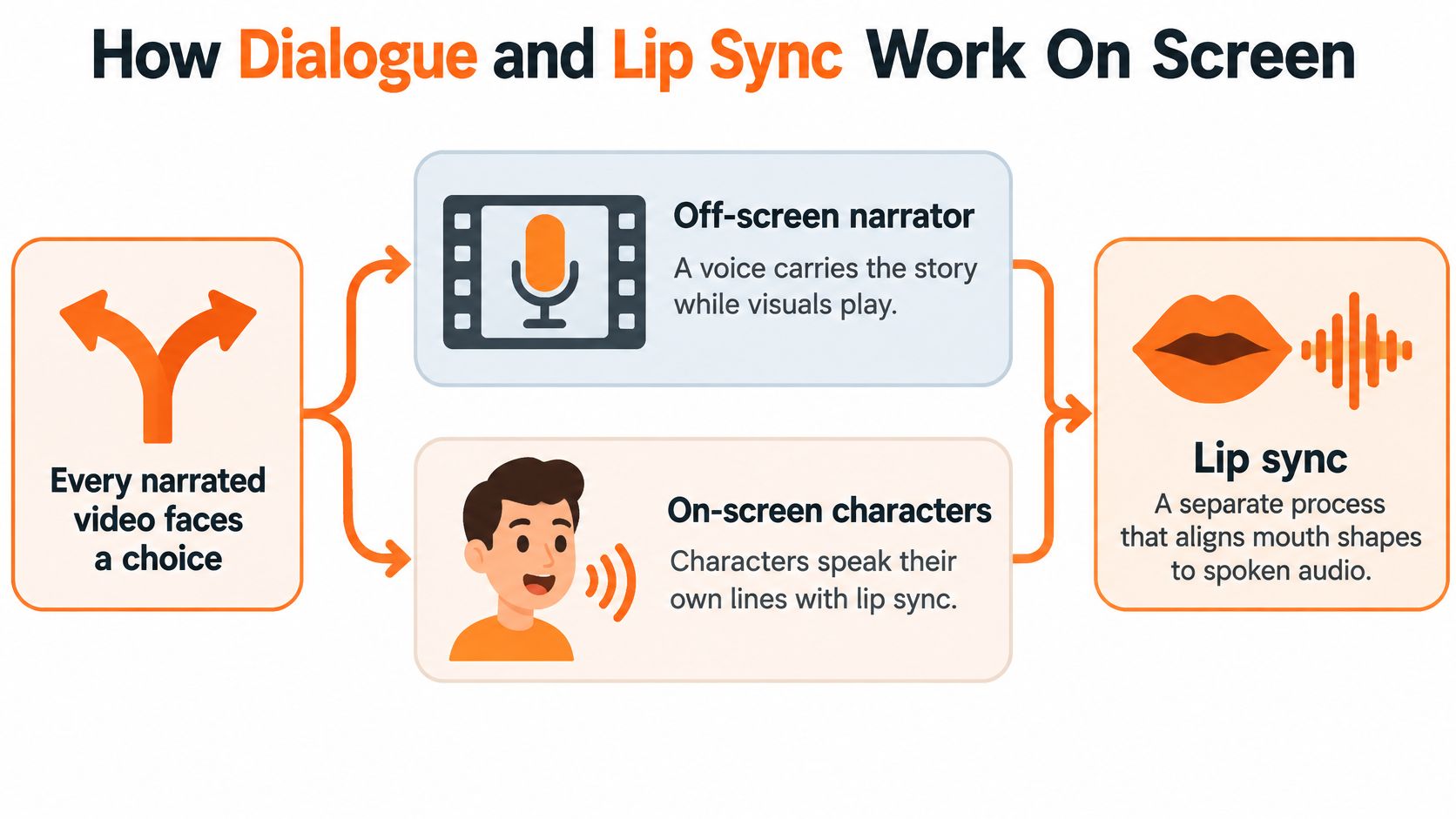
A useful way to follow the process is to imagine sound becoming picture in stages. First, a line of dialogue is spoken. Then the video system adjusts mouth shapes to the timing and sounds of that line, while the rest of the character should remain recognizable. An audio-driven video-diffusion study evaluated its method on 40 video templates across virtual characters, cartoons, studio news anchors, and lifestyle scenes. It also tested transfer to animation styles outside the training examples, reporting natural lip motion and preserved tooth consistency. (The audio-driven video-diffusion study)
Lip sync is only one part of the review. A talking-character scene can be judged on lip-sync accuracy, character-identity preservation, timing stability, image quality, and realism. A 2025 study used a five-point rating scale and reported average scores of 3.923 for lip-sync accuracy, 4.128 for character identity, and 4.043 for timing stability for one system. It also reported a 87.78% success rate for stylized characters, compared with 67.78% for another tested method. The results illustrate why a scene can look convincing in one respect and still need work in another. (The 2025 lip-sync evaluation)
<a id="from-spoken-line-to-finished-scene"></a>
From spoken line to finished scene
Once the audio is ready, dialogue can be matched to a scene and captions can be added in step with the speech. In the AI Horror Story Video Generator, each narration line gets its own scene, and captions follow the voice so they match the narration. This makes the relationship between a spoken line and its visual beat easier to review: if the narrator describes a locked door, the scene can show that door at the right moment.
Before a talking-character scene ships, check that the character's mouth moves at the right time, the face remains recognizable, the delivery fits the emotion, and captions match the spoken words. Review more than a clean, front-facing close-up. A head turn, movement, or cut can reveal timing or identity problems that weren't visible in a simple shot.
Narration and on-screen dialogue serve different storytelling needs. If you're deciding between them for a character-led video, this guide to talking avatar AI explains the talking-character approach.
<a id="keeping-the-same-character-across-scenes-and-episodes"></a>
Keeping the Same Character Across Scenes and Episodes
Character drift can turn a five-minute story into a series of near-misses. A character may pronounce a name differently, change vocal energy, or adopt a new rhythm from scene to scene. The face, hair, or outfit can shift too. The viewer hears and sees the intended character, but the person on screen no longer feels like the same one.
A production workflow needs separate locks for those details. A saved visual reference, such as a drawing or photo, can anchor a character's face, hair, and outfit. A saved voice identity anchors the sound. Series memory carries details such as relationships and past events so a returning cast doesn't have to be rebuilt from scratch.
<a id="two-gates-for-voice-continuity"></a>
Two gates for voice continuity
You can measure voice similarity rather than relying only on casual listening. A study of automatic speaker-similarity evaluation compared neural speech outputs with human MUSHRA ratings using 730,308 individual perceptual scores. Its model predicted listener similarity judgments with up to 0.96 accuracy and reached a Pearson correlation of 0.78 at the utterance level. That's why a production pipeline can use speaker-similarity or speaker-verification checks to flag a regenerated line that strays from its saved reference. (The speaker-similarity evaluation study)
An identity score doesn't tell you whether a performance sounds natural. Treat voice review as two gates: first, check that the speaker still matches the character; second, listen for believable timing, rhythm, and emotion. Then run a visual check across different poses and scenes. A frontal close-up can pass while a profile, moving shot, or cut exposes a problem.
| Check | What it catches | When to run it |
|---|---|---|
| Speaker-similarity score | A voice take drifting from the saved character identity | After every regenerated line or scene |
| Prosody or human review | Flat, rushed, or wrong-emotion delivery | Before publishing each episode |
| Visual identity check | Face, hair, or outfit changes between scenes | On every batch of generated scenes |
| Lip-sync spot check | Mouth-timing errors in profile, motion, or cut scenes | On every talking-character scene |
For another useful quality check, watch whether the narration sounds like the intended personality, not just whether it contains the right words. This discussion of AI newsletter drafts that sound off is a helpful reminder that a mismatch can be easy to miss when you're focused on the script.
When a scene drifts, change the delivery without changing the saved identity, then run the checks again against the character reference. That keeps a fix local to the problem instead of risking the voice that defines the character.
<a id="how-to-create-an-ai-voice-character-step-by-step"></a>
How to Create an AI Voice Character Step by Step
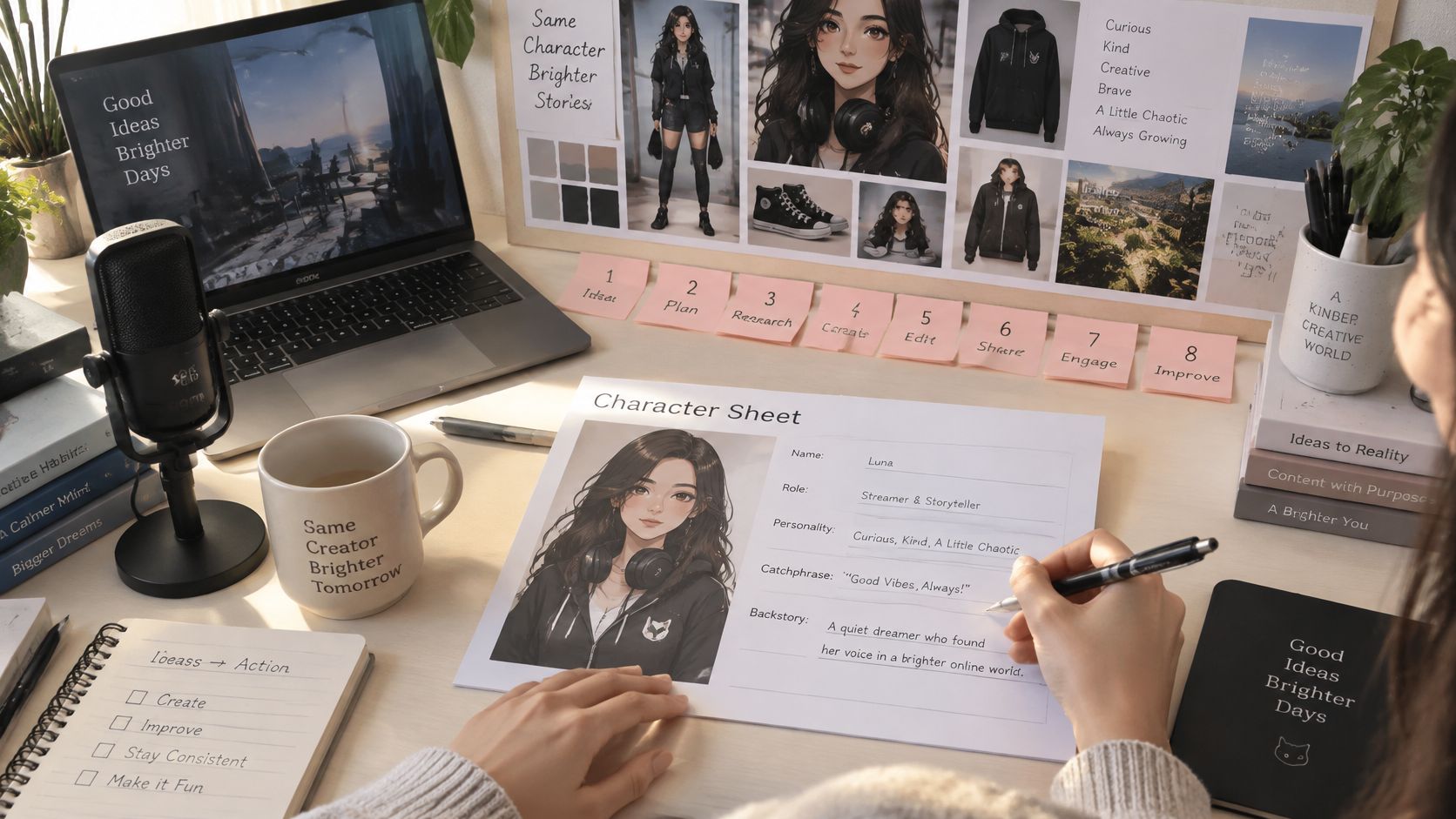
Start with a simple character sheet, then build the voice and visuals around it. Treat it as both a casting note for an actor and a continuity note for a film crew: short enough to reuse, specific enough to prevent the character from changing by accident.
-
Write the character sheet. Note the character's name, role, personality, catchphrase, and one-line backstory. This keeps later dialogue from turning into a collection of unrelated voices or inconsistent personalities.
-
Lock the look. Use a reference photo or drawing to define the face, hair, and outfit. This gives each new scene a continuity reference rather than leaving the character's appearance to chance.
-
Choose the voice mode. Use an off-screen narrator when the voice should carry a documentary or horror story, or let characters speak their own lines with lip sync. You can also combine narration and dialogue. This prevents the format from dictating a voice choice that doesn't fit the scene.
-
Direct the delivery. Set the performance to suit the material: low and slow for horror, warm for a bedtime story, or solemn for a scripture retelling. The vocal identity stays fixed; the scene direction changes.
-
Write the episode. Describe the story in one sentence or paste a full script. For a talking character, make sure each assigned line is the line you want spoken, so the voice doesn't have to invent dialogue that changes the intended meaning.
-
Pick the frame. Use 9:16 for Shorts and TikTok, 16:9 for YouTube, or 1:1 for feed posts. Deciding before generation helps you frame the character and action for the platform instead of cropping important visual details later.
-
Generate, then review. Captions can be transcribed from the voice, while background music should sit beneath narration rather than compete with it. Check every regenerated scene with a speaker-similarity score against the saved voice, and review each episode's prosody before publishing. If the voice needs native-speaker review, include it here. Regenerate a drifting scene with its delivery changed and identity locked, then check it against the saved reference again.
-
Save the cast. Keep the character and story details for the next episode, so the new installment starts with an established persona instead of a blank slate. This prevents a continuing character from losing their voice, look, or relationships between episodes.
For a history video, the workflow can be compact: create a host in the AI Character studio or start a Series from the History template, write one line or paste a script, choose a narrator or talking characters, select 16:9 or 9:16, and generate.
The following walkthrough shows a video-making flow in context.
<iframe width="100%" style="aspect-ratio: 16 / 9;" src="https://www.youtube.com/embed/6SuSp_5mFiU" frameborder="0" allow="autoplay; encrypted-media" allowfullscreen></iframe>The main production advantage of a repeatable workflow is that you can revise a scene without rebuilding the character from scratch. But automated checks are prompts for review, not a substitute for watching and listening to the final cut.
<a id="where-ai-voice-characters-earn-their-keep"></a>
Where AI Voice Characters Earn Their Keep
A faceless history channel might use a steady narrator to connect maps, portraits, and recreated scenes. The character's job is to make the voice familiar while the visuals change, so pacing and pronunciation need to remain consistent from one story to the next.
A kids' cartoon needs a different arrangement. A small recurring cast can each have a distinct voice, catchphrase, and speaking style, giving young viewers recognizable characters even when they can't read every caption.
Faith and scripture retellings depend on delivery that respects the material and the audience. A narrator may need to sound solemn without becoming flat, and narration in the audience's language helps the story feel accessible; ClipNova's story workflow supports 18 languages, including Hindi, Arabic, Spanish, French, Portuguese, German, and Japanese.
Serialized drama and romance need character voices that stay recognizable as relationships change. The same two characters can move from their first meeting through family conflict or heartbreak, while story memory helps carry earlier events into the next episode.
Educational explainers benefit from a host whose voice stays steady while each new scene introduces a concept. Brands have another use: a consistent presenter and product can recur across UGC-style ad variations, so the audience sees a recognizable face and hears a familiar voice.
Match the voice job to the format: narration consistency for stories, lip sync for spoken character dialogue, and language review for multilingual delivery.
For creators comparing story formats and production choices, this guide to an AI movie maker offers another way to think about building a narrative around scenes rather than isolated clips.
<a id="limits-consent-and-common-misconceptions"></a>
Limits, Consent and Common Misconceptions
A voice that sounds convincing isn't automatically a voice you have permission to use. Consumer Reports tested six voice-cloning products and found that four allowed researchers to create a convincing clone from publicly available audio without a meaningful technical consent check. Public videos, livestreams, interviews, and social posts can include enough speech to imitate an ordinary person, not just a celebrity. (The Consumer Reports voice-cloning test)
For a recurring character, build voice provenance into the production process. Start with an original fictional voice. If a real person's voice or likeness is involved, document permission and its scope, avoid prompts that describe living people, and keep a replacement plan in case a contributor withdraws permission. Label synthetic narration when appropriate.
| Myth | What the evidence shows | What to do |
|---|---|---|
| AI voices always fool listeners | A 2025 Scientific Reports study found listeners correctly identified AI-generated voice clones as artificial about 60% of the time. (The listener-identification study) | Label synthetic narration where platforms or audiences expect disclosure, and review the voice before publishing. |
| Any voice you can generate is safe to use | Four of six tested voice-cloning products allowed convincing clones from public audio without a meaningful consent check. (Consumer Reports' voice-cloning report) | Use original fictional voices and document permission for any real-person likeness. |
| One natural voice fits every character | Accent research found performance gaps across regional English accents and concerns about cultural mismatch in synthetic voices. (The research on accent fairness and representation) | Get native-speaker review and keep a pronunciation glossary for names and culturally specific words. |
| Set the voice once and never check again | Voice identity and delivery can drift across scenes, while pose, motion, and cuts can expose visual problems. | Rerun the consistency checks every episode and regenerate drifting scenes. |
Accent is more than whether a line is understandable. Rhythm, names, code-switching, and emotional delivery all shape whether a voice represents a character respectfully. A pronunciation glossary and a reviewer familiar with the language or regional accent can catch errors that a generic naturalness check misses.
The most useful standard isn't “make every voice sound human.” It's “make the character recognizable, appropriate, and responsibly used.” A slightly synthetic but stable voice is often a better fit for a continuing story than a highly realistic voice that changes identity halfway through.
<a id="make-your-first-ai-voice-character"></a>
Make Your First AI Voice Character
Keep the production simple by locking three things: the voice identity in the character file, the performance for each scene, and the visual look with a reference photo or drawing. Then pick one story idea and build one character around it.
For your first episode, choose a short story, generate a two-to-three-minute cut, and review every scene for voice similarity and believable delivery. Check the face, outfit, and any talking-character lip sync before you publish, then save the character so the next episode starts with the same cast.
ClipNova makes a finished video in one pass, with script, scenes, voiceover, captions, and background music. Videos can run up to 5 minutes at up to 1080p; characters can narrate off screen or speak on screen with lip sync, and a Series can hold up to 8 characters with story memory across the last 5 episodes. Narration is available in 18 languages, with 9:16, 16:9, and 1:1 formats; plans start at $19 per month with commercial rights. The limits matter too: the maximum length is 5 minutes, the maximum resolution is 1080p, and you should still review the finished video before publishing.
ClipNova makes finished long AI videos with recurring characters, narration, captions, and scenes ready to review and post. Create a voice character with a locked identity, direct its performance scene by scene, and make your first video with ClipNova AI.
Ready to ship your own?
Start creating viral videos with AI in under twenty minutes, no credit card required.