
You've got a product idea, a script, or a folder of footage, and TikTok's trend window is already moving. The frustrating part isn't finding an AI video generator for TikTok. It's finding one that produces a vertical clip you can publish, with readable captions, usable pacing, appropriate audio, and enough control to fix the parts that feel synthetic.
Most roundups rank tools by feature count. Creators usually choose differently. They need a publishable 9:16 video, a dependable route from source material to draft, and a cost that remains predictable across a real posting schedule. This guide sorts seven tools by the TikTok job they do best: generating from a blank prompt, repurposing long-form footage, or producing presenter-led videos. Each option is judged on vertical output, time to a publishable draft, and cost per usable clip. ClipNova faces the same test as every other tool.
Before exporting, review practical TikTok and Instagram crop tips, because a technically vertical file can still place captions, faces, or product details in the wrong part of the frame.
Table of Contents
- 1. ClipNova
- 2. CapCut
- 3. VEED
- 4. InVideo AI
- 5. OpusClip
- 6. HeyGen
- 7. Fliki
- Top 7 AI TikTok Video Generators
- Match the Tool to Your Starting Point
<a id="1-clipnova"></a>
1. ClipNova
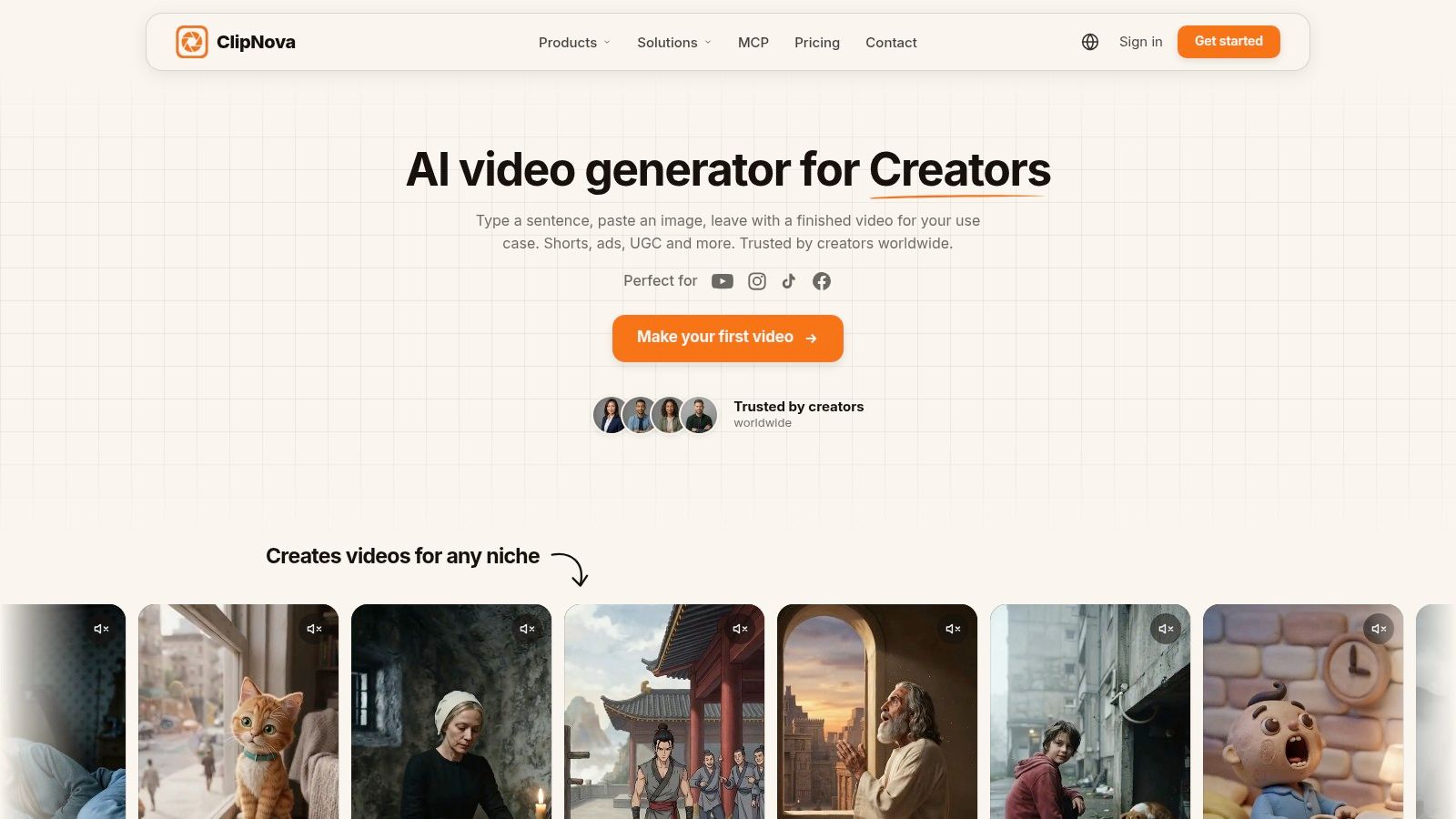
ClipNova is the strongest all-rounder when the starting point is a sentence, topic, product link, or rough creative brief. Its workflow can assemble a script, voiceover, visuals, B-roll, captions, motion, and music in one workspace, then export to 9:16, 1:1, or 16:9. That matters when one TikTok concept also needs versions for Reels, Shorts, feeds, or paid placements.
The practical advantage is reduced tool switching. You can start with a prompt, generate several hooks, adjust the narration, and create alternate versions without moving the project through separate writing, voice, stock, caption, and editing tools. ClipNova also supports Talking Avatar videos, Music-to-Video with beat matching, anime and cartoon formats, AI ads, product videos, and image utilities. Its voice library supports 32 languages, with translation and re-voicing for localized versions.
Practical rule: Treat the first render as a production draft, not the final post. Review the opening line, visual relevance, pronunciation, caption timing, and disclosure requirements before publishing.
<a id="best-for-prompt-to-publish-production"></a>
Best for prompt-to-publish production
ClipNova's Ultra text-to-video mode adds native synced audio and 1080p output, while paid plans provide watermark-free exports and commercial rights. The platform also supports variant generation and A/B testing, which is more useful for TikTok than generating one polished clip and stopping there. A strong workflow is to produce several openings from the same idea, keep the body consistent, and change only the hook, visual order, or call to action.
The trade-off is the credit system. Heavy usage, higher-resolution rendering, and frequent variants can consume credits quickly, so cost per usable clip depends on how many drafts you reject. ClipNova is also web-based, and it won't replace a specialist editor for highly controlled cinematic work or frame-by-frame brand animation.
<a id="scorecard"></a>
Scorecard
- 9:16 output: 5/5. Vertical export is built into the workflow, alongside square and widescreen formats.
- Time to a publishable draft: Fast for prompt-led concepts, particularly when scripting, voice, captions, and visuals can remain in one project.
- Cost per usable clip: Flexible but credit-dependent. Hobby costs $19 per month for 1,000 credits, Starter costs $49 per month for 2,600 credits, Growth costs $99 per month for 5,750 credits, and Ultra costs $199 per month for 12,000 credits. Enterprise uses custom credits and seats. Annual billing saves approximately 20%, according to ClipNova's stated plan information.
- Best job: Blank-prompt videos, multilingual variants, avatar-led ads, music-driven clips, and repeatable short-form production.
See the ClipNova AI video studio for the current plan details, because pricing and included capabilities may change.
<a id="2-capcut"></a>
2. CapCut
You have a phone recording, a trending sound, and a short window before posting. CapCut handles that situation well. Import the footage, choose a vertical format, adjust the framing, add captions, apply effects, and send the finished edit toward TikTok without creating a separate production pipeline.
Its strongest job is repurposing existing footage, especially for creators who iterate from a phone. TikTok integration, mobile templates, auto-captions, and long-to-shorts tools reduce editing time. Desktop and web versions provide more space for brand edits and collaboration, while direct sharing can shorten the final handoff. Manual upload remains a useful fallback when app connections behave unpredictably.
CapCut's boundary matters for tool selection. It edits supplied footage rather than producing a complete video from a blank prompt. If you start with only a topic or product description, ClipNova or another generative platform is a better match. CapCut becomes more useful after you have footage to cut, reframe, subtitle, or adapt into several versions.
Regional availability can change pricing, credits, and access to individual AI models. Check the plan offered in your market before making a particular feature part of a regular posting workflow.
For a creator publishing frequent phone-led edits, the 9:16 workflow is the main advantage. Templates speed up trend formats, but heavy template use can make posts look familiar. Existing footage also keeps the cost per usable clip low, although plan and feature availability vary by region.
- 9:16 output: 5/5. Vertical social video is central to the mobile workflow.
- Time to a publishable draft: Very fast when footage already exists, particularly for captions, templates, and trend edits.
- Cost per usable clip: Potentially low for existing-footage work, with regional plan differences affecting access.
- Best job: Mobile editing, TikTok-native effects, and rapid publishing.
Explore the current workflow on CapCut's official video editor.
<a id="3-veed"></a>
3. VEED
VEED is a practical choice for turning a script, recording, or stock library into a TikTok draft in a browser. Its AI Text-to-Video and Gen-AI Studio can arrange scenes, narration, captions, and stock media. The strongest part of the workflow is subtitle control, especially when text needs to stay readable inside vertical safe zones.
For a real posting schedule, VEED fits agencies and marketing teams that need a reviewable edit rather than fully generated footage. A browser workflow also makes revisions easier: change wording, timing, or layout without passing a project file between editors. The trade-off is that its generated visuals usually come from stock and templates, so unusual settings or consistent fictional characters require more manual work or another tool.
The platform is most useful in two situations. Start with a script when you need a caption-led explainer. Start with long footage when you need short clips. VEED's AI Clips can find highlights and reshape them for TikTok, Shorts, or Reels, while auto-subtitles, translation, background removal, and lip-sync support later edits.
<a id="where-veed-earns-its-place"></a>
Where VEED earns its place
A caption-heavy workflow can reach a publishable draft quickly, provided the source footage or script is already usable. Stock swaps, subtitle corrections, and repeated layout changes can raise the cost per usable clip in editing time. That makes VEED less suitable for creators seeking one-prompt, original cinematic scenes, but useful for teams that value browser review and controlled exports.
- 9:16 output: 4.5/5. Vertical exports and safe-zone subtitle handling work well for TikTok.
- Time to a publishable draft: Fast for stock explainers, repurposed clips, and caption-led edits.
- Cost per usable clip: Reasonable when the first assembly is close to final, with extra corrections increasing the effective cost.
- Best job: Browser-based production, long-footage clipping, and team review.
Check the current AI and collaboration options on VEED's online video platform.
<a id="4-invideo-ai"></a>
4. InVideo AI
InVideo AI suits creators who start with a written concept and need a structured TikTok draft. Describe the topic, audience, tone, and call to action, and it assembles a script, scenes, voiceover, music, and stock or generated visuals. The strongest use cases are product explainers, direct-response ads, faceless videos, and scripted posts where the message matters more than an on-camera performance.
Its credit system spans video, voice, music, and image generation. That flexibility can make cost per usable clip difficult to predict. Regenerating a scene, changing a model, or testing alternate voiceovers consumes more credits, while access to specific video models depends on the selected tier. Compare the current InVideo plans with ClipNova's credit tiers before testing several creative directions.
A publishable draft depends heavily on the input. Specify the audience, product promise, duration, visual limits, caption style, and call to action before generating. This guide to text-to-video prompts offers practical principles for reducing generic results.
The editor lets you replace weak scenes without rebuilding the whole video. Stock footage can still make an ad feel interchangeable, and generated scenes may require repeated attempts when visuals must support a precise product claim. For TikTok, the fastest workflow is usually narration, captions, and illustrative footage, followed by a manual check of every 9:16 scene.
- 9:16 output: 4.5/5. Vertical formats are supported, but reframed scenes need review.
- Time to a publishable draft: Fast for clear scripts, explainers, ads, and faceless posts.
- Cost per usable clip: Variable. Retries, voice generation, and model changes can raise credit use.
- Best job: Turning a blank prompt into a scripted TikTok draft, especially an explainer or ad.
Check current model access and plans on InVideo AI.
<a id="5-opusclip"></a>
5. OpusClip
A podcast episode, webinar, interview, livestream, or long YouTube recording gives OpusClip the material it needs. Upload the source, and it identifies promising moments, reframes speakers for 9:16 viewing, adds animated captions, and prepares short clips for TikTok.
Its value is highest when you already have a content library.
Review the suggested moments before scheduling anything. Remove weak openings, correct awkward cuts, and check that each clip starts with a complete thought. OpusClip's Virality Score can help prioritize options, but a high score does not guarantee useful context or a strong first line. A segment may begin after the key sentence or cut off an important qualification.
<a id="where-opusclip-earns-its-place"></a>
Where OpusClip earns its place
The workflow is quick when the recording has clear speech, concise moments, and usable visual coverage. It becomes less efficient when clips need heavy rewriting or the source lacks sections that work independently. Starting with a product idea or written script is also a poor fit, since OpusClip repurposes existing footage rather than generating a new video from a blank prompt.
Caption styling helps adapt clips to an established TikTok format. This video caption generator guide offers a reference for choosing emphasis and animation without making every word compete for attention.
- 9:16 output: 5/5. Vertical reframing is central to the workflow.
- Time to a publishable draft: Extremely fast for suitable long-form footage.
- Cost per usable clip: Strong when one recording yields several worthwhile clips, weaker when extensive editing is required. Compare the current plan with ClipNova's credit tiers before choosing a repurposing workflow.
- Best job: Turning podcasts, webinars, interviews, and livestreams into short TikTok clips.
Test the current workflow through OpusClip.
<a id="6-heygen"></a>
6. HeyGen
A presenter-led TikTok series can be produced without filming yourself in HeyGen. Paste in a script, choose an avatar or approved reference, select a voice, and export a vertical video with captions. It fits product explainers, spokesperson content, localized campaigns, and recurring educational formats.
The avatar needs to match the account's tone. A polished corporate presenter may clash with casual creator footage, while an informal avatar can suit UGC-style product explanations. Before producing a series, review gestures, eye contact, pacing, caption timing, and the visual variation surrounding the presenter. Repeated clips can become monotonous when the avatar remains static.
For multilingual presenter content, HeyGen supports voice cloning, dubbing, translation, and localization workflows. These features reduce repeated recording, but every version still needs review. Check names, product terms, pronunciation, cultural references, captions, and claims in each export.
Creators comparing presenter workflows can use this guide to talking avatar AI workflows. For voice selection beyond avatar platforms, find the best voice tool before committing to a recurring format.
TikTok production scorecard
- 9:16 output: 4.5/5. Vertical presenter exports are a core use case.
- Time to a publishable draft: Fast once the script and avatar style are approved.
- Cost per usable clip: Efficient for repeated presenter formats, but credits, plan limits, and localization volume affect the actual cost. Compare those limits with ClipNova's credit tiers beside the subscription price.
- Best job: Producing avatar-led explainers, UGC-style scripts, and multilingual presenter videos from a finished script.
For a presenter-led workflow, review HeyGen's AI video platform.
<a id="7-fliki"></a>
7. Fliki
A narrated listicle can go from script to first cut quickly in Fliki. The platform converts an idea, script, presentation, or written outline into a video using stock footage, voiceover, captions, and templates. That workflow fits faceless tutorials, educational explainers, commentary, and how-to posts where the spoken sequence carries the story.
Its text-to-speech library supports testing different voices, languages, and pacing. The trade-off is visual specificity. Stock footage can illustrate a broad topic, yet still miss the precise point in the narration. Review each scene, replace weak matches, and adjust caption timing before exporting.
<a id="a-practical-workflow-for-voice-led-tiktoks"></a>
A practical workflow for voice-led TikToks
Write for speech first. Use short, caption-friendly sentences, mark emphasis, and turn abstract statements into clear visual directions. Let Fliki build the initial sequence, then check whether every B-roll change supports the words being spoken. A strong script saves time, while careless scene matching creates another editing pass.
For a repeatable posting schedule, batch scripts by format, test one voice per series, and track how many exports become usable clips. The free tier adds a watermark. Paid plans remove that limitation, while credit-based usage applies to exports and text-to-speech. That makes cost per finished post less predictable when you run several voice tests or revise scenes repeatedly. Compare those credits with ClipNova's available tiers rather than judging either tool by its headline allowance.
Fliki works best when narration is the starting point, not when you need original visuals or a presenter-led performance.
- 9:16 output: 4/5. Vertical exports are straightforward, though the visual edit may need refinement.
- Time to a publishable draft: Fast for scripted, template-driven videos.
- Cost per usable clip: Reasonable with a finished script and approved voice, but repeated exports can consume credits.
- Best job: Creating faceless listicles, tutorials, explainers, and multilingual voiceover-led posts.
For the current feature set, visit Fliki.
<a id="top-7-ai-tiktok-video-generators"></a>
Top 7 AI TikTok Video Generators
| Product | Complexity 🔄 | Resources & Cost ⚡ | Expected Outcome ⭐ | Ideal Use Cases 💡 | Key Advantages 📊 |
|---|---|---|---|---|---|
| ClipNova | Moderate, web-based end-to-end studio; some manual tweaks needed 🔄 | Subscription + credit tiers; higher tiers for Ultra/4K ⚡ | Commercial-ready short videos (1080p/4K), native audio sync, localization ⭐ | Creators, agencies, marketers, musicians needing fast scalable short-form content 💡 | All-in-one automation (scripting, voice, B-roll, music), talking avatars, variant/A‑B testing 📊 |
| CapCut | Low, mobile-first, template-driven editor with simple workflows 🔄 | Mostly free with region/plan differences; in-app purchases for extras ⚡ | Rapid trend-ready TikToks with direct publish from mobile ⭐ | Mobile TikTok creators and fast-iteration social teams 💡 | Tight TikTok integration, large template/effects library, direct sharing 📊 |
| VEED | Low, browser-based, team-friendly studio with in-browser tools 🔄 | Subscription + API options; uses stock/templates rather than full frame synthesis ⚡ | Social-ready shorts with robust subtitles and safe-zone rendering ⭐ | Teams/agencies repurposing content and caption-heavy workflows 💡 | In-browser ease, advanced subtitle/safe-zone tools, API (Subtitle/LipSync) 📊 |
| InVideo AI | Moderate, prompt-to-video plus timeline editor and model selection 🔄 | Credit-based across video/voice/music; model access varies by tier ⚡ | Fast ad-style and explainer shorts suitable for rapid iteration ⭐ | Marketers and teams producing scripted ads, explainers, faceless content 💡 | Access to multiple video models, stock integration, team collaboration 📊 |
| OpusClip | Low, automated repurposing from long-form to vertical clips 🔄 | Subscription-focused; optimized for high-volume clipping and posting ⚡ | Quick captioned vertical clips with Virality Score and scheduling ⭐ | Podcasters, webinar hosts, creators mining long-form content for shorts 💡 | AI highlight detection, Virality Score, auto-posting/scheduling tools 📊 |
| HeyGen | Moderate, avatar selection, voice cloning and localization workflow 🔄 | Credit/plan limits; higher tiers for 4K and mass localization ⚡ | High-quality talking-head videos and multi-language dubbing ⭐ | Spokesperson/faceless brands and large-scale localization projects 💡 | Realistic avatars, voice cloning, 175+ languages and mass localization 📊 |
| Fliki | Low, template-driven text-to-video workspace with PPT import 🔄 | Free tier with watermark; paid credits remove limits and permit exports ⚡ | Faceless listicles/how-tos and music-synced shorts with broad TTS options ⭐ | Non-editors and creators relying on TTS-driven social content 💡 | Very large TTS library (2,000+ voices), quick templates, social-tuned exports 📊 |
<a id="match-the-tool-to-your-starting-point"></a>
Match the Tool to Your Starting Point
The right tool depends less on the word “AI” than on what you already have. Start with a blank prompt and ClipNova or InVideo AI. Start with a long recording and OpusClip. Start with a presenter script and HeyGen. Start with phone footage and CapCut. Start with a narration-led faceless concept and Fliki. Choose VEED when caption control, browser editing, and team review matter more than fully generated visuals.
TikTok's scale makes distribution attractive, but reach estimates need careful interpretation. DataReportal's TikTok overview reported an advertising-reach estimate of 1.59 billion users in January 2025, equivalent to 19.4% of the world's total population and approximately 27.5% of adults aged 18 and older worldwide. That figure is an advertising estimate, not a verified count of unique monthly active users, so use it as an addressable-audience benchmark rather than a precise user census.
Production adoption is also moving beyond experimentation. A late-2025 Wyzowl survey cited in industry analysis reported that 63% of video marketers had used AI to create or edit marketing videos, compared with 51% the previous year. The finding measures adoption, not performance. Evaluate your own output using watch time, completion rate, rewatches, shares, profile visits, and attributed conversions rather than assuming that automation creates better results.
Disclosure and rights should sit inside the workflow. TikTok requires disclosure for realistic AI-generated or significantly AI-edited media, and its AI-generated-content setting can be combined with text, hashtags, stickers, or descriptions. TikTok may also apply an automatic label when metadata identifies synthetic media. Labeling isn't a guarantee that every synthetic video will be detected, so keep production records, voice permissions, likeness approvals, and provenance information where available. The platform's rules and commercial music guidance should be checked before publishing branded work, especially when a campaign uses cloned voices, external songs, synthetic testimonials, or product claims. Read the current TikTok AI-generated content guidance and commercial music requirements before scaling variants.
Run the same brief through two finalists. Export both at 9:16, then time the path from idea to a clip you'd genuinely publish. Track rejected drafts, credits consumed, manual editing minutes, and usable outputs over two weeks. The best tool isn't necessarily the one with the longest feature list. It's the one that preserves your posting cadence without creating budget, rights, or review problems.
For more ways to connect production with distribution, browse this creator's AI workflow toolkit.
ClipNova turns prompts, topics, scripts, and product links into TikTok-ready videos with automated scripting, voiceover, visuals, captions, music, avatars, and 9:16 exports. If you want one workspace for generating variants, localizing voiceovers, and moving from blank idea to publishable draft, visit ClipNova and test it against the tool that currently runs your posting workflow.
Ready to ship your own?
Start creating viral videos with AI in under twenty minutes, no credit card required.