
The popular advice that one AI video tool is “best” usually hides the decision that matters most: what kind of video are you trying to produce? A cinematic scene, a presenter-led training module, a performance ad, and a short clip extracted from a webinar have different production problems. Comparing them by feature count alone leads buyers toward the wrong workflow.
This roundup evaluates 10 AI video generator platforms by the job they're designed to handle. The useful criteria are output control, editing depth, localization, collaboration, usage metering, privacy, commercial rights, and the amount of human review required. That distinction matters as the category expands. Grand View Research estimates that the AI video generator market was worth USD 788.5 million in 2025 and projects USD 3,441.6 million by 2033, a trajectory that points to sustained commercial demand rather than a passing creative novelty.
The list includes cinematic generators such as Runway, Pika, and Luma AI, avatar platforms including Synthesia, HeyGen, Colossyan, and D-ID, and assembly or repurposing tools such as InVideo AI and Pictory. ClipNova is especially relevant for creators and teams that want an end-to-end short-form workflow, from ideation and scripting through voiceover, captions, music, and multi-aspect exports. For broader context on how the category is developing, explore these AI video generation highlights.
Table of Contents
- 1. ClipNova
- 2. Runway
- 3. Pika
- 4. Luma AI Dream Machine
- 5. Synthesia
- 6. HeyGen
- 7. Colossyan
- 8. D-ID Creative Reality Studio
- 9. InVideo AI
- 10. Pictory
- Top 10 AI Video Generators Comparison
- Choose by Workflow, Not Feature Count
<a id="1-clipnova"></a>
1. ClipNova
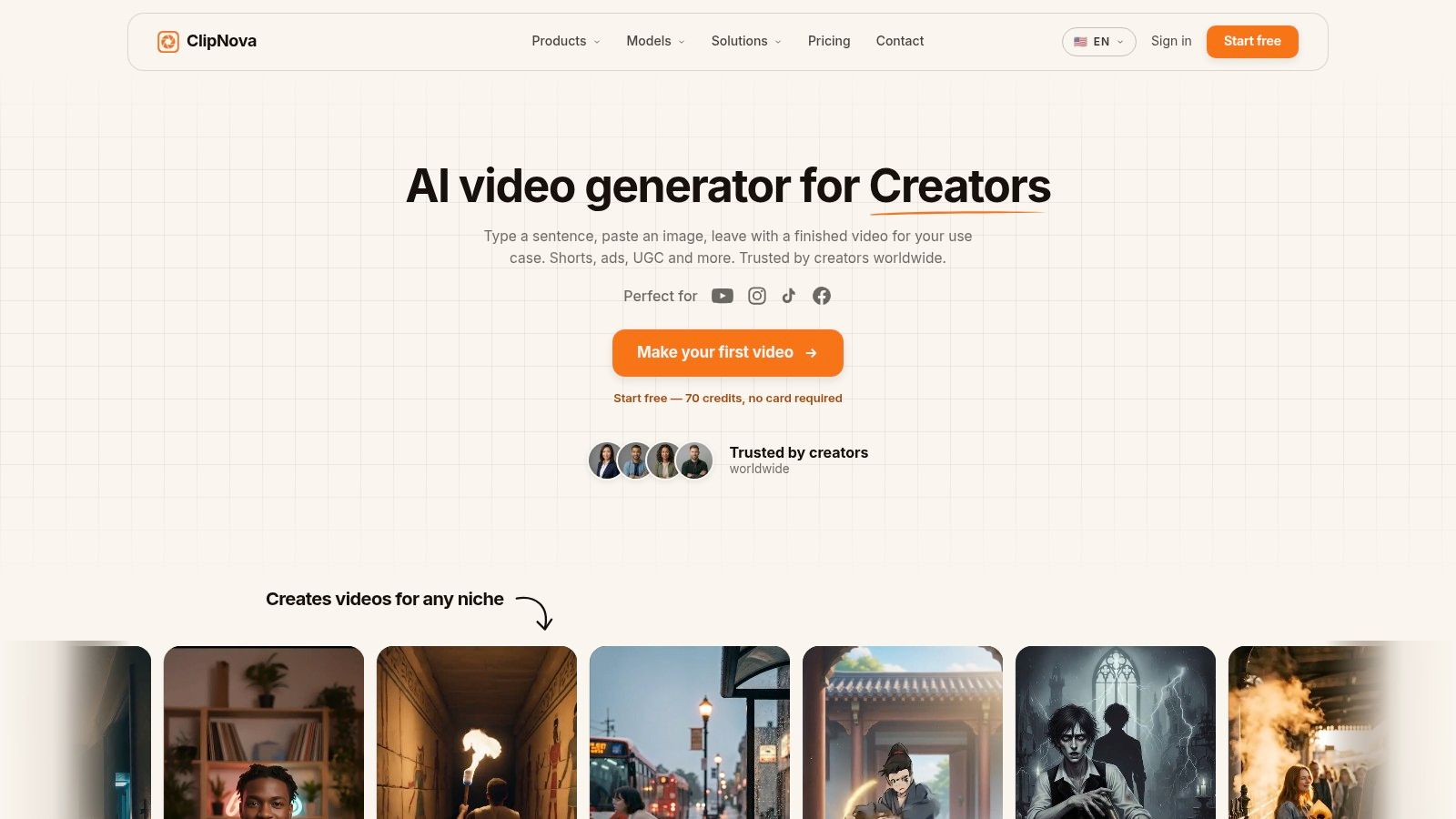
ClipNova fits teams whose main constraint is assembling short-form assets efficiently. It combines scripting, voiceover, visuals, captions, music, and exports for 9:16, 1:1, and 16:9 in one workflow. The result is closer to a publishing workspace than a standalone text-to-video model. That distinction matters for marketers producing variations, because the platform addresses assembly and distribution as well as generation.
Its tools cover several production jobs. Text-to-Video includes an Ultra mode with synced audio and 1080p output, while Talking Avatar supports presenter-led communication. Music-to-Video aligns visuals with a track's beat, and the Anime and Cartoon generators target stylized formats. Ad and UGC tools support performance teams testing different creative angles without arranging a separate shoot for each version.
<a id="best-fit-for-short-form-scale"></a>
Best fit for short-form scale
The practical advantage is workflow consolidation. A creator can move from an idea to a finished asset, produce variants for testing, and adapt the concept across social formats in one session. The voice library supports 32 languages, with auto-subtitles and caption styles, reducing the need for a separate localization workflow or new recording.
The trade-off is control and cost predictability at higher volume. Credit-based subscriptions may be harder for agencies to forecast, while polished campaigns still require review for visual artefacts, pacing, brand accuracy, and custom voice or avatar needs. Paid plans include commercial rights and watermark-free exports. Projects are encrypted at rest, and user inputs aren't used to train models. Individual, team, and enterprise tiers support different operating requirements, with enterprise plans offering custom credits, seats, and voice or avatar training. A free starter bundle of 70 credits is available without a card, according to the platform's product information.
Practical rule: Choose ClipNova when the bottleneck is the complete short-form pipeline, rather than the generation of one highly controlled cinematic scene.
<a id="2-runway"></a>
2. Runway
Runway is designed for the opposite problem. Instead of hiding the creative process behind automatic assembly, it gives filmmakers, designers, and visually ambitious marketers more direct influence over generated shots. Its text-to-video and image-to-video workflows, including the Gen-3 Alpha and Turbo models described by the platform, are suited to cinematic, stylized, and photorealistic experiments where camera movement, temporal behavior, and visual direction matter more than rapid campaign assembly.
Runway's controls are valuable when a creator knows what a shot should do. Camera movement guidance, motion strength, prompt weighting, clip extension, looping, and motion-oriented editing help users refine a scene rather than accept the first automatically assembled draft. API access also makes it possible to place generation inside a larger technical workflow, although that introduces more planning around model selection, retries, storage, and review.
<a id="control-comes-with-operational-friction"></a>
Control comes with operational friction
The trade-off is consistency. A carefully directed shot may still require repeated prompting, and users need to understand how changes to the prompt, reference image, motion instruction, or camera language affect the output. That learning curve is acceptable for a creative team developing a visual language, but it can slow a marketer who needs a publish-ready vertical ad quickly.
Runway is also not a complete replacement for a social production studio. It excels at generating and shaping individual scenes, but scripting, narration, caption design, music selection, localization, and final campaign variants may still require additional tools or manual editing. Its strength is cinematic control, not necessarily the shortest path from a topic to a finished distribution package.
Runway is the better choice when the shot itself is the product. If the shot is only one component of a multilingual campaign, an end-to-end platform may reduce more work.
<a id="3-pika"></a>
3. Pika
Pika occupies the fast-iteration end of cinematic generation. Its text-to-video and image-to-video tools are paired with effect and transformation features such as Pikascenes, Pikadditions, Pikaswaps, Pikatwists, and Pikaffects. That combination makes it useful for creators who want to explore several visual directions without leaving the same application for every shot-level adjustment.
The important distinction is between idea generation and controlled production. Pika is well suited to testing a visual hook, transforming an image into a moving clip, or adding a distinctive effect to a short scene. It gives creators more creative surface area than a basic prompt box, but the abundance of tools can make the workflow less predictable for beginners.
<a id="a-strong-sandbox-for-visual-hooks"></a>
A strong sandbox for visual hooks
Pika's different model tiers and tool-specific usage rules mean that buyers need to understand how credits are consumed before they build a repeatable production process. The exact economics depend on the selected plan, model, resolution, and operation, so current terms should be checked directly on the product site rather than inferred from a static comparison.
Prompt quality still matters. A clear subject, action, camera instruction, environment, and style reference gives the system a stronger brief than a vague request for a “cool video.” This text-to-video prompt guide is useful for structuring that input before you start iterating.
Pika works best when the desired outcome is a collection of short, expressive clips. It isn't the obvious choice for a training library, a long-form corporate workflow, or a content team that needs automatic scripts, voiceovers, subtitles, and multi-format exports. Its value lies in rapid visual experimentation with built-in effects.
<a id="4-luma-ai-dream-machine"></a>
4. Luma AI Dream Machine
Luma AI Dream Machine focuses on realism, motion, and the ability to guide a scene from text or an image. Its image-to-video workflow is especially useful when a creator has a visual starting point and wants to preserve the identity or look of the subject while adding movement. Keyframe extension, camera controls, looping, style references, and the Brainstorm prompting aid all support iterative visual development.
That makes Dream Machine a natural fit for branded concepts, product mood pieces, and realistic motion tests. A reference image can establish the appearance, while the prompt describes what changes over time. The result is still generative, so creators should judge continuity across multiple outputs rather than treating a successful single frame as proof that an entire sequence will remain stable.
<a id="realism-is-not-the-same-as-production-completeness"></a>
Realism is not the same as production completeness
Dream Machine's strength is the generated scene. It isn't primarily an avatar-led communications system, a full marketing assembly line, or a repurposing editor. If the final deliverable needs narration, brand captions, several aspect ratios, localized voice tracks, and campaign variants, you'll need to assess how much work remains after the clip is generated.
The platform is available through web and iOS experiences, and its model and interface details continue to evolve. Credit rules and plan terms can differ by access route, so verify the current conditions before forecasting a recurring workflow. For a filmmaker or designer, that uncertainty may be acceptable because the creative priority is realistic motion and visual control. For a large marketing team, governance, collaboration, export consistency, and review processes may matter more than the quality of one generated shot.
<a id="5-synthesia"></a>
5. Synthesia
Synthesia is built around avatar-led communication, not freeform cinematic generation. Its core workflow turns a script, presentation, document, or link into a presenter-led video. That focus makes it a strong candidate for corporate training, onboarding, internal communication, and localized explainers where the audience needs a clear speaker rather than an invented cinematic world.
The platform supports a substantial avatar and language ecosystem. Its product materials describe more than 230 avatars and over 140 languages and voices, with personal and custom avatar options subject to governance controls. Those capabilities are relevant when a team needs to update policy or product content repeatedly without arranging a new filming session for every language or revision.
<a id="governance-is-part-of-the-product"></a>
Governance is part of the product
Synthesia's enterprise orientation shows up in its structured workflows, API support, and interactive avatar possibilities. Teams can begin with a document or presentation, maintain a consistent presenter style, and adapt the script for different audiences. Custom avatars and voice cloning are generally associated with higher-level offerings, so organizations should review approval, consent, identity, and access processes before treating those functions as routine.
The trade-off is creative range. Synthesia isn't the natural choice for a surreal product film, a music video, or a sequence of generated action shots. It creates a controlled communication format, which is exactly why it works for training and policy-led content. If your team needs a digital presenter who delivers approved language consistently, Synthesia's structure is an advantage. If your team wants cinematic B-roll and rapid social variations, a broader studio may be more efficient.
For a practical comparison of presenter-led workflows, see this guide to talking avatar video.
<a id="6-heygen"></a>
6. HeyGen
HeyGen is a practical choice for teams that want to create host-led videos quickly and localize them without recording every version. The platform generates avatar videos from scripts, supports stock and custom Digital Twins, and offers translation with lip-sync, including a Precision mode. That combination puts it closer to a multilingual marketing and sales tool than to a cinematic text-to-video generator.
Its workflow is straightforward. Choose an avatar, provide the script, select the voice and language, then review the rendered presenter-led result. Team workspaces and collaboration features make it more suitable for organizations than a purely individual creative sandbox, especially when several people need to manage scripts, approvals, and localized versions.
<a id="translation-changes-the-buying-question"></a>
Translation changes the buying question
The central question isn't whether an avatar looks convincing in one language. It's whether the platform preserves the intended message, pacing, pronunciation, facial timing, and brand tone when the same communication is adapted for different markets. HeyGen's translation and lip-sync features address that operational problem, but every organization should test its own terminology and pronunciation rather than assuming a generic demo represents its use case.
Credits and feature metering can also be nuanced. A team producing many versions should examine how translation, avatar selection, resolution, and export operations affect consumption. The current plan terms are best verified directly with HeyGen.
HeyGen's limitation is equally clear. It offers less control over cinematic B-roll and generated environments than Runway, Pika, or Luma AI. Choose it when the presenter is the communication layer. Choose a scene-generation platform when the visual world itself carries the message.
<a id="7-colossyan"></a>
7. Colossyan
Colossyan is the most specialized option in this list for learning and development, training, and enablement. Its avatar studio supports stock and custom presenters, multiple voice options, translations, interactive video, and SCORM export. Those features solve problems that general-purpose AI video tools often leave to an LMS, a separate interactive layer, or manual publishing process.
The platform's minute-based allowances make usage easier to reason about than a system where every model and operation has a different credit cost. That doesn't eliminate the need to check plan limits, but it gives training teams a clearer connection between expected video volume and available production capacity.
<a id="built-for-structured-learning-content"></a>
Built for structured learning content
Colossyan is a better fit for a compliance lesson, onboarding module, or product-training sequence than for a cinematic social campaign. Interactive video capabilities can support branching or learner engagement, while SCORM export connects the finished asset to established learning workflows. API parity with studio functions also matters when an organization wants to generate or update training materials programmatically.
The limitation is intentional. Users looking for open-ended text-to-video scenes, stylized music visuals, or highly experimental camera work won't find Colossyan's avatar-led structure as flexible as a generative scene platform. Advanced features, including broader translation access, may depend on higher plan tiers, so teams should test the exact language and publishing requirements they need.
Colossyan's best differentiator is not avatar novelty. It's the way the product fits a repeatable instructional workflow, where the video must be understandable, revisable, localized, and deliverable in a format that an education team can use.
<a id="8-d-id-creative-reality-studio"></a>
8. D-ID Creative Reality Studio
D-ID Creative Reality Studio specializes in talking-head production. Users can create avatar videos from text or audio, generate portrait-led content, and produce multilingual lip-synced communication. Its combination of a self-serve studio and API makes it relevant both to individual teams and to developers embedding an avatar experience into a product or customer-facing workflow.
The platform is well matched to spokespeople, onboarding messages, product explainers, and other communications where a face delivers the script. The API is the important architectural distinction. A team can move beyond manually producing isolated videos and explore programmatic creation triggered by an application or internal process.
<a id="useful-for-embedded-communication"></a>
Useful for embedded communication
D-ID isn't a general-purpose text-to-video engine. It won't compete with Runway or Luma AI when the brief calls for a changing environment, complex camera choreography, or cinematic visual continuity. Its value comes from portrait communication and automation, where lip adaptation and a clean presenter format matter more than scene invention.
Session length and export constraints also need attention. A buyer should test the intended script length, audio input, language, resolution, and delivery channel before committing to a recurring workflow. The best evaluation isn't a generic avatar demo. Use an actual onboarding script, a real brand pronunciation, and the language variants your audience will receive.
D-ID makes sense when the organization wants to put a speaking face into a product or communication flow without building the rendering layer itself. It makes less sense when the presenter is only one small part of a larger short-form content pipeline.
<a id="9-invideo-ai"></a>
9. InVideo AI
InVideo AI is designed for marketers who prefer a prompt-to-assembly workflow over manual shot direction. Its agentic process can handle ideation, scripting, visual selection, editing, voiceover, music, and social or advertising formats. That makes it useful for faceless channels, campaign drafts, social posts, and other jobs where speed and completeness outweigh fine-grained visual control.
The platform's practical advantage is that it starts from the desired communication outcome. A prompt can describe the audience, topic, tone, format, and objective, and the system builds a first draft from available assets and generated elements. Ad and social presets, trend-aware hooks, stock media integrations, and text-based editing reduce the number of production decisions a non-editor needs to make manually.
<a id="assembly-is-efficient-but-review-remains-essential"></a>
Assembly is efficient, but review remains essential
InVideo AI isn't trying to give a filmmaker the same directorial control as Runway. Its visual choices can feel more templated, and users may need to replace footage, tighten the script, correct emphasis, or adjust brand treatment before publication. That trade-off is acceptable when the alternative is a blank timeline and several disconnected tools.
Usage is credit-based, and the amount consumed can vary by model and operation. Teams producing at volume should measure the cost of representative outputs rather than relying on a headline plan allowance. Test a real campaign brief, then count the generations, revisions, exports, and human corrections required to reach an approved asset.
For readers comparing low-friction creation routes, this overview of free AI video workflows offers useful context. InVideo AI is strongest when the buyer wants a fast first draft that already resembles a marketing video, not a raw cinematic clip that still needs a production team around it.
<a id="10-pictory"></a>
10. Pictory
Pictory solves a different problem from nearly every generative scene tool above. It begins with content that already exists, including a script, article, URL, presentation, or source video, then assembles B-roll, captions, voiceover, branding, and exportable video. That makes it especially useful for content marketing teams that want to turn written or recorded material into social assets without rebuilding the story from scratch.
The text-driven editor is approachable for non-video professionals. A marketer can revise the underlying script, adjust scenes, pair text with stock media, and apply captions or brand treatments without navigating a complex traditional timeline. Team workspaces and API access add a route for organizations that need to repeat the same repurposing process across a content library.
<a id="repurposing-is-the-core-advantage"></a>
Repurposing is the core advantage
Pictory isn't the best choice for highly stylized text-to-video generation. Its visual output is more assembly-oriented, which can feel limiting when the brief depends on an original fictional world, precise camera movement, or unusual animation. That limitation becomes a benefit when the goal is clarity, consistency, and quick conversion of existing information into a publishable format.
A good test starts with the material you already plan to distribute. Feed Pictory an actual article, presentation, webinar transcript, or product document and assess whether the selected scenes support the message. Then review caption accuracy, voiceover pronunciation, brand formatting, and the amount of manual replacement needed.
Pictory belongs in the repurposing category, not the cinematic generation category. It's the practical pick when the creative raw material already exists and the bottleneck is turning it into more video.
<a id="top-10-ai-video-generators-comparison"></a>
Top 10 AI Video Generators Comparison
| Platform | Core features | UX / Quality ★ | Price / Value 💰 | Target audience 👥 | Unique selling points ✨ |
|---|---|---|---|---|---|
| 🏆 ClipNova | End‑to‑end studio: Text→Video (Ultra 1080p synced), Talking Avatars, Music→Video, Anime/Cartoon, Image tools, multi‑aspect exports | ★★★★★ Fast, social‑ready outputs | 💰 Subscription tiers (Hobby $15 / Starter $39 / Growth $79 / Ultra $159); free trial; commercial rights | 👥 Creators, agencies, DTC marketers, teams | ✨ One‑workspace ideation→publish; 32‑lang re‑voicing; beat‑matched music; auto‑resize; privacy & commercial rights |
| Runway | Gen‑3 text/image→video, temporal controls, camera moves, API access | ★★★★★ Cinematic fidelity; fine motion control | 💰 Tiered plans; advanced models on higher tiers | 👥 Filmmakers, studios, advanced creators | ✨ Precise temporal/camera controls for photoreal & stylized shots |
| Pika | Text→Video (Pika 2.5), scene/effect layers (Pikascenes, Pikaswaps) | ★★★★ Fast ideation → polished short clips | 💰 Credit/model‑based; competitive pricing | 👥 Rapid creators, concept artists, small studios | ✨ Layered shot editing for quick iteration |
| Luma AI – Dream Machine | Text/image→video, keyframe extension, camera controls, web + iOS | ★★★★ High realism & character consistency | 💰 Varies web/iOS; model updates (check terms) | 👥 Realism‑focused creators, VFX artists | ✨ Strong motion tracking & single‑image character continuity |
| Synthesia | 230+ avatars, 140+ languages, PPT/URL→video, API & governance | ★★★★ Enterprise‑grade, reliable localization | 💰 Enterprise / custom pricing; scalable seats | 👥 Enterprises, L&D, localization teams | ✨ Large avatar/voice catalog, compliance & governance controls |
| HeyGen | Avatar videos with lip‑sync, translation (Precision), Digital Twins | ★★★★ Easy host‑led clips; strong lip‑sync | 💰 Team/credit plans; mid‑tier pricing | 👥 Marketers, trainers, multilingual teams | ✨ Precision lip‑sync & Digital Twins for quick explainers |
| Colossyan | AI avatars, interactive video, translations, SCORM export, API | ★★★★ Tailored for e‑learning & training | 💰 Clear minute‑based allowances; enterprise options | 👥 Education, L&D, training teams | ✨ SCORM + interactive formats; transparent minute billing |
| D‑ID (Creative Reality Studio) | Text/audio→talking‑head, multi‑lang lip‑sync, studio + API | ★★★★ Natural lip adaptation; API support | 💰 Tiered / pay‑as‑you‑go; enterprise options | 👥 Onboarding, spokespeople, customer experiences | ✨ Realistic talking‑head generation with programmatic API |
| InVideo AI | Agentic ideation→script→shots→edit, ad/social presets | ★★★ Fast assemblies; low learning curve | 💰 Subscription + credits; marketing‑focused | 👥 Marketers, non‑editors, small teams | ✨ Agent-driven end‑to‑end ad & social campaign creation |
| Pictory | URL/article/script→video, auto captions, branding, API, 1080p | ★★★ Easy repurposing workflow; text‑driven editor | 💰 Subscription; affordable for content repurposing | 👥 Content teams, bloggers, social managers | ✨ Fast article/URL→video repurposing with auto captions and branding |
<a id="choose-by-workflow-not-feature-count"></a>
Choose by Workflow, Not Feature Count
The right platform depends on the production job, the amount of control required, and what happens after the first generation. Market definitions themselves are fragmented. Morphed's category analysis distinguishes a narrow AI video generator market from broader estimates that include editing and post-production software. That difference explains why two buyers can search for the “best AI video generator” and need completely different products.
Choose ClipNova or InVideo AI for fast end-to-end social and marketing production. ClipNova is particularly strong when one workspace needs to cover ideation, scripting, voiceover, visuals, captions, music, localization, and exports. InVideo AI is a sensible fit when prompt-led assembly and stock-based marketing drafts matter more than shot-level control. Both are built around reducing the number of separate production steps, but both still need human review for claims, brand accuracy, pacing, and visual fit.
Choose Runway, Pika, or Luma AI when generated scenes are the central deliverable. Runway gives experienced creators more directorial control, Pika supports rapid visual experimentation and effect-based iteration, and Luma AI Dream Machine emphasizes realistic motion and image-led generation. These platforms can produce compelling shots, but they won't automatically solve every downstream need, such as voiceover, campaign versioning, multilingual delivery, or final brand approval.
Choose Synthesia, HeyGen, Colossyan, or D-ID for avatar-led communication. Synthesia is structured for enterprise training and governed multilingual content. HeyGen is well suited to marketing, sales, and translated presenter-led videos. Colossyan fits learning workflows and SCORM-oriented delivery, while D-ID is compelling when talking-head creation needs to connect to an API or an embedded product experience. None of these tools should be judged primarily by cinematic B-roll.
Choose Pictory when the source material is an article, URL, script, document, presentation, or existing recording. Its value comes from converting information into video efficiently, not from inventing a visual world from a short prompt.
Before subscribing, run a representative test instead of a generic demo. Use the scripts, visual styles, languages, aspect ratios, export resolutions, and approval steps your team handles. Track how many revisions are needed, how credit consumption changes across variants, and whether localization preserves terminology and tone. The Artificial Analysis media survey highlights how concentrated model adoption remains, which is another reason to test the specific model and workflow rather than assuming that category popularity guarantees operational fit.
Commercial rights, watermark rules, privacy provisions, custom avatar consent, voice policies, API limits, and current pricing can change by plan. Verify those terms directly with each provider before publishing client work or building a high-volume pipeline. The best platform isn't the one with the longest feature list. It's the one that removes the most expensive bottleneck in your actual production process.
ClipNova brings scripting, voiceover, visuals, captions, music, avatars, stylized generators, localization, and multi-aspect exports into one short-form studio. If you want to compare that end-to-end workflow with specialist cinematic, avatar, and repurposing tools, visit ClipNova and test it with a real content brief.
Ready to ship your own?
Start creating viral videos with AI in under twenty minutes, no credit card required.