
You've got a topic, a half-finished script, and a publishing calendar that's already slipping. One tab holds a voiceover tool, another has stock footage, captions are waiting in an editor, and the first sentence still doesn't sound sharp enough to survive the feed. An AI video generator for YouTube Shorts can remove much of that friction, but only if you treat it as a production system, not a button that magically creates original content.
The practical advantage is speed across the whole chain, from hook and narration to visuals, captions, music, review, and export. The practical risk is equally clear: fast production can create repetitive videos, misleading synthetic media, or Shorts that look polished but give viewers no reason to stay.
Table of Contents
- Why YouTube Shorts and AI Generation Are a Natural Match
- Writing Prompts That Actually Produce Watchable Shorts
- Export Settings, Captions, and Music Sync That Hold Up on Mobile
- Three Shorts Formats You Can Produce in One Session
- Originality Is a Monetization Requirement, Not a Nice-to-Have
- When You Actually Need to Disclose AI Use
- Your Weekly Shorts Workflow From Prompt to Publish
<a id="why-youtube-shorts-and-ai-generation-are-a-natural-match"></a>
Why YouTube Shorts and AI Generation Are a Natural Match
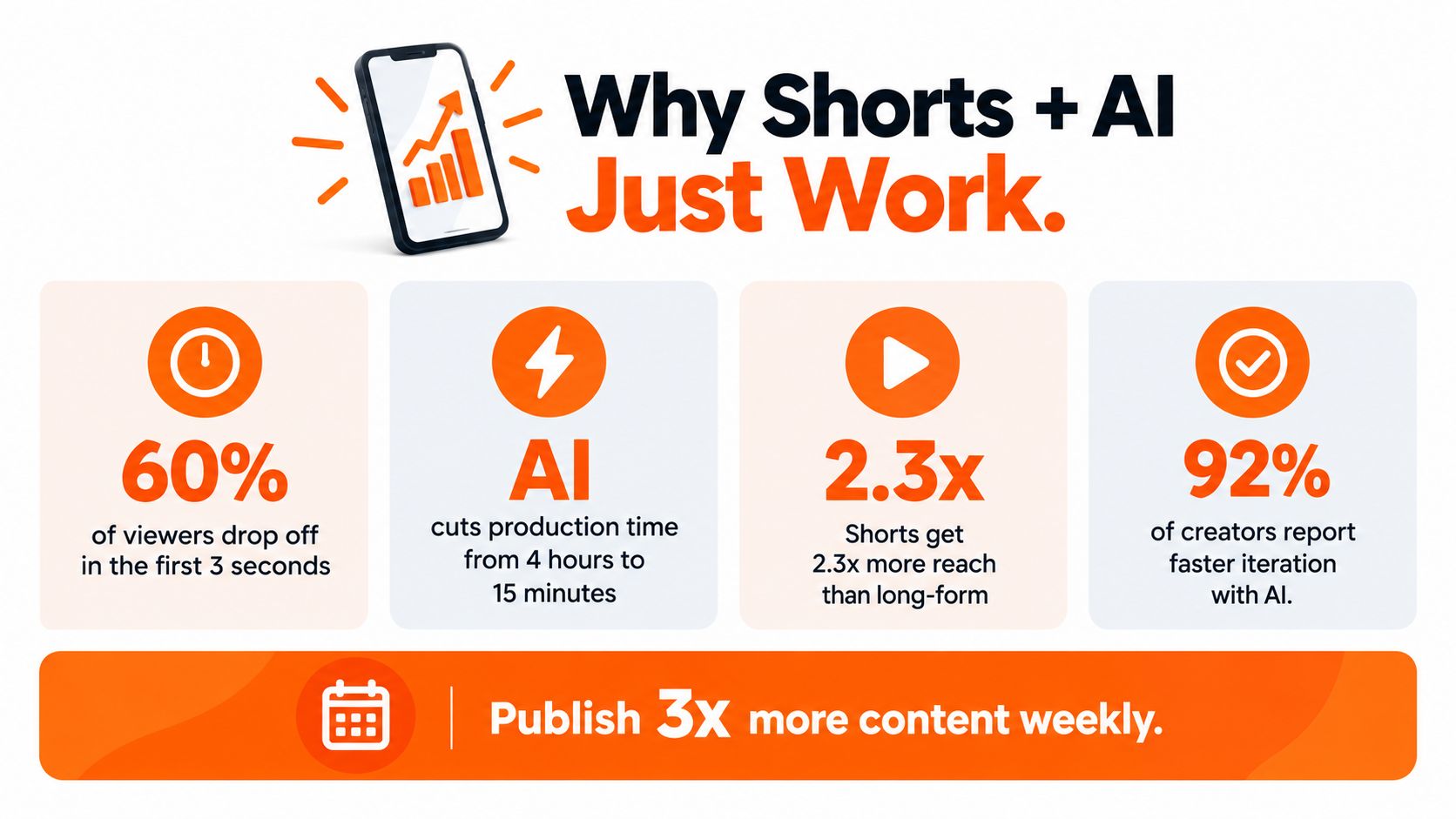
A creator can turn one clear idea into a vertical Short, publish it, and learn from the response before the next production session. That pace suits a format built for frequent testing. YouTube launched the Shorts beta in India on September 15, 2020, expanded it to the United States in March 2021, and made it available globally in July 2021. By July 2022, Shorts generated approximately 30 billion views per day and reached 1.5 billion monthly logged-in viewers. YouTube also said daily viewing volume was 400% higher than one year earlier. YouTube Shorts' launch and audience milestones show why Shorts became a serious distribution environment rather than a side experiment.
That audience scale makes repeatable production useful, but speed alone is not the goal. A creator needs a way to test openings, narrate ideas, assemble vertical scenes, fix captions, and review each upload without sacrificing a recognisable point of view. Shorts originally focused on videos up to 60 seconds. In September 2024, YouTube announced that vertical videos up to three minutes would qualify as Shorts, giving creators more room for explainers, demonstrations, serialized stories, and commentary. The YouTube announcement of three-minute Shorts is the relevant primary source for that format change.
<a id="the-useful-unit-is-the-workflow"></a>
The useful unit is the workflow
An AI video generator can bring script drafting, synthetic narration, scene generation, stock selection, captions, music, and 9:16 rendering into one working process. Use it for repetitive production tasks, then review the decisions that affect originality and viewer trust: the premise, point of view, evidence, pacing, and payoff. Fully automated output often sounds generic, repeats familiar visuals, or introduces claims that need checking.
The commercial direction supports investment in these tools. Grand View Research estimated the global AI video generator market at USD 788.5 million in 2025 and projected it to reach USD 3.4416 billion by 2033, with a 20.3% compound annual growth rate from 2026 through 2033. Its Grand View Research's AI video generator market analysis also shows why forecasts can differ, since firms apply different market definitions and assumptions.
Practical rule: Use AI to increase the number of thoughtful experiments, not to publish interchangeable clips faster.
Generate three hooks for one idea, adapt a script for another language, or create several visual treatments for a product explanation. Then make the final originality decision yourself. Check whether the claim is supported, whether the visuals match the narration, whether synthetic elements need disclosure, and whether the Short sounds like your channel. Broader video tips from Legacy Builder can complement the production mechanics.
<a id="writing-prompts-that-actually-produce-watchable-shorts"></a>
Writing Prompts That Actually Produce Watchable Shorts
Most weak AI Shorts start with an underspecified prompt. “Make an engaging video about productivity” gives the generator a subject, but not a viewer, tension, sequence, voice, or ending. The result usually wanders through familiar advice because the tool is filling gaps you should have defined.
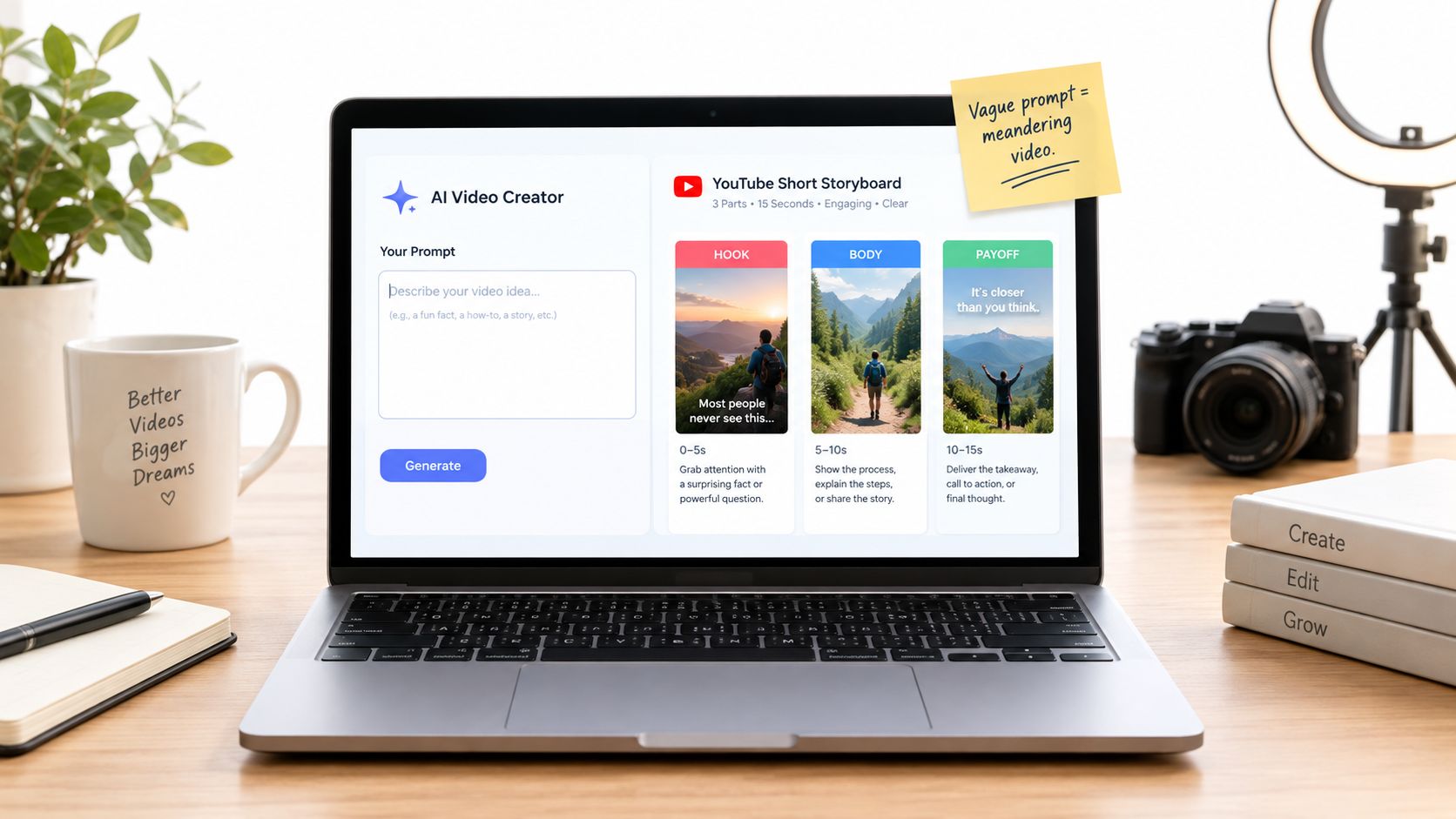
A reliable prompt gives the Short three jobs:
- Hook: State the surprising problem, question, or promise immediately.
- Body: Deliver one proof point, demonstration, or compact sequence.
- Payoff: Resolve the opening tension and tell the viewer what to do with the information.
<a id="turn-a-vague-request-into-a-production-brief"></a>
Turn a vague request into a production brief
A weak prompt might say:
“Create a motivational YouTube Short about building better habits.”
A stronger version gives the generator constraints:
“Write a concise YouTube Short for busy freelancers. Open with a counterintuitive claim about habit tracking. Explain one practical method using a simple daily example. End with a clear challenge for tomorrow morning. Use a direct, conversational tone. Keep the script single-purpose, align each visual with the spoken line, and create five alternative opening sentences before selecting the strongest one.”
The second prompt controls audience, premise, structure, tone, visual relationship, and iteration. It also prevents the common failure where the generator spends most of the video introducing the topic and leaves no room for a conclusion.
For deeper prompt patterns, see this practical guide to text-to-video prompting. The key isn't producing a long instruction. It's removing ambiguity where the output matters.
<a id="generate-openings-separately"></a>
Generate openings separately
Don't ask an AI tool to optimize the entire Short in one pass. Generate several opening variants while keeping the central explanation unchanged. One version might lead with a question, another with a visible mistake, and another with the final result before explaining how it happened.
That separation makes testing cleaner. If the topic, duration, voice, and call-to-action remain stable, changing only the first one to three seconds gives you a more useful comparison than changing the whole edit every time. YouTube does not publish a universal good retention threshold, so use viewed versus swiped away, average view duration, average percentage viewed, and the retention curve rather than importing a generic benchmark. Creator-reported targets such as 70–79% viewed versus swiped away or 80–90% average percentage viewed for very short videos should remain directional only, as explained in creator-reported Shorts retention benchmarks.
A good prompt doesn't ask the generator to be creative everywhere. It tells the generator exactly where creativity is useful and where consistency matters.
Once the script is usable, check whether narration, scene changes, captions, and music are all serving the same beat. The following walkthrough shows how that idea-to-video process can work in practice.
<iframe width="100%" style="aspect-ratio: 16 / 9;" src="https://www.youtube.com/embed/eivlFouREho" frameborder="0" allow="autoplay; encrypted-media" allowfullscreen></iframe><a id="export-settings-captions-and-music-sync-that-hold-up-on-mobile"></a>
Export Settings, Captions, and Music Sync That Hold Up on Mobile
A strong script can still fail on a phone. Captions may sit under interface controls, a face may be cropped at the forehead, or a mixed frame rate can make movement feel uneven after processing. Export decisions are not glamorous, but they determine whether viewers can consume the Short.
Start with a native vertical composition:
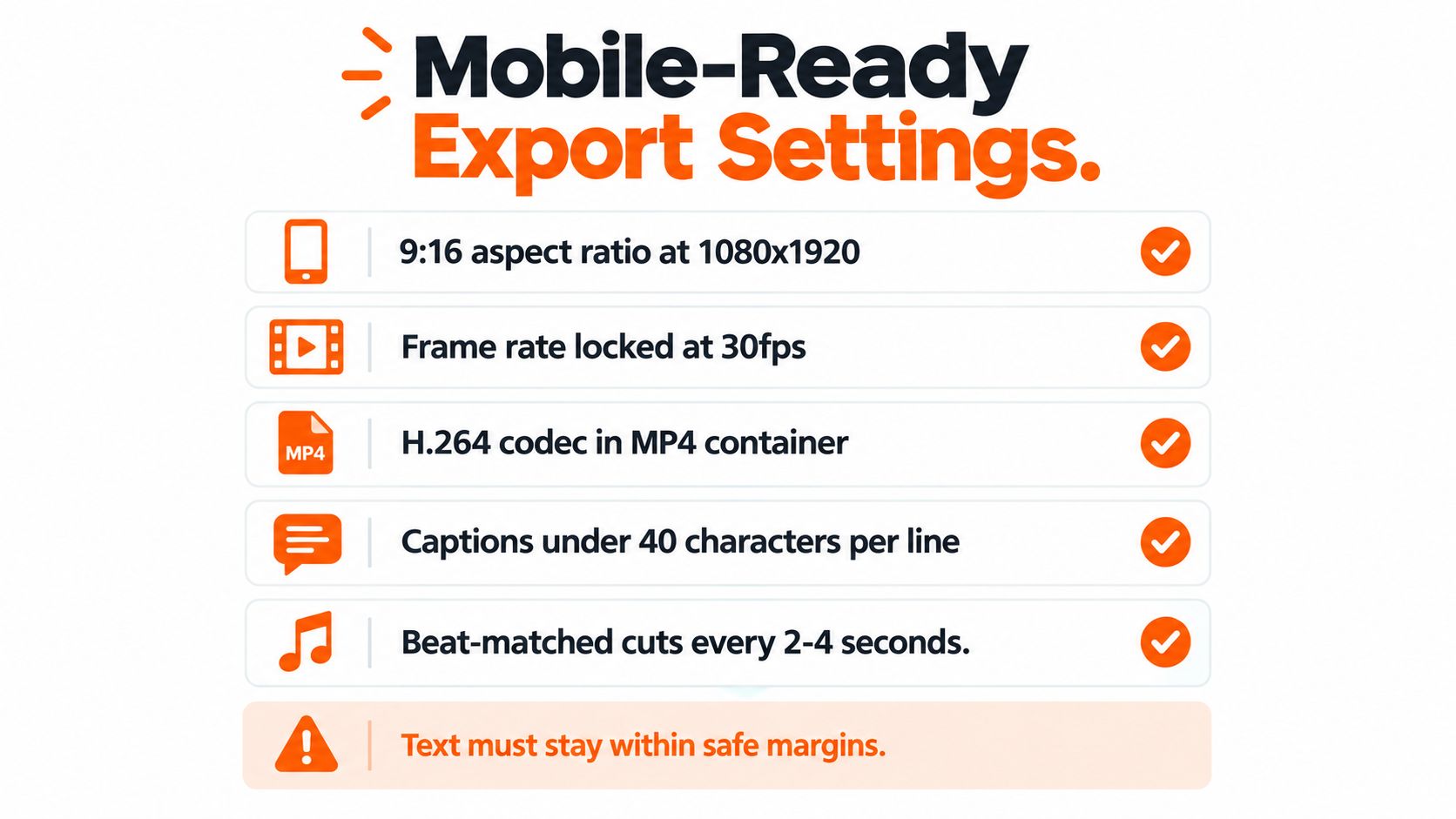
- Canvas: Use 1080×1920 at 9:16 for a vertical Short.
- Codec and container: Export H.264 video in an MP4 container.
- Scan type: Use progressive scan.
- Chroma: Use 4:2:0 chroma subsampling.
- Frame rate: Match the source or generated master and keep it consistent through the pipeline.
- GOP control: When available, use a closed GOP with a length of approximately half the frame rate.
These settings follow YouTube's published encoding guidance in its official upload encoding recommendations. YouTube lists common frame rates including 24, 25, 30, 48, 50, and 60 fps, but a consistent pipeline matters more than choosing the highest option.
<a id="keep-the-important-parts-inside-the-frame"></a>
Keep the important parts inside the frame
Place faces, product details, and essential text inside a central safe region. Shorts controls, descriptions, and other interface elements can cover information near the extreme top or bottom. Check the first and last frames for accidental cropping, then watch the file on a phone at normal brightness.
Captions need a separate review pass. Auto-generated text can be grammatically correct while still being badly timed. Match every spoken word to the correct timestamp, keep lines short enough to scan, and use emphasis sparingly. A bold-word style can work for energetic clips, but it shouldn't turn every sentence into visual noise. This guide to adding subtitles to a video covers the practical captioning side of the workflow.
Music should support pacing, not compete with narration. For a listicle, align cuts with clear rhythmic changes and let the track reinforce movement between points. For a hook, a brief energy lift can help establish urgency, but lower the music whenever a key sentence needs to land.
Mobile check: Watch the uploaded preview, not only the local master. Platform re-encoding can expose clipping, softness, timing errors, or caption placement problems that weren't obvious in the editor.
Don't treat lyrics and music visuals as interchangeable formats. If a Short uses a song as a central storytelling element, the difference between an official lyrics video and a music video can help clarify whether the visuals should prioritize synchronized words, performance, or narrative.
Common technical failures include variable-frame-rate screen recordings, upscaled low-resolution generations, excessive sharpening, clipped AAC audio, and captions that are too small for mobile viewing. Preserve the original master and export a clean 1080p derivative so later variants and localization don't compound compression loss.
<a id="three-shorts-formats-you-can-produce-in-one-session"></a>
Three Shorts Formats You Can Produce in One Session
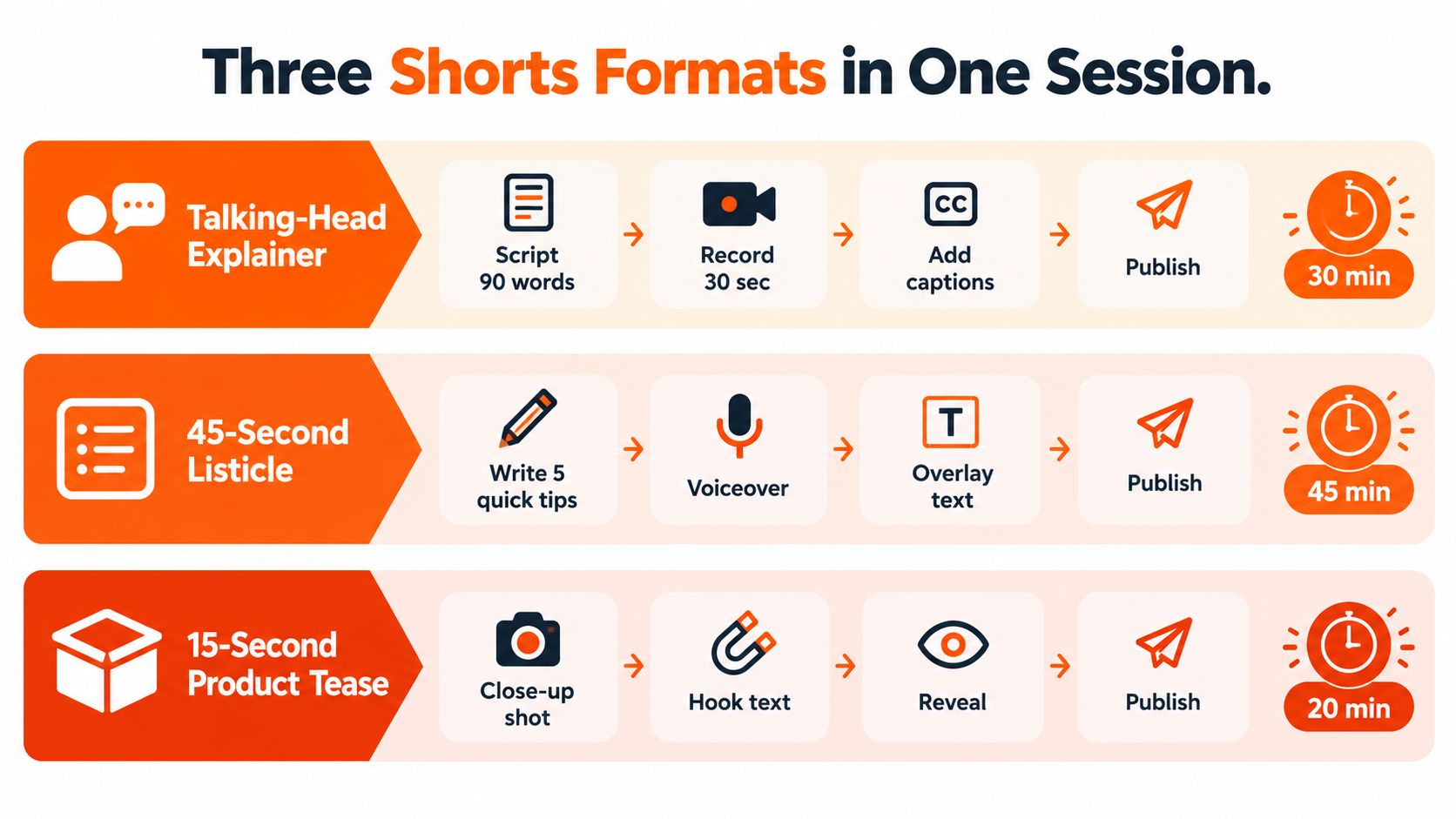
A batch works better when every Short doesn't use the same visual grammar. Three formats offer useful contrast: a presenter-led explanation, a fast listicle, and a product tease. Each asks the AI generator to solve a different pacing and authorship problem.
<a id="talking-head-explainer"></a>
Talking-head explainer
Use a direct-to-camera recording or a carefully controlled avatar when trust depends on a person explaining something. Give the script one claim, one example, and one conclusion. B-roll should demonstrate the point rather than merely decorate the narration.
On-screen captions should follow the spoken delivery, with the most important phrase appearing at the moment the presenter says it. Music can remain subtle or disappear entirely during the explanation. This format works well for tutorials, product education, and commentary where a recognizable voice or face carries the channel.
<a id="listicle"></a>
Listicle
A listicle benefits from visible numbering and a predictable rhythm. Write the points before choosing visuals, then give each item a distinct image, screen recording, or motion treatment. Repeating the same stock clip behind every point makes the Short feel automatically assembled, even when the advice is useful.
Ask the generator to make the opening promise specific, such as a defined problem and the kind of solution the viewer will receive. Keep transitions brief and let captions carry the list structure for viewers watching without sound. Music can change energy between points, but don't let each beat force an unnecessary cut.
<a id="product-tease"></a>
Product tease
A product tease needs less explanation and more controlled reveal. Start with a close-up, unusual use case, or visible problem. Show the product solving that problem, then reveal the brand or next step after the viewer understands the benefit.
Synthetic presenters often add distance here. A real product shot, screen capture, or creator-recorded demonstration usually gives the viewer stronger evidence. Use an avatar when the product needs a consistent narrator, not when the avatar is replacing footage that would prove the claim.
The same studio can turn one topic into these formats, but the human review remains different for each. Check whether the explainer sounds credible, whether the listicle stays varied, and whether the tease demonstrates rather than merely announces.
<a id="originality-is-a-monetization-requirement-not-a-nice-to-have"></a>
Originality Is a Monetization Requirement, Not a Nice-to-Have
The biggest monetization risk in AI Shorts isn't always a robotic voice or imperfect B-roll. It's sameness. If every upload uses the same template, pacing, narration style, stock footage pattern, and shallow script, viewers may experience the channel as a content factory rather than a creator.
YouTube updated its Partner Program guidance in July 2025 to clarify that repetitive, mass-produced uploads may be treated as “inauthentic content,” while AI use itself isn't automatically disqualifying. The distinction matters. Automation can assist production, but the finished channel still needs meaningful creative contribution.
<a id="build-visible-authorship-into-the-process"></a>
Build visible authorship into the process
Originality doesn't require filming every frame yourself. It does require adding something that another generator couldn't produce from the same generic prompt.
- Add original research: Use sources you selected, and explain why they matter.
- Use firsthand material: Include your own screen recordings, tests, observations, or demonstrations.
- Create a recognizable structure: A recurring analytical lens can be more distinctive than a recurring visual template.
- Write real commentary: Don't let the narration merely restate a source or summarize a headline.
- Vary the treatment: Change examples, scene logic, opening style, and conclusion instead of swapping only the topic.
- Review every upload: Remove unsupported claims, generic filler, and visuals that don't match the spoken point.
More automation isn't automatically better. If automation makes every video interchangeable, it can weaken both audience trust and monetization safety.
An AI video generator should therefore be judged by its control points, not only its rendering speed. Can you revise the script before scenes lock? Can you replace a generic voice? Can you preserve your own footage? Can you review sources and attribution? Can you generate variants without losing the central editorial point?
For ClipNova, the relevant workflow is an AI studio that can create scripts, narration, visuals, captions, music, and 9:16 exports from prompts or topics. That capability is useful when the creator retains review checkpoints and adds original direction rather than publishing the first automated draft.
<a id="when-you-actually-need-to-disclose-ai-use"></a>
When You Actually Need to Disclose AI Use
AI disclosure isn't a verdict on whether a video is good. It's a decision about whether realistic synthetic or altered material could mislead a viewer. YouTube distinguishes ordinary production assistance from depictions that appear to show a real person, event, or place in a way that never happened.
A simple decision process helps.
<a id="ask-what-the-viewer-could-misunderstand"></a>
Ask what the viewer could misunderstand
Disclose the content when the Short includes realistic synthetic or altered material that could be mistaken for reality. Examples include a real person appearing to say something they didn't say, altered footage of a real event, or a realistic event that never happened. A cloned voice or realistic likeness of an identifiable person deserves particular caution because viewers may infer consent or authenticity.
Usually no disclosure is needed for ordinary assistance such as AI-written scripts, automatic captions, generic generated B-roll, stylized animation, or translation support, provided the result doesn't create a misleading depiction of a real person or event. A fictional animation clearly presented as animation carries a different risk from a realistic reenactment presented as documentary footage.
Review mixed Shorts scene by scene. One export may combine a human recording, generated background footage, synthetic narration, translated dialogue, and an avatar. Don't make the decision based on the label “AI-generated” alone. Identify which elements could cause a reasonable viewer to believe something real occurred or someone said something they didn't.
YouTube states that disclosure itself doesn't reduce audience reach or monetization eligibility. The platform's guidance on altered or synthetic content is more useful than blanket advice to disclose everything or nothing.
<a id="document-permission-and-provenance"></a>
Document permission and provenance
Keep records for cloned voices, likenesses, music, factual visuals, and licensed source material. If a reviewer or collaborator asks how a scene was made, you should be able to explain the origin and the reason for using it.
A label can preserve trust when the material is realistic. Failing to disclose a synthetic depiction that misleads viewers creates a larger policy and credibility problem than an honest notice. Treat disclosure as part of publishing QA, alongside captions, audio levels, framing, and factual review.
<a id="your-weekly-shorts-workflow-from-prompt-to-publish"></a>
Your Weekly Shorts Workflow From Prompt to Publish
A repeatable week starts with a small editorial slate, not an empty generator window. Choose three topics that fit the channel, then define the single viewer problem each topic will solve. The deliverable is a short brief for each idea, including audience, promise, evidence, and payoff.
Use this cadence:
- Create hook variants: Write three different openings for each topic while keeping the body stable. Save the versions so you can compare them later.
- Assign formats: Turn the topics into different treatments, such as an explainer, listicle, and product tease. Variety makes the batch easier to evaluate.
- Generate the first assembly: Produce narration, scenes, captions, and music in the same workspace. Keep the script editable until the premise is clear.
- Run an originality review: Add your commentary, footage, examples, or structure. Remove generic claims and visuals that don't support the line being spoken.
- Review disclosure needs: Flag realistic synthetic depictions, cloned voices, altered events, and likenesses before export.
- Export consistently: Use the 9:16, 1080×1920, H.264 MP4 setup, consistent frame rate, safe text placement, and progressive scan.
- Publish and compare: Group each upload with Shorts of similar length, topic, and traffic source. Study viewed versus swiped away, average view duration, average percentage viewed, and the retention curve.
For teams scaling beyond occasional edits, automated video production can help frame the work as a pipeline with approvals rather than a collection of isolated generations.
When a Short underperforms, diagnose the shape of the problem. An immediate retention drop points to a weak opening. A gradual decline usually indicates pacing or repetitive visuals. Strong completion without rewatching can suggest that the payoff isn't distinctive enough. If captions lag the narration, music masks the voice, or the first frame is muted and confusing, fix the asset before drawing strategic conclusions.
Don't automate the final judgment. Let the generator handle repeatable production work, then make the editorial, originality, disclosure, and quality decisions yourself.
ClipNova combines script generation, narration, visuals, captions, music, multilingual adaptation, and 9:16 export in one short-form video workflow. Use ClipNova to turn your next batch of Shorts ideas into editable drafts, then review each one for originality, disclosure, mobile readability, and channel fit before publishing.
Ready to ship your own?
Start creating viral videos with AI in under twenty minutes, no credit card required.