
“Just write a better prompt” is popular advice for keeping an AI character consistent. It can help with broad traits, but it won't reliably hold one specific face through a new angle, action, room, or episode. A strong still image can look convincing and still fail as part of a story.
AI character consistency means viewers keep recognizing the same person as the video changes around them. That takes more than a good reference image: you need to check identity, motion, and what the story remembers.
Table of Contents
- Three Tests for the Same Character
- Why the Same Face Drifts Between Scenes
- Shot Generators and Story Generators
- How to Lock Face Outfit and Voice
- Keep Plot State in a Continuity Bible
- Score Each Scene Before You Assemble
- Make the Next Episode With the Same Cast
<a id="three-tests-for-the-same-character"></a>
Three Tests for the Same Character
A polished frame can still show the wrong person. A character only counts as consistent when viewers keep recognizing them as rooms, poses, and episodes change. The ViMax benchmark divides consistency into cross-scene, within-shot, and global tests, which is a useful way to see the shape of the problem: three separate jobs, and a pretty still can fail all three.
<a id="three-jobs-three-ways-to-fail"></a>
Three jobs, three ways to fail
Identity across scenes means the face, hair, apparent age, proportions, and default outfit stay recognizable when the character enters a new room, takes a different pose, or shares the frame with others. In group shots, identity also means separation: each person keeps their own features instead of blending into copies of each other.
Stability inside a shot means the face and other details hold steady between nearby frames. Nothing melts, flickers, or jumps mid-action.
Plot state over episodes is the job viewers forgive least. What has happened, who knows what, and which promises were made must carry forward. A perfect face on a story that forgot its own events still reads as broken.
| Layer | What must stay | Viewer test | Regenerate when |
|---|---|---|---|
| Identity across scenes | Face, hair, age, proportions, and default outfit | Same person in close-up, profile, a new room, and a shared frame | Jaw, age, hair, or signature clothes change without a script reason |
| Stability inside a shot | Expression, lighting, and edges from frame to frame | Watch the shot once without pausing | Face melts, flickers, or jumps mid-action |
| Plot state over episodes | Events, relationships, and details the story established | Recap the story so far, then check the new scene against it | A scene contradicts established events or drops a thread with no reason |
Consistent doesn't mean pixel-identical. Emotion, pose, lighting, and a costume change the script calls for are allowed. A new jaw, haircut, or jacket with no story reason isn't.
Run a four-view spot check on each recurring character: close-up, profile, action, and group scene. The close-up reveals facial changes, the profile exposes a shifted nose or jaw, action shows whether the body still belongs to the same character, and a shared frame shows whether identities have crossed.
A video that runs for several minutes gives a character far more chances to drift than a brief clip. Set the acceptance bar at every scene, not at the best still.
Reference images deserve the same discipline. What makes professional photos for author bios easy to match to a face at a glance also makes a reference image easy for a generator to reproduce: a clear face, visible features, and a look you can describe in one sentence. For a practical primer on turning still references into motion, see this guide to picture-to-video AI.
If a scene fails one of the three tests, the polish of a single frame is not a reason to keep it.
<a id="why-the-same-face-drifts-between-scenes"></a>
Why the Same Face Drifts Between Scenes
In a human-centered story-generation comparison, the leading method reached 55.5% pairwise face similarity, while the second-best method reached 27.1%. The comparison covered 100 prompt sets, 10 prompts per set, and 1,000 images; even the leading score leaves plenty of image pairs that may not read as the same face to a viewer. Those results are reported in the identity-preservation benchmark.
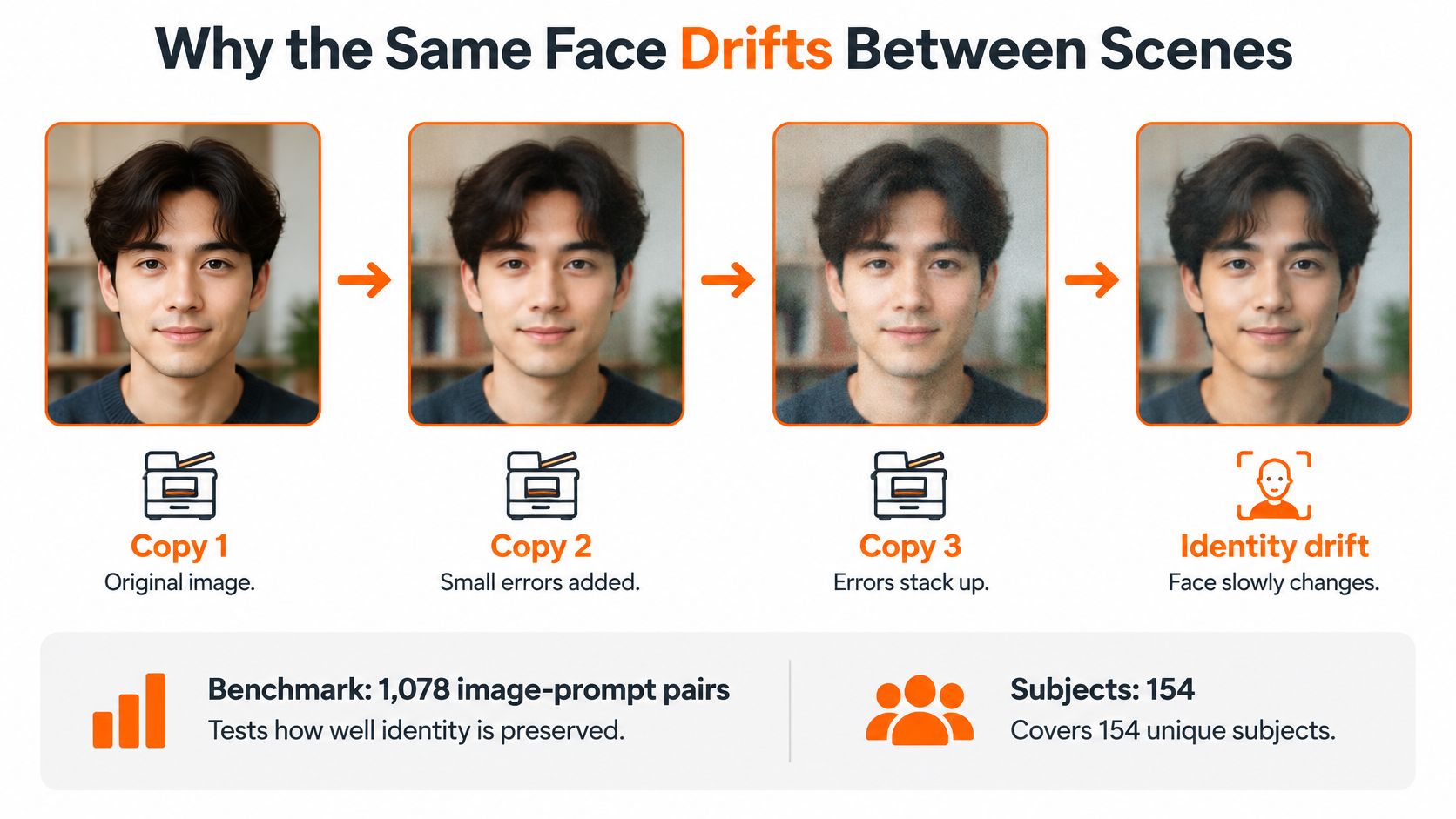
Think of each new scene as another photocopy of the character. Every change asks the generator to preserve identity while also interpreting a new pose, setting, action, or composition. If some details shift during that process, the next scene can start from a weaker resemblance.
<a id="the-scene-changes-that-make-drift-harder"></a>
The scene changes that make drift harder
The benchmark tested 1,078 image-prompt pairs covering 154 subjects. Each prompt changed an average of six to seven transformation axes, across human, animal, anthropomorphic, and animated subjects in photorealistic, cartoon, and vector styles. That's relevant to narrative video because a character may need to survive several changes at once: a different location, action, visual style, and relationship to another character.
Some conditions make identity harder to preserve. Drift becomes more pronounced with iterative edits, when the subject appears small in frame, when the source image is degraded, and when several subjects appear together. A weak reference or a crowded shot gives the model less reliable information to keep each face distinct.
For creators working with 3D characters, retopology for AI-generated character meshes is a useful related concept: clean, organized geometry can matter when a character needs to hold up through different views and movement. It's a separate part of the pipeline, but it reinforces the same practical point: consistency has to survive changes, not just look good in one view.
Also distinguish local smoothness from global coherence. Local smoothness asks whether nearby frames look continuous; global coherence asks whether the same person and setting still make sense later in the sequence. A smooth shot can still belong to a story where the character's identity has drifted.
The practical reading is straightforward: consistency is a sequence problem. Keep a locked reference and fixed attributes, then make it possible to redo one failed scene without rebuilding the entire video. That matters more than making the opening frame prettier.
<a id="shot-generators-and-story-generators"></a>
Shot Generators and Story Generators
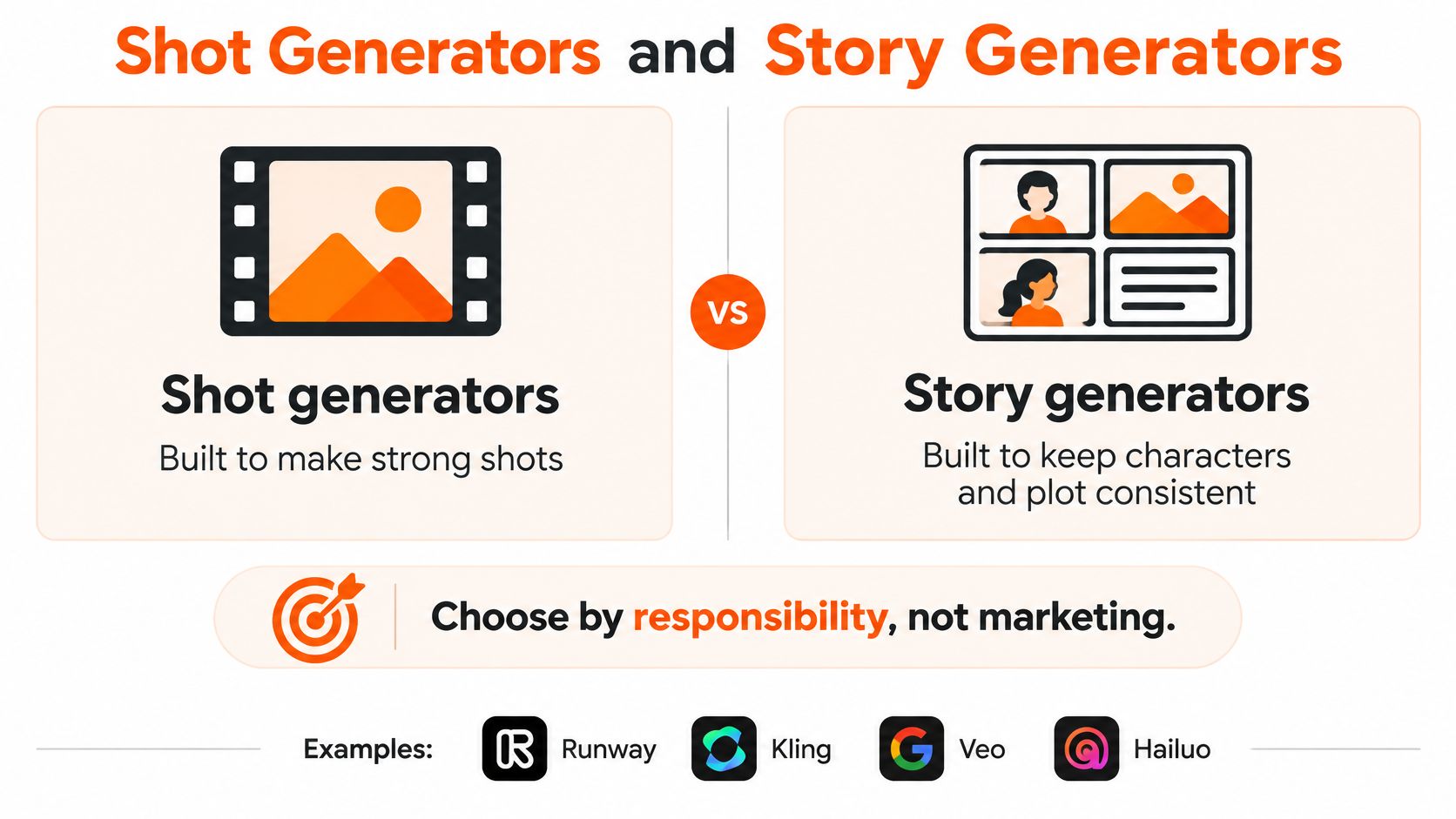
Choose a tool by what you need it to be responsible for, not by which sample looks most cinematic. A generator that makes a strong individual shot may still leave you to connect the character's identity, voice, and story across the finished video.
| Approach | Examples | What you get | Consistency limit |
|---|---|---|---|
| Clip generator | Runway, Kling, Veo, Hailuo | Strong individual shots | You assemble identity, voice, and plot |
| Template editor | InVideo, Pictory | Longer videos from stock footage | Not original scenes of your character |
| Faceless shorts tool | Revid, StoryShort, Zebracat | Fast short videos | Not a multi-minute recurring cast |
| Avatar tool | HeyGen, Synthesia | A presenter speaking to camera | A host, not a plotted cast |
| Story generator | ClipNova | Original scenes and a saved cast | Still review each scene before posting |
<a id="match-the-tool-to-the-failure"></a>
Match the tool to the failure
If your problem is shot quality, a clip generator can help you explore a visual direction. You'll still need to handle continuity as you assemble the story. If the issue is stock versus original scenes, a template editor gives you a way to build around existing footage, but it won't create original scenes of your recurring character.
If you need a recurring cast across a video lasting several minutes, a faceless shorts tool is aimed at a different job. And if you want a presenter talking to camera, an avatar tool fits better than a system meant to tell a story with several characters.
A story generator is the relevant category when the job is to create original scenes and bring a saved cast through the episode. For more context on choosing a tool for the full narrative workflow, read about the AI movie maker approach.
No category removes the need to watch the cut, check names and dates, and redo scenes that fail the face or plot test. Pick a shot tool to explore a look. Choose a story tool when the same people need to survive a full episode and the next one.
<a id="how-to-lock-face-outfit-and-voice"></a>
How to Lock Face Outfit and Voice
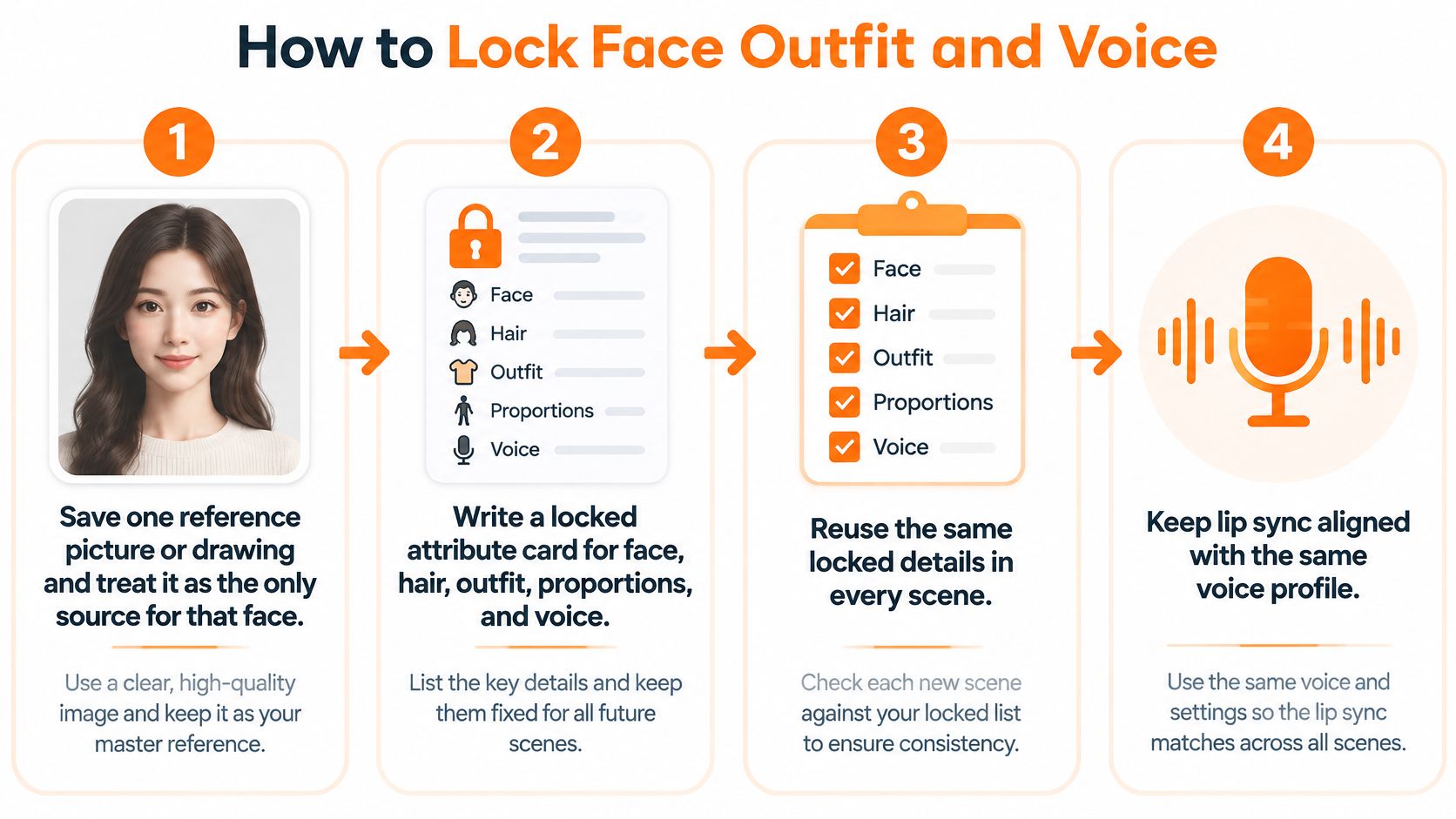
A text description can name a character's traits, but it doesn't give the model a stable picture of one particular face. Build a workflow around a saved reference, repeatable attributes, and a voice that belongs to the same character.
-
Save one reference picture or drawing. Treat it as the source of truth for that face. A clear, recognizable reference gives the generator a visual anchor rather than asking it to invent a new face from a description.
-
Write a locked attribute card. Record face, hair, outfit, proportions, age, and voice. Reuse those details instead of changing the wording every scene. Make the default outfit explicit, too.
-
Keep appearance separate from pose. The face reference answers “who is this?” The pose instruction answers “what are they doing?” Systems such as Animate Anyone separate reference features from body-pose guidance and use temporal modeling to reduce discontinuities. In everyday terms, the saved reference sets the face, the pose sets the body, and the video model smooths movement between frames. That way, you're not asking for a newly described face on every frame, as the Animate Anyone paper explains.
-
Give each cast member a separate reference. When another person enters the scene, keep their reference and identity information distinct. This makes it easier to catch features leaking from one character onto another.
-
Keep one voice for the episode. Choose a narrator voice or a character voice and stick with it. If voice selection is part of your workflow, compare the options in this guide to AI voiceover tools.
-
Check lip sync and identity separately. Mouth movement can match the audio while the face changes. Compare the face to the reference as its own check, then listen for whether the spoken line fits the saved voice. When a costume is meant to change, write the change into the script, such as armor for a battle or a coat for a night scene. For planned wardrobe changes, AI outfit transformation templates offer a related way to explore looks without treating every new outfit as a new identity.
-
Regenerate the failed scene, not the whole video. Check identity, within-shot stability, and group separation. If a scene fails, rerun that scene against the saved reference. Rebuilding the full video can introduce a fresh identity sample where the rest of the cut was already working.
Lock the visual style as well: cinematic, 2D, 3D, anime, or comic. Switching styles mid-episode can make the character feel like a different person, even when the description stays the same. The useful working set is simple: one reference, one attribute card, one voice, and a habit of fixing the bad scene only.
<a id="keep-plot-state-in-a-continuity-bible"></a>
Keep Plot State in a Continuity Bible
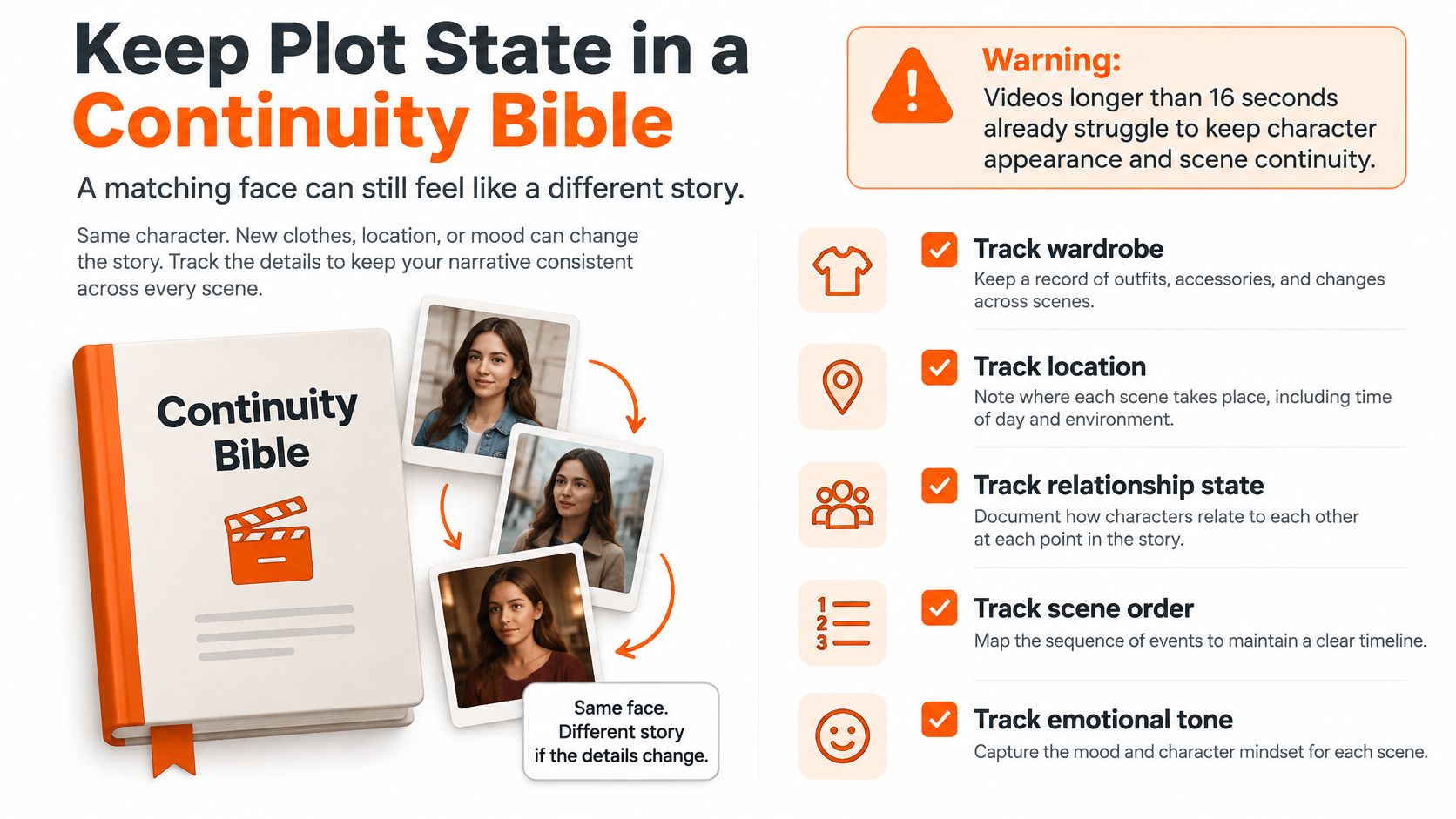
The character looks right, but she's holding the key in the wrong hand, has forgotten who knows the secret, and has lost the injury from the last scene. Viewers may not describe that as “state drift.” They'll just feel that the story no longer adds up.
A 2025 survey on long-video storytelling reports that videos longer than 16 seconds can struggle to maintain consistent character appearances and scene layouts, with multi-subject narratives particularly prone to character and motion-coherence failures. A matching face can't fix a missing plot detail.
<a id="record-what-the-next-scene-needs-to-know"></a>
Record what the next scene needs to know
A continuity bible is a working record of characters, places, and objects as the story changes. Fill in the fields before you move on to the next episode.
| Field | What to record | Viewer check |
|---|---|---|
| Identity | Face, hair, age, proportions, and signature traits | Same person after a location change |
| Wardrobe | Default outfit and scripted changes | Clothes change only where the script says so |
| Voice | Narrator or character voice, pitch, and accent | Same voice from the first episode to the latest |
| Relationships | Who trusts, fears, or owes whom | The bond moves forward instead of resetting |
| Locations | Where each place is and what it looks like | The same room keeps its layout |
| Props | Key objects and who holds them | The key stays in the same hand |
| Timeline | Dates, ages, and order of events | Names and dates match the script |
| Unresolved threads | Open secrets, wounds, and promises | Yesterday's wound is still visible |
That record helps different channels in different ways. A kids' cartoon can track a toy and a catchphrase. A horror story can keep the narrator and an injury consistent. History and faith stories need names and dates the writer is sure of; for historical figures, use a narrator and period-costume characters rather than portrait likenesses. A two-person drama should let the relationship move forward instead of resetting between episodes.
For an advertisement, include the product as a prop and note what it looks like. The viewer should see the same object, not an almost-identical replacement. Keep the story-memory window to the last 5 episodes; the bible must still record anything older by hand.
Memory and a continuity bible solve related but different problems. Memory keeps recent story context available for the next idea, while the bible gives you a durable record of what matters. A face lock won't remember who promised what. The bible won't keep a face from changing. You need both before episode two.
<a id="score-each-scene-before-you-assemble"></a>
Score Each Scene Before You Assemble
A general visual-quality score can tell you whether a frame looks polished. It can't tell you whether the face is the same one. Give each scene three checks, in order, then check speech and voice before adding it to the finished cut.
The Face Consistency Benchmark evaluates identity similarity, expression stability, and fine facial details across video frames. That makes it a better guide for this task than relying on a single impression of image quality.
<a id="run-the-visual-checks-in-order"></a>
Run the visual checks in order
-
Face similarity. Compare the saved reference with sampled frames. Look at identity, expression stability, and fine details separately. A face can resemble the reference at a glance while losing a distinct feature that makes the character recognizable.
-
Attribute persistence. Check hairstyle, default outfit, apparent age, and proportions against the attribute card, one at a time. This catches a scene where the face matches but the jacket or body shape changes without a script reason.
-
Temporal similarity. Compare adjacent frames or watch the full shot. Look for flicker, melting edges, or sudden expression jumps. A frame-by-frame problem may be easy to miss in a still preview.
Explicit identity representations and multi-frame memory can support stability, so retrieve the cast memory for each scene before generation. Then run the same checks before you assemble the scenes. A good-looking result can still be the wrong character or a background that no longer fits.
<a id="check-the-sound-as-a-separate-track"></a>
Check the sound as a separate track
For a speaking character, score lip timing separately from identity. Mouth-landmark distance and a synchronization-confidence measure can help assess whether the lips match the audio; facial similarity checks whether the speaker still looks like the same person. Timed lips on a drifting face don't pass the identity check.
Then play each narrator or character line beside the saved voice from the first episode. Listen for pitch and accent changes. Voice consistency is part of recognition, even when the image looks right.
There isn't one universal pass score supplied by the benchmark. Set a practical cutoff by comparing a known-good scene from the first episode with each new scene. If the new scene falls below the standard you established, regenerate it before assembly rather than hoping viewers won't notice.
<a id="make-the-next-episode-with-the-same-cast"></a>
Make the Next Episode With the Same Cast
A recurring series needs a production setup that carries both the cast and the story forward. Save each character from a picture so the same face, hair, and outfit can return in new scenes. For a larger story, keep a named cast of up to 8 characters, with each character's role and locked look recorded alongside their personality and catchphrase.
Write an episode as a short idea or paste in a script. Story memory recalls the last 5 episodes, so the next instalment can continue the arc; keep older facts in your continuity bible. Lines assigned to a talking character are spoken word for word. Talking characters can use lip sync with AI Video on Base and Pro, while Moving AI Images uses a narrator instead, so choose the mode based on whether you need mouths to move.
One generation covers the script, scenes, voiceover, captions, and background music. Videos run up to 5 minutes at up to 1080p, with narration in 18 languages and 9:16, 16:9, or 1:1 formats. Plans start at $19 per month and include commercial rights. Review the finished video before posting, check names and dates, and don't depict a real living person or make them appear to say something they didn't say.
Make your first video at ClipNova's video studio.
Save a character once, then use the same reference and continuity checks as the story moves through new scenes and episodes. ClipNova AI brings character-led scenes, voiceover, captions, and music together in a finished video. Start with one short idea and make your first video.
Ready to ship your own?
Start creating viral videos with AI in under twenty minutes, no credit card required.