
You're probably here because you need a cartoon clip fast, and the old production path doesn't fit the deadline.
Maybe it's a product teaser for Instagram. Maybe it's a short lesson intro. Maybe it's a music visual and all you have is cover art, a rough script, and a sense of the vibe. You know what the video should feel like, but you don't have time to storyboard every shot, hire an animator, wait for revisions, and then remake the whole thing for vertical and square formats.
That's the gap an AI cartoon video generator is trying to close.
The useful way to think about these tools isn't “Can AI make animation?” It's “Can I brief this system clearly enough that it gives me a usable first pass, keeps my character recognizable, and survives export to the formats I publish?” That's where most guides stop too early. They list features. They don't teach briefing.
A good workflow starts with the same discipline you'd use with a human motion designer: define the character, define the scene logic, define the camera, define the output. If you skip those, the model fills in the gaps. That's when characters drift, colors shift, and one clean scene turns into three unrelated shots.
Table of Contents
- From Blank Idea to Animated Clip in Minutes
- What an AI Cartoon Video Generator Actually Does
- Styles, Quality Controls, and Output Formats That Matter
- Prompting and Workflows That Produce Watchable Results
- The Consistency and Rights Questions Most Guides Skip
- Where ClipNova's Anime and Cartoon Generators Fit In
- Real Use Cases for Short-Form, Ads, Music, and Education
- Putting It All Together With a Short Production Checklist
<a id="from-blank-idea-to-animated-clip-in-minutes"></a>
From Blank Idea to Animated Clip in Minutes
A familiar scenario. It's Sunday night, your phone is full of product photos, and you need a short cartoon teaser before Monday. You don't need a full animated film. You need a tight visual hook that looks intentional, matches your brand, and can ship quickly.
That's where these tools earn their place. You open a generator, describe the scene in plain language, choose a visual direction, add a reference if the tool supports it, and get a first animated pass in minutes instead of waiting on a traditional production cycle. The category is also growing at commercial scale. The global AI anime generator market was estimated at USD 91.38 billion in 2024 and is projected to reach USD 384.40 billion by 2030, with a projected CAGR of 27.7% from 2025 to 2030 according to Grand View Research's AI anime generator market report.
<a id="what-speed-is-actually-good-for"></a>
What speed is actually good for
Speed matters most at the rough-cut stage.
You can use an AI cartoon video generator to:
- Test a concept: See whether your mascot, scene, or color direction works before investing more time.
- Make social-first cuts: Build quick vertical clips for Reels, Shorts, and TikTok.
- Create style boards that move: Instead of static references, you get a short animated proof of tone.
That last point is underrated. A moving draft reveals problems static frames hide. Bad pacing, awkward gestures, or distracting backgrounds show up immediately.
Practical rule: Treat the first generation as a moving storyboard, not the final master.
<a id="the-missing-roadmap-most-teams-need"></a>
The missing roadmap most teams need
The useful question isn't whether AI can generate a cartoon clip. It can. The useful question is whether you can generate one reliably.
That means your process needs to cover:
- Briefing the character
- Locking the visual style
- Constraining motion
- Planning exports early
If you're building this into marketing work, it helps to pair the visual side with broader best practices for AI marketing content, especially around message clarity, consistency, and review discipline. The teams that get good results usually aren't writing clever prompts. They're writing tight briefs.
<a id="what-an-ai-cartoon-video-generator-actually-does"></a>
What an AI Cartoon Video Generator Actually Does
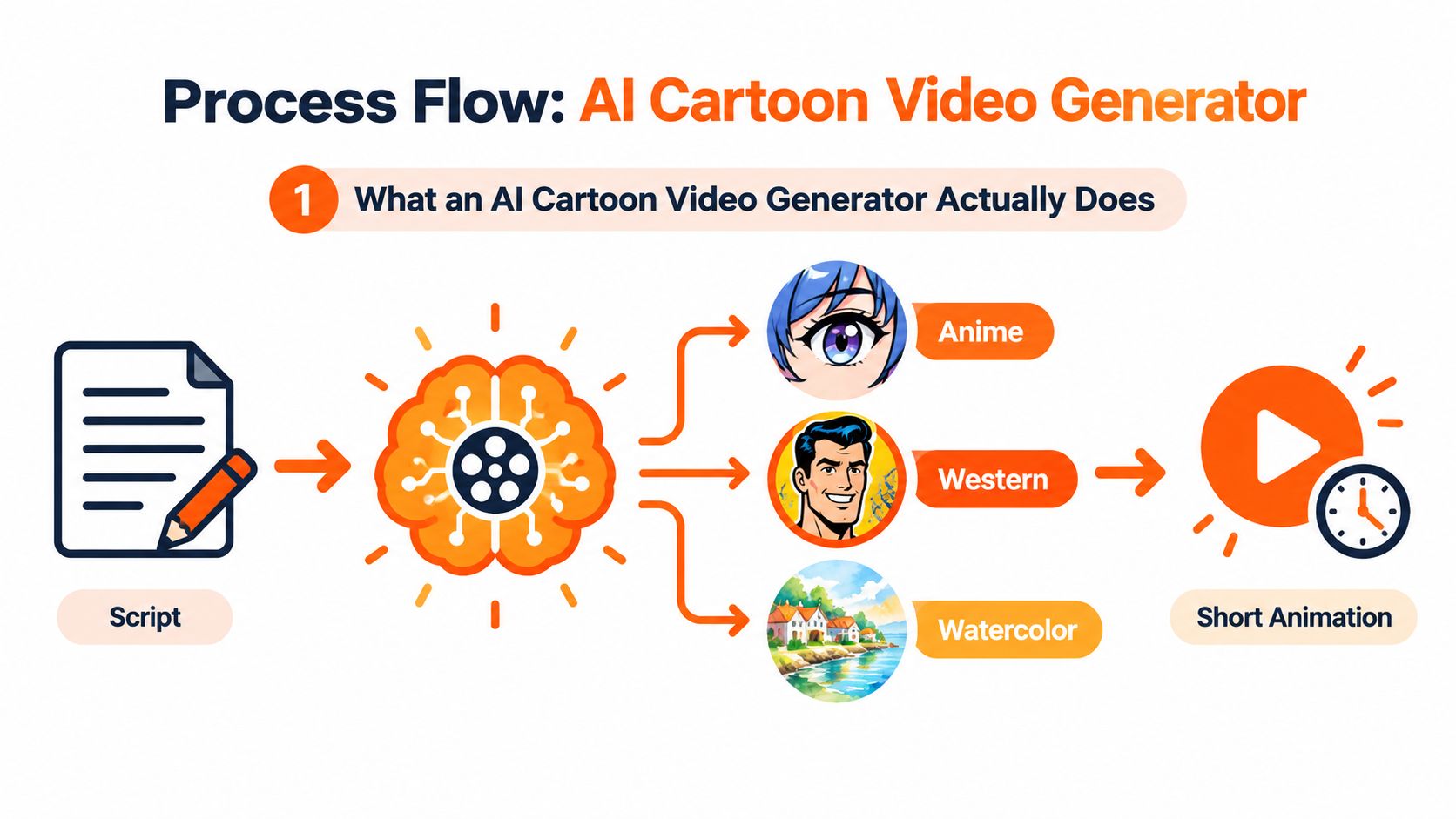
An AI cartoon video generator turns text, images, or both into short animated sequences rendered in a stylized look. In plain terms, you give the system instructions, and it predicts what the frames should look like and how they should move.
Some tools start from scratch with text-to-video. Others work better when you give them a still image, character sheet, or keyframe and ask them to animate from that base. For cartoon work, that difference matters. If your goal is a recurring character, image-to-video often gives you more control than pure text alone.
<a id="the-two-engines-underneath"></a>
The two engines underneath
Most systems combine two jobs.
First, a style engine interprets your prompt or reference into a visual language. That includes line quality, color treatment, shading, facial proportions, wardrobe, and background design.
Second, a motion engine predicts how those frames should evolve over time. That includes head turns, hand movement, blinking, camera movement, and scene continuity.
Between 2022 and 2024, AI video moved from short research demos into commercial tools. Public timelines show early text-to-video diffusion models in 2022, Runway Gen-2 in 2023, OpenAI's Sora research preview on February 15, 2024, and releases such as Kling 1.0 and Luma Dream Machine by mid-2024. That same timeline notes a shift from early 3 to 5 second low-resolution clips toward 60-second 1080p outputs with stronger temporal coherence in 2024-era systems, as summarized in this AI video history timeline.
<a id="why-creators-get-confused"></a>
Why creators get confused
People often expect these tools to “understand animation” the way an animator does. They don't. They predict patterns. That's why the same prompt can produce a gorgeous shot once and a broken one the next time.
A more useful mental model is this:
- Text tells the model what to depict
- Reference images tell it what to preserve
- Prompt constraints tell it what not to improvise
If you're comparing platforms beyond cartoon-specific tools, broad lists of best AI tools for creators 2026 can help you map where generation ends and editing, audio, or publishing tools begin. Most real workflows use more than one system.
The strongest outputs usually come from creators who stop asking for “an awesome cartoon video” and start specifying subject, action, framing, and style boundaries.
<a id="styles-quality-controls-and-output-formats-that-matter"></a>
Styles, Quality Controls, and Output Formats That Matter
Not every cartoon look solves the same problem. A bright mascot explainer, an anime music loop, and a hand-drawn educational short may all come from the same category, but they stress different parts of the model.
<a id="style-choices-change-what-breaks"></a>
Style choices change what breaks
Anime-style generation tends to emphasize expressive eyes, cel shading, dramatic lighting, and mood-heavy compositions. It can look striking fast, but it's sensitive to character drift. Hair shape, eye spacing, and costume details can mutate between shots if the prompt is loose.
Western cartoon styles usually lean on flatter colors, bolder outlines, simpler geometry, and cleaner readability. That often makes them easier to reuse in ads, explainers, and motion-graphic hybrids because the shapes are less fragile.
Painterly or watercolor cartoon styles can be beautiful for mood pieces, but they're usually the hardest to keep stable. Texture variation that looks charming in one frame can look like flicker in motion.
<a id="what-to-evaluate-before-you-commit"></a>
What to evaluate before you commit
Use this kind of checklist before you build a real campaign around any tool.
| Feature | What to Look For | Production Benchmark |
|---|---|---|
| Character consistency | Can the same face, outfit, and silhouette hold across shots | Character remains recognizable without manual redraw |
| Style stability | Do lines, colors, and shading stay coherent frame to frame | No distracting flicker in outlines or palette |
| Motion behavior | Are gestures readable and camera moves controlled | Movement supports the scene instead of distorting it |
| Aspect ratio support | Can you generate or adapt for vertical, square, and widescreen | Clean output across 9:16, 1:1, and 16:9 |
| Export quality | Does the render hold up after captioning and compression | Publish-ready file without obvious degradation |
| Revision workflow | Can you rerun shots without rebuilding the entire piece | Shot-level iteration is possible |
<a id="the-benchmark-problem-most-buyers-miss"></a>
The benchmark problem most buyers miss
Natural-video scoring doesn't fully describe cartoon quality. Cartoon generation has its own failure modes, including sketch alignment, stylized motion, and color stability across frames. Researchers have started building animation-specific benchmarks for this. The MagicAnime benchmark includes 100 audio-linked clips for facial animation and reenactment and 300 clips for image-to-video and interpolation, while PKBench uses 30 real cartoon scenes with professional artist-drawn start and end sketches to test whether models preserve layout and style over long-range keyframes, as described in this cartoon video benchmark paper.
That matters because creators don't experience failure as an abstract model score. They experience it as a character whose mouth changes shape between cuts, or a background that shifts color during a pan.
<a id="output-format-is-part-of-the-brief"></a>
Output format is part of the brief
A lot of weak results begin with the wrong canvas.
- Vertical 9:16: Best when the subject needs to dominate the frame and the video is built for mobile feeds.
- Square 1:1: Useful for feed placements, product explainers, and some ad placements where centered composition matters.
- Widescreen 16:9: Better for YouTube, presentations, embedded website video, and music visuals.
If you know you need all three, design the shot around a safe center. Don't let important gestures or text live at the edge.
<a id="prompting-and-workflows-that-produce-watchable-results"></a>
Prompting and Workflows That Produce Watchable Results
Prompting gets overhyped. Good cartoon prompting is less about magic phrases and more about reducing ambiguity.
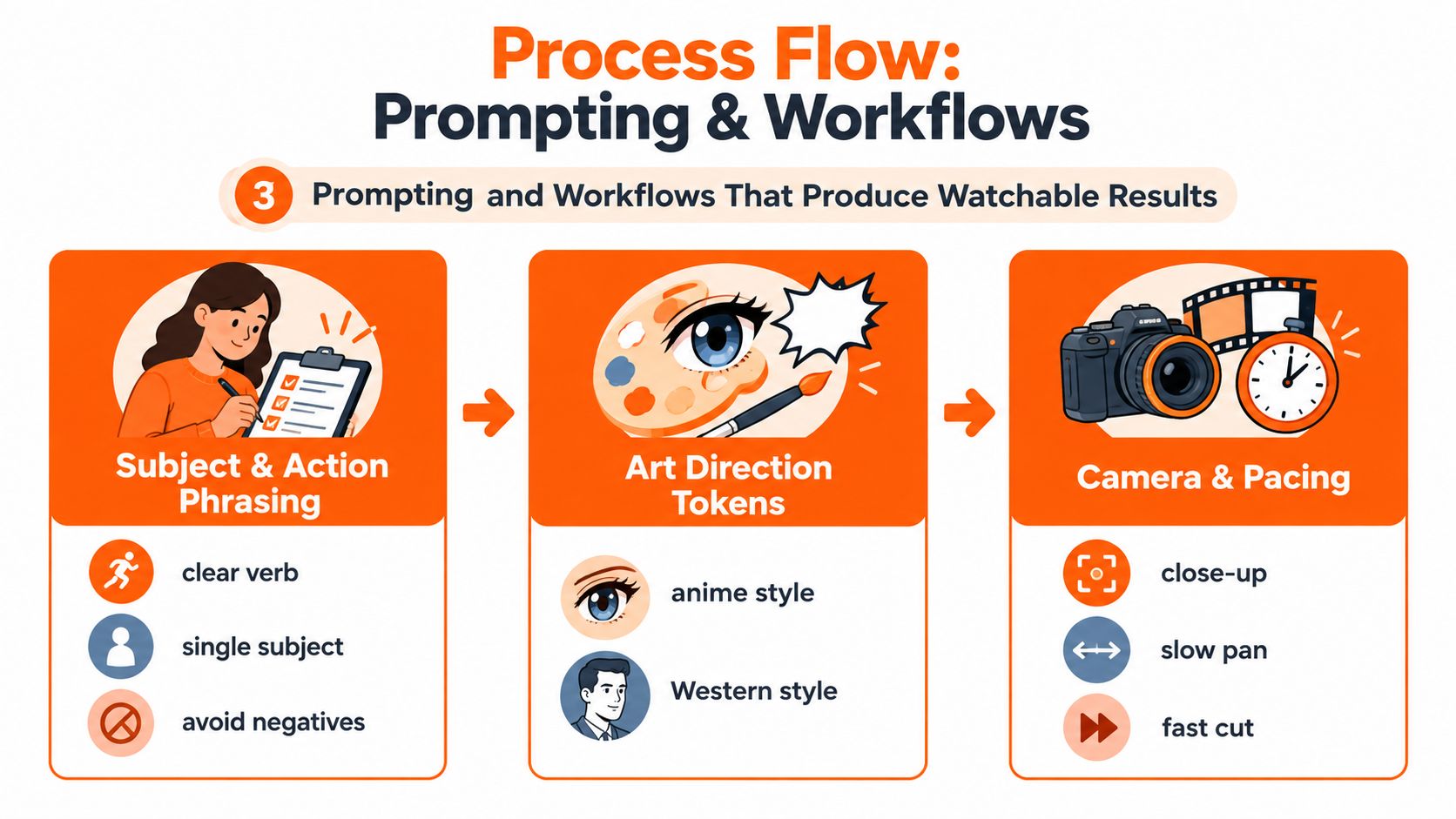
Start with one subject, one action, one setting, one style direction, and one camera idea. If you jam six ideas into one line, the model will average them badly.
<a id="a-working-prompt-structure"></a>
A working prompt structure
Use this order:
-
Subject
Who is on screen? Be concrete. “Teen girl with short blue hair, yellow rain jacket, round glasses.” -
Action
What are they doing? Use one clear verb. “Walking,” “turning,” “pointing,” “singing,” “opening a box.” -
Setting
Keep it visually manageable. “Neon city street at night” is easier to hold than a crowded fantasy battlefield. -
Style
Specify the look. “2D anime cel shading” or “flat Western cartoon with bold outlines.” -
Camera and pacing
Add one camera instruction. “Medium shot, slow push-in” is enough. -
Constraints
Mention what should remain stable. “Consistent face, same jacket, no extra limbs, stable background colors.”
For a deeper breakdown of text-to-video phrasing, this guide on text to video prompt structure is useful because it focuses on how wording affects scene control rather than just output novelty.
<a id="two-prompt-examples"></a>
Two prompt examples
Anime music clip prompt
A teenage singer with short silver hair and a black school uniform stands on a rainy rooftop at dusk, singing into a handheld microphone. 2D anime style, cel shading, reflective puddles, emotional expression, hair moving slightly in the wind. Medium close-up, slow lateral camera drift. Keep facial features consistent, preserve microphone shape, stable blue-purple color palette, no crowd, no text.
2D cartoon explainer prompt
<iframe width="100%" style="aspect-ratio: 16 / 9;" src="https://www.youtube.com/embed/aaUSmsme3aw" frameborder="0" allow="autoplay; encrypted-media" allowfullscreen></iframe>Friendly orange robot mascot with a square head and white gloves points to floating app icons in a clean office background. Flat Western cartoon style, bold outlines, simple geometric shapes, bright brand colors. Medium shot, small hand gestures, minimal camera motion. Keep robot proportions identical across frames, stable background, no extra fingers, no warped icons.
<a id="a-workflow-that-saves-retakes"></a>
A workflow that saves retakes
- Gather references first: Character sheet, palette, logo colors, example frames.
- Generate stills before motion: Approve the look before asking for animation.
- Start with short clips: Test a brief shot before attempting longer sequences.
- Lock one variable at a time: First face, then wardrobe, then movement, then camera.
- Export test cuts early: Check how the clip survives vertical, square, and widescreen adaptation.
Watch for this: If a shot only works in one lucky generation, you don't have a workflow yet. You have a fluke.
<a id="the-consistency-and-rights-questions-most-guides-skip"></a>
The Consistency and Rights Questions Most Guides Skip
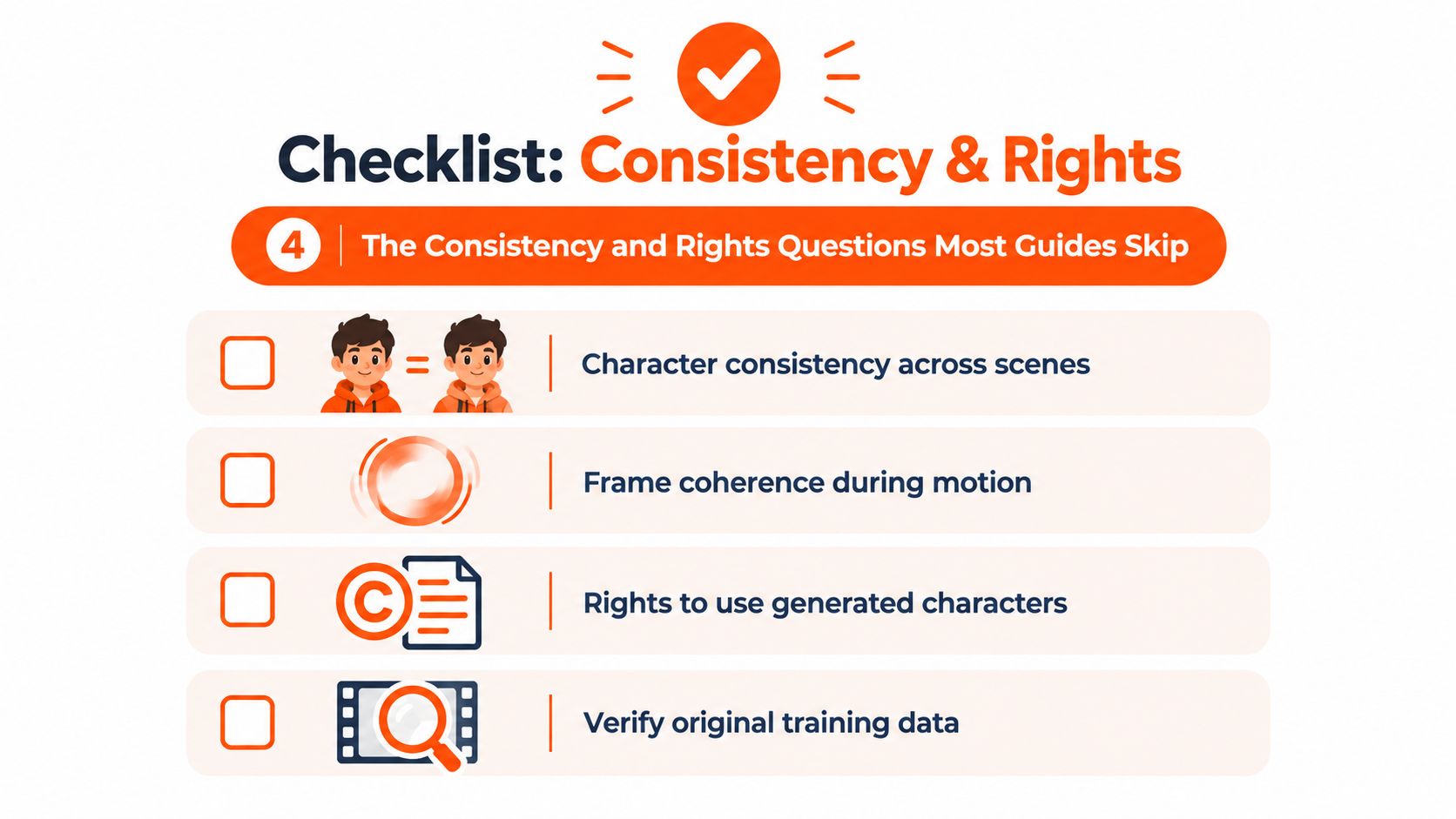
The most important buying question usually gets buried under flashy demos. Not “Can it generate a cartoon?” but “Can it keep the same character usable across scenes, sizes, and revisions?”
Researchers working on character-centric animation treat this as a real systems problem. Standard video diffusion models often optimize smooth motion more than identity preservation, which leads to flicker, drifting facial features, and inconsistent outlines. Recent benchmark work on character-centric animation also reports GPU memory, latency, and parameter counts because deployment depends on both coherence and inference cost, as discussed in this character-centric animation benchmark paper.
<a id="run-a-pre-commit-test"></a>
Run a pre-commit test
Before you subscribe to any tool, test it with one character across multiple situations:
- Scene change: Same character in two different backgrounds
- Shot change: Close-up, medium, and full-body versions
- Format change: Vertical, square, and widescreen crops
- Expression change: Neutral, smiling, surprised
If the face, costume, or line quality drifts every time, you'll spend the saved generation time fixing continuity later.
<a id="rights-and-localization-arent-side-issues"></a>
Rights and localization aren't side issues
A second blind spot is legal and regional use. Market coverage often focuses on adoption and speed, but practical buyers still need answers on commercial rights, style imitation, trademark-sensitive characters, and multi-market adaptation. Coverage summarized by 360iResearch's AI animation video maker intelligence page points to an underserved buying question: whether these tools are reliable enough for recurring character brands, ads, and cross-format campaigns. Separate market commentary also highlights legal and localization risk around copyright, likeness, training-data provenance, and adaptation across languages and regions in this AI video generation statistics overview.
Ask vendors plain questions:
- Do paid exports include commercial rights?
- How do they handle user input privacy?
- Can you localize voice, subtitles, and on-screen text without rebuilding animation?
- What happens if the style closely resembles an existing franchise?
If the answers are vague, assume your review burden goes up.
<a id="where-clipnovas-anime-and-cartoon-generators-fit-in"></a>
Where ClipNova's Anime and Cartoon Generators Fit In
In a real production stack, specialized generators are most useful when they replace the roughest part of pre-production and first-pass animation. They don't replace taste, editing judgment, or final review.
That's where tools like Runway, Luma, and cartoon-specific generators tend to slot in. Some are strongest at cinematic motion. Others are better for stylized repeatable assets. ClipNova fits into the latter category as one option for prompt-based short-form production, with dedicated Anime Video Generator and AI Cartoon Video Generator tools, multi-aspect exports, voiceover support, subtitles, and stylized scene creation inside a broader studio workflow.
<a id="what-each-lane-is-good-at"></a>
What each lane is good at
| Feature | Anime Generator | Cartoon Generator |
|---|---|---|
| Visual direction | Japanese-influenced stylization, mood, cel-shaded scenes | Western 2D, mascot, explainer, and motion-graphic-friendly scenes |
| Character use | Expressive characters and atmosphere-heavy storytelling | Clear recurring mascots and simplified branded figures |
| Common fit | Music visuals, dramatic shorts, stylized social content | Product explainers, ads, lessons, social promos |
| Prompt emphasis | Tone, lighting, emotion, character design | Clarity, shape language, readable action, brand colors |
| Export planning | Strong for vertical and widescreen mood pieces | Strong for cross-platform ad and explainer adaptation |
<a id="where-the-handoff-still-matters"></a>
Where the handoff still matters
Use generators for:
- Reference-board replacement
- Storyboard motion tests
- Rough animation passes
- Fast social variants
Then hand off to editing and finishing for:
- Sound design
- Timing cleanup
- Caption polish
- Final brand review
If you're mapping AI tools across a bigger production process, ClipNova's take on the AI movie maker workflow is a useful comparison point because it shows where generation fits relative to scripting, voice, and final assembly. That's the right frame. A generator is one node in the pipeline, not the whole studio.
<a id="real-use-cases-for-short-form-ads-music-and-education"></a>
Real Use Cases for Short-Form, Ads, Music, and Education
The category makes more sense when you see where the format earns its keep.
<a id="short-form-social"></a>
Short-form social
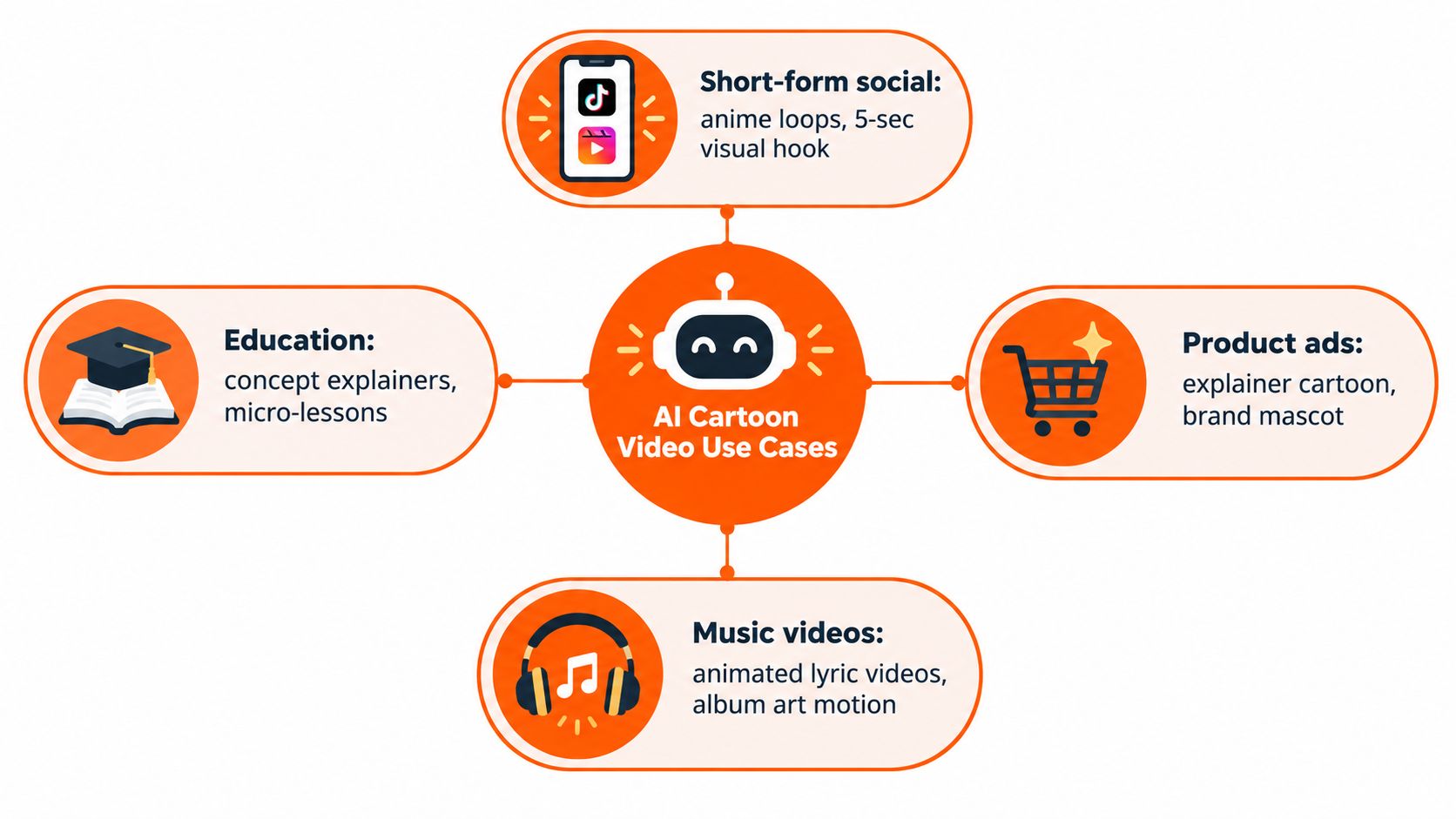
A solo creator needs a recurring visual hook for Reels. Instead of filming every time, they build a stylized anime loop with a recognizable character, one signature pose, and a consistent color mood. The key isn't complexity. It's recognizability in the first second.
Vertical framing usually wins here because the subject can fill the screen. Short loops also hide some of the continuity weaknesses that become obvious in longer scenes.
<a id="product-ads"></a>
Product ads
A brand team wants to explain a feature without shooting live action. They generate a cartoon mascot walking through the feature flow, pointing at icons, and reacting to the product benefit. This works especially well when the message is simple and the scenes are modular.
Square output often fits feed placements nicely because the composition can stay centered. A readable mascot plus stable iconography usually performs better than a busy environment.
<a id="music-visuals"></a>
Music visuals
An independent artist has a finished track but no budget for a traditional video shoot. They use an anime-style generator to create mood shots, symbolic scenes, and looping transitions that match the song's tone. The win here is emotional framing, not literal storytelling.
Widescreen tends to give these visuals more breathing room. If the piece later gets cut into socials, the best clips are usually the close-ups and silhouette shots.
<a id="education-and-explainers"></a>
Education and explainers
A teacher, course builder, or product educator needs a visual intro for a concept that stock footage can't explain well. Cartoon scenes can show abstract ideas, process steps, or historical setups in a friendlier way than generic B-roll. For many of these uses, an AI explainer video workflow pairs naturally with cartoon generation because the message structure matters as much as the style.
A cartoon clip works best when it clarifies something that would be expensive, awkward, or impossible to film directly.
<a id="putting-it-all-together-with-a-short-production-checklist"></a>
Putting It All Together With a Short Production Checklist
The cleanest way to use an AI cartoon video generator is to think like a producer, not a prompt gambler. You're not asking the model to “be creative.” You're giving it production boundaries.
<a id="a-practical-checklist"></a>
A practical checklist
- Define the job first: Is this for social, ads, education, or music? The use case should decide pacing and framing.
- Choose the style for the audience: Anime for mood and expressive character work. Western cartoon for clarity, mascots, and explainers.
- Write a structured prompt: Subject, action, setting, style, camera, constraints.
- Approve stills before motion: If the character looks wrong in a frame, animation won't fix it.
- Test consistency early: Run the same character in more than one shot and more than one crop.
- Check for motion artifacts: Hands, mouths, outlines, accessories, and background edges usually fail first.
- Review rights and localization: Confirm commercial use, subtitle handling, re-voicing, and regional adaptation.
- Export for the destination: Don't design once and hope every platform forgives the framing.
<a id="the-forward-looking-workflow"></a>
The forward-looking workflow
The most useful future-facing habit is building prompts that travel. If your prompt structure is clean, you can localize narration, swap aspect ratios, and repurpose scenes without restarting the whole concept each time.
That's also why old-school production discipline still matters. Shot lists, reference frames, naming conventions, and review passes aren't obsolete. They're more important because AI makes it easier to produce more versions, faster. A broader set of video production best practices 2026 is still worth keeping nearby for editing, sound, pacing, and final delivery standards.
Bottom line: AI cartoon generation works best as a compression layer inside the content pipeline. It speeds up ideation, rough animation, and versioning. It doesn't remove the need for direction.
A good result usually comes from a simple idea, a tightly defined character, controlled motion, and export planning done before generation starts. If you treat the tool like a junior animator with infinite speed and zero context, your brief gets better fast.
If you want to turn prompts into short-form animated videos without stitching together separate writing, voice, caption, and export tools, ClipNova offers Anime Video Generator and AI Cartoon Video Generator workflows inside a broader AI studio. It's a practical fit when you need stylized clips, multiple aspect ratios, and localization options in one place.
Ready to ship your own?
Start creating viral videos with AI in under twenty minutes, no credit card required.