
You've just exported thirty ads before lunch. That's the easy part now. The hard part is sitting in your downloads folder with files named final_v3 and new_hook_2, no labels, no record of which claim each one makes, and no clear answer to a simple question. Which of these deserves your budget first? An AI ad creative generator solves production speed. It doesn't solve judgment, review, or measurement, and treating those as afterthoughts is where teams waste the time they saved.
Table of Contents
- What an AI Ad Creative Generator Actually Produces
- Format Specs for TikTok, Facebook and Product Ads
- How the Generation Pipeline Turns a Brief into Variants
- Where Generation Helps and Where Humans Must Review
- How to Evaluate an AI Ad Creative Generator
- How to Run a Variant Test in Five Steps
- KPIs That Decide Which Variant Wins
<a id="what-an-ai-ad-creative-generator-actually-produces"></a>
What an AI Ad Creative Generator Actually Produces
Say a small team opens a shared drive on Monday and finds thirty unlabelled video files. The hooks differ, the voices differ, two show the wrong product colour, and nobody knows which version was approved. That pile is what generation without a system looks like.
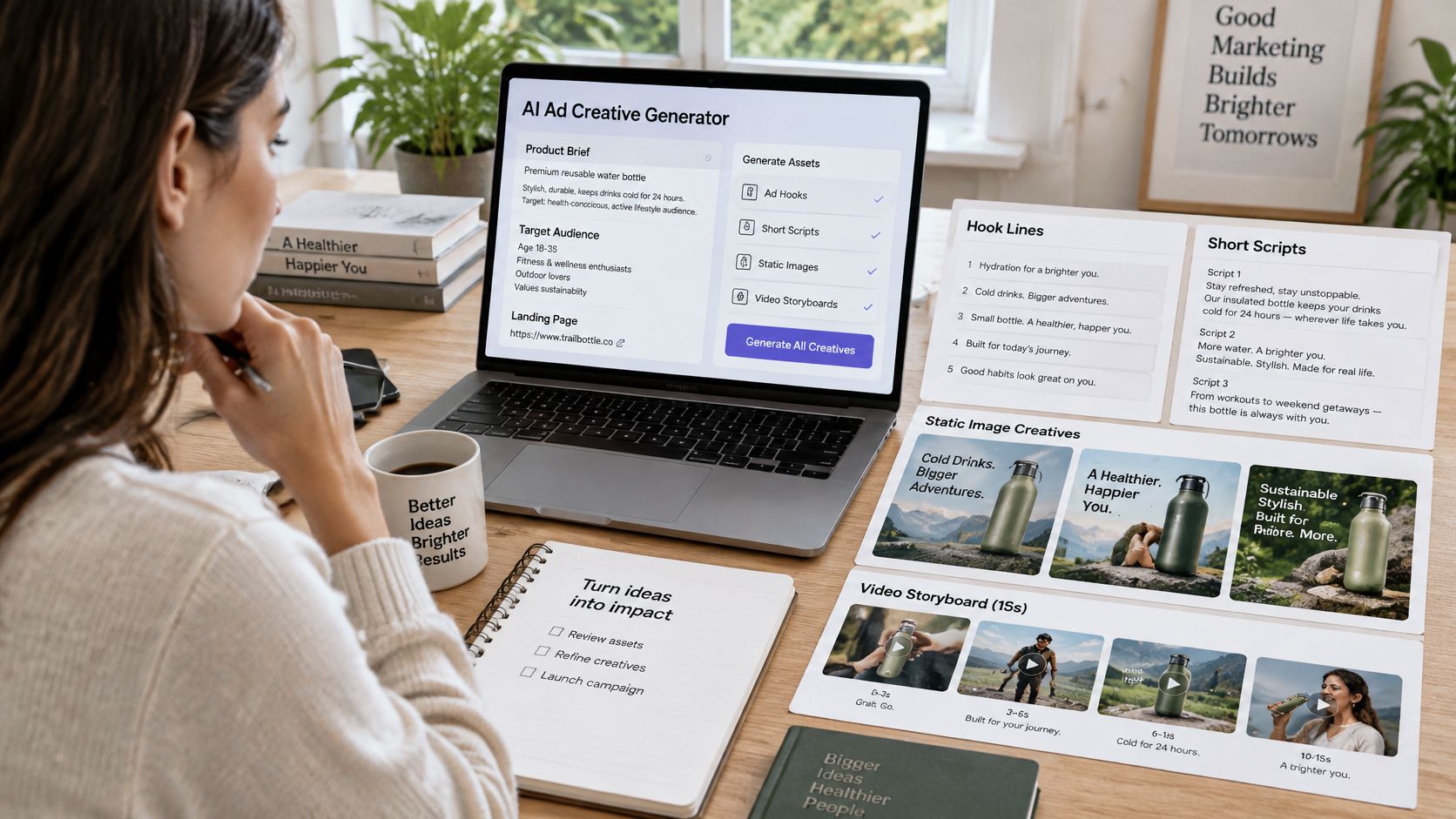
An AI ad creative generator is software that turns a brief into many ad-ready assets. You supply a product, an offer, an audience, a link, or a rough idea. It returns hooks, scripts, static images, short video cuts, voiceovers, and captions. Think of it as a prep kitchen that portions many versions of the same dish. The chef still chooses the menu and checks the taste before anything leaves the pass.
<a id="the-three-output-layers"></a>
The Three Output Layers
- Message: hooks, angles, headlines, and calls to action that frame the offer differently.
- Creative: visuals, video scenes, presenters, and voiceovers that carry the message.
- Packaging: aspect ratios, captions, and languages that fit each placement.
This isn't a niche experiment anymore. The Interactive Advertising Bureau insights feed reported that 86% of digital-video advertising buyers were using or planning to use generative AI to build video ad creative. Your competitors are already producing variants this way, so the useful question isn't whether to try it. It's how to control what comes out.
A generator doesn't know your margins, your customer complaints, or your legal limits. It can't tell you which variant will sell profitably. Use this test: if a tool outputs thirty ads and nobody can say which one to test first, your workflow is missing its measurement step.
<a id="format-specs-for-tiktok-facebook-and-product-ads"></a>
Format Specs for TikTok, Facebook and Product Ads
Shape comes before polish. A strong hook cropped by an interface button, or captions hidden behind a progress bar, loses before anyone judges the idea. One product video usually needs several versions, each built for where it will run.
| Format | Aspect ratio | Typical length | Hook window |
|---|---|---|---|
| TikTok in-feed ad | 9:16 | 9-15 s sweet spot (5-60 s allowed) | First 2 seconds |
| Facebook feed ad | 4:5 or 1:1 | 15-30 s | First 3 seconds |
| Facebook Reels and Stories | 9:16 | 15 s | First 2 seconds |
| Product video | 1:1 or 4:5 | 15-30 s | Product visible in first 3 seconds |
| UGC testimonial | 9:16 | 15-30 s | Face and spoken claim in first 2 seconds |
Treat these as typical values and confirm them against each platform's current ad specifications before launch, because placements and safe zones change. On TikTok in-feed, vertical 9:16 fills the screen and your opening has about two seconds to stop a thumb. In the Facebook feed, 4:5 or 1:1 takes more scroll space than widescreen and forgives a slightly slower build. For Reels and Stories, keep captions and key text clear of the top and bottom interface zones, where profile names and buttons sit.
<a id="one-script-becomes-three-cuts"></a>
One Script Becomes Three Cuts
Take a single product script. From that master you export a 9:16 cut for TikTok, a 4:5 cut for the Facebook feed, and a shorter cutdown for Reels. The words stay the same, the framing and pacing change. If you're starting from a still product photo rather than footage, this guide to turning a picture into video with AI covers how that first moving asset gets made. Fashion teams face the same resize problem with garments, which is why resources like this ai video generator for clothing brand guide from WearView focus on format fit for apparel.
Practical rule: export each variant at its target ratio and preview it full screen on a phone before upload. Desktop previews hide cropped text.
<a id="how-the-generation-pipeline-turns-a-brief-into-variants"></a>
How the Generation Pipeline Turns a Brief into Variants
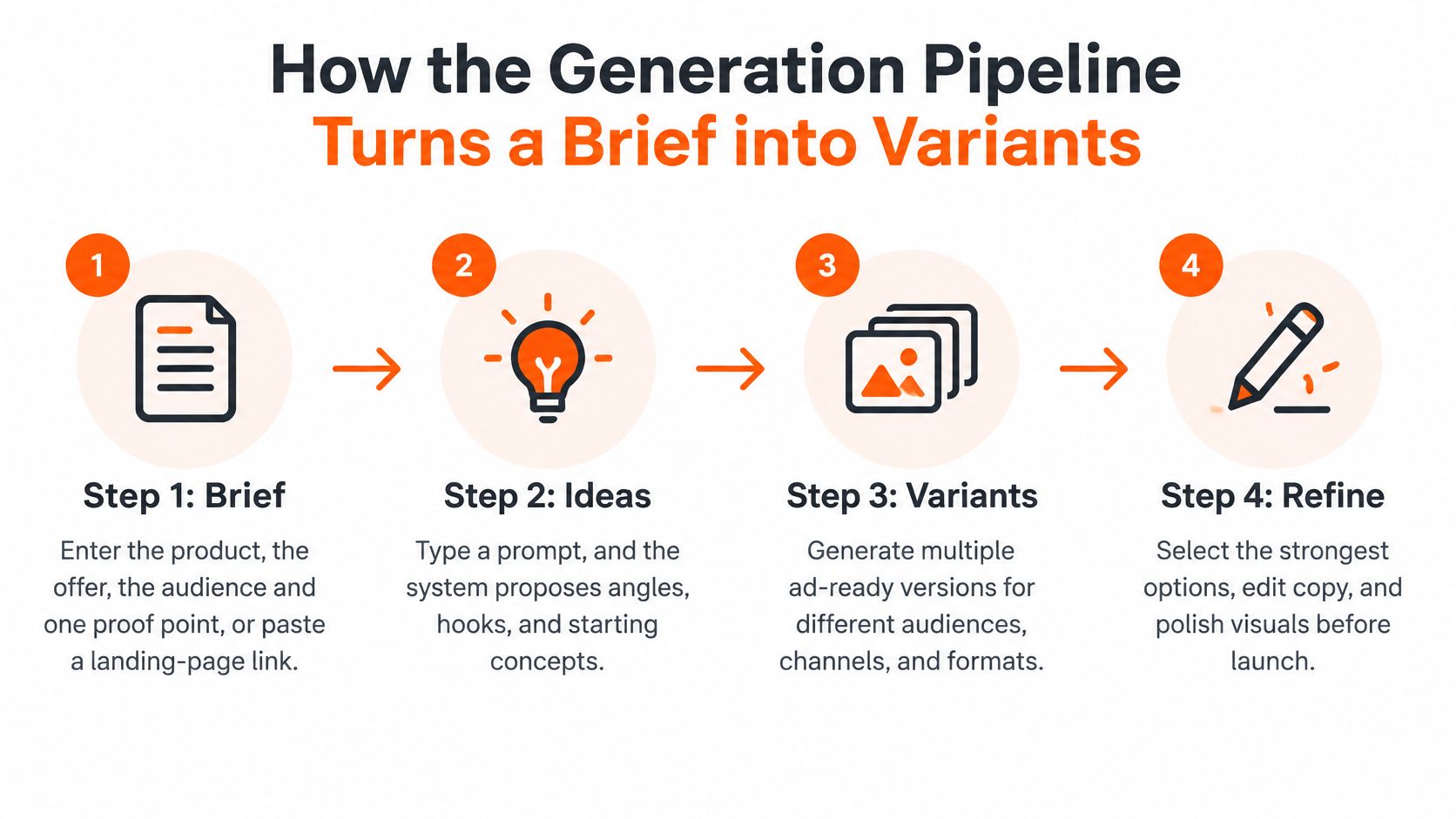
The pipeline looks automatic from the outside. Inside, it's a sequence of decisions, and your input matters most at the start. In ClipNova's flow the process has three steps: find your idea, write the script, and generate the video. Most generators follow the same logic, even when they name the stages differently.
The diagram below sums up that flow before we walk through what you control at each stage.
<a id="steps-one-to-three-where-you-supply-the-judgment"></a>
Steps One to Three Where You Supply the Judgment
Step 1, brief. You enter the product, the offer, the audience, and one proof point, or you paste a landing-page link. One proof point means something you can defend, like a tested battery life or a verified review count. A vague brief like "premium skincare for everyone" gives the tool nothing to grip.
Step 2, ideas. You can type a topic, paste a link, or pick a trending template, and the AI suggests hooks that perform. Don't accept the first hook it returns. Ask for a wide set, then cut hard. Writing the prompt well matters here, and this breakdown of how to write a text to video prompt shows how much detail to give without overloading it.
Step 3, script and voice. The tool writes a short script and generates narration. Read every line aloud and check every number. This is the cheapest moment to catch a claim you can't support, because nothing has been rendered yet.
<a id="steps-four-to-six-where-the-tool-does-the-heavy-lifting"></a>
Steps Four to Six Where the Tool Does the Heavy Lifting
Step 4, generation. Voiceover, visuals, B-roll, and captions are produced automatically in 1080p, and you can add your own music track. Watch the full render, not just the first scene. Errors hide in the middle, where a product changes shape or a caption drifts out of sync.
Steps 5 and 6, resize and revise. Export 9:16, 1:1, and 16:9 versions from the same master so every placement gets a native shape. When one shot underperforms, redo that single scene instead of re-running the whole ad. Scene-level revision keeps the parts that worked and isolates the change you're testing.
The short walkthrough below shows this kind of generation flow in practice.
<iframe width="100%" style="aspect-ratio: 16 / 9;" src="https://www.youtube.com/embed/uAaUhyxpN-0" frameborder="0" allow="autoplay; encrypted-media" allowfullscreen></iframe>Order matters because errors compound downstream. A weak brief produces weak hooks. A hook that promises an unproven result gets the finished ad rejected at review, after you've spent credits rendering it.
Spend twice as long on the brief as on the generation. Generation is fast. Fixing a bad premise isn't.
<a id="where-generation-helps-and-where-humans-must-review"></a>
Where Generation Helps and Where Humans Must Review
Say a generated hook promises a clinically proven result. It sounds credible, it renders beautifully, and no evidence supports it. Best case, the platform rejects the ad. Worse case, it runs, complaints arrive, and your team can't trace which other variants carry the same claim.
Generators are strong at volume and variation. They're weak at truth, brand judgment, and legal fit. That split isn't evenly spread across tasks, so review effort should follow the risk, not the file count.
| Task | Generator strength | Human check required |
|---|---|---|
| Hook and angle variation | Strong, dozens of angles in one session | Check every claim against proof |
| Static product variants | Strong, backgrounds, colours and layouts | Match packaging and colour to the real SKU |
| Multilingual voiceover | Strong, many languages with curated voices | Native reviewer for brand names and claims |
| Product demo footage | Weak, can show behaviour the product lacks | Compare every shot with the real product |
| Synthetic people or testimonials | Risky, trust and policy exposure | Disclose and get approval before use |
| Regulated claims (health, finance, beauty) | Not suitable without review | Named approver signs off before launch |
Hook variation is cheap, so generate broadly, then verify each claim against documented proof before rendering. Static variants look convincing, but a generated pack shot with last year's label creates returns and complaints. Multilingual voiceover scales fast, yet a mispronounced brand name or a claim that's legal in one market and restricted in another needs a native reviewer. Demo footage is the trap. A generated shot can show your blender crushing ice it can't crush.
This review gap is common. The IAB 2025 outlook study reported that 8 in 10 U.S. media buyers were using or exploring generative AI for media planning or activation, while only half of users said they mitigate risk through human oversight and safety protocols. When you start, pick a plan and then open Series for a recurring show or AI Video Studio for a single video, but set your review rules before the first export, not after the fiftieth.
<a id="the-pre-launch-checklist"></a>
The Pre-Launch Checklist
- Label everything: give each script, voice, visual, claim, language, and ratio variant an ID.
- Verify claims: check each one against proof and delete anything unverifiable.
- Match the SKU: confirm the product shown matches what ships.
- Place disclosure: decide where it appears for synthetic people or voices.
- Name an approver: one person signs off on regulated categories.
- Keep version history: a retired claim must be traceable across variants.
Generate broadly, verify narrowly.
<a id="how-to-evaluate-an-ai-ad-creative-generator"></a>
How to Evaluate an AI Ad Creative Generator
Don't judge a trial by how fast the first render appears. Judge it by how much review and rework each finished, usable variant demands. Run the same brief through two tools and time the full path from brief to approved export. That number is your real production cost.
<a id="eight-checks-you-can-run-in-a-trial"></a>
Eight Checks You Can Run in a Trial
- Ratio coverage: can one master export 9:16, 4:5, 1:1, and 16:9 in one pass?
- Language and voice range: are voices curated per language, and can a native reviewer edit scripts and captions?
- Claim control: can you edit or lock every script line and check each number before generation?
- Disclosure tools: can you label synthetic people, voices, and generated scenes inside the asset itself?
- Version history: does every variant carry an ID and a record of the brief it came from?
- Measurement handoff: can you export campaign metadata and creative attributes so results map back to each variant?
- Scene-level revision: can you redo one scene without rebuilding the whole ad?
- Cost per finished variant: does the price cover the variants you'll keep, not just the ones generated?
The handoff point matters beyond the ad itself. Your variants send traffic somewhere, and if that destination is a product roundup, a tool that helps you generate shoppable listicle pages like Landra keeps the page consistent with the promise each variant makes. Version history matters for the same reason long-form tools keep scene records, a workflow described in this look at an AI movie maker. If you can't trace which brief produced a winning ad, you can't repeat it next month.
<a id="how-to-run-a-variant-test-in-five-steps"></a>
How to Run a Variant Test in Five Steps
Testing thirty variants at once feels productive. It usually produces noise, because budget spreads too thin for any single variant to prove itself. A smaller, labelled test teaches you more per dollar.
<a id="the-five-steps"></a>
The Five Steps
-
Label by variable. Name every variant for the one thing it changes, such as hook, visual, offer, language, or aspect ratio. A file called HookB_OfferSame_9x16 tells you later what you tested. Skip this and your results become unreadable within a week.
-
Change one variable per round. If you swap the hook and the product shot together and performance jumps, you won't know which change worked. Single-variable rounds feel slower. They're the only rounds that produce a rule you can reuse.
-
Set the rules before launch. Write down the budget, the minimum sample, and the stopping rule in advance. Use your target cost per acquisition to estimate how many conversions each variant needs before you trust the result. Early leaders in small samples fade often, and rules written mid-test tend to flatter whoever's winning that day.
-
Hold audience and placement constant. Run each variant against the same audience and placement long enough to cover a full buying cycle. A product people research over a weekend won't reveal its pattern in six hours. Judging on day one is the most common slip, because delivery systems spread spend unevenly while they're still learning.
-
Build the next round from the winner. Keep the top two or three variants, retire the rest, and generate the next set from the winning hook rather than from scratch. In practice that means you write the episode idea, generate the video, and can redo any single scene in Studio before posting, so iteration changes one element at a time.
After each round, you should be able to name the variable that won and say why in one sentence. If you can't, the test design was too loose.
<a id="kpis-that-decide-which-variant-wins"></a>
KPIs That Decide Which Variant Wins
Clicks are a useful early signal. They're not the verdict. The INFORMS release on the generative advertising field experiment reported that an AI-generated creative portfolio achieved a mean click-through rate of 0.98% versus 0.65% for a professional human designer and 0.78% for an aesthetics-optimized AI benchmark. A follow-up campaign 18 months later produced 3.38% versus 3.24% for contemporary human-designed creative.
Those results show performance-oriented generation can win attention. Attention isn't purchase intent. A startling opening can pull clicks from people who never buy, which raises your click-through rate while your cost per sale gets worse.
| Metric | What it tells you | Decision rule |
|---|---|---|
| Hook rate (3-second views divided by impressions) | Whether the opening holds attention | Retire hooks far below the control after a fixed sample |
| Click-through rate | Interest in the offer | Use to rank hooks, not as the final winner |
| Conversion rate | Whether the landing page matches the ad | Flag ads with strong clicks and weak conversions |
| Cost per acquisition | Cost of each sale | Primary test for picking a winner |
| Return on ad spend | Revenue per unit of spend | Decide scaling once cost per acquisition holds |
| Cost per qualified action | Cost of a lead that passes your quality check | Use when the sale is not direct |
Read the table top to bottom as a funnel. Hook rate tells you whether the opening works. Conversion rate exposes a mismatch between ad promise and landing page. Cost per acquisition is where winners get chosen, and return on ad spend decides whether scaling makes sense. If you're unsure what return counts as healthy for your margins, these ROAS benchmarks from Product Metrics give you a reference point before you set scaling thresholds.
Two decision rules keep this practical. Retire a hook whose hook rate stays far below your control after your pre-set sample, without waiting for cost data that won't rescue it. Promote a variant only when its cost per acquisition holds across a sustained period, then re-check it on a new audience before scaling spend. Small samples mislead, and a winner in one audience can be an average performer in the next.
Start your next test with one tight brief, a labelled set of variants in the right ratios, and review rules set before you render. ClipNova turns that brief into scripts, voiceover, visuals, captions, and multi-format exports in one workspace, so you can spend your time on approval and measurement instead of assembly. Visit ClipNova to generate your first variant set and run it through the five-step test above.
Ready to ship your own?
Start creating viral videos with AI in under twenty minutes, no credit card required.