
You've got a folder full of polished product photos, lifestyle shots, and campaign images, yet the channels asking for content are built around motion. A still image can look excellent on a product page and still feel invisible in a feed dominated by short-form video. That's where picture to video AI becomes useful, not as a replacement for a production team, but as a way to turn existing visual assets into controlled, reusable clips.
The catch is that flashy motion isn't the same as usable motion. A product can warp, packaging text can melt, a face can change, or the camera can drift in an unintended direction. Commercial teams need a repeatable workflow that protects the source image, keeps movement restrained, and produces exports that are safe to publish.
Table of Contents
- Why Static Photos Are No Longer Enough
- Converting Photos to Video with ClipNova
- What Separates Good AI Video Output from Bad
- Controlling Motion and Preserving Product Fidelity
- Rights and Compliance for Commercial AI Video
- Your Picture to Video AI Production Checklist
<a id="why-static-photos-are-no-longer-enough"></a>
Why Static Photos Are No Longer Enough
A creator opens a product folder and finds everything needed for a campaign except video. The photos are sharp, the lighting is consistent, and the compositions are already approved. But the brief calls for vertical clips, animated captions, music, and several variations for social platforms. Re-shooting every product would be slow and expensive, while a static slideshow rarely gives the content enough energy.
Picture to video AI bridges that gap by adding movement to an image you already own. Depending on the tool, that may mean a gentle push-in, a parallax effect, a simulated camera move, or animation applied to selected visual elements. The strongest workflows treat the image as an approved foundation rather than an invitation for the model to redesign the scene.
The surrounding production layer matters just as much. A practical studio can combine motion with scripted narration, automatic subtitles, music, transitions, and exports for vertical, square, and horizontal placements. For teams building a broader content system, a guide such as video for blogs can also help connect these short clips to longer-form publishing workflows.
Practical rule: If the source image contains the brand's most important information, prioritize preservation before spectacle.
The technology has moved quickly from a research novelty into a commercial category. Meta's Make-A-Video appeared in 2022, and later systems including ModelScope and Video LDM expanded the field's output length and quality. Evaluation has matured alongside the models, with AIGVE-60K containing 58,500 videos, as documented in this survey of AI-generated video evaluation.
That progress doesn't remove the need for judgment. A cinematic demo may tolerate an altered background or an improbable camera move. An e-commerce clip usually can't. The same distinction applies to adjacent visual assets. If you're creating consistent portraits for a presenter or campaign identity, Secta Labs professional headshots can provide a more controlled starting point than asking an animation model to invent a face from scratch.
<a id="converting-photos-to-video-with-clipnova"></a>
Converting Photos to Video with ClipNova
A reliable photo-to-video workflow starts with restraint. In ClipNova, upload the source image, decide what should move, and select a motion treatment that matches the purpose of the clip. A product hero image may need subtle parallax or a slow zoom-and-pan, while a lifestyle image may support more noticeable subject or background animation.
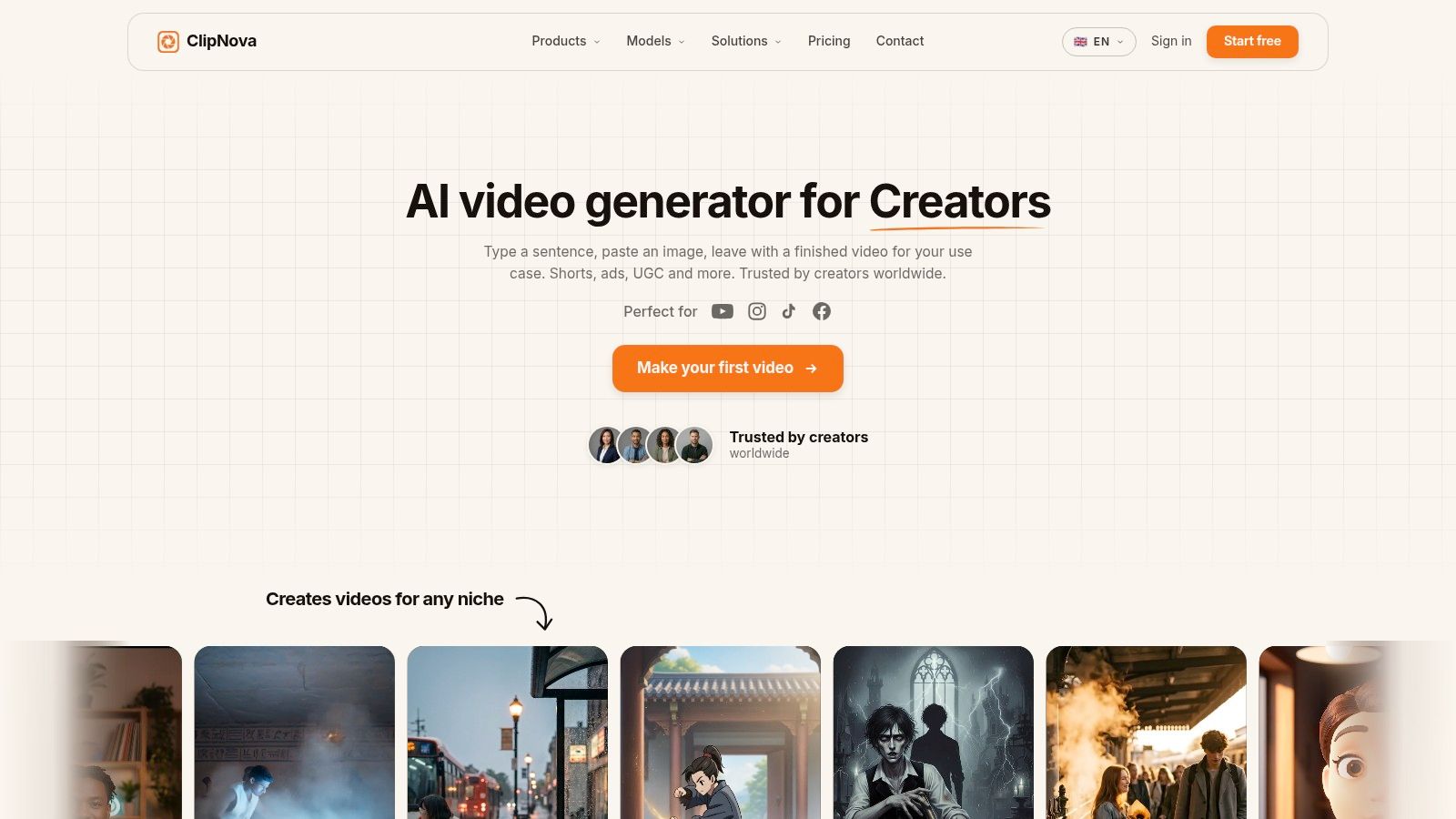
Before generating, inspect the composition. A high-resolution image with clear separation between the subject and background gives the system more useful visual structure. Leave breathing room around the main subject when possible, especially if the final destination is vertical. A tightly cropped product or a face touching the edge of the frame gives motion less room to work without revealing artifacts.
<a id="build-the-visual-movement-first"></a>
Build the visual movement first
Choose the least aggressive motion style that communicates the idea. Subtle parallax can add depth without changing the product's shape. Zoom-and-pan works well when the photo already has a deliberate focal point. Element-specific animation is more useful when the background, light, smoke, or decorative detail should move while the core subject remains stable.
Once the movement feels acceptable, add the spoken layer. ClipNova's voice library supports voiceover generation in 32 languages, which is useful for localized versions without another recording session. Keep the script closely tied to what viewers can verify in the image. If the photo shows one feature, explain that feature rather than asking the model to imply an unsupported product benefit.
Captions should be treated as part of the layout, not an afterthought. A bold style such as the Hormozi format can suit fast social content, but it may overpower a premium product image. Use short lines, check safe areas, and make sure captions don't cover logos, packaging instructions, or a person's face.
<a id="add-sound-and-create-variants"></a>
Add sound and create variants
Background music can change the perceived pace of a clip even when the visual movement stays restrained. Use automatic beat matching when the footage needs rhythmic cuts or transitions, then review the result manually. Beat alignment shouldn't force an unnecessary camera move or turn a calm brand message into an aggressive edit.
The platform's multi-aspect export supports 9:16, 1:1, and 16:9 formats in one workflow. Review each crop separately because a composition that works in wide format may place the product too close to an edge in vertical format. Variant generation is also valuable here. Create alternatives with different motion intensity, caption treatments, or opening frames, then compare them as a set rather than judging one polished demo in isolation.
For a related editing use case, the workflow described in how to add a photo in a video is useful when the image needs to sit inside a larger composition rather than carry the entire animation.
Here's the practical sequence:
- Prepare the source: Use a clean, sharp image with a clear subject and enough surrounding space for the intended crop.
- Select controlled motion: Start with parallax or a slow camera move before testing more expressive animation.
- Define the message: Write a concise voiceover that matches visible product or scene details.
- Style captions carefully: Choose a readable treatment and check that text doesn't cover important visual information.
- Balance the audio: Add music only after the narration and pacing work without it.
- Export and inspect variants: Check every aspect ratio, frame edge, caption position, and product detail before publishing.
The goal isn't to make a still image look as if it became a movie set. It's to produce a short clip that remains faithful to the approved asset while adding enough movement to earn attention.
<a id="what-separates-good-ai-video-output-from-bad"></a>
What Separates Good AI Video Output from Bad
A generated clip can preserve the subject perfectly and still fail in production. The camera may jerk, an object may change shape between frames, or a hand may interact with a product in a physically impossible way. That's why output quality needs more than an aesthetic glance.
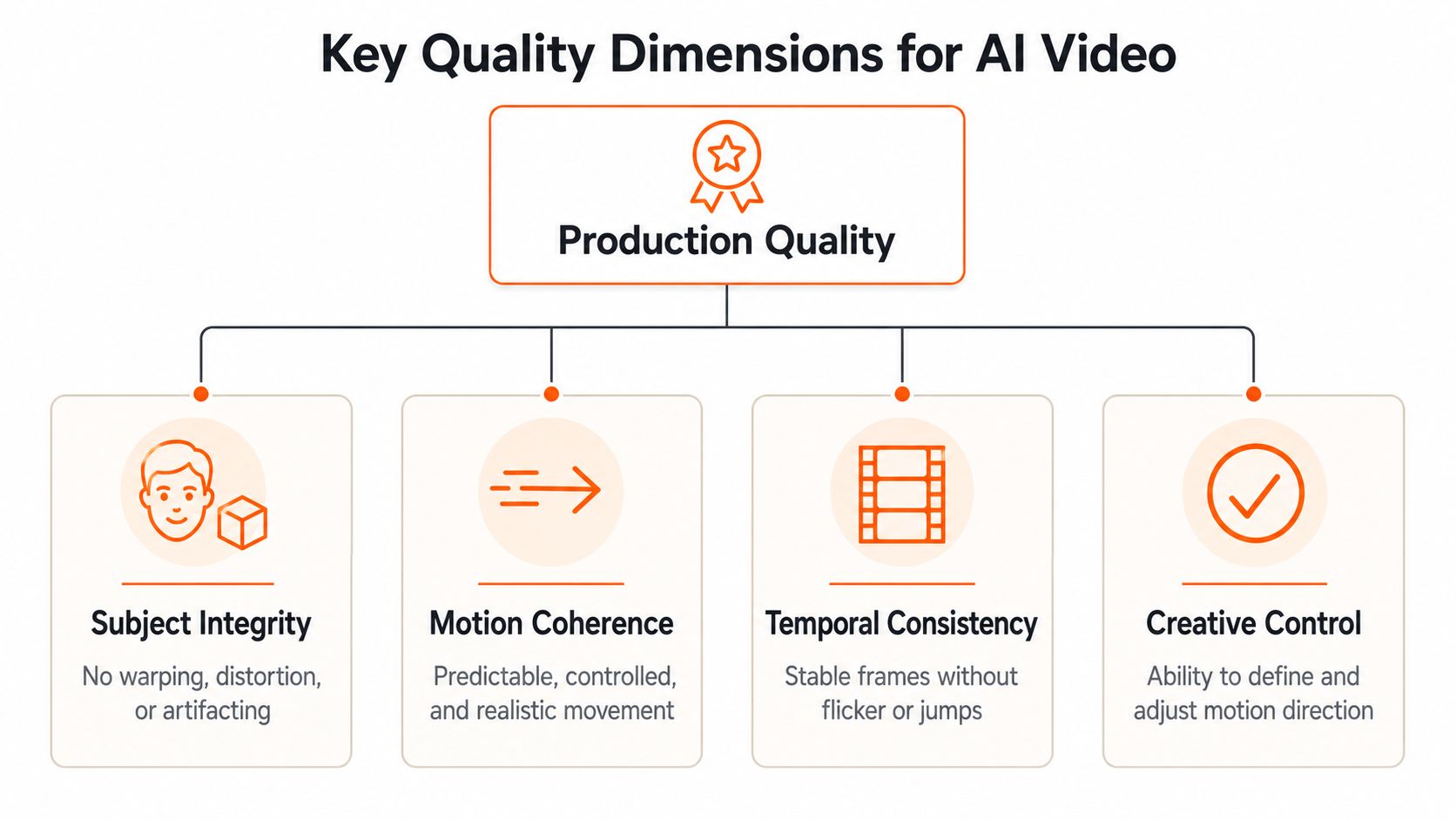
AIGCBench's image-to-video benchmark evaluates outputs across 11 metrics grouped into four dimensions: control-video alignment, motion effects, temporal consistency, and video quality. That structure gives creators a practical inspection order.
<a id="start-with-the-source-relationship"></a>
Start with the source relationship
Control-video alignment asks whether the clip respects the source image's subject and layout. Check the product silhouette, label placement, colors, facial features, and relative position of major objects. If the source image shows a bottle with a particular cap and label, those details should remain stable throughout the clip.
Motion realism comes next. Look for movement that has a believable cause and direction. A slow camera push should feel like a camera push, not a scene that expands unevenly. Subject movement should follow the apparent structure of the body or object rather than producing rubbery stretching.
<a id="inspect-the-timeline-not-just-the-thumbnail"></a>
Inspect the timeline, not just the thumbnail
Temporal consistency is where many impressive previews break down. Watch the clip several times and pause at transitions. Flickering textures, shifting logos, unstable eyes, changing jewelry, and background objects that pop in and out indicate that the model hasn't maintained a coherent scene.
Overall visual quality still matters, but it should come after the structural checks. A beautiful clip with unstable packaging is less valuable to a retailer than a modest animation that keeps the product accurate. The benchmark's separation of reference-video and video-free metrics is useful because it supports evaluation even when there's no ground-truth animation to compare against.
For authenticity reviews, a visual inspection method such as this AI video authenticity method can help teams focus on background continuity rather than relying only on a viewer's first impression.
Agent-based evaluation research also emphasizes motion-specific review. Because the input image already fixes much of the appearance and background, teams should pay closer attention to camera motion, subject interaction, and small motion details, as discussed in this image-to-video evaluation research.
<a id="controlling-motion-and-preserving-product-fidelity"></a>
Controlling Motion and Preserving Product Fidelity
The most common production failure isn't a lack of visual creativity. It's too much of it. A model adds a dramatic camera sweep to a product shot, changes the proportions of a package, or moves a face in a way that makes the person look synthetic. For brand content, the safest animation often looks deliberately modest.
Start by separating the subject from the atmosphere. If a product must remain exact, keep it static and animate the background, shadow, light, particles, or surrounding decorative elements. This creates perceived movement without asking the model to redraw the most sensitive parts of the image.
<a id="match-motion-to-the-image-type"></a>
Match motion to the image type
Product photography benefits from slow, predictable movement. Try a restrained push-in, a controlled lateral pan, or shallow parallax. Avoid aggressive rotations when the object has reflective surfaces, fine typography, transparent packaging, or precise geometry. These details give the model more opportunities to introduce distortions.
Text-heavy images need even more caution. AI animation can treat letters as visual texture rather than fixed information, so keep important copy outside the generated motion layer when possible. Add the headline, price, disclaimer, or call to action during editing instead of asking the animation model to preserve text embedded in the image.
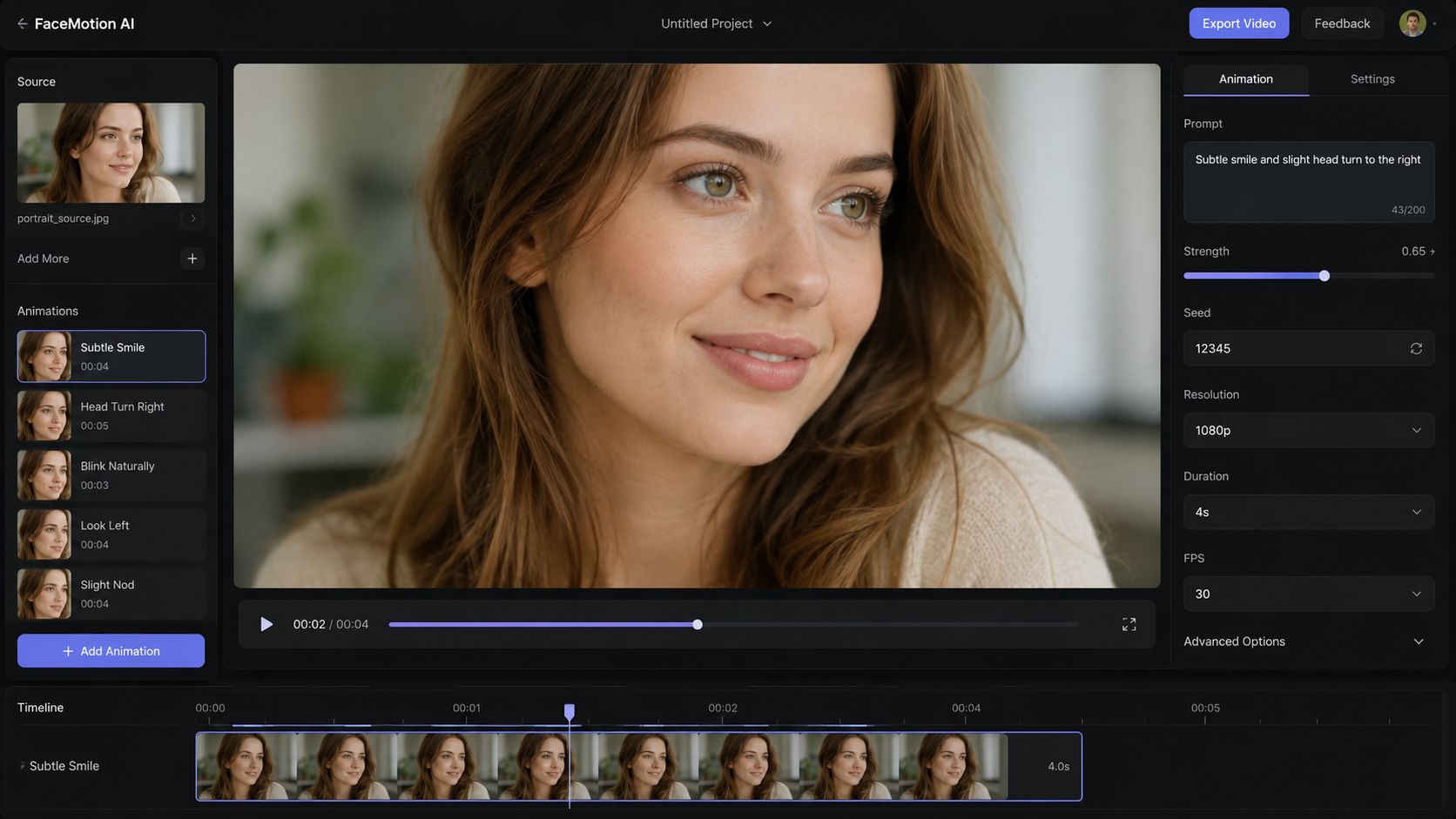
Portraits and lifestyle photos present a different problem. Faces, hands, hair, and interactions between multiple people can change subtly from frame to frame. Use gentle facial or environmental movement, and avoid complex gestures unless the tool offers a way to specify which subject or region should move.
Commercial standard: Animate the least valuable visual element first. If the result fails, you'll lose atmosphere, not product identity.
<a id="use-ai-where-it-earns-its-place"></a>
Use AI where it earns its place
AI-generated motion works well when the image needs depth, ambient movement, or a small amount of life. It's less suitable when the brief demands exact geometry, precise text, or a repeatable product rotation. In those cases, manual keyframes, masked overlays, or standard transitions may produce a cleaner result.
A hybrid workflow is usually more dependable. Generate a restrained base clip, then edit the timing, crop, captions, logo placement, and audio manually. If the source needs more clarity before animation, an AI image upscaler software workflow can improve the starting asset, but upscaling won't repair a distorted label or an unstable face created during generation.
Make several low-risk variants rather than repeatedly increasing motion intensity on one clip. Compare them for fidelity, not just excitement. The version with the smallest movement may be the one that survives review, localization, resizing, and paid placement.
<a id="rights-and-compliance-for-commercial-ai-video"></a>
Rights and Compliance for Commercial AI Video
A photo can be easy to animate and difficult to publish. The moment a real person, customer, child, deceased individual, licensed stock image, or recognizable brand asset appears, the project needs more than a creative decision. It needs documented permission and a clear understanding of how the output may be used.
Consent should cover the actual transformation, not merely the original photograph. A customer who agreed to appear in a case-study image may not have agreed to have their face animated, voiced, localized, or placed in paid advertising. Teams should record who supplied the image, what rights were granted, where the content may run, and whether AI transformation was included in the permission.
Copyright and license terms deserve the same scrutiny. A stock license may permit ordinary advertising use while saying nothing about AI-driven manipulation. Product shots can also include third-party packaging, artwork, celebrity likenesses, or retail environments that carry separate restrictions.
<a id="create-a-publishing-gate"></a>
Create a publishing gate
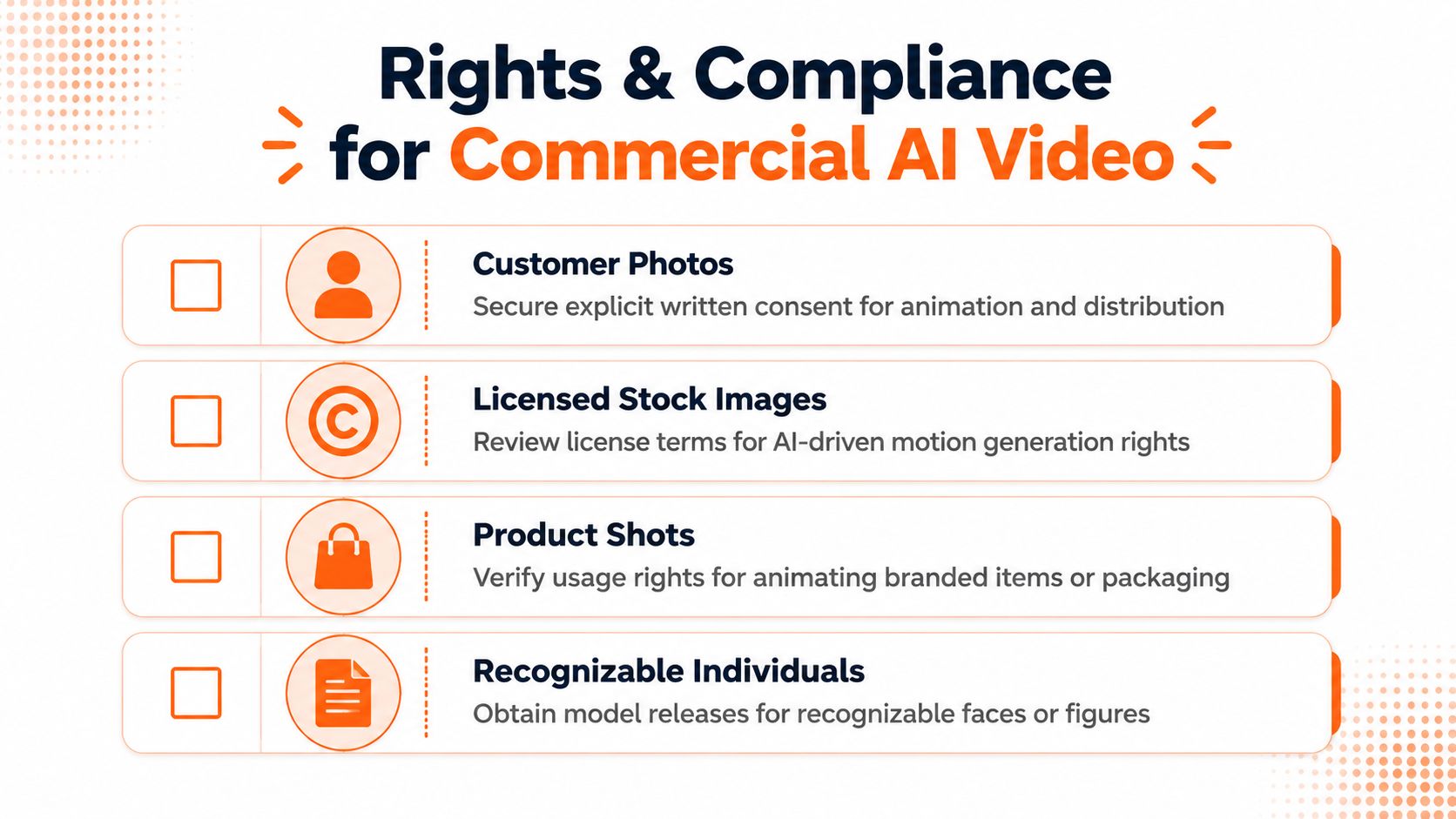
Before distribution, require a simple rights review:
- Customer photos: Confirm explicit written consent for animation and intended distribution.
- Licensed stock images: Review whether the license covers AI-based motion generation and paid media.
- Product shots: Verify rights for animating branded items, packaging, artwork, and recognizable design elements.
- Recognizable individuals: Obtain appropriate model or likeness releases before using faces or figures commercially.
Regional privacy requirements can also affect storage, processing, and distribution. A team may have permission to use a photo in one campaign but still need to assess whether the same asset can be processed or published across other markets.
The platform's terms matter too. Before scaling, check whether outputs can be used in paid advertising, whether exports carry watermarks, how projects are stored, and whether user inputs are used for model training. ClipNova's stated safeguards include encrypted project storage, a policy that user inputs aren't used for model training, and full commercial rights with watermark-free exports on paid plans. Those features support a workflow, but they don't replace consent, license review, or legal advice for sensitive campaigns.
The commercial pressure is real. One 2025 industry survey found that 30% of digital video ads were already created from scratch or enhanced with generative AI, with buyers expecting that share to reach 39% by 2026, as reported in this coverage of AI photo-to-video ethics. As adoption expands, governance becomes part of production quality. A clip that looks perfect but lacks permission is still unusable.
<a id="your-picture-to-video-ai-production-checklist"></a>
Your Picture to Video AI Production Checklist
Successful picture to video AI production is less about choosing the most dramatic effect and more about controlling every risk between upload and publication. Use this checklist before approving a clip.
<a id="start-with-the-asset"></a>
Start with the asset
- Choose a clean source: Use a sharp image with a clear subject, readable composition, and enough space for the target crop.
- Protect sensitive details: Keep logos, packaging text, facial features, and fine product geometry out of aggressive motion.
- Match the format early: Decide whether the primary version is vertical, square, or horizontal before choosing the crop.
<a id="choose-movement-with-intent"></a>
Choose movement with intent
- E-commerce products: Use slow zooms, restrained pans, or background-only animation. Keep the product itself stable.
- Creator content: Test parallax, expressive transitions, captions, and voiceover, but reject motion that changes the person's identity.
- Agency workflows: Generate controlled variants from the same source, then standardize the approved motion, caption, and export settings.
<a id="review-quality-frame-by-frame"></a>
Review quality frame by frame
Check control-video alignment first. Then inspect motion realism, temporal consistency, and overall visual quality. Don't approve a clip because its opening frame looks polished. Watch for flicker, morphing, unstable hands, drifting camera movement, and changes to product details.
<a id="finish-the-production-layer"></a>
Finish the production layer
Write narration that matches what viewers can see. Add captions only after confirming the visual safe area, and review every aspect-ratio export independently. For music, tools that help you incorporate background audio into video can be useful when the visual and spoken layers are already stable.
<a id="confirm-rights-before-publishing"></a>
Confirm rights before publishing
Document consent for real people, confirm stock and product permissions, review the platform's commercial license, and keep an approval record with the final export. This process protects the campaign when a personal experiment becomes paid media or a localized asset.
The market is expanding quickly. One forecast projects the global AI image generator market from USD 8.7 billion in 2024 to USD 60.8 billion by 2030, while another projects AI video generation and editing software from USD 3.67 billion in 2026 to USD 24.89 billion by 2036, as summarized by MarketsandMarkets. Growth will create more tools, but controllability and compliance will still determine which clips make it through a real brand workflow.
ClipNova brings photo animation, voiceover, captions, music, variant generation, and multi-aspect exports into one AI video studio, with commercial rights and watermark-free exports available on paid plans. Visit ClipNova to turn an approved photo into a controlled short-form video workflow and test a production-ready variant for your next campaign.
Ready to ship your own?
Start creating viral videos with AI in under twenty minutes, no credit card required.